
Comparison LG 65SJ950V vs LG 65UH950V
Add to comparison | 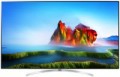 | 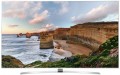 |
|---|---|---|
| LG 65SJ950V | LG 65UH950V | |
| Outdated Product | from $1,508.50 up to $2,199.96 | |
| TOP sellers | ||
| Size | 65 " | 65 " |
| Operating system | Smart TV (proprietary system) | Smart TV (proprietary system) |
Display | ||
| Matrix | IPS | IPS |
| Screen surface | anti-glare | anti-glare |
| Resolution | 3840x2160 px | 3840x2160 px |
| Frame rate | 100/120 Hz | 50/60 Hz |
| HDR support | HDR10 | HDR10 |
Multimedia | ||
| Sound power | 40 W | 40 W |
| Number of speakers | 2 | 2 |
| Subwoofer |  | |
| Audio decoders | Ultra Surround | |
| Digital tuner | DVB-T2 (terrestrial) DVB-C (cable) DVB-S2 (satellite) | DVB-T2 (terrestrial) DVB-C (cable) DVB-S2 (satellite) |
Features | ||
| Features | Wi-Fi Miracast Bluetooth voice control | Wi-Fi Miracast Bluetooth voice control |
Connectors | ||
| HDMI | 4 | 3 |
| Additional inputs | USB-A LAN | USB-A LAN component composite AV input |
| Outputs | mini-Jack (3.5 mm) headphones optical | mini-Jack (3.5 mm) headphones optical |
General | ||
| Wall mount | VESA 300x200 mm | VESA 300x200 mm |
| Dimensions (WxHxD) | 1451x888x289 mm | 1454.9x895.1x282.6 mm |
| Dimensions without stand (WxHxD) | 1451x827x57 mm | 1454.9x833.7x54.2 mm |
| Weight | 24.3 kg | 23.5 kg |
| Color | ||
| Added to E-Catalog | may 2017 | may 2016 |


Compare LG 65SJ950V and 65UH950V
You may be interested in
LG 65SJ950V often compared


LG 65UH950V often compared
Glossary
Frame rate
The true panel frequency of a TV without marketing enhancements and interpolation; today there are two classes: 50/60 Hz and 100/120 Hz. The pair of 50 and 60 Hz exists due to historical video signal standards (Europe 25/50, USA/Asia 30/60), with modern TVs typically accepting both. It is reasonable to consider the 100/120 Hz pair as one: it is the same high-end hardware platform, simply operating in multiples of its "native" content (100 Hz for 50 Hz sources, 120 Hz for 60 Hz). This class provides smoother motion in sports and 24p movies (at 120 Hz — in a multiple of 5:5 without stuttering) and unlocks 4K@120 Hz/VRR for gaming; 50/60 Hz remains the basic option for TV and streaming without gaming ambitions.
Audio decoders
A decoder can be broadly described as a standard in which digital audio (often multi-channel) is recorded. For normal playback of such sound, it is necessary that the corresponding decoder is supported by the device. Dolby Digital and DTS were the first in multi-channel decoding, gradually improving and introducing new features. The final stage for 2020 is Dolby Atmos and DTS X decoders.
– Dolby Atmos. A decoder that uses not a rigid distribution of sound across channels, but the processing of audio objects, due to which it can be used with almost any number of channels on a reproducing system — the sound will be divided between channels so that each audio object is heard as close as possible to its proper place. When using Dolby Atmos, ceiling speakers (or speakers facing the ceiling) are highly desirable. However, in extreme cases, you can do without them.
— DTS X. An analogue of the Dolby Atmos described above, when the sound is distributed not through individual channels, but through audio objects. The digital signal contains information about where (according to the director's intention) the object audible to the user should be and how it should move, and the processor of the reproducing device processes this information and determines exactly how the sound should be distributed over the available channels in order to achieve the required localization. Thanks to this, DTS X is not tied to a specific number of audi...o channels — there can be as many as you like, the system will automatically divide the sound into them, achieving the desired sound. Also note that this decoder allows you to separately adjust the volume of dialogues.
– Dolby Atmos. A decoder that uses not a rigid distribution of sound across channels, but the processing of audio objects, due to which it can be used with almost any number of channels on a reproducing system — the sound will be divided between channels so that each audio object is heard as close as possible to its proper place. When using Dolby Atmos, ceiling speakers (or speakers facing the ceiling) are highly desirable. However, in extreme cases, you can do without them.
— DTS X. An analogue of the Dolby Atmos described above, when the sound is distributed not through individual channels, but through audio objects. The digital signal contains information about where (according to the director's intention) the object audible to the user should be and how it should move, and the processor of the reproducing device processes this information and determines exactly how the sound should be distributed over the available channels in order to achieve the required localization. Thanks to this, DTS X is not tied to a specific number of audi...o channels — there can be as many as you like, the system will automatically divide the sound into them, achieving the desired sound. Also note that this decoder allows you to separately adjust the volume of dialogues.
HDMI
The number of HDMI inputs provided in the design of the TV.
HDMI is a comprehensive digital interface that allows high-definition video and multi-channel audio to be transmitted over a single cable. It is widely used in modern HD equipment — in fact, the presence of such an output is mandatory for modern media centers, DVD players, etc. Therefore, LCD TVs in the vast majority of cases are equipped with at least one HDMI port. And the presence of several such ports allows you to simultaneously connect several signal sources and switch between them; in some models, the number of HDMI can reach 4 or even more. At the same time, some manufacturers use technologies that allow you to control devices connected to the TV via HDMI from a single remote control.
HDMI is a comprehensive digital interface that allows high-definition video and multi-channel audio to be transmitted over a single cable. It is widely used in modern HD equipment — in fact, the presence of such an output is mandatory for modern media centers, DVD players, etc. Therefore, LCD TVs in the vast majority of cases are equipped with at least one HDMI port. And the presence of several such ports allows you to simultaneously connect several signal sources and switch between them; in some models, the number of HDMI can reach 4 or even more. At the same time, some manufacturers use technologies that allow you to control devices connected to the TV via HDMI from a single remote control.
Additional inputs
The TV's connectivity options are based not only on wireless technologies (described above), but also on a wired connection. In particular, additional video transmission can be carried out through VGA, composite AV connectors . Some of them also provide sound transmission, in addition to which there may be a mini-Jack (3.5 mm) and other ports for communication with external devices. More about them:
— USB. Connector for connecting external peripheral devices. The presence of USB means at least that the TV is capable of playing content from flash drives and other external USB media. In addition, there may be other ways to use this input: recording TV programs to external media, connecting a WEB camera (see same paragraph), keyboard and mouse to use the built-in browser and other software, etc. The specific set of options depends on the functionality of the TV, it should be specified separately in each case.
— Card reader. A device for working with memory cards, most often in SD format. The main use of the card reader is to play content from such cards on a TV; such an opportunity is especially convenient for viewing materials from photo and video cameras — it is in such devices that memory cards are widely used. There may be other ways to use this function — fo...r example, recording from the broadcast or even exchanging files between the card and the TV's storage. It is worth bearing in mind that SD cards have several subtypes — original SD, SD HC and SD XC, and not all of them may be supported by the card reader.
— LAN. Standard connector for wired connection to computer networks (both local and the Internet). Mostly found in models with Smart TV support (including Android TV devices; see related paragraphs). A wired connection is less convenient than Wi-Fi, not as aesthetically pleasing, so manufacturers place more emphasis on a wireless connection, as a result of which the speed indicators of the LAN connector are not indicated, and in some cases may be unacceptable for 4K broadcasts.
— VGA. Analogue video input, also known as D-sub 15 pin. Initially, the VGA interface was developed for computers, but due to the emergence of more advanced standards like HDMI (see below) and technical limitations (the maximum resolution is only 1280x1024, the inability to transmit sound), it is considered obsolete and is used less and less. So it makes sense to specifically look for a TV with such a connector mainly in cases where it is planned to be used as a monitor for an outdated computer or laptop.
– Composite AV input. Analogue input for video and audio transmission. Previously, it consisted of 3 RCA sockets (yellow for video, white and red for audio) and was connected to the equipment accordingly. Now in many models you can find an AV output, which is a single connector in the “headphone” format, to which a tee cable is already connected (check availability in the package).
— COM port (RS-232). A connector originally designed for computer equipment. In TVs, it is used as a service interface: for troubleshooting, updating firmware, adjusting TV parameters and various calibrations, integrating the TV into centralized remote control systems, etc. Note that the COM port may differ in shape and contact group in different TV models. It is often designated as RS-232C.
— USB. Connector for connecting external peripheral devices. The presence of USB means at least that the TV is capable of playing content from flash drives and other external USB media. In addition, there may be other ways to use this input: recording TV programs to external media, connecting a WEB camera (see same paragraph), keyboard and mouse to use the built-in browser and other software, etc. The specific set of options depends on the functionality of the TV, it should be specified separately in each case.
— Card reader. A device for working with memory cards, most often in SD format. The main use of the card reader is to play content from such cards on a TV; such an opportunity is especially convenient for viewing materials from photo and video cameras — it is in such devices that memory cards are widely used. There may be other ways to use this function — fo...r example, recording from the broadcast or even exchanging files between the card and the TV's storage. It is worth bearing in mind that SD cards have several subtypes — original SD, SD HC and SD XC, and not all of them may be supported by the card reader.
— LAN. Standard connector for wired connection to computer networks (both local and the Internet). Mostly found in models with Smart TV support (including Android TV devices; see related paragraphs). A wired connection is less convenient than Wi-Fi, not as aesthetically pleasing, so manufacturers place more emphasis on a wireless connection, as a result of which the speed indicators of the LAN connector are not indicated, and in some cases may be unacceptable for 4K broadcasts.
— VGA. Analogue video input, also known as D-sub 15 pin. Initially, the VGA interface was developed for computers, but due to the emergence of more advanced standards like HDMI (see below) and technical limitations (the maximum resolution is only 1280x1024, the inability to transmit sound), it is considered obsolete and is used less and less. So it makes sense to specifically look for a TV with such a connector mainly in cases where it is planned to be used as a monitor for an outdated computer or laptop.
– Composite AV input. Analogue input for video and audio transmission. Previously, it consisted of 3 RCA sockets (yellow for video, white and red for audio) and was connected to the equipment accordingly. Now in many models you can find an AV output, which is a single connector in the “headphone” format, to which a tee cable is already connected (check availability in the package).
— COM port (RS-232). A connector originally designed for computer equipment. In TVs, it is used as a service interface: for troubleshooting, updating firmware, adjusting TV parameters and various calibrations, integrating the TV into centralized remote control systems, etc. Note that the COM port may differ in shape and contact group in different TV models. It is often designated as RS-232C.