
Comparison TP-LINK M7200 vs ZTE MF920
Add to comparison | 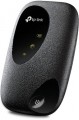 | 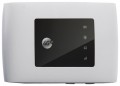 |
|---|---|---|
| TP-LINK M7200 | ZTE MF920 | |
| Compare prices 1 | from $99.25 | |
| User reviews | ||
| TOP sellers | ||
| Device type | portable router | portable router |
| Wi-Fi | Wi-Fi 3 (802.11g) Wi-Fi 4 (802.11n) | Wi-Fi 3 (802.11g) Wi-Fi 4 (802.11n) |
| Connected devices, up to | 10 | 32 |
Connection | ||
| Communication generation | 2G 3G 4G (LTE) | 2G 3G 4G (LTE) |
| 4G (LTE) | Cat.4 (150/50 Mbps) | Cat.4 (150/50 Mbps) |
| Transmission technology | GPRS EDGE W-CDMA HSUPA HSDPA HSPA+ LTE | GPRS EDGE W-CDMA HSUPA HSDPA HSPA+ LTE |
| Ports | microUSB | microUSB |
Features | ||
| SIM card slot |  | |
| Display |  | |
General | ||
| Built-in battery | | |
| Battery capacity | 2000 mAh | 2000 mAh |
| Operating time (internet browsing) | 8 h | 6 h |
| Operating time (standby) | 120 h | |
| Dimensions | 102.6x63x16 mm | 107.5x63.7x14.8 mm |
| Added to E-Catalog | june 2019 | may 2016 |



Compare TP-LINK M7200 and ZTE MF920
Price comparison
You may be interested in
TP-LINK M7200 often compared


ZTE MF920 often compared


Glossary
Connected devices, up to
The largest number of devices that can be simultaneously connected to the modem via Wi-Fi (see "Connection").
The presence of this limitation is due to the fact that processing network requests from several devices at once requires a fairly large amount of computing resources, and there are not so many of them in miniature electronics like wireless modems. However, even inexpensive models can support about 5 – 6 devices, which is more than enough for most cases; and in more advanced modems, this number can reach 10.
The presence of this limitation is due to the fact that processing network requests from several devices at once requires a fairly large amount of computing resources, and there are not so many of them in miniature electronics like wireless modems. However, even inexpensive models can support about 5 – 6 devices, which is more than enough for most cases; and in more advanced modems, this number can reach 10.
Display
The presence of a display in the design of the modem. Even the simplest screens used in modern modems are very versatile and capable of displaying almost any service information about the operation of the device (and sometimes not only purely service information). Due to this, this feature provides much more opportunities to inform the user than various indicators. At the same time, we note that this feature is found only in Wi-Fi modems (see above) designed for stand-alone use. This is due to the fact that in models that are connected to another device via USB, the screen of the external device is used for displaying this information, and it simply does not make sense to equip the modem with its own display.
Operating time (internet browsing)
The maximum operating time of the modem with battery power (see "Power") on a single charge in Internet browsing mode. Such power is typical for Wi-Fi routers, therefore, usually, Internet browsing is supposed to provide access to the World Wide Web for an external Wi-Fi device.
This spec is the main indicator of battery life for any battery-powered modem, because it describes the time of using it for its main purpose without recharging. At the same time, you should know that this indicator is measured under certain "perfect" conditions; the actual operating time depends on a number of factors, including the intensity of browsing, the amount of data transferred, the number of connected devices and the distance to them, the cellular network signal strength, etc. Therefore, in fact, the battery life of the modem may be somewhat lower. Nevertheless, it is quite possible to compare different models with each other according to the operating time stated in the specs.
This spec is the main indicator of battery life for any battery-powered modem, because it describes the time of using it for its main purpose without recharging. At the same time, you should know that this indicator is measured under certain "perfect" conditions; the actual operating time depends on a number of factors, including the intensity of browsing, the amount of data transferred, the number of connected devices and the distance to them, the cellular network signal strength, etc. Therefore, in fact, the battery life of the modem may be somewhat lower. Nevertheless, it is quite possible to compare different models with each other according to the operating time stated in the specs.
Operating time (standby)
The maximum time the modem can operate on battery power (see "Power") in standby mode on a single battery charge.
This mode can be described as the standby mode. It assumes that the device is turned on, its operating circuits are powered and ready to respond to an incoming signal or user command at any time, but no data exchange occurs and no features work. This indicator is not as important as the Internet browsing time (see above), but it is also of practical importance and allows you to evaluate the battery life of the device — after all, during breaks between communication sessions, the modem is in standby mode.
This mode can be described as the standby mode. It assumes that the device is turned on, its operating circuits are powered and ready to respond to an incoming signal or user command at any time, but no data exchange occurs and no features work. This indicator is not as important as the Internet browsing time (see above), but it is also of practical importance and allows you to evaluate the battery life of the device — after all, during breaks between communication sessions, the modem is in standby mode.