
Comparison Ugreen 50423 vs Maiwo K3568
Add to comparison | 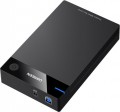 | 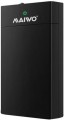 |
|---|---|---|
| Ugreen 50423 | Maiwo K3568 | |
| Outdated Product | from $16.99 | |
| User reviews | ||
| TOP sellers | ||
| Type | external | external |
| Features | stationary | |
| Drive form factor | 2.5"/3.5" | 2.5"/3.5" |
| Drive interface | SATA 3 | SATA 3 |
| Connectivity | USB-A 5Gbps | USB-A 5Gbps |
| Material | plastic | plastic |
| Storage slots | 1 | 1 |
| Max. drive size | 16 TB | |
| Power source | pSU | pSU |
| Size | 193x117x35 mm | |
| Color | ||
| Added to E-Catalog | november 2022 | april 2020 |


Compare Ugreen 50423 and Maiwo K3568
You may be interested in
My comparisons
Ugreen 50423 often compared


Maiwo K3568 often compared

Glossary
Features
General purpose of the pocket.
Note that different types of such accessories (see above) are divided according to their purpose. External pockets are categorized as portable and stationary, while internal ones are divided into models for laptops, for PC chassis, and solutions for servers. This parameter is generally not specified for docking stations and cases: the former are originally intended for stationary use, while the latter, by definition, are portable.
Here's a more detailed description of the options relevant for external pockets:
— Portable. Models designed for frequent movement from place to place and even for use on the go (for example, connecting to a laptop while traveling). Most modern external pockets fall into this category, as external storage devices, which these pockets are an alternative to, are mainly made portable. The specific features of such accessories can vary, but they are all compact enough and designed for only one internal drive, receiving power from the same USB port they connect to (see "Power").
— Stationary. External pockets intended to remain in one place and not meant for frequent relocations or use on the go. These models are significantly less common than portable ones; most of them are fairly large constructions designed to...hold two or more drives and often represent a kind of "NAS servers without network functions." However, there are single-slot models that differ from portable counterparts by having a stand to position the pocket vertically (saving space on a desk), and powered by a PSU.
In turn, internal pockets for different purposes have the following specifics:
— For laptops. This variety is usually designed for installing drives of the 2.5" or M.2 form factor into the optical drive bay (CD/DVD) — due to the compact size of laptops, this is often the only possible way to install an additional drive.
— Chassis. Pockets intended for standard desktop PCs. Note that the term "chassis" traditionally refers to a specific variety of such pockets — known as Mobile Rack, or "sleds". The main purpose of these accessories is to allow quick transfer of drives from one enclosure to another. Their construction includes two parts: a base that mounts in a 5.25" slot on the case, and a removable cartridge where the drive is installed. To prevent theft or unauthorized physical access, "sleds" can be equipped with a lock that blocks the removal of the drive. Such devices are quite rare today, mostly used with disk arrays and in certain specific circumstances — for example, to take a drive containing materials with you at the end of the workday or to lock it in a safe for confidentiality. Another type of pockets for PCs is adapters for installing drives in non-standard slots. A classic case is using a 2.5" "laptop-sized" drive in a 3.5" bay of a desktop case, but nowadays a more specific variant can be found — using an M.2 SSD as a PCI-E expansion card (see "Form factor" for more details).
— For server. Server systems often deal with large volumes of information that require high reliability and/or access speed. In light of this, most pockets for this purpose are designed for multiple drives (from two to six), allowing for necessary volumes and RAID arrays of different levels if needed. Built-in RAID support (see below) is not found in such devices — it's simpler and more sensible to organize it through the server itself. It's also worth noting that these pockets, by the way to install disks, are usually "sleds" (see "Chassis" above), providing added convenience, allowing, for example, quick swapping of a failed drive in a RAID array. Server pockets may use specialized interfaces like SAS, although traditional SATA is more popular.
Note that different types of such accessories (see above) are divided according to their purpose. External pockets are categorized as portable and stationary, while internal ones are divided into models for laptops, for PC chassis, and solutions for servers. This parameter is generally not specified for docking stations and cases: the former are originally intended for stationary use, while the latter, by definition, are portable.
Here's a more detailed description of the options relevant for external pockets:
— Portable. Models designed for frequent movement from place to place and even for use on the go (for example, connecting to a laptop while traveling). Most modern external pockets fall into this category, as external storage devices, which these pockets are an alternative to, are mainly made portable. The specific features of such accessories can vary, but they are all compact enough and designed for only one internal drive, receiving power from the same USB port they connect to (see "Power").
— Stationary. External pockets intended to remain in one place and not meant for frequent relocations or use on the go. These models are significantly less common than portable ones; most of them are fairly large constructions designed to...hold two or more drives and often represent a kind of "NAS servers without network functions." However, there are single-slot models that differ from portable counterparts by having a stand to position the pocket vertically (saving space on a desk), and powered by a PSU.
In turn, internal pockets for different purposes have the following specifics:
— For laptops. This variety is usually designed for installing drives of the 2.5" or M.2 form factor into the optical drive bay (CD/DVD) — due to the compact size of laptops, this is often the only possible way to install an additional drive.
— Chassis. Pockets intended for standard desktop PCs. Note that the term "chassis" traditionally refers to a specific variety of such pockets — known as Mobile Rack, or "sleds". The main purpose of these accessories is to allow quick transfer of drives from one enclosure to another. Their construction includes two parts: a base that mounts in a 5.25" slot on the case, and a removable cartridge where the drive is installed. To prevent theft or unauthorized physical access, "sleds" can be equipped with a lock that blocks the removal of the drive. Such devices are quite rare today, mostly used with disk arrays and in certain specific circumstances — for example, to take a drive containing materials with you at the end of the workday or to lock it in a safe for confidentiality. Another type of pockets for PCs is adapters for installing drives in non-standard slots. A classic case is using a 2.5" "laptop-sized" drive in a 3.5" bay of a desktop case, but nowadays a more specific variant can be found — using an M.2 SSD as a PCI-E expansion card (see "Form factor" for more details).
— For server. Server systems often deal with large volumes of information that require high reliability and/or access speed. In light of this, most pockets for this purpose are designed for multiple drives (from two to six), allowing for necessary volumes and RAID arrays of different levels if needed. Built-in RAID support (see below) is not found in such devices — it's simpler and more sensible to organize it through the server itself. It's also worth noting that these pockets, by the way to install disks, are usually "sleds" (see "Chassis" above), providing added convenience, allowing, for example, quick swapping of a failed drive in a RAID array. Server pockets may use specialized interfaces like SAS, although traditional SATA is more popular.
Max. drive size
The maximum storage capacity supported by the pocket. In models with multiple disks/SSDs (see "Drive Slots"), this item indicates the largest total volume supported by the device; by dividing this capacity by the number of slots, you can determine the maximum allowable capacity of each individual drive.
The limitation on the maximum volume is relevant mainly for external models, including docking stations (see "Type"). This is due to the fact that fundamentally different interfaces are used for the drive and for connecting the pocket itself in such models (most often SATA and USB, respectively, see above for details). For the normal interaction of such interfaces, an electronic controller is required; and the larger the volume of the installed drive (s) — the higher the requirements for the performance of such a controller.
Note that, other things being equal, supporting large volumes is more expensive, and capacious drives themselves are not cheap. Therefore, when choosing according to this indicator, it is worth considering real needs, and not chasing the maximum numbers.
The limitation on the maximum volume is relevant mainly for external models, including docking stations (see "Type"). This is due to the fact that fundamentally different interfaces are used for the drive and for connecting the pocket itself in such models (most often SATA and USB, respectively, see above for details). For the normal interaction of such interfaces, an electronic controller is required; and the larger the volume of the installed drive (s) — the higher the requirements for the performance of such a controller.
Note that, other things being equal, supporting large volumes is more expensive, and capacious drives themselves are not cheap. Therefore, when choosing according to this indicator, it is worth considering real needs, and not chasing the maximum numbers.