
Comparison Hator Vast Junior vs Ultradesk Frag
Add to comparison | 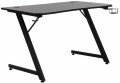 | 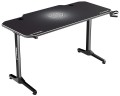 |
|---|---|---|
| Hator Vast Junior | Ultradesk Frag | |
| Outdated Product | Outdated Product | |
| TOP sellers | ||
| Form factor | gaming | gaming |
Design | ||
| Dimensions | 1200x700x750 mm | 1400x660x760 mm |
| Height adjustment | in absent | in absent |
| Table top shape | rectangular with recess | rectangular |
| Leg design | Z-shaped | T-shaped |
| Cable management |  | |
| Cable hole | | |
Features | ||
| Cup holder | | |
| Headphone holder | | |
| Game controller holder |  | |
| Mouse Pad | | |
| Max. load | 80 kg | |
| Weight | 17 kg | |
| Added to E-Catalog | october 2023 | september 2023 |


Compare Hator Vast Junior and Ultradesk Frag
You may be interested in
My comparisons
Hator Vast Junior often compared


Ultradesk Frag often compared

Glossary
Dimensions
The size of an office desk directly affects how comfortable it is to work: a depth of 60–80 cm is considered optimal so there’s enough space for a laptop, a monitor, and stationery, while the width is chosen between 100 and 160 cm depending on how much equipment and how many accessories you have. For gaming desks, the standard is wider—70–80 cm and 120–180 cm respectively—since you need to fit multiple monitors, a PC tower, peripherals, and still have free space to move. Unlike compact office models, gaming versions often have a rounded front edge or a corner design, which boosts ergonomics. In reality, office options are more common in minimalist interiors for working with documents or a laptop, whereas gaming ones are used in setups with more devices, LED lighting, and accessories.
Table top shape
— Rectangular. The most traditional and versatile format, suitable for office and home workspaces. A rectangular desktop is easy to install, fits harmoniously into any space, and is optimal for users who need a standard work surface without unnecessary elements. This option is convenient for writing, working on a laptop, or setting up a minimal set of equipment.
— Rectangular with cutout. This desktop is ergonomic and creates a more comfortable workspace: due to the recess, the user is positioned closer to the center of the table, providing quick access to the keyboard, mouse, and monitor. This is especially relevant for gamers and professionals who work long hours at a PC, as it reduces strain on the hands and back.
— Corner. Represents an L-shaped solution, allowing for efficient use of the room's corner and significantly increasing usable space. This format is ideal for those who work with multiple monitors, large equipment, or appreciate the organization of the workspace while maintaining easy access to all areas of the table.
— Rectangular with cutout. This desktop is ergonomic and creates a more comfortable workspace: due to the recess, the user is positioned closer to the center of the table, providing quick access to the keyboard, mouse, and monitor. This is especially relevant for gamers and professionals who work long hours at a PC, as it reduces strain on the hands and back.
— Corner. Represents an L-shaped solution, allowing for efficient use of the room's corner and significantly increasing usable space. This format is ideal for those who work with multiple monitors, large equipment, or appreciate the organization of the workspace while maintaining easy access to all areas of the table.
Leg design
The leg design of gaming and office desks directly affects stability, legroom, and compatibility with mountings.
— T-shaped. Classic stability: a wide crossbar "heel" evenly distributes the load and almost eliminates sideways wobbling, allowing the desk to confidently hold two to three monitors, a bracket, and heavy peripherals. Compared to Z-supports, the T-frame is more predictable on uneven floors and resists asymmetrical loads from brackets better than Y-shaped structures; the X-frame is stiffer diagonally but "eats" more legroom. The practice is simple: a streaming station, an office with long printing tasks, or an engineer's workstation — T-supports provide a stable setup, a convenient cable tray along the crossbar, and a neat appearance on camera without table shaking.
— Z-shaped. A "broken" frame with inclined posts and a lower bar, which effectively dampens longitudinal vibrations and gives the desk an aggressive, "gaming" silhouette. In reality, such a geometry feels stiff during active mouse work and typing but requires an even floor and careful weight distribution: for asymmetric monitor brackets, X or T supports are more stable. A practical scenario is a gaming setup with two displays on standard stands, a microphone on a boom arm, and a cable tray attached to the lower bar: visually clean, stable during intense sessions, and without unnecessary knee supports.
— <...a href="/list/898/pr-56159/">X-shaped. A frame with diagonal braces forming a "cross," giving the table high rigidity in both planes and minimal wobble during intensive typing or sharp mouse movements. This geometry is valued in gaming and streaming setups with heavy monitors on mounts and massive peripherals: the load is distributed diagonally, and the tabletop is less prone to wobbling. Compared to T-shaped supports, the X-structure better withstands lateral jolts but may consume some leg space. In practice, it is a successful choice for two or three monitors, a microphone on a boom arm, and a docking station.
— Y-shaped. Supports where the central post splits into two "beams" towards the floor, providing free front space and convenient chair access without hitting crossbars. This geometry offers good stability under longitudinal loads and a neat appearance, but usually falls short of X and T constructions in diagonal rigidity and requires even equipment distribution, especially with monitor mounts. Practically, it's ideal for compact workspaces and minimalist gaming setups: a laptop on a docking station, one or two monitors.
— K-shaped. Supports with diagonal struts forming a characteristic "K" geometry, adding stiffness to the frame without weighting the structure. Such a desk looks dynamic and "gamer-like" while maintaining good stability during typing and active mouse work; in "transverse" stability, it is closer to T-shaped solutions but slightly inferior to X-frames in diagonal wobble resistance.
— U-shaped. A frame with a crossbeam connecting two supports acts as a rigid stabilizer, reducing wobbling during active typing and mouse movements.
For a stationary gaming setup with heavy monitors, T or X is often chosen, while for a hybrid "home-office" focusing on ergonomics — U, and for compact rooms emphasizing style and maneuverability — Z or Y.
— T-shaped. Classic stability: a wide crossbar "heel" evenly distributes the load and almost eliminates sideways wobbling, allowing the desk to confidently hold two to three monitors, a bracket, and heavy peripherals. Compared to Z-supports, the T-frame is more predictable on uneven floors and resists asymmetrical loads from brackets better than Y-shaped structures; the X-frame is stiffer diagonally but "eats" more legroom. The practice is simple: a streaming station, an office with long printing tasks, or an engineer's workstation — T-supports provide a stable setup, a convenient cable tray along the crossbar, and a neat appearance on camera without table shaking.
— Z-shaped. A "broken" frame with inclined posts and a lower bar, which effectively dampens longitudinal vibrations and gives the desk an aggressive, "gaming" silhouette. In reality, such a geometry feels stiff during active mouse work and typing but requires an even floor and careful weight distribution: for asymmetric monitor brackets, X or T supports are more stable. A practical scenario is a gaming setup with two displays on standard stands, a microphone on a boom arm, and a cable tray attached to the lower bar: visually clean, stable during intense sessions, and without unnecessary knee supports.
— <...a href="/list/898/pr-56159/">X-shaped. A frame with diagonal braces forming a "cross," giving the table high rigidity in both planes and minimal wobble during intensive typing or sharp mouse movements. This geometry is valued in gaming and streaming setups with heavy monitors on mounts and massive peripherals: the load is distributed diagonally, and the tabletop is less prone to wobbling. Compared to T-shaped supports, the X-structure better withstands lateral jolts but may consume some leg space. In practice, it is a successful choice for two or three monitors, a microphone on a boom arm, and a docking station.
— Y-shaped. Supports where the central post splits into two "beams" towards the floor, providing free front space and convenient chair access without hitting crossbars. This geometry offers good stability under longitudinal loads and a neat appearance, but usually falls short of X and T constructions in diagonal rigidity and requires even equipment distribution, especially with monitor mounts. Practically, it's ideal for compact workspaces and minimalist gaming setups: a laptop on a docking station, one or two monitors.
— K-shaped. Supports with diagonal struts forming a characteristic "K" geometry, adding stiffness to the frame without weighting the structure. Such a desk looks dynamic and "gamer-like" while maintaining good stability during typing and active mouse work; in "transverse" stability, it is closer to T-shaped solutions but slightly inferior to X-frames in diagonal wobble resistance.
— U-shaped. A frame with a crossbeam connecting two supports acts as a rigid stabilizer, reducing wobbling during active typing and mouse movements.
For a stationary gaming setup with heavy monitors, T or X is often chosen, while for a hybrid "home-office" focusing on ergonomics — U, and for compact rooms emphasizing style and maneuverability — Z or Y.
Game controller holder
A wall mount or mini-dock under the edge of the countertop, which frees up the surface and protects the controller from falls and spills. The construction is usually metallic with a soft pad, sometimes with two slots for a pair of gamepads and a channel for a charging cable. Compared to a desktop stand, such a holder doesn't take up space on the mat and doesn't interfere with the mouse, while compared to sticky "universal" hooks, it wins with its sturdy attachment and resistance to heavy models (Xbox/PlayStation/Switch Pro). In practice, it offers quick access during a match, neat storage of two controllers in a family setup, and charging from the table hub.
Mouse Pad
An oversized desk mat in XL format that covers a significant portion of the tabletop, creating a smooth, predictable surface for sensor and mouse foot gliding. The top is made of woven microfiber for "speed" or "control", and the bottom is non-slip rubber with a thickness of 3–5 mm, with stitched edges and water-repellent treatment. There are versions tailored to specific table models or with cutouts for cup holders/mounts. This mat dampens vibrations, protects the table surface, and ensures stable tracking at low DPI, which is critical for shooters and broad "flick movements". Compared to a small mat, there is room for the keyboard and even friction throughout the area, and compared to a bare textured tabletop, there is less wear on the feet and higher movement repeatability. In everyday use, it's convenient for daily work, streams, and games: the mouse and keyboard are on the same level, the cable does not catch on edges, and maintenance is reduced to dry cleaning or hand washing.
Max. load
The weight capacity that the tabletop and frame can safely support without bending or becoming unstable. Manufacturers typically specify the static (evenly distributed) and less often the dynamic load when adjusting the height. The strongest influence in practice is the frame design, presence of a crossbar, thickness and material of the tabletop, as well as the overhang of supports: fixed desks usually have a higher margin, while adjustable ones have a lower margin at higher positions due to leverage. It is important to understand that monitor brackets, racing wheel clamps, and placing a computer at the edge create point loads and high moments, so identical "80 kg" ratings on paper may be safe in one scenario but lead to vibrations in another. A sensible guideline is to distribute weight closer to the center and supports, avoid sitting on the edge, and for setups with two 27–32″ monitors on mounts, speakers, and a printer, choose a desk with a sturdy steel frame and reserve in static load capacity to have a buffer during everyday use.