
Comparison Ice Coorel A3 vs GamePro CP940
Add to comparison | 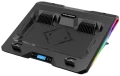 | 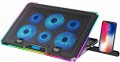 |
|---|---|---|
| Ice Coorel A3 | GamePro CP940 | |
| Outdated Product | Outdated Product | |
| TOP sellers | ||
| Product type | stand | stand |
| Max. screen size | 18 " | 17 " |
Features | ||
| Active cooling |  | |
| Fans | 1x60 mm | 3x100 mm, 3x70 mm |
| Max. RPM | 2800 rpm | 2400 rpm |
| Noise level | 23 dB | |
| Functions & Features | tilt adjustment fan speed control laptop stopper screen | tilt adjustment fan speed control laptop stopper smartphone holder screen |
| Backlight | RGB | RGB |
Connection | ||
| Connecting to a laptop | USB-A 2.0 | USB-A 2.0 |
| Peripheral сonnection | 1xUSB-A 2.0 | 1xUSB-A 2.0 |
General | ||
| Power source | uSB powered | uSB powered |
| Stand material | metal / plastic | metal / plastic |
| Table top/platform size | 400x350x45 mm | 420x300x28 mm |
| Weight | 1.1 kg | |
| Color | ||
| Added to E-Catalog | september 2024 | march 2024 |


Compare Ice Coorel A3 and GamePro CP940
You may be interested in
Ice Coorel A3 often compared

GamePro CP940 often compared


Glossary
Max. screen size
The largest laptop screen size that the stand is guaranteed to be compatible with. For comparison: the smallest netbooks have a diagonal of 10 – 12 ", ultrabooks are somewhat larger — up to 14" ; among classic laptops, 13" corresponds to the most compact models, 15 — 16" — medium format, 17" — large, and 18.4" is actually the "ceiling" for modern laptops.
Usually, the maximum diagonal indicated in the characteristics corresponds to the size for which the stand was originally designed. However the vast majority of models are able to work with smaller laptops, but this point should be clarified separately. In addition, you should not buy a device that differs markedly in maximum diagonal from your laptop — for example, an 18" stand is unlikely to be convenient for a 12" netbook.
Usually, the maximum diagonal indicated in the characteristics corresponds to the size for which the stand was originally designed. However the vast majority of models are able to work with smaller laptops, but this point should be clarified separately. In addition, you should not buy a device that differs markedly in maximum diagonal from your laptop — for example, an 18" stand is unlikely to be convenient for a 12" netbook.
Fans
In modern models, 1 or 2 fans are installed at a minimum, and in more advanced models this number can reach 4. It makes no sense to bet anymore, because. the area of the cooling system in this case may be larger than the area of the bottom surface of even the largest laptop. The more fans provided, the more intense the heat removal and the higher the efficiency of the cooling system (ceteris paribus, of course). On the other hand, the noise level increases noticeably, and there are “multi-fan” stands, respectively.
The diameter of the fans also plays an important role. The larger the fan, the more advanced it is considered: a large diameter allows you to create an intense airflow at relatively low speeds, which reduces the noise level compared to smaller options. On the other hand, the large size also affects the cost accordingly.
The diameter of the fans also plays an important role. The larger the fan, the more advanced it is considered: a large diameter allows you to create an intense airflow at relatively low speeds, which reduces the noise level compared to smaller options. On the other hand, the large size also affects the cost accordingly.
Max. RPM
The highest rotational speed of the fans provided in the active cooling system of the stand (see above).
Rotation speed is one of the parameters that directly affects efficiency: the faster the fan, the more powerful airflow it creates and the more heat is removed. At the same time, only fans of the same diameter can be directly compared by speed. In addition, high rotation speed increases the noise level; therefore, comparatively slow but large fans are considered more advanced than small and fast ones with the same performance (see "Airflow").
Rotation speed is one of the parameters that directly affects efficiency: the faster the fan, the more powerful airflow it creates and the more heat is removed. At the same time, only fans of the same diameter can be directly compared by speed. In addition, high rotation speed increases the noise level; therefore, comparatively slow but large fans are considered more advanced than small and fast ones with the same performance (see "Airflow").
Noise level
The maximum noise level produced by the stand during operation. This parameter is relevant only for models equipped with active cooling (see above) — in fact, this function is the only source of noise.
The lower this indicator, the more comfortable the use of the stand will be and the better it will be suitable for situations in which silence is important (for example, for working late at night when others are sleeping). At the same time, even in the loudest models, it usually does not exceed 40 dB — this is comparable to the noise of leaves on a tree in a light breeze; and cooling systems in many laptops can make more noise. Therefore, paying close attention to quiet laptop stands is only worth it if you are using an extremely quiet laptop and do not want to lose this advantage.
The lower this indicator, the more comfortable the use of the stand will be and the better it will be suitable for situations in which silence is important (for example, for working late at night when others are sleeping). At the same time, even in the loudest models, it usually does not exceed 40 dB — this is comparable to the noise of leaves on a tree in a light breeze; and cooling systems in many laptops can make more noise. Therefore, paying close attention to quiet laptop stands is only worth it if you are using an extremely quiet laptop and do not want to lose this advantage.
Functions & Features
— Tilt Adjustment. The ability to change the angle of inclination of the surface on which the laptop is mounted. Technically, the tilt can be adjusted on any stand — by placing an object under one of its edges or holding it at the desired angle; however, in this case, adjustment is exclusively due to the devices provided in the design — legs, foldable supports, etc. This feature provides additional convenience — it allows you to set the position of the laptop keyboard at the most optimal angle, without using any specific tricks.
— Height Adjustment. The ability to change the height of the surface on which the laptop is placed. This feature offers enhanced tuning options: you can set the optimal height (within certain limits, of course) right on the spot, without moving the structure to another surface or placing additional objects under it. Height adjustment requires the use of special supports and is therefore mainly found among tables (see “Type”).
— 360° Rotation. The presence of a rotating platform on a bearing or friction disk, which allows the screen to be turned in any direction without rearranging the base. The practical purpose is to quickly share a presentation with a colleague, point the camera during a call, switch between an external monitor and the viewer at the table, without pulling cables or scratching the tabletop. Compared to fixed sta...nds, such a unit enhances ergonomics and saves time, but requires a sufficient base area and load capacity so that the laptop does not tip when rotating; it's good if there is a rubber coating and a ring for cable management — thus the rotation remains smooth and safe. In everyday use and offices, it is convenient on narrow tables, in classrooms, and in kitchens, where the laptop is often turned to the interlocutor or the cooking area.
— Fan Speed Adjustment. The ability to change the fan speed installed in the stand with an active cooling system (see above). With high speed, good airflow intensity is achieved, but noise and power consumption increase accordingly, and intensive cooling of the laptop is not always needed; at the same time, a “quiet” mode may be insufficiently effective for complex tasks with high system loads. Speed adjustment allows you to adjust the fan's performance depending on the current load. However, this needs to be done manually.
— Place for Mouse. The presence of a place in the construction of the stand to accommodate a computer mouse; it can be either a separate additional shelf next to the main platform (often removable) or a part of the platform/desktop not intended for the laptop. In any case, this feature will eliminate the need to search for a suitable flat surface for working with the mouse; and in some models, it is possible to even choose the side of the shelf placement — for right- or left-handed use. Most stands with a mouse place are related to tables (see “Type”).
— Laptop Locks. The presence of fastening fixtures in the construction of the stand for securing the laptop. With such fastenings, reliability and safety of use increase: the laptop will not fall off the platform even with a fairly strong shake, and in some models — even when the structure is turned over. However, when purchasing a model with this function, it is worth checking the compatibility of the locks with your laptop model, especially if its size does not match the maximum diagonal declared in the specifications (see above).
— Built-in Speakers. The presence of built-in speakers in the design; thanks to them, the stand can also act as an external audio system. However, the quality of such speakers is usually not very high; nevertheless, they sound louder than most built-in speakers while not taking up additional space and creating no extra hassle during transportation (unlike traditional portable acoustics, not to mention full-sized ones).
— Sliding Drawer. The presence of a sliding drawer in the stand — similar to those used in desks. The dimensions of such a drawer are usually small; nevertheless, it can be quite useful for storing various small items, such as personal notes or external storage devices for the laptop.
— Smartphone Holder. The presence of a holder for a smartphone in the laptop stand design. It allows placing a mobile gadget at hand in a visible and convenient place — this comes in handy when it is necessary to work on the laptop and use the smartphone simultaneously. Such holders are usually made in the form of a notch, slot, or separate stand on the side — the smartphone is fixed in them mainly in a vertical position.
— Display. This feature is equipped in certain advanced stands with active cooling and extended capabilities (lighting, USB hub, etc.); in simpler products, installing a screen is simply unnecessary. The display itself usually has a very basic design: a monochrome LCD capable of displaying 2–3 digits and some additional symbols. This is quite enough to inform about the operation of the electronic components of the stand: for example, the screen can display data on the speed and number of fans involved, USB port operating modes, failures, and malfunctions, etc. The presence of a display somewhat affects the cost, but most often this moment is almost imperceptible against the background of the overall cost of a high-end model.
— Height Adjustment. The ability to change the height of the surface on which the laptop is placed. This feature offers enhanced tuning options: you can set the optimal height (within certain limits, of course) right on the spot, without moving the structure to another surface or placing additional objects under it. Height adjustment requires the use of special supports and is therefore mainly found among tables (see “Type”).
— 360° Rotation. The presence of a rotating platform on a bearing or friction disk, which allows the screen to be turned in any direction without rearranging the base. The practical purpose is to quickly share a presentation with a colleague, point the camera during a call, switch between an external monitor and the viewer at the table, without pulling cables or scratching the tabletop. Compared to fixed sta...nds, such a unit enhances ergonomics and saves time, but requires a sufficient base area and load capacity so that the laptop does not tip when rotating; it's good if there is a rubber coating and a ring for cable management — thus the rotation remains smooth and safe. In everyday use and offices, it is convenient on narrow tables, in classrooms, and in kitchens, where the laptop is often turned to the interlocutor or the cooking area.
— Fan Speed Adjustment. The ability to change the fan speed installed in the stand with an active cooling system (see above). With high speed, good airflow intensity is achieved, but noise and power consumption increase accordingly, and intensive cooling of the laptop is not always needed; at the same time, a “quiet” mode may be insufficiently effective for complex tasks with high system loads. Speed adjustment allows you to adjust the fan's performance depending on the current load. However, this needs to be done manually.
— Place for Mouse. The presence of a place in the construction of the stand to accommodate a computer mouse; it can be either a separate additional shelf next to the main platform (often removable) or a part of the platform/desktop not intended for the laptop. In any case, this feature will eliminate the need to search for a suitable flat surface for working with the mouse; and in some models, it is possible to even choose the side of the shelf placement — for right- or left-handed use. Most stands with a mouse place are related to tables (see “Type”).
— Laptop Locks. The presence of fastening fixtures in the construction of the stand for securing the laptop. With such fastenings, reliability and safety of use increase: the laptop will not fall off the platform even with a fairly strong shake, and in some models — even when the structure is turned over. However, when purchasing a model with this function, it is worth checking the compatibility of the locks with your laptop model, especially if its size does not match the maximum diagonal declared in the specifications (see above).
— Built-in Speakers. The presence of built-in speakers in the design; thanks to them, the stand can also act as an external audio system. However, the quality of such speakers is usually not very high; nevertheless, they sound louder than most built-in speakers while not taking up additional space and creating no extra hassle during transportation (unlike traditional portable acoustics, not to mention full-sized ones).
— Sliding Drawer. The presence of a sliding drawer in the stand — similar to those used in desks. The dimensions of such a drawer are usually small; nevertheless, it can be quite useful for storing various small items, such as personal notes or external storage devices for the laptop.
— Smartphone Holder. The presence of a holder for a smartphone in the laptop stand design. It allows placing a mobile gadget at hand in a visible and convenient place — this comes in handy when it is necessary to work on the laptop and use the smartphone simultaneously. Such holders are usually made in the form of a notch, slot, or separate stand on the side — the smartphone is fixed in them mainly in a vertical position.
— Display. This feature is equipped in certain advanced stands with active cooling and extended capabilities (lighting, USB hub, etc.); in simpler products, installing a screen is simply unnecessary. The display itself usually has a very basic design: a monochrome LCD capable of displaying 2–3 digits and some additional symbols. This is quite enough to inform about the operation of the electronic components of the stand: for example, the screen can display data on the speed and number of fans involved, USB port operating modes, failures, and malfunctions, etc. The presence of a display somewhat affects the cost, but most often this moment is almost imperceptible against the background of the overall cost of a high-end model.
Table top/platform size
The size of the surface intended for the direct placement of a laptop. This parameter allows you to fairly accurately assess how the stand is suitable for your device — after all, even laptops with the same diagonal can vary slightly in length / width.
Weight
The total weight of the stand. You should pay attention to this parameter first of all if you plan to constantly carry the stand with you, along with a laptop — here light weight can be a noticeable advantage. But if you are looking for an option purely for home use, there is most often no need to pursue low weight: other things being equal, it can be a sign of a small thickness of materials and, as a result, relatively low reliability. In addition, a more massive stand is more stable, it is more difficult to budge or knock over by accidental touch.