
Comparison Deepcool PL-D PL650D vs Deepcool PK-D PK650D
Add to comparison |  | 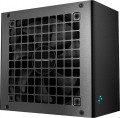 |
|---|---|---|
| Deepcool PL-D PL650D | Deepcool PK-D PK650D | |
| Outdated Product | from $141.00 | |
| User reviews | ||
| TOP sellers | ||
| Power | 650 W | 650 W |
| Form factor | ATX | ATX |
Specs | ||
| PFC | active | active |
| Efficiency | 85 % | 85 % |
| Cooling system | active | active |
| Fan size | 120 mm | 120 mm |
| Fan bearing | hydrodynamic | hydrodynamic |
| Certification | 80+ Bronze | 80+ Bronze |
| ATX12V version | 3 | 2.4 |
Power connectors | ||
| MB/CPU power supply | 24+8+8(4+4) pin | 24+8+8(4+4) pin |
| SATA | 6 | 7 |
| MOLEX | 2 | 4 |
| PCIe 8pin (6+2) | 3 | 4 |
| PCIe 16pin | 1 pcs | |
| Cable system | non-modular | non-modular |
Cable length | ||
| MB | 550 mm | 500 mm |
| CPU | 700 mm | 620 mm |
| SATA | 450 mm | 400 mm |
| MOLEX | 750 mm | 400 mm |
| PCIe | 550 mm | 500 mm |
Max. power | ||
| +3.3V | 20 А | 20 А |
| +5V | 20 А | 20 А |
| +12V1 | 54 А | 54 А |
| -12V | 0.3 А | 0.3 А |
| +5Vsb | 3 А | 2.5 А |
| +12V | 648 W | 648 W |
| +3.3V +5V | 100 W | 110 W |
| -12V | 3.6 W | 3.6 W |
| +5Vsb | 15 W | 12.5 W |
General | ||
| Over voltage protection (OVP) |  | |
| Over power protection (OPP) | | |
| Short circuit protection (SCP) | | |
| Protection | OTP, OCP, UVP, SIP, NLO | |
| Manufacturer's warranty | 5 years | 5 years |
| Dimensions (HxWxD) | 86x150x140 mm | 86x150x140 mm |
| Added to E-Catalog | april 2024 | december 2022 |


Compare Deepcool PL-D and PK-D
Power supplies Deepcool PL-D PL650D and Deepcool PK-D PK650D have the same power of 650 W and form factor ATX, however, they differ in the number of connectors. PK-D has more SATA (7 pcs) and MOLEX (4 pcs), while PL-D offers 6 SATA and 2 MOLEX. The length of cables also differs: the PL-D motherboard power cable is longer (550 mm compared to 500 mm for PK-D), but the PK-D CPU cables are shorter (620 mm compared to 700 mm). Both units have active cooling and 80+ Bronze certification, as well as protection from overvoltage, overcurrent, and short circuits. Both come with a warranty of 5 years.
You may be interested in
Deepcool PL-D often compared


Deepcool PK-D often compared


Glossary
ATX12V version
A standard for power supplies that supplements the ATX specifications regarding power supply along the 12 V line. Introduced into use since the time of the Intel Pentium 4 processor. In the first series of the standard, the +5 V line was mainly used; from version 2.0, the +12 V line was introduced to fully power the components computer. Also in the second generation, a 24-pin power connector appeared, used in most modern motherboards.
SATA
The number of SATA power connectors provided in the PSU.
Nowadays, SATA is the standard interface for connecting internal hard drives, and it is also found in other types of drives (SSD, SSHD, etc.). Such an interface consists of a data connector connected to the motherboard, and a power connector connected to the PSU. Accordingly, in this paragraph we are talking about the number of SATA power plugs provided in the PSU. This number corresponds to the number of SATA drives that can be simultaneously powered from this model.
Nowadays, SATA is the standard interface for connecting internal hard drives, and it is also found in other types of drives (SSD, SSHD, etc.). Such an interface consists of a data connector connected to the motherboard, and a power connector connected to the PSU. Accordingly, in this paragraph we are talking about the number of SATA power plugs provided in the PSU. This number corresponds to the number of SATA drives that can be simultaneously powered from this model.
MOLEX
The number of Molex (IDE) connectors provided in the design of the power supply.
Initially, such a connector was intended to power peripherals for the IDE interface, primarily hard drives. And although the IDE itself is completely obsolete today and is not used in new components, however, the Molex power connector continues to be installed in power supplies, and almost without fail. Almost any modern PSU has at least 1 – 2 of these connectors, and in high-end models this number can be 7 or more. This situation is due to the fact that Molex IDE is a fairly universal standard, and with the help of the simplest adapters, components with a different power interface can be powered from it. For example, there are Molex - SATA adapters for drives, Molex - 6 pin for video cards, etc.
Initially, such a connector was intended to power peripherals for the IDE interface, primarily hard drives. And although the IDE itself is completely obsolete today and is not used in new components, however, the Molex power connector continues to be installed in power supplies, and almost without fail. Almost any modern PSU has at least 1 – 2 of these connectors, and in high-end models this number can be 7 or more. This situation is due to the fact that Molex IDE is a fairly universal standard, and with the help of the simplest adapters, components with a different power interface can be powered from it. For example, there are Molex - SATA adapters for drives, Molex - 6 pin for video cards, etc.
PCIe 8pin (6+2)
Number of 8-pin PCIe power connectors (6+2) provided in the PSU design.
Additional PCIe power connectors (of all formats) are used for additional power to types of internal peripherals that require more than the 75W supplied directly through the PCIe slot on the motherboard (a typical example is graphics cards). In PC components, there are two types of such connectors — 6-pin, providing up to 75W of additional power, and 8-pin, giving up to 150W. The 8-pin (6+2) connectors used in power supplies are universal: they can work with both 6-pin and 8-pin connectors on the expansion board. Therefore, this type of connector is the most popular in modern PSUs.
As for the quantity, there are models on sale with 1 PCIe 8-pin (6+2) connector, 2 such connectors, 3 connectors, 4 connectors, and in some cases — 6 or more. Several of these connectors can be useful, for example, when connecting multiple graphics cards — or for a powerful high-performance video adapter equipped with multiple additional PCIe power connectors.
Additional PCIe power connectors (of all formats) are used for additional power to types of internal peripherals that require more than the 75W supplied directly through the PCIe slot on the motherboard (a typical example is graphics cards). In PC components, there are two types of such connectors — 6-pin, providing up to 75W of additional power, and 8-pin, giving up to 150W. The 8-pin (6+2) connectors used in power supplies are universal: they can work with both 6-pin and 8-pin connectors on the expansion board. Therefore, this type of connector is the most popular in modern PSUs.
As for the quantity, there are models on sale with 1 PCIe 8-pin (6+2) connector, 2 such connectors, 3 connectors, 4 connectors, and in some cases — 6 or more. Several of these connectors can be useful, for example, when connecting multiple graphics cards — or for a powerful high-performance video adapter equipped with multiple additional PCIe power connectors.
PCIe 16pin
The 16-pin PCIe power connector is designed to replace the existing 8-pin counterparts. It consists of twelve lines for current supply and four more for data transmission. The connector provides up to 600 watts of additional power, which is a fourfold increase in power compared to the 8-pin versions of the interface. Additional PCIe connectors of all formats are used to power those types of internal peripherals that no longer have enough with the 75 watts delivered directly through the PCIe slot on the motherboard.
+5Vsb
The maximum current that the PSU is capable of issuing + 5Vsb to the power line.
For more information about power lines in general, see "+3.3V". Specifically, the + 5Vsb line is used to power the computer electronics in standby mode, when the main and only task of the system is to respond to pressing the power button. This does not require high power, so this figure rarely exceeds 3A.
For more information about power lines in general, see "+3.3V". Specifically, the + 5Vsb line is used to power the computer electronics in standby mode, when the main and only task of the system is to respond to pressing the power button. This does not require high power, so this figure rarely exceeds 3A.
+3.3V +5V
The maximum power that the PSU is capable of delivering on the + 3.3V and + 5V power lines.
See "Maximum current and power" for details on power lines in general. Here we note that the power lines + 3.3V and + 5V are used both in the general connector for the motherboard (for 20 or 24 pins), and in specialized plugs — in particular, the SATA power connector (both) and Molex (only +5V, in addition to +12V). The power of these lines is a rather specific parameter, rarely required in fact; it is usually the same for both voltages, so it is indicated in the general clause.
See "Maximum current and power" for details on power lines in general. Here we note that the power lines + 3.3V and + 5V are used both in the general connector for the motherboard (for 20 or 24 pins), and in specialized plugs — in particular, the SATA power connector (both) and Molex (only +5V, in addition to +12V). The power of these lines is a rather specific parameter, rarely required in fact; it is usually the same for both voltages, so it is indicated in the general clause.
+5Vsb
The maximum power that the PSU is capable of delivering to the power line is + 5Vsb.
See "Maximum current and power" for details on power lines in general. Here we recall that the + 5Vsb line is used to power the computer electronics in standby mode, when the main and only task of the system is to respond to pressing the power button. This does not require high power, so this figure rarely exceeds 15 watts.
See "Maximum current and power" for details on power lines in general. Here we recall that the + 5Vsb line is used to power the computer electronics in standby mode, when the main and only task of the system is to respond to pressing the power button. This does not require high power, so this figure rarely exceeds 15 watts.
Protection
Protection schemes provided in the power supply unit. In addition to the aforementioned OVP (Over Voltage Protection), OPP (Over Power Protection), and SCP (Short Circuit Protection), modern PSUs may include the following safety functions:
— OCP. OCP in power supplies monitors the current on power lines and shuts down the PSU if consumption becomes dangerously high, to prevent overheating wires, connectors, and power elements inside the unit, and to avoid affecting components. Unlike OPP, which triggers based on the total power of the whole unit, OCP often catches a localized issue on a specific line or group of outputs. Compared to SCP, it's an "earlier" protection: it reacts before a full short circuit forms when resistance is not zero but current is already risky. Real-life examples include an unsuccessful graphics card overclock, a damaged GPU power cable, or the rare but unpleasant case of connector bending/melting: OCP will shut down the unit faster than you'll notice the smell of plastic.
— UVP. UVP monitors the voltage drop on the power supply's outputs and shuts it down when the values become too low for stable operation to avoid freezes, data writing errors, and "half-dead" modes, which are especially unpleasant for the motherboard and drives. Paired with OVP, these protections work like "frames": OVP catches dangerous spikes, UVP catches dangerous drops, while SIP often tries to smooth out the power issue at the input. A typical ex...ample would be an overloaded weak PSU, poor grid, or turning on powerful appliances at home: instead of unstable operation and strange reboots, UVP prefers to shut down the system predictably.
— OTP. OTP monitors the temperature inside the power supply and shuts it down when the heat becomes critical, protecting the transformer, power switches, and capacitors from accelerated wear and accidents. This is a "harsher" safety net than AFC: automatic fan control tries to prevent overheating, while OTP kicks in when cooling no longer suffices— for example, if the case is clogged with dust, the fan stops, the PSU is in a cramped compartment, or the PC runs under heavy load for a long time in summer. In real life, OTP often saves the day when a user inadvertently blocks the air intake or the fan starts failing: instead of smoke and component degradation, the unit simply turns off.
— SIP. SIP in power supplies is designed for "dirty" power conditions: transient surges, drops, and inrush currents that occur when a fridge compressor, pump, or air conditioner starts up at home, or when the network is unstable. Conceptually, it aligns closer to smoothing out input problems than to OVP/UVP, which already monitor the output and simply shut down the PSU at dangerous values; SIP aims to enhance system resilience to everyday voltage drops and spikes but does not replace a full external stabilizer or robust power protection if the grid is truly bad. A typical example would be a private house or old housing stock: SIP helps endure minor network "nudges" without sudden reboots.
— NLO (No-Load Operation). The ability of a power supply to correctly start and operate even with zero or very low load on the outputs, without "floating" voltages and instability. Unlike protections like OVP/OCP/SCP that respond to emergencies (overvoltage, overload, short circuit) and often shut down the PSU, NLO focuses on stability when consumption is minimal, or the load is temporarily absent, reducing the risk of odd malfunctions during testing or in energy-saving scenarios. In practice, NLO is useful when testing the unit on a bench without a connected PC, when the system starts with a minimal set of components, and when the computer spends most of the time idling, reducing consumption to a "trivial" level.
— AFC. AFC in power supplies manages fan speed based on temperature and load: it rotates slower and quieter when idle, and speeds up as consumption increases to dissipate heat in time. This is not "emergency" protection like OTP, which shuts down the unit during overheating, but a preventative measure: AFC helps maintain temperature at a normal level, thereby indirectly prolonging the lifespan of PSU components. A real-life example is that at night, in a quiet room, the PC doesn't hum under low load, and during gaming, the cooling automatically intensifies, preventing OTP from triggering.
— OCP. OCP in power supplies monitors the current on power lines and shuts down the PSU if consumption becomes dangerously high, to prevent overheating wires, connectors, and power elements inside the unit, and to avoid affecting components. Unlike OPP, which triggers based on the total power of the whole unit, OCP often catches a localized issue on a specific line or group of outputs. Compared to SCP, it's an "earlier" protection: it reacts before a full short circuit forms when resistance is not zero but current is already risky. Real-life examples include an unsuccessful graphics card overclock, a damaged GPU power cable, or the rare but unpleasant case of connector bending/melting: OCP will shut down the unit faster than you'll notice the smell of plastic.
— UVP. UVP monitors the voltage drop on the power supply's outputs and shuts it down when the values become too low for stable operation to avoid freezes, data writing errors, and "half-dead" modes, which are especially unpleasant for the motherboard and drives. Paired with OVP, these protections work like "frames": OVP catches dangerous spikes, UVP catches dangerous drops, while SIP often tries to smooth out the power issue at the input. A typical ex...ample would be an overloaded weak PSU, poor grid, or turning on powerful appliances at home: instead of unstable operation and strange reboots, UVP prefers to shut down the system predictably.
— OTP. OTP monitors the temperature inside the power supply and shuts it down when the heat becomes critical, protecting the transformer, power switches, and capacitors from accelerated wear and accidents. This is a "harsher" safety net than AFC: automatic fan control tries to prevent overheating, while OTP kicks in when cooling no longer suffices— for example, if the case is clogged with dust, the fan stops, the PSU is in a cramped compartment, or the PC runs under heavy load for a long time in summer. In real life, OTP often saves the day when a user inadvertently blocks the air intake or the fan starts failing: instead of smoke and component degradation, the unit simply turns off.
— SIP. SIP in power supplies is designed for "dirty" power conditions: transient surges, drops, and inrush currents that occur when a fridge compressor, pump, or air conditioner starts up at home, or when the network is unstable. Conceptually, it aligns closer to smoothing out input problems than to OVP/UVP, which already monitor the output and simply shut down the PSU at dangerous values; SIP aims to enhance system resilience to everyday voltage drops and spikes but does not replace a full external stabilizer or robust power protection if the grid is truly bad. A typical example would be a private house or old housing stock: SIP helps endure minor network "nudges" without sudden reboots.
— NLO (No-Load Operation). The ability of a power supply to correctly start and operate even with zero or very low load on the outputs, without "floating" voltages and instability. Unlike protections like OVP/OCP/SCP that respond to emergencies (overvoltage, overload, short circuit) and often shut down the PSU, NLO focuses on stability when consumption is minimal, or the load is temporarily absent, reducing the risk of odd malfunctions during testing or in energy-saving scenarios. In practice, NLO is useful when testing the unit on a bench without a connected PC, when the system starts with a minimal set of components, and when the computer spends most of the time idling, reducing consumption to a "trivial" level.
— AFC. AFC in power supplies manages fan speed based on temperature and load: it rotates slower and quieter when idle, and speeds up as consumption increases to dissipate heat in time. This is not "emergency" protection like OTP, which shuts down the unit during overheating, but a preventative measure: AFC helps maintain temperature at a normal level, thereby indirectly prolonging the lifespan of PSU components. A real-life example is that at night, in a quiet room, the PC doesn't hum under low load, and during gaming, the cooling automatically intensifies, preventing OTP from triggering.