
Comparison Deepcool PK-D PK650D vs MSI MAG A650BN
Add to comparison | 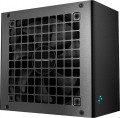 | 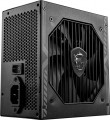 |
|---|---|---|
| Deepcool PK-D PK650D | MSI MAG A650BN | |
from $141.00 | Compare prices 3 | |
| User reviews | ||
| TOP sellers | ||
| Power | 650 W | 650 W |
| Form factor | ATX | ATX |
Specs | ||
| PFC | active | active |
| Efficiency | 85 % | 85 % |
| Cooling system | active | active |
| Fan size | 120 mm | 120 mm |
| Fan bearing | hydrodynamic | |
| Certification | 80+ Bronze | 80+ Bronze |
| ATX12V version | 2.4 | |
Power connectors | ||
| MB/CPU power supply | 24+8+8(4+4) pin | 24+8 (4+4) pin |
| SATA | 7 | 5 |
| MOLEX | 4 | 2 |
| PCIe 8pin (6+2) | 4 | 2 |
| Floppy |  |  |
| Cable system | non-modular | non-modular |
Cable length | ||
| MB | 500 mm | 600 mm |
| CPU | 620 mm | 600 mm |
| SATA | 400 mm | 400 mm |
| MOLEX | 400 mm | 400 mm |
| PCIe | 500 mm | 600 mm |
Max. power | ||
| +3.3V | 20 А | 20 А |
| +5V | 20 А | 20 А |
| +12V1 | 54 А | 54 А |
| -12V | 0.3 А | 0.3 А |
| +5Vsb | 2.5 А | 2.5 А |
| +12V | 648 W | 648 W |
| +3.3V +5V | 110 W | 110 W |
| -12V | 3.6 W | 3.6 W |
| +5Vsb | 12.5 W | 12.5 W |
General | ||
| Over voltage protection (OVP) | | |
| Over power protection (OPP) | | |
| Short circuit protection (SCP) | | |
| Protection | OTP, OCP, UVP | OCP, OTP |
| Manufacturer's warranty | 5 years | 5 years |
| Dimensions (HxWxD) | 86x150x140 mm | 86x150x140 mm |
| Added to E-Catalog | december 2022 | december 2021 |





Compare Deepcool PK-D and MSI MAG Deepcool PK650D и MSI A650BN?
Price comparison
You may be interested in
Deepcool PK-D often compared


MSI MAG often compared


Glossary
Fan bearing
The bearing is the piece between the rotating axle of the fan and the fixed base that supports the axle and reduces friction. The following types of bearings are found in modern fans:
— Sliding. The action of these bearings is based on direct contact between two solid surfaces, carefully polished to reduce friction. Such devices are simple, reliable and durable, but their efficiency is quite low — rolling, and even more so the hydrodynamic and magnetic principle of operation, provide much less friction.
— Rolling. They are also called "ball bearings", since the "mediators" between the axis of rotation and the fixed base are balls (less often — cylindrical rollers) fixed in a special ring. When the axis rotates, such balls roll between it and the base, due to which the friction force is very low — noticeably lower than in plain bearings. On the other hand, the design turns out to be more expensive and complex, and in terms of reliability it is somewhat inferior to both the same plain bearings and more advanced hydrodynamic devices. Therefore, although rolling bearings are quite widespread nowadays, however, in general, they are much less common than the mentioned varieties.
— Hydrodynamic. Bearings of this type are filled with a special liquid; when rotated, it creates a layer on which the moving part of the bearing slides. In this way, direct contact between hard surfaces is avoided and friction is significantly reduced compared to previous...types. Also, these bearings are quiet and very reliable. Of their shortcomings, a relatively high cost can be noted, but in fact this moment often turns out to be invisible against the background of the price of the entire system. Therefore, this option is extremely popular nowadays, it can be found in cooling systems of all levels — from low-cost to advanced.
— Magnetic centering. Bearings based on the principle of magnetic levitation: the rotating axis is "suspended" in a magnetic field. Thus, it is possible (as in hydrodynamic ones) to avoid contact between solid surfaces and further reduce friction. Considered the most advanced type of bearings, they are reliable and quiet, but expensive.
— Sliding. The action of these bearings is based on direct contact between two solid surfaces, carefully polished to reduce friction. Such devices are simple, reliable and durable, but their efficiency is quite low — rolling, and even more so the hydrodynamic and magnetic principle of operation, provide much less friction.
— Rolling. They are also called "ball bearings", since the "mediators" between the axis of rotation and the fixed base are balls (less often — cylindrical rollers) fixed in a special ring. When the axis rotates, such balls roll between it and the base, due to which the friction force is very low — noticeably lower than in plain bearings. On the other hand, the design turns out to be more expensive and complex, and in terms of reliability it is somewhat inferior to both the same plain bearings and more advanced hydrodynamic devices. Therefore, although rolling bearings are quite widespread nowadays, however, in general, they are much less common than the mentioned varieties.
— Hydrodynamic. Bearings of this type are filled with a special liquid; when rotated, it creates a layer on which the moving part of the bearing slides. In this way, direct contact between hard surfaces is avoided and friction is significantly reduced compared to previous...types. Also, these bearings are quiet and very reliable. Of their shortcomings, a relatively high cost can be noted, but in fact this moment often turns out to be invisible against the background of the price of the entire system. Therefore, this option is extremely popular nowadays, it can be found in cooling systems of all levels — from low-cost to advanced.
— Magnetic centering. Bearings based on the principle of magnetic levitation: the rotating axis is "suspended" in a magnetic field. Thus, it is possible (as in hydrodynamic ones) to avoid contact between solid surfaces and further reduce friction. Considered the most advanced type of bearings, they are reliable and quiet, but expensive.
ATX12V version
A standard for power supplies that supplements the ATX specifications regarding power supply along the 12 V line. Introduced into use since the time of the Intel Pentium 4 processor. In the first series of the standard, the +5 V line was mainly used; from version 2.0, the +12 V line was introduced to fully power the components computer. Also in the second generation, a 24-pin power connector appeared, used in most modern motherboards.
MB/CPU power supply
The number and type of connectors provided in the PSU to power the motherboard or processor.
This parameter is written as the sum of several numbers, for example, "24+4". The first number in such an entry means the number of contacts in the connector for powering the motherboard; in the vast majority of cases, this is just 24, since modern motherboards use a 24-pin connector as standard. The second number describes the socket for powering the processor; most entry-level and mid-range CPUs use 4-pin power, but powerful chips may require 8-pin power. There can be several 4- or 8-pin connectors — based on powerful high consumption processors.
A separate case is the blocks of the "24 (20 + 4)" format. They have two separate plugs — 20 pin and 4 pin, which allows you to power both 24-pin motherboards and older 20-pin motherboards from such power supplies. At the same time, such models do not provide a separate power supply for CPU — it is powered only through the socket, and the 4-pin plug cannot be connected to any other components except the motherboard.
Now on the market there are PSUs with such power supply for the motherboard: 24 pin (20+4), 24+4 pin, 24+8(4+4) pin, 24+8+8(4+4) pin.
This parameter is written as the sum of several numbers, for example, "24+4". The first number in such an entry means the number of contacts in the connector for powering the motherboard; in the vast majority of cases, this is just 24, since modern motherboards use a 24-pin connector as standard. The second number describes the socket for powering the processor; most entry-level and mid-range CPUs use 4-pin power, but powerful chips may require 8-pin power. There can be several 4- or 8-pin connectors — based on powerful high consumption processors.
A separate case is the blocks of the "24 (20 + 4)" format. They have two separate plugs — 20 pin and 4 pin, which allows you to power both 24-pin motherboards and older 20-pin motherboards from such power supplies. At the same time, such models do not provide a separate power supply for CPU — it is powered only through the socket, and the 4-pin plug cannot be connected to any other components except the motherboard.
Now on the market there are PSUs with such power supply for the motherboard: 24 pin (20+4), 24+4 pin, 24+8(4+4) pin, 24+8+8(4+4) pin.
SATA
The number of SATA power connectors provided in the PSU.
Nowadays, SATA is the standard interface for connecting internal hard drives, and it is also found in other types of drives (SSD, SSHD, etc.). Such an interface consists of a data connector connected to the motherboard, and a power connector connected to the PSU. Accordingly, in this paragraph we are talking about the number of SATA power plugs provided in the PSU. This number corresponds to the number of SATA drives that can be simultaneously powered from this model.
Nowadays, SATA is the standard interface for connecting internal hard drives, and it is also found in other types of drives (SSD, SSHD, etc.). Such an interface consists of a data connector connected to the motherboard, and a power connector connected to the PSU. Accordingly, in this paragraph we are talking about the number of SATA power plugs provided in the PSU. This number corresponds to the number of SATA drives that can be simultaneously powered from this model.
MOLEX
The number of Molex (IDE) connectors provided in the design of the power supply.
Initially, such a connector was intended to power peripherals for the IDE interface, primarily hard drives. And although the IDE itself is completely obsolete today and is not used in new components, however, the Molex power connector continues to be installed in power supplies, and almost without fail. Almost any modern PSU has at least 1 – 2 of these connectors, and in high-end models this number can be 7 or more. This situation is due to the fact that Molex IDE is a fairly universal standard, and with the help of the simplest adapters, components with a different power interface can be powered from it. For example, there are Molex - SATA adapters for drives, Molex - 6 pin for video cards, etc.
Initially, such a connector was intended to power peripherals for the IDE interface, primarily hard drives. And although the IDE itself is completely obsolete today and is not used in new components, however, the Molex power connector continues to be installed in power supplies, and almost without fail. Almost any modern PSU has at least 1 – 2 of these connectors, and in high-end models this number can be 7 or more. This situation is due to the fact that Molex IDE is a fairly universal standard, and with the help of the simplest adapters, components with a different power interface can be powered from it. For example, there are Molex - SATA adapters for drives, Molex - 6 pin for video cards, etc.
PCIe 8pin (6+2)
Number of 8-pin PCIe power connectors (6+2) provided in the PSU design.
Additional PCIe power connectors (of all formats) are used for additional power to types of internal peripherals that require more than the 75W supplied directly through the PCIe slot on the motherboard (a typical example is graphics cards). In PC components, there are two types of such connectors — 6-pin, providing up to 75W of additional power, and 8-pin, giving up to 150W. The 8-pin (6+2) connectors used in power supplies are universal: they can work with both 6-pin and 8-pin connectors on the expansion board. Therefore, this type of connector is the most popular in modern PSUs.
As for the quantity, there are models on sale with 1 PCIe 8-pin (6+2) connector, 2 such connectors, 3 connectors, 4 connectors, and in some cases — 6 or more. Several of these connectors can be useful, for example, when connecting multiple graphics cards — or for a powerful high-performance video adapter equipped with multiple additional PCIe power connectors.
Additional PCIe power connectors (of all formats) are used for additional power to types of internal peripherals that require more than the 75W supplied directly through the PCIe slot on the motherboard (a typical example is graphics cards). In PC components, there are two types of such connectors — 6-pin, providing up to 75W of additional power, and 8-pin, giving up to 150W. The 8-pin (6+2) connectors used in power supplies are universal: they can work with both 6-pin and 8-pin connectors on the expansion board. Therefore, this type of connector is the most popular in modern PSUs.
As for the quantity, there are models on sale with 1 PCIe 8-pin (6+2) connector, 2 such connectors, 3 connectors, 4 connectors, and in some cases — 6 or more. Several of these connectors can be useful, for example, when connecting multiple graphics cards — or for a powerful high-performance video adapter equipped with multiple additional PCIe power connectors.
Floppy
The presence of at least one Floppy power connector in the PSU.
Initially, this connector was intended to power floppy disk drives, hence the name. It is also known under the designation "mini-Molex". Anyway, this standard is generally considered obsolete, but it is still used by some specific types of components, and therefore continues to be used in power supplies.
Initially, this connector was intended to power floppy disk drives, hence the name. It is also known under the designation "mini-Molex". Anyway, this standard is generally considered obsolete, but it is still used by some specific types of components, and therefore continues to be used in power supplies.
Protection
Protection schemes provided in the power supply unit. In addition to the aforementioned OVP (Over Voltage Protection), OPP (Over Power Protection), and SCP (Short Circuit Protection), modern PSUs may include the following safety functions:
— OCP. OCP in power supplies monitors the current on power lines and shuts down the PSU if consumption becomes dangerously high, to prevent overheating wires, connectors, and power elements inside the unit, and to avoid affecting components. Unlike OPP, which triggers based on the total power of the whole unit, OCP often catches a localized issue on a specific line or group of outputs. Compared to SCP, it's an "earlier" protection: it reacts before a full short circuit forms when resistance is not zero but current is already risky. Real-life examples include an unsuccessful graphics card overclock, a damaged GPU power cable, or the rare but unpleasant case of connector bending/melting: OCP will shut down the unit faster than you'll notice the smell of plastic.
— UVP. UVP monitors the voltage drop on the power supply's outputs and shuts it down when the values become too low for stable operation to avoid freezes, data writing errors, and "half-dead" modes, which are especially unpleasant for the motherboard and drives. Paired with OVP, these protections work like "frames": OVP catches dangerous spikes, UVP catches dangerous drops, while SIP often tries to smooth out the power issue at the input. A typical ex...ample would be an overloaded weak PSU, poor grid, or turning on powerful appliances at home: instead of unstable operation and strange reboots, UVP prefers to shut down the system predictably.
— OTP. OTP monitors the temperature inside the power supply and shuts it down when the heat becomes critical, protecting the transformer, power switches, and capacitors from accelerated wear and accidents. This is a "harsher" safety net than AFC: automatic fan control tries to prevent overheating, while OTP kicks in when cooling no longer suffices— for example, if the case is clogged with dust, the fan stops, the PSU is in a cramped compartment, or the PC runs under heavy load for a long time in summer. In real life, OTP often saves the day when a user inadvertently blocks the air intake or the fan starts failing: instead of smoke and component degradation, the unit simply turns off.
— SIP. SIP in power supplies is designed for "dirty" power conditions: transient surges, drops, and inrush currents that occur when a fridge compressor, pump, or air conditioner starts up at home, or when the network is unstable. Conceptually, it aligns closer to smoothing out input problems than to OVP/UVP, which already monitor the output and simply shut down the PSU at dangerous values; SIP aims to enhance system resilience to everyday voltage drops and spikes but does not replace a full external stabilizer or robust power protection if the grid is truly bad. A typical example would be a private house or old housing stock: SIP helps endure minor network "nudges" without sudden reboots.
— NLO (No-Load Operation). The ability of a power supply to correctly start and operate even with zero or very low load on the outputs, without "floating" voltages and instability. Unlike protections like OVP/OCP/SCP that respond to emergencies (overvoltage, overload, short circuit) and often shut down the PSU, NLO focuses on stability when consumption is minimal, or the load is temporarily absent, reducing the risk of odd malfunctions during testing or in energy-saving scenarios. In practice, NLO is useful when testing the unit on a bench without a connected PC, when the system starts with a minimal set of components, and when the computer spends most of the time idling, reducing consumption to a "trivial" level.
— AFC. AFC in power supplies manages fan speed based on temperature and load: it rotates slower and quieter when idle, and speeds up as consumption increases to dissipate heat in time. This is not "emergency" protection like OTP, which shuts down the unit during overheating, but a preventative measure: AFC helps maintain temperature at a normal level, thereby indirectly prolonging the lifespan of PSU components. A real-life example is that at night, in a quiet room, the PC doesn't hum under low load, and during gaming, the cooling automatically intensifies, preventing OTP from triggering.
— OCP. OCP in power supplies monitors the current on power lines and shuts down the PSU if consumption becomes dangerously high, to prevent overheating wires, connectors, and power elements inside the unit, and to avoid affecting components. Unlike OPP, which triggers based on the total power of the whole unit, OCP often catches a localized issue on a specific line or group of outputs. Compared to SCP, it's an "earlier" protection: it reacts before a full short circuit forms when resistance is not zero but current is already risky. Real-life examples include an unsuccessful graphics card overclock, a damaged GPU power cable, or the rare but unpleasant case of connector bending/melting: OCP will shut down the unit faster than you'll notice the smell of plastic.
— UVP. UVP monitors the voltage drop on the power supply's outputs and shuts it down when the values become too low for stable operation to avoid freezes, data writing errors, and "half-dead" modes, which are especially unpleasant for the motherboard and drives. Paired with OVP, these protections work like "frames": OVP catches dangerous spikes, UVP catches dangerous drops, while SIP often tries to smooth out the power issue at the input. A typical ex...ample would be an overloaded weak PSU, poor grid, or turning on powerful appliances at home: instead of unstable operation and strange reboots, UVP prefers to shut down the system predictably.
— OTP. OTP monitors the temperature inside the power supply and shuts it down when the heat becomes critical, protecting the transformer, power switches, and capacitors from accelerated wear and accidents. This is a "harsher" safety net than AFC: automatic fan control tries to prevent overheating, while OTP kicks in when cooling no longer suffices— for example, if the case is clogged with dust, the fan stops, the PSU is in a cramped compartment, or the PC runs under heavy load for a long time in summer. In real life, OTP often saves the day when a user inadvertently blocks the air intake or the fan starts failing: instead of smoke and component degradation, the unit simply turns off.
— SIP. SIP in power supplies is designed for "dirty" power conditions: transient surges, drops, and inrush currents that occur when a fridge compressor, pump, or air conditioner starts up at home, or when the network is unstable. Conceptually, it aligns closer to smoothing out input problems than to OVP/UVP, which already monitor the output and simply shut down the PSU at dangerous values; SIP aims to enhance system resilience to everyday voltage drops and spikes but does not replace a full external stabilizer or robust power protection if the grid is truly bad. A typical example would be a private house or old housing stock: SIP helps endure minor network "nudges" without sudden reboots.
— NLO (No-Load Operation). The ability of a power supply to correctly start and operate even with zero or very low load on the outputs, without "floating" voltages and instability. Unlike protections like OVP/OCP/SCP that respond to emergencies (overvoltage, overload, short circuit) and often shut down the PSU, NLO focuses on stability when consumption is minimal, or the load is temporarily absent, reducing the risk of odd malfunctions during testing or in energy-saving scenarios. In practice, NLO is useful when testing the unit on a bench without a connected PC, when the system starts with a minimal set of components, and when the computer spends most of the time idling, reducing consumption to a "trivial" level.
— AFC. AFC in power supplies manages fan speed based on temperature and load: it rotates slower and quieter when idle, and speeds up as consumption increases to dissipate heat in time. This is not "emergency" protection like OTP, which shuts down the unit during overheating, but a preventative measure: AFC helps maintain temperature at a normal level, thereby indirectly prolonging the lifespan of PSU components. A real-life example is that at night, in a quiet room, the PC doesn't hum under low load, and during gaming, the cooling automatically intensifies, preventing OTP from triggering.