
Comparison Gigabyte G7 KF [G7KF-E3EE213SD] vs Gigabyte G7 MF [G7MF-E2EE213SD]
Add to comparison | 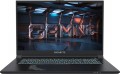 | 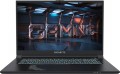 |
|---|---|---|
| Gigabyte G7 KF [G7KF-E3EE213SD] | Gigabyte G7 MF [G7MF-E2EE213SD] | |
| Outdated Product | Outdated Product | |
| User reviews | ||
| TOP sellers | ||
| Type | laptop | laptop |
Screen | ||
| Screen size | 17.3 " | 17.3 " |
| Screen type | IPS | IPS |
| Surface treatment | matte | matte |
| Screen resolution | 1920x1080 (16:9) | 1920x1080 (16:9) |
| Refresh rate | 144 Hz | 144 Hz |
CPU | ||
| Series | Core i5 | Core i5 |
| Model | 12500H | 12500H |
| Processor code name | Alder Lake (12th Gen) | Alder Lake (12th Gen) |
| Processor cores | 12 (4P+8E) | 12 (4P+8E) |
| Total threads | 16 | 16 |
| CPU speed | 1.8 GHz | 1.8 GHz |
| TurboBoost / TurboCore frequency | 4.5 GHz | 4.5 GHz |
| CPU TDP | 45 W | 45 W |
| Test 3DMark06 | 13126 points | 13461 points |
| Test Passmark CPU Mark | 21451 points | 21566 points |
RAM | ||
| RAM | 16 GB | 16 GB |
| Maximum installed RAM capacity | 64 GB | 64 GB |
| RAM type | DDR4 | DDR4 |
| RAM memory frequency | 3200 MHz | 3200 MHz |
| Amount of RAM slots | 2 | 2 |
Graphics card | ||
| Graphics card type | dedicated | dedicated |
| Graphics card series | NVIDIA GeForce | NVIDIA GeForce |
| Graphics card model | RTX 4060 | RTX 4050 |
| Video memory | 8 GB | 6 GB |
| Video card memory type | GDDR6 | GDDR6 |
| GPU TDP | 75 W | 75 W |
| VR |  | |
| Test 3DMark06 | 49746 points | 51372 points |
| Test 3DMark Vantage P | 90275 points | 85660 points |
Storage | ||
| Drive type | SSD M.2 NVMe | SSD M.2 NVMe |
| Drive capacity | 512 GB | 512 GB |
| M.2 drive interface | PCIe 4.0 4x | PCIe 3.0 4x |
| M.2 drive size | 22x80 mm | 22x80 mm |
| Additional M.2 connector | 1 | 1 |
| Addittional M.2 connectors interface | PCI-E 3.0 4x | PCI-E 4.0 4x |
| Additional M.2 drive size | 22x80 mm | 22x80 mm |
Connections | ||
| Connection ports | HDMI v2.1 miniDisplayPort v1.4 | HDMI miniDisplayPort v1.4 |
| Card reader | | |
| USB-A 2.0 | 1 pcs | 1 pcs |
| USB-A 5Gbps | 1 pcs | 1 pcs |
| USB-C 10Gbps | 2 pcs | 2 pcs |
| Alternate Mode |  | |
| Monitors connection | 2 | 2 |
| LAN (RJ-45) | 1 Gbps | 1 Gbps |
| Wi-Fi | Wi-Fi 6E (802.11ax) | Wi-Fi 6E (802.11ax) |
| Bluetooth | v5.2 | v5.2 |
Multimedia | ||
| Webcam | 1280x720 (HD) | 1280x720 (HD) |
| Camera shutter | | |
| Speakers | 2 pcs | 2 pcs |
| Audio decoders | DTS X Ultra | DTS X Ultra |
| Security | kensington / Noble lock | kensington / Noble lock |
Keyboard | ||
| Backlight | RGB | RGB |
| Key design | island type | island type |
| Num block | | |
| Input device | touchpad | touchpad |
Battery | ||
| Battery capacity | 3510 mAh | |
| Battery capacity | 54 W*h | 54 W*h |
| Battery voltage | 15.4 В | |
| Power Delivery via USB-C | | |
| Fast charge | | |
| Power supply Included | 150 W | 150 W |
General | ||
| Preinstalled OS | without OS | DOS |
| Material | matte plastic | matte plastic |
| Dimensions (WxDxT) | 397x262x25 mm | 397x262x25 mm |
| Weight | 2.53 kg | 2.53 kg |
| Color | ||
| Added to E-Catalog | february 2024 | december 2023 |


Compare Gigabyte G7 KF and G7 MF
You may be interested in
My comparisons
Gigabyte G7 KF often compared


Gigabyte G7 MF often compared


Glossary
Test 3DMark06
The result shown by the laptop processor in 3DMark06.
This test is primarily focused on testing performance in games — in particular, the ability of the processor to process advanced graphics and artificial intelligence elements. Test scores are reported as scores; the higher this number, the higher the performance of the tested chip. Good 3DMark06 results are especially important for gaming laptops.
This test is primarily focused on testing performance in games — in particular, the ability of the processor to process advanced graphics and artificial intelligence elements. Test scores are reported as scores; the higher this number, the higher the performance of the tested chip. Good 3DMark06 results are especially important for gaming laptops.
Test Passmark CPU Mark
The result shown by the laptop processor in the Passmark CPU Mark test.
Passmark CPU Mark is a comprehensive test that is more detailed and reliable than the popular 3DMark06 (see above). It checks not only the gaming capabilities of the CPU, but also its performance in other modes, based on which it displays the overall score; this score can be used to fairly reliably evaluate the processor as a whole (the more points, the higher the performance).
Passmark CPU Mark is a comprehensive test that is more detailed and reliable than the popular 3DMark06 (see above). It checks not only the gaming capabilities of the CPU, but also its performance in other modes, based on which it displays the overall score; this score can be used to fairly reliably evaluate the processor as a whole (the more points, the higher the performance).
Graphics card model
GeForce graphics cards from NVIDIA: RTX including RTX 2060, RTX 2060 Max-Q, RTX 2070, RTX 2070 Max-Q, RTX 2070 Super, RTX 2070 Super Max-Q, RTX 2080, RTX 2080 Max-Q, RTX 2080 Super, RTX 2080 Super Max-Q, RTX 3050, RTX 3050 Ti, RTX 3060, RTX 3060 Max-Q, RTX 3070, RTX 3070 Max-Q, RTX 3070 Ti, RTX 3080, RTX 3080 Ti, RTX 4050, RTX 4060, RTX 4070, RTX 4080, RTX 4090, RTX 5050, RTX 5060, RTX 5070, RTX 5070 Ti, RTX 5080, RTX 5090; MX1xx...including MX110, MX130, and MX150, MX2xx (MX230 and MX250), MX3xx (MX330 and MX350), MX450, GTX which includes GTX 1050, GTX 1060, GTX 1060 Max-Q, GTX 1070, GTX 1070 Max-Q, GTX 1080, GTX 1080 Max-Q, GTX 1650, GTX 1650 Max-Q, GTX 1650 Ti, GTX 1660 Ti, GTX 1660 Ti Max-Q and more. AMD offers graphics cards Radeon 520, Radeon 530 (535), Radeon 540X, Radeon 610 (625, 630), Radeon RX 550 (550X, 560), Radeon RX 640, Radeon RX 5500M, Radeon RX 6800M and Radeon Pro.
It should be noted that all the models mentioned above are discrete. Indeed, for a configuration with discrete graphics, the specific model of the separate video adapter is indicated; if it is supplemented by an integrated module, the name of this module can be clarified by the official processor specifications.
It is also worth mentioning that this section provides not the full name of the model, but only its name within the series (with the series itself mentioned separately—see above). Nevertheless, knowing the series and model, one can easily find detailed information about the graphics card.
It should be noted that all the models mentioned above are discrete. Indeed, for a configuration with discrete graphics, the specific model of the separate video adapter is indicated; if it is supplemented by an integrated module, the name of this module can be clarified by the official processor specifications.
It is also worth mentioning that this section provides not the full name of the model, but only its name within the series (with the series itself mentioned separately—see above). Nevertheless, knowing the series and model, one can easily find detailed information about the graphics card.
Video memory
The amount of native video memory installed in the laptop's graphics card. Only discrete video adapters and their advanced varieties like SLI or Dual Graphics have such memory (see "Video card type").
The more memory, the more powerful the graphics card and the better it can handle complex graphics. Of course, the specific capabilities of the adapter depend on a number of other parameters (primarily the characteristics of the graphics processor); however, the difference in the amount of memory, as a rule, is quite consistent with the difference in the overall level. In terms of specific numbers, solutions with 2 GB are entry-level, 4 GB and 6 GB are intermediate, and 8 GB - to advanced, and 12 GB and 16 GB can be found in top-end gaming laptops and high-end workstations.
The more memory, the more powerful the graphics card and the better it can handle complex graphics. Of course, the specific capabilities of the adapter depend on a number of other parameters (primarily the characteristics of the graphics processor); however, the difference in the amount of memory, as a rule, is quite consistent with the difference in the overall level. In terms of specific numbers, solutions with 2 GB are entry-level, 4 GB and 6 GB are intermediate, and 8 GB - to advanced, and 12 GB and 16 GB can be found in top-end gaming laptops and high-end workstations.
Test 3DMark06
The result shown by the laptop's graphics card in the 3DMark06 test.
This test primarily determines how well the graphics card handles intensive loads, particularly with detailed 3D graphics. The test result is indicated in points; the more points, the higher the performance of the video adapter. High results in 3DMark06 are especially important for gaming laptops and advanced workstations. However, their reliability is questionable because measurements are taken on graphics cards with different TDP and an averaged score is given. Thus, your laptop may have a higher or lower result than indicated — it all depends on the TDP of the installed graphics card.
This test primarily determines how well the graphics card handles intensive loads, particularly with detailed 3D graphics. The test result is indicated in points; the more points, the higher the performance of the video adapter. High results in 3DMark06 are especially important for gaming laptops and advanced workstations. However, their reliability is questionable because measurements are taken on graphics cards with different TDP and an averaged score is given. Thus, your laptop may have a higher or lower result than indicated — it all depends on the TDP of the installed graphics card.
Test 3DMark Vantage P
The result shown by the laptop's graphics card in the 3DMark Vantage P test.
Vantage P is one of the variations of the popular 3DMark test, specifically the next version of this test after 3DMark06 (see above). Like all similar tests, it is designed to assess graphics performance under high loads and presents results in points; the more points, the more powerful and efficient the graphics card is. High results in 3DMark Vantage P are especially important if the laptop is intended for demanding games. However, it's difficult to call them reliable since measurements are taken on graphics cards with different TDPs, and an overall averaged score is given. Thus, your laptop may have a result either greater than or less than the specified one, all depending on the TDP of the installed graphics card.
Vantage P is one of the variations of the popular 3DMark test, specifically the next version of this test after 3DMark06 (see above). Like all similar tests, it is designed to assess graphics performance under high loads and presents results in points; the more points, the more powerful and efficient the graphics card is. High results in 3DMark Vantage P are especially important if the laptop is intended for demanding games. However, it's difficult to call them reliable since measurements are taken on graphics cards with different TDPs, and an overall averaged score is given. Thus, your laptop may have a result either greater than or less than the specified one, all depending on the TDP of the installed graphics card.
M.2 drive interface
The connection interface used by the SSD module installed in the laptop with an M.2 connector (see "Drive Type").
One of the features of the M.2 connector and drives designed for it is that they can use two different connection interfaces: PCIe (in one form or another) or SATA. It should be noted that this section specifies the data for the SSD module; the connector itself may provide for other interface options, including more advanced ones—see "M.2 Connector Interface" (for example, a drive with PCIe 3.0 connection can be placed in a socket that also supports the faster PCIe 4.0). However, in any case, the connection socket usually allows for the full capabilities of the installed drive, so this section can reliably assess the potential capabilities of the standard M.2 module.
Regarding specific interfaces, nowadays the most common options are:
— SATA 3. The SATA interface was initially created for traditional hard drives. The third version of this interface is the latest; it provides data transfer speeds up to 600 MB/s. This is significantly less than PCIe and is generally quite low by SSD standards. Therefore, M.2 connection using SATA is mainly characteristic of inexpensive entry-level modules. Nevertheless, even such drives generally operate faster than most HDDs.
— PCIe. A universal interface for connecting internal peripherals. It provides generally higher...speeds than SATA, making it better suited for SSD modules: PCIe can theoretically realize the full potential of solid-state drives, even the fastest ones. In practice, however, the supported data transfer speed can vary depending on the interface version and the number of lanes (data transfer channels). Here are the options most relevant for modern laptops:
One of the features of the M.2 connector and drives designed for it is that they can use two different connection interfaces: PCIe (in one form or another) or SATA. It should be noted that this section specifies the data for the SSD module; the connector itself may provide for other interface options, including more advanced ones—see "M.2 Connector Interface" (for example, a drive with PCIe 3.0 connection can be placed in a socket that also supports the faster PCIe 4.0). However, in any case, the connection socket usually allows for the full capabilities of the installed drive, so this section can reliably assess the potential capabilities of the standard M.2 module.
Regarding specific interfaces, nowadays the most common options are:
— SATA 3. The SATA interface was initially created for traditional hard drives. The third version of this interface is the latest; it provides data transfer speeds up to 600 MB/s. This is significantly less than PCIe and is generally quite low by SSD standards. Therefore, M.2 connection using SATA is mainly characteristic of inexpensive entry-level modules. Nevertheless, even such drives generally operate faster than most HDDs.
— PCIe. A universal interface for connecting internal peripherals. It provides generally higher...speeds than SATA, making it better suited for SSD modules: PCIe can theoretically realize the full potential of solid-state drives, even the fastest ones. In practice, however, the supported data transfer speed can vary depending on the interface version and the number of lanes (data transfer channels). Here are the options most relevant for modern laptops:
- PCIe 3.0 2x. Connection using 2 PCIe version 3.0 lanes. This version provides a speed of about 1 GB/s per lane; consequently, two lanes yield a maximum of just under 2 GB/s.
- PCIe 3.0 4x. Connection using 4 PCIe version 3.0 lanes. Provides a maximum speed of about 4 GB/s.
- PCIe 4.0 4x. Connection using 4 PCIe version 4.0 lanes. In this version, the bandwidth has been doubled compared to PCIe 3.0—thus, 4 lanes give a maximum speed of about 8 GB/s.
- PCIe 5.0 4x has twice the bandwidth compared to PCIe 4.0 4x—4 GB/s per lane. And 4 lanes allow for a speed of 16 GB/s.
Addittional M.2 connectors interface
A connection interface supported by the laptops optional M.2 connector (see above). Recall that this connector is initially free; so this information allows you to evaluate the compatibility with additional components and, accordingly, the possibility of upgrading.
Two main types of interfaces can be implemented through the M.2 connector: SATA and PCIe. SATA was originally created for hard drives, its support is inexpensive, but the speed of such a connection does not exceed 600 MB / s — this is very low by the standards of SSDs and other modern peripherals. Therefore, in the additional connector (s) M.2, one or another type of PCIe is most often implemented. This interface has several variations that differ in version, number of lines and, as a result, speed; Here are the options most relevant for modern laptops:
— PCIe 3.0 2x. Connecting using 2 lanes of PCIe version 3.0 gives a maximum speed of just under 2 GB / s.
— PCIe 3.0 4x. Connection using 4 lanes PCIe version 3.0. Provides a maximum speed of about 4 GB / s.
— PCIe 4.0 4x. Connected using 4 lanes PCIe version 4.0, throughput is about 8 Mbps.
— PCIe. Connection via PCIe, for which the manufacturer did not specify the details (version and number of lines).
It is worth noting here that in the case of M.2, different versions of PCIe are quite compatible with each other (except that the speed of work will be limited by the capabilities of the slower side — the drive o...r connector). Therefore, even if the specific capabilities of such a connector are not specified, this is generally not critical (these capabilities will not hurt to clarify unless if high performance is fundamentally important to you).
Two main types of interfaces can be implemented through the M.2 connector: SATA and PCIe. SATA was originally created for hard drives, its support is inexpensive, but the speed of such a connection does not exceed 600 MB / s — this is very low by the standards of SSDs and other modern peripherals. Therefore, in the additional connector (s) M.2, one or another type of PCIe is most often implemented. This interface has several variations that differ in version, number of lines and, as a result, speed; Here are the options most relevant for modern laptops:
— PCIe 3.0 2x. Connecting using 2 lanes of PCIe version 3.0 gives a maximum speed of just under 2 GB / s.
— PCIe 3.0 4x. Connection using 4 lanes PCIe version 3.0. Provides a maximum speed of about 4 GB / s.
— PCIe 4.0 4x. Connected using 4 lanes PCIe version 4.0, throughput is about 8 Mbps.
— PCIe. Connection via PCIe, for which the manufacturer did not specify the details (version and number of lines).
It is worth noting here that in the case of M.2, different versions of PCIe are quite compatible with each other (except that the speed of work will be limited by the capabilities of the slower side — the drive o...r connector). Therefore, even if the specific capabilities of such a connector are not specified, this is generally not critical (these capabilities will not hurt to clarify unless if high performance is fundamentally important to you).
Connection ports
Connection connectors provided in the design of the laptop.
This paragraph mainly indicates data on video outputs: VGA, HDMI(versions 1.4, 2.0, 2.1 and their varieties), miniHDMI / microHDMI, DisplayPort, miniDisplayPort). In addition, the presence of other types of connectors can be specified here: audio S / P-DIF, service COM port. But information about interfaces such as full-sized USB, USB-C, Thunderbolt and LAN is provided in separate paragraphs (see below).
— VGA. Analogue video output, also known as D-Sub 15 pin. Technically considered obsolete: it has low noise immunity, does not provide sound transmission, and the maximum supported resolution in fact does not exceed 1280x1024. However, VGA inputs are still quite common in monitors today, and are also found in other types of video equipment — in particular, projectors. Therefore, some modern laptops, mainly for multimedia purposes, are equipped with similar outputs — counting on connection to the mentioned video devices.
— HDMI. The most popular modern interface for working with HD content. Uses digital data transmission, allows you to transmit high-def...inition video and multi-channel audio over one cable at the same time. Most modern monitors, TVs, projectors, and other HD-enabled video equipment have at least one HDMI input; so outputs of this type are extremely common in modern laptops.
— microHDMI and miniHDMI. Reduced varieties of the HDMI described above: they are completely similar in functionality and differ only in the size of the connector. They are installed mainly in the thinnest and most compact laptops, for which full-size HDMI is too cumbersome.
The HDMI and mini/microHDMI ports on modern laptops may correspond to different versions:
— miniDisplayPort. A smaller version of the DisplayPort described above, designed to make the connector more compact; except for the dimensions, it is no different from the original interface. Some time ago it was a regular video connector for Apple laptops; and even the Thunderbolt interface that replaced it, in versions 1 and 2 (see below), uses a connector identical to the miniDisplayPort connector.
Both full-size DisplayPort and its smaller version may be different versions. Here are the most popular options today:
— S/PDIF. Output for digital audio transmission, including multi-channel. It has two varieties — optical and electrical; the first is absolutely insensitive to interference, but uses rather delicate cables, the second does not require special care in handling, but can be subject to pickups (although the wires are usually made shielded). Laptops use mainly optical S/PDIF, while for compactness this connector is combined with a mini-Jack jack for connecting headphones. However, anyway, it's ok to clarify the specific features of this interface separately.
— COM port. Universal interface for connecting various external devices — in particular, dial-up modems — as well as for direct connection between two computers. Also known as RS-232 (after the connector). Nowadays it is considered obsolete due to the spread of more compact, faster and more functional interfaces, primarily USB. However, many types of equipment, including specialized ones, use the COM port as a control interface. Such equipment includes uninterruptibles, satellite receivers and communication devices, security and alarm systems, etc. Thus, COM ports, although almost never used in consumer-level laptops, are still found in some specialized models.
This paragraph mainly indicates data on video outputs: VGA, HDMI(versions 1.4, 2.0, 2.1 and their varieties), miniHDMI / microHDMI, DisplayPort, miniDisplayPort). In addition, the presence of other types of connectors can be specified here: audio S / P-DIF, service COM port. But information about interfaces such as full-sized USB, USB-C, Thunderbolt and LAN is provided in separate paragraphs (see below).
— VGA. Analogue video output, also known as D-Sub 15 pin. Technically considered obsolete: it has low noise immunity, does not provide sound transmission, and the maximum supported resolution in fact does not exceed 1280x1024. However, VGA inputs are still quite common in monitors today, and are also found in other types of video equipment — in particular, projectors. Therefore, some modern laptops, mainly for multimedia purposes, are equipped with similar outputs — counting on connection to the mentioned video devices.
— HDMI. The most popular modern interface for working with HD content. Uses digital data transmission, allows you to transmit high-def...inition video and multi-channel audio over one cable at the same time. Most modern monitors, TVs, projectors, and other HD-enabled video equipment have at least one HDMI input; so outputs of this type are extremely common in modern laptops.
— microHDMI and miniHDMI. Reduced varieties of the HDMI described above: they are completely similar in functionality and differ only in the size of the connector. They are installed mainly in the thinnest and most compact laptops, for which full-size HDMI is too cumbersome.
The HDMI and mini/microHDMI ports on modern laptops may correspond to different versions:
- v 1.4. The earliest of the commonly used standards, released in 2009. Allows you to transmit a signal in resolutions up to 4096x2160 at a frame rate of 24 fps, and with Full HD resolution, the frame rate can reach 120 fps; 3D video transmission is also possible.
- v 1.4a. The first addition to version 1.4, in which, in particular, two additional 3D video formats were added.
- v 1.4b. The second update of the HDMI 1.4 standard, which introduced only minor clarifications and additions to the v 1.4a specifications.
- v2.0. Global HDMI update introduced in 2013. Also known as HDMI UHD, it allows you to stream 4K video at frame rates up to 60 fps. The number of audio channels can reach 32, and up to 4 audio streams can be broadcast simultaneously. In addition, support for the 21:9 aspect ratio and some improvements regarding 3D content have been introduced.
- v2.0a. First HDMI 2.0 update. A key innovation was compatibility with HDR content (see "HDR support").
- v2.0b. Second update of version 2.0. Key innovations have affected mainly work with HDR — in particular, support for HDR10 and HLG has been added.
- v2.1. One of the newest versions, released in the fall of 2017. Further increases in bandwidth have made it possible to support 4K and even 8K video at frame rates up to 120 fps. In addition, key improvements include enhanced HDR capabilities. Note that to use the full capabilities of HDMI v2.1, HDMI Ultra High Speed cables are required, although basic functions are available with regular cables.
— miniDisplayPort. A smaller version of the DisplayPort described above, designed to make the connector more compact; except for the dimensions, it is no different from the original interface. Some time ago it was a regular video connector for Apple laptops; and even the Thunderbolt interface that replaced it, in versions 1 and 2 (see below), uses a connector identical to the miniDisplayPort connector.
Both full-size DisplayPort and its smaller version may be different versions. Here are the most popular options today:
- v 1.2. The earliest version common in laptops, released in 2010. Among the most important innovations presented in this version are 3D support, the ability to work simultaneously with several video streams for serial connection of screens (daisy chain), as well as the ability to work through the miniDisplayPort connector. Bandwidth v 1.2 is enough to fully support 5K video at 30 frames per second and 8K video — with certain limitations.
- v 1.2a. Update version 1.2, released in 2013. One of the most noticeable innovations is the ability to work with AMD FreeSync (see above). Bandwidth and supported resolutions remain unchanged.
- v 1.3. DisplayPort version released in 2014. Compared to the previous version, the throughput has been increased by 1.5 times for 1 line and almost 2 times for the whole connector (8.1 Gbps and 32.4 Gbps, respectively). This, among other things, made it possible to provide full support for 8K video at 30 fps, as well as increase the maximum frame rate in 4K and 5K standards to 120 and 60 fps, respectively. In daisy chain mode, this standard makes it possible to work with two 4K UHD (3840x2160) screens at a frame rate of 60 Hz, or with four 2560x1600 screens at the same frequency. In addition, Dual-mode support was introduced in this version, providing compatibility with HDMI and DVI interfaces through the simplest passive adapters.
- v 1.4. Version introduced in March 2016. Bandwidth, compared to the previous standard, remained unchanged, but some important features were added — in particular, support for Display Stream Compression 1.2 compression, HDR10 standard and Rec. 2020, and the maximum number of supported audio channels has increased to 32.
- v 1.4a. An update released in 2018 "quietly" — without even an official press release. The main innovation was the update of Display Stream Compression technology from version 1.2 to version 1.2a.
— S/PDIF. Output for digital audio transmission, including multi-channel. It has two varieties — optical and electrical; the first is absolutely insensitive to interference, but uses rather delicate cables, the second does not require special care in handling, but can be subject to pickups (although the wires are usually made shielded). Laptops use mainly optical S/PDIF, while for compactness this connector is combined with a mini-Jack jack for connecting headphones. However, anyway, it's ok to clarify the specific features of this interface separately.
— COM port. Universal interface for connecting various external devices — in particular, dial-up modems — as well as for direct connection between two computers. Also known as RS-232 (after the connector). Nowadays it is considered obsolete due to the spread of more compact, faster and more functional interfaces, primarily USB. However, many types of equipment, including specialized ones, use the COM port as a control interface. Such equipment includes uninterruptibles, satellite receivers and communication devices, security and alarm systems, etc. Thus, COM ports, although almost never used in consumer-level laptops, are still found in some specialized models.