
Comparison XP-PEN Deco MW vs XP-PEN Deco 01
Add to comparison |  | 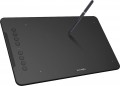 |
|---|---|---|
| XP-PEN Deco MW | XP-PEN Deco 01 | |
| Compare prices 1 | from $61.98 | |
| TOP sellers | ||
| Product type | graphics Tablet | graphics Tablet |
| Format | A5 | A5 |
| Workspace | 203x127 mm | 254x159 mm |
| Aspect ratio | 16:10 | 16:10 |
| Control keys | 8 | 8 |
Connection | ||
| Connection type | Bluetooth / wired | wired |
| Bluetooth version | 5.0 | |
| Connector on device | USB C | USB C |
| Compatibility | Windows MacOS ChromeOS Linux Android | Windows MacOS |
Pen | ||
| Pen model | X3 Elite | P03 |
| Pen power source | no battery (passive) | no battery (passive) |
| Max. reading height | 10 mm | 10 mm |
| Pressure levels | 8192 | 8192 |
| Pen angle | 60 ° | |
| Resolution | 5080 lpi | 5080 lpi |
| Response | 266 PPS | |
| Eraser |  |  |
| Control keys | 2 | 1 |
General | ||
| In box | replacement pen nibs | replacement pen nibs pen holder |
| Power source | battery / USB port | USB port |
| Size | 260x158x8.8 mm | 351x217x8 mm |
| Added to E-Catalog | january 2023 | december 2018 |



Compare XP-PEN Deco MW and Deco 01
Price comparison
You may be interested in
My comparisons
XP-PEN Deco MW often compared


XP-PEN Deco 01 often compared


Glossary
Workspace
The exact size of the active area of a tablet (or screen in a graphic display) in width and height. In general, it is more of a reference than a practically significant parameter: when choosing a traditional graphics tablet, there is often enough information about the format (see above), and for displays, primarily the diagonal (see above) and aspect ratio (see below) are of practical importance . However, the exact dimensions can also be useful in fact: for example, you can determine the aspect ratio from them (for classic tablets, this parameter is often not indicated).
Connection type
Regular way to connect a tablet to a computer.
— Wired. Wired connection, usually via a USB port. This method is not very convenient: the wire limits the maximum distance from the tablet to the PC, and sometimes it has to be pulled to hard-to-reach places (for example, if the system unit is installed under the table with ports to the wall, and there are no available connectors on the front panel). On the other hand, in most cases, these inconveniences are not critical, and the wired tablets themselves are not as expensive as wireless ones, and besides, they do not require their own power supply.
— Wireless. Wireless connection can be carried out in two main ways — either via technology or via a dedicated radio channel. The first option is convenient because the tablet can be connected to any computer with Bluetooth — for example, a laptop or monoblock — without the use of special adapters; however, if there is no Bluetooth module in the computer, you will still need an adapter, and you will have to buy it separately. Models connected via radio, by definition, are equipped with an adapter and work only through it. Anyway, wireless tablets are more convenient than wired ones: the communication range usually reaches several metres, which allows you to freely move away from the comp...uter (for example, draw in your favorite chair, holding the tablet on your lap). On the other hand, these devices are significantly more expensive, require their own power supplies, and have limited battery life.
— Wired/wireless. Models that support both of the connection options described above. Thus, they combine the advantages and partly compensate for the shortcomings of wired and wireless models. So, when the user is sitting right at the computer, the tablet can be connected with a wire and save battery power, and if freedom of movement is needed, the device can be disconnected and use a wireless connection. However, these models are not cheap.
— Wired. Wired connection, usually via a USB port. This method is not very convenient: the wire limits the maximum distance from the tablet to the PC, and sometimes it has to be pulled to hard-to-reach places (for example, if the system unit is installed under the table with ports to the wall, and there are no available connectors on the front panel). On the other hand, in most cases, these inconveniences are not critical, and the wired tablets themselves are not as expensive as wireless ones, and besides, they do not require their own power supply.
— Wireless. Wireless connection can be carried out in two main ways — either via technology or via a dedicated radio channel. The first option is convenient because the tablet can be connected to any computer with Bluetooth — for example, a laptop or monoblock — without the use of special adapters; however, if there is no Bluetooth module in the computer, you will still need an adapter, and you will have to buy it separately. Models connected via radio, by definition, are equipped with an adapter and work only through it. Anyway, wireless tablets are more convenient than wired ones: the communication range usually reaches several metres, which allows you to freely move away from the comp...uter (for example, draw in your favorite chair, holding the tablet on your lap). On the other hand, these devices are significantly more expensive, require their own power supplies, and have limited battery life.
— Wired/wireless. Models that support both of the connection options described above. Thus, they combine the advantages and partly compensate for the shortcomings of wired and wireless models. So, when the user is sitting right at the computer, the tablet can be connected with a wire and save battery power, and if freedom of movement is needed, the device can be disconnected and use a wireless connection. However, these models are not cheap.
Bluetooth version
Direct wireless communication technology between various devices. In the context of graphic tablets, Bluetooth is used both for pairing with a computer and for connecting auxiliary peripherals (which is much less common). The relevant wireless protocols today are Bluetooth from the 4th revision and newer. Here are their key features:
— Bluetooth v 4.0. The fourth edition saw the debut of the Bluetooth Low Energy (LE) data transmission format with low power consumption, allowing significant energy savings in wireless communication.
— Bluetooth v 4.1. One of the improvements in version 4.1 was the optimization of cooperation with 4G LTE communication modules to ensure that Bluetooth and LTE do not interfere with each other. This version also introduced the ability to use a Bluetooth device in multiple roles simultaneously.
— Bluetooth v 4.2. No fundamental updates were presented in version 4.2; however, the technology received several improvements in terms of connection reliability and interference protection.
— Bluetooth v 5.0. Released in 2016, this version of the Bluetooth Low Energy (LE) protocol included the ability to double data transfer speed (up to 2 Mbps) at the cost of reduced range, and to quadruple the range by reducing speed. Other improvements focused on coordinating simultaneous operation with a larger number of connected devices.
— Bluetooth v 5.1. In addition to general quality and reliability enhancements..., this update implemented the ability to determine the direction from which the Bluetooth signal originates (with accuracy to literally within a centimeter).
— Bluetooth v 5.2. The main innovations in this version included several security enhancements, additional optimization of energy consumption in LE mode, and a new audio signal format for synchronizing parallel playback on multiple devices.
— Bluetooth v 5.3. New features in version 5.3 sped up the channel negotiation process between the controller and the device, implemented a function for quick switching between low duty cycle and high-speed modes, and improved bandwidth and connection stability by reducing interference susceptibility.
— Bluetooth v 5.4. Version 5.4 increased the range and data exchange speed and enhanced the energy-saving mode of Bluetooth Low Energy (LE). This protocol edition also uses new security features to protect data from unauthorized access, provides increased connection reliability by selecting the best communication channel, and prevents connection losses due to interference.
— Bluetooth v 4.0. The fourth edition saw the debut of the Bluetooth Low Energy (LE) data transmission format with low power consumption, allowing significant energy savings in wireless communication.
— Bluetooth v 4.1. One of the improvements in version 4.1 was the optimization of cooperation with 4G LTE communication modules to ensure that Bluetooth and LTE do not interfere with each other. This version also introduced the ability to use a Bluetooth device in multiple roles simultaneously.
— Bluetooth v 4.2. No fundamental updates were presented in version 4.2; however, the technology received several improvements in terms of connection reliability and interference protection.
— Bluetooth v 5.0. Released in 2016, this version of the Bluetooth Low Energy (LE) protocol included the ability to double data transfer speed (up to 2 Mbps) at the cost of reduced range, and to quadruple the range by reducing speed. Other improvements focused on coordinating simultaneous operation with a larger number of connected devices.
— Bluetooth v 5.1. In addition to general quality and reliability enhancements..., this update implemented the ability to determine the direction from which the Bluetooth signal originates (with accuracy to literally within a centimeter).
— Bluetooth v 5.2. The main innovations in this version included several security enhancements, additional optimization of energy consumption in LE mode, and a new audio signal format for synchronizing parallel playback on multiple devices.
— Bluetooth v 5.3. New features in version 5.3 sped up the channel negotiation process between the controller and the device, implemented a function for quick switching between low duty cycle and high-speed modes, and improved bandwidth and connection stability by reducing interference susceptibility.
— Bluetooth v 5.4. Version 5.4 increased the range and data exchange speed and enhanced the energy-saving mode of Bluetooth Low Energy (LE). This protocol edition also uses new security features to protect data from unauthorized access, provides increased connection reliability by selecting the best communication channel, and prevents connection losses due to interference.
Compatibility
Full-fledged and mobile operating systems with which the device can interact normally. Specific compatibility options may be:
-Windows. The vast majority of graphics tablets are designed to work together with desktop computers and laptops running Windows. At the same time, it is important to clarify the supported OS versions - in modern realities, these are Windows 10 and Windows 11.
— MacOS. The ability of the device to work with Apple computer equipment that uses the proprietary desktop operating system macOS. First of all, these are iMac desktops and MacBook laptops. This technique has software and hardware features that significantly distinguish it from other types of PCs and laptops, so such compatibility for graphics tablets is specified separately.
- ChromeOS. ChromeOS is a software product from Google originally created for laptops. The key feature of Chromebooks is their close integration with web services, and in general they are positioned as the most inexpensive and accessible laptops.
- Linux. Initially, the Linux platform was designed mainly for professional programmers and IT enthusiasts. For the average user, such a system can be quite difficult to learn and use. However, a number of graphics tablet models are compatible with this OS.
- Android. Compatibility of the device with...portable gadgets running Android OS (primarily smartphones and tablets). This involves using mobile versions of applications to create and process graphics.
- iOS. The ability to work with mobile applications for creating and processing graphics, implemented when using Apple smartphones running the iOS operating system.
-Windows. The vast majority of graphics tablets are designed to work together with desktop computers and laptops running Windows. At the same time, it is important to clarify the supported OS versions - in modern realities, these are Windows 10 and Windows 11.
— MacOS. The ability of the device to work with Apple computer equipment that uses the proprietary desktop operating system macOS. First of all, these are iMac desktops and MacBook laptops. This technique has software and hardware features that significantly distinguish it from other types of PCs and laptops, so such compatibility for graphics tablets is specified separately.
- ChromeOS. ChromeOS is a software product from Google originally created for laptops. The key feature of Chromebooks is their close integration with web services, and in general they are positioned as the most inexpensive and accessible laptops.
- Linux. Initially, the Linux platform was designed mainly for professional programmers and IT enthusiasts. For the average user, such a system can be quite difficult to learn and use. However, a number of graphics tablet models are compatible with this OS.
- Android. Compatibility of the device with...portable gadgets running Android OS (primarily smartphones and tablets). This involves using mobile versions of applications to create and process graphics.
- iOS. The ability to work with mobile applications for creating and processing graphics, implemented when using Apple smartphones running the iOS operating system.
Pen model
The model of the pen that comes with the device. Allows you to understand which one is used and learn more fully its full characteristics. In this case, in the case of a replacement, you will already be aware of which accessory is needed for the purchase. However, nothing prevents you from replacing the existing one with a more advanced one, of course, if the graphics tablet itself allows you to work with a different pen model.
Pen angle
The maximum angle of the pen (relative to vertical) at which the tablet continues to perceive it as a working tool and respond to its movements. The larger this angle, the greater the allowable deviation of the pen from the perpendicular position and the higher the degree of freedom when working with the tablet.
Response
A characteristic of a graphics tablet that determines how many times per second the tablet records the artist’s actions. The response rate is expressed in PPS (Points Per Second).
The higher the PPS value, the more responsive the surface is. If responsiveness is low, there is a possibility of getting jagged lines when working with the pen, and the stylus cursor may lag behind the movement of your hand. Devices with a response of 266 PPS or more perform best, the “golden mean” is the range of values 230 – 233 PPS and 250 – 260 PPS, and in entry-level models the response can be 220 PPS or less.
The higher the PPS value, the more responsive the surface is. If responsiveness is low, there is a possibility of getting jagged lines when working with the pen, and the stylus cursor may lag behind the movement of your hand. Devices with a response of 266 PPS or more perform best, the “golden mean” is the range of values 230 – 233 PPS and 250 – 260 PPS, and in entry-level models the response can be 220 PPS or less.
Eraser
The presence of an eraser function in the pen — that is, the ability to use the pen not only for drawing a picture, but also for erasing it. Directly the role of the eraser is most often played by the second end of the pen, opposite to the “drawing” one; however, in some models, this function is implemented purely in software — by enabling a special pen mode.
Control keys
The number of control keys provided on the pen. These keys can be used for various purposes — for example, changing the type or size of the brush for painting, switching colours, turning on the eraser mode, etc. The more keys — the more options the artist can switch on the fly without getting into the settings of the graphic editor, and the more advanced, usually, this pen is.