
Comparison A-Jazz AJ179 PRO vs Attack Shark X3 Pro
Add to comparison |  | 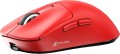 |
|---|---|---|
| A-Jazz AJ179 PRO | Attack Shark X3 Pro | |
| Outdated Product | Compare prices 1 | |
| TOP sellers | ||
| Product type | mouse | mouse |
| Connection | radio / Bluetooth / wired | radio / Bluetooth / wired |
| Bluetooth version | v5.2 | |
| Multi-Device |  | |
| Sensor | optical | optical |
| Type | for game | for game |
Sensor and control | ||
| Sensor | PixArt 3395 | PixArt 3395 |
| Sensor resolution | 800 – 26000 DPI | 800 – 26000 DPI |
| Max. acceleration | 50 G | 50 G |
| Max. speed | 650 ips | 650 ips |
| Max. polling rate | 8000 Hz (0.125 ms) | 8000 Hz (0.125 ms) |
| Number of buttons | 5 | 4 |
| Side buttons | | |
| DPI-button | | |
| Switch type | mechanical | |
| Switches | Huano Transparent Green White Dot | |
| Switch resource | 100 mln | 80 mln |
| Scroll wheels | 1 | 1 |
Additional features | ||
| Programmable buttons | | |
| Feet material | teflon (PTFE) | |
Connection and power supply | ||
| Cable | USB-A removable | USB-A removable braided |
| Cable length | 1.5 m | |
| Power source | battery | battery |
| Battery life | 200 h | |
| Port on the device | USB-C | USB-C |
General | ||
| Suitable for left-handers |  | |
| In box | USB-A dongle charging station | USB-A dongle |
| Size (LxWxH) | 118x63x38 mm | 119x61x40 mm |
| Weight | 56 g | 59 g |
| Added to E-Catalog | november 2024 | september 2024 |



Compare A-Jazz AJ179 PRO and Attack Shark X3 Pro
Mice A-Jazz AJ179 PRO and Attack Shark X3 Pro have similar features, such as connection type (radio, Bluetooth, wired), range (10 m), and the use of an optical sensor PixArt 3395 with a resolution of up to 26000 DPI. However, the A-Jazz AJ179 PRO offers 5 buttons, while the Attack Shark X3 Pro has 4 buttons, which may be important for users who prefer more programming options. Additionally, the Attack Shark X3 Pro boasts a battery life of up to 200 hours, which is a significant advantage. In terms of materials, the Attack Shark X3 Pro features feet made of teflon (PTFE), which may improve gliding.
Price comparison
You may be interested in
My comparisons
A-Jazz AJ179 PRO often compared


Attack Shark X3 Pro often compared


Glossary
Bluetooth version
It is worth noting that any version of Bluetooth is able to pair devices with each other. And even if both devices have a different version, the connection will occur on the lowest of them — the protocols are interchangeable.
Number of buttons
The number of buttons provided in the design of the mouse. However, the term "buttons" can also refer to specific hardware solutions — for example, a solid touch area used in many Apple mice counts as two buttons, because. it is divided into two working areas. But the clickable wheels, as well as the power button, are not taken into account in this calculation.
The minimum number of buttons for modern mice and other similar manipulators is two : this is the number that is necessary for comfortable work in most modern operating systems. If there are more than two keys, this means that there are additional buttons responsible for specific actions. So, even relatively inexpensive devices can be equipped with 3 – 4 buttons ; in addition to the 2 main buttons, they can have, for example, 2 side thumb keys, or 1 double/triple click button (see below). Solutions for 5 – 6 buttons are extremely popular nowadays; among them are many gaming mice, where the mentioned thumb buttons are supplemented with a double / triple click, a sniper button and/or a DPI switch (see also below about these functions). And in the most multifunctional models, 7 – 8 buttons and even more can be installed. In some cases, this number exceeds a dozen and a half; such mice are usually gaming devices designed for RPGs and other simil...ar genres where it is important to have a wide range of actions at your fingertips.
The minimum number of buttons for modern mice and other similar manipulators is two : this is the number that is necessary for comfortable work in most modern operating systems. If there are more than two keys, this means that there are additional buttons responsible for specific actions. So, even relatively inexpensive devices can be equipped with 3 – 4 buttons ; in addition to the 2 main buttons, they can have, for example, 2 side thumb keys, or 1 double/triple click button (see below). Solutions for 5 – 6 buttons are extremely popular nowadays; among them are many gaming mice, where the mentioned thumb buttons are supplemented with a double / triple click, a sniper button and/or a DPI switch (see also below about these functions). And in the most multifunctional models, 7 – 8 buttons and even more can be installed. In some cases, this number exceeds a dozen and a half; such mice are usually gaming devices designed for RPGs and other simil...ar genres where it is important to have a wide range of actions at your fingertips.
Switch type
The type of switches in a mouse indicates the mechanism used under the main buttons to register a click. It affects the feel when pressing, actuation speed, lifespan, and resistance to accidental double clicks.
— Optical. Button mechanisms where the press is registered not by closing metal contacts but by interrupting a light beam. This makes them faster, less prone to wear, and almost unaffected by accidental double-click issues.
These switches are especially valued in gaming mice, where response speed and stability after a large number of clicks are crucial. For example, in shooters or MOBA games, they help achieve clear feedback without delay and contact bouncing.
— Mechanical. Classic button mechanisms where a click is registered due to the closing of metal contacts. They provide a familiar tactile feel, a well-audible click, and are widely used in both office and gaming models.
Compared to optical switches, mechanical ones are usually simpler and cheaper, but over time the contacts may wear out. For example, with active gaming or daily work, after a few years, a double click might occur instead of a single press.
— Optical. Button mechanisms where the press is registered not by closing metal contacts but by interrupting a light beam. This makes them faster, less prone to wear, and almost unaffected by accidental double-click issues.
These switches are especially valued in gaming mice, where response speed and stability after a large number of clicks are crucial. For example, in shooters or MOBA games, they help achieve clear feedback without delay and contact bouncing.
— Mechanical. Classic button mechanisms where a click is registered due to the closing of metal contacts. They provide a familiar tactile feel, a well-audible click, and are widely used in both office and gaming models.
Compared to optical switches, mechanical ones are usually simpler and cheaper, but over time the contacts may wear out. For example, with active gaming or daily work, after a few years, a double click might occur instead of a single press.
Switches
The switches in a mouse indicate which specific switches are installed under the main buttons, such as Omron, Huano, Kailh, TTC, or proprietary solutions from the manufacturer. These determine the click characteristics, actuation force, click volume, lifespan, and the likelihood of double-clicking over time.
Unlike the general switch type, which refers to the working principle—mechanical or optical—the brand and model provide a more precise understanding of the performance level. For example, two mice with mechanical switches might feel different when clicked: some may be softer and quieter, while others could be stiffer, louder, and feel more "gaming-like."
Unlike the general switch type, which refers to the working principle—mechanical or optical—the brand and model provide a more precise understanding of the performance level. For example, two mice with mechanical switches might feel different when clicked: some may be softer and quieter, while others could be stiffer, louder, and feel more "gaming-like."
Switch resource
The durability of mouse switches is measured by the number of clicks the keys can withstand before they begin to show signs of wear or malfunction. Switches can have a lifespan of several million to tens of millions of clicks. In laboratory conditions, this parameter is checked using special testing machines, which diligently press the keys the required number of times, on the basis of which a verdict is made regarding the approximate service life of the switches.
Feet material
- Teflon (PTFE). Polytetrafluoroethylene (PTFE) glides - also known as Teflon - are characterized by an extremely low coefficient of friction. As a result, mice with Teflon feet boast excellent glide and high cursor speed on any type of surface. The minimum level of friction allows you to easily control the movements of the mouse. Manipulators with Teflon gliders perform well in dynamic games and reduce wrist strain during prolonged work at the computer.
— Metal. When properly sanded, the metal feet provide excellent glide for the mouse, and they also have a long service life before abrasion. Note that manipulators with metal gliders are best used on plastic or other hard-wearing playing surfaces. Using a mouse without a mouse pad runs the risk of scratching the surface.
— Metal. When properly sanded, the metal feet provide excellent glide for the mouse, and they also have a long service life before abrasion. Note that manipulators with metal gliders are best used on plastic or other hard-wearing playing surfaces. Using a mouse without a mouse pad runs the risk of scratching the surface.
Cable
Additional features of the cable that the mouse is equipped with.
These features may include a winding system, a detachable wire, and a braided wire(however, most modern mice still have a cable without a braid). Here is a more detailed description of all these features.
— Retractable. Wire equipped with a special coil for winding. This feature greatly simplifies transportation: during off-hours, the wire is as compact as possible and does not get tangled, and when used, it can be unwound to the desired length (usually the coil allows this possibility). All this is especially important for laptop mice (see "In direction") — in fact, most models with a wire reel fall into this category.
— Removable. Wire that can be detached from the mouse. Almost all mice with two connection options have this feature — wired and wireless: when working in a wireless format, the cable can be removed so that it does not interfere. However, there are also purely wired devices with such a cable — mostly laptop devices, where the wire is removed for ease of transportation. Also note that most often a universal connector like microUSB is used to connect the cable, so if necessary, the wire can be replaced with another one — for example, a longer one.
— In a braid. The presence of an additional braid on the mouse cable. This feature makes the wire more d...urable, reliable and resistant to bending. On the other hand, braid tends to accumulate dirt and fray when worn; because of this, the wire sheath loses its presentation faster than in mice without a braid. Yes, and such a wire is more expensive than a regular smooth one.
These features may include a winding system, a detachable wire, and a braided wire(however, most modern mice still have a cable without a braid). Here is a more detailed description of all these features.
— Retractable. Wire equipped with a special coil for winding. This feature greatly simplifies transportation: during off-hours, the wire is as compact as possible and does not get tangled, and when used, it can be unwound to the desired length (usually the coil allows this possibility). All this is especially important for laptop mice (see "In direction") — in fact, most models with a wire reel fall into this category.
— Removable. Wire that can be detached from the mouse. Almost all mice with two connection options have this feature — wired and wireless: when working in a wireless format, the cable can be removed so that it does not interfere. However, there are also purely wired devices with such a cable — mostly laptop devices, where the wire is removed for ease of transportation. Also note that most often a universal connector like microUSB is used to connect the cable, so if necessary, the wire can be replaced with another one — for example, a longer one.
— In a braid. The presence of an additional braid on the mouse cable. This feature makes the wire more d...urable, reliable and resistant to bending. On the other hand, braid tends to accumulate dirt and fray when worn; because of this, the wire sheath loses its presentation faster than in mice without a braid. Yes, and such a wire is more expensive than a regular smooth one.
Cable length
The length of the cable that is equipped with a mouse with the possibility of a wired connection (see "Type of connection").
When choosing this parameter, you should first of all take into account the distance from the manipulator to the connection port: a cable that is too short may simply not reach the connector, and a cable that is too long may get tangled at hand and create inconvenience. As for specific values, the most modest wire length in modern mice is 1 m or less ; such devices are intended mainly for laptops. Most desktop manipulators come with cables that are 1.1-1.5m or 1.6-2m long, with some models running longer than 2m.
When choosing this parameter, you should first of all take into account the distance from the manipulator to the connection port: a cable that is too short may simply not reach the connector, and a cable that is too long may get tangled at hand and create inconvenience. As for specific values, the most modest wire length in modern mice is 1 m or less ; such devices are intended mainly for laptops. Most desktop manipulators come with cables that are 1.1-1.5m or 1.6-2m long, with some models running longer than 2m.
Battery life
Battery life of the mouse (see “Power”) on a single charge.
The battery life in this case is rather approximate: it is given for an average usage scenario, and the actual autonomy may turn out to be less or more than stated, depending on the usage patterns. Nevertheless, it is a fairly reliable indicator, allowing different battery models to be evaluated and compared with each other: the difference in the stated battery life usually correlates well with the actual autonomy difference.
The battery life in this case is rather approximate: it is given for an average usage scenario, and the actual autonomy may turn out to be less or more than stated, depending on the usage patterns. Nevertheless, it is a fairly reliable indicator, allowing different battery models to be evaluated and compared with each other: the difference in the stated battery life usually correlates well with the actual autonomy difference.