
Comparison Logitech G203 Lightsync vs Logitech G203 Prodigy
Add to comparison | 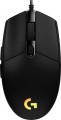 |  |
|---|---|---|
| Logitech G203 Lightsync | Logitech G203 Prodigy | |
| Compare prices 41 | Compare prices 2 | |
| User reviews | ||
| TOP sellers | ||
| Product type | mouse | mouse |
| Connection | wired | wired |
| Sensor | optical | optical |
| Type | for game | for game |
Sensor and control | ||
| Sensor | Mercury | |
| Sensor resolution | 200 – 8000 DPI | 200 – 8000 DPI |
| Max. acceleration | 25 G | 25 G |
| Max. speed | 200 ips | 200 ips |
| Number of buttons | 5 | 5 |
| Side buttons |  | |
| DPI-button | | |
| Switch type | mechanical | mechanical |
| Scroll wheels | 1 | 1 |
Additional features | ||
| Optimal grip | digital | digital |
| Programmable buttons | | |
| Built-in memory | | |
| Lighting | RGB | RGB |
| Lighting effects | Logitech Lightsync | Logitech Lightsync |
Connection and power supply | ||
| Cable | USB-A | USB-A |
| Cable length | 2.1 m | 2.1 m |
General | ||
| Suitable for left-handers | | |
| Size (LxWxH) | 117x62x38 mm | 117x62x38 mm |
| Weight | 85 g | 82 g |
| Color | ||
| Added to E-Catalog | april 2020 | march 2018 |




Compare Logitech G203 Lightsync and G203 Prodigy
Both mice, Logitech G203 Lightsync and Logitech G203 Prodigy, have similar features, such as wired connection, an optical sensor with a resolution of up to 8000 DPI, and mechanical switches. However, the G203 Prodigy is available in more color options (black, white, blue), while the G203 Lightsync is only available in black. Both devices have the same dimensions and weight, and they support programmable buttons and RGB lighting with Lightsync effects. The choice between them may depend on color preferences and availability.
Price comparison
You may be interested in
Logitech G203 Lightsync often compared


Glossary
Sensor
The model of the sensor installed in the mouse. This information is indicated mainly for models equipped with high-end sensors, which are significantly superior in their capabilities to simpler solutions. Such characteristics are important primarily for gaming mice, so most of the devices for which the sensor model is specified belong to this category.
Knowing the name, you can find detailed data on the sensor and evaluate its capabilities. Note that one of the most popular brands nowadays, under which advanced sensors are produced, is PixArt ; on the market are often found, in particular, sensors PixArt 3212, PixArt 3325, PixArt 3327, PixArt 3335, PixArt 3360, PixArt 3389, PixArt 3395, PixArt 3950.
Knowing the name, you can find detailed data on the sensor and evaluate its capabilities. Note that one of the most popular brands nowadays, under which advanced sensors are produced, is PixArt ; on the market are often found, in particular, sensors PixArt 3212, PixArt 3325, PixArt 3327, PixArt 3335, PixArt 3360, PixArt 3389, PixArt 3395, PixArt 3950.
Weight
The total weight of the mouse. For models with a wired connection, usually, it is indicated without cable, and for devices with weight adjustment (see above) — without weights.
This parameter is important primarily for professional gaming applications, although it is often relevant for ordinary users. Theoretically, less weight promotes speed and reduces fatigue. At the same time, in fact, much depends on the personal habits and preferences of the user: a mouse that is too light may “not be felt in the hands” and not give familiar feedback. Therefore, although most mice have a lower weight limit of 60 – 80 g, however, even among professional gaming models there are much more massive devices — 120 – 140 g or more. The lightest variety of "rodents" is laptop (see "In the direction"), among them devices come across and less than 60 g.
Also note that the weight to some extent depends on the size and “tricked out” of the device, but there is no unambiguous dependence here: models similar in size and functionality can differ markedly in weight.
This parameter is important primarily for professional gaming applications, although it is often relevant for ordinary users. Theoretically, less weight promotes speed and reduces fatigue. At the same time, in fact, much depends on the personal habits and preferences of the user: a mouse that is too light may “not be felt in the hands” and not give familiar feedback. Therefore, although most mice have a lower weight limit of 60 – 80 g, however, even among professional gaming models there are much more massive devices — 120 – 140 g or more. The lightest variety of "rodents" is laptop (see "In the direction"), among them devices come across and less than 60 g.
Also note that the weight to some extent depends on the size and “tricked out” of the device, but there is no unambiguous dependence here: models similar in size and functionality can differ markedly in weight.