
Comparison OfficePro MA412B vs OfficePro MA502
Add to comparison | 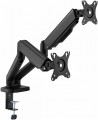 | 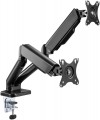 |
|---|---|---|
| OfficePro MA412B | OfficePro MA502 | |
| Outdated Product | Outdated Product | |
| TOP sellers | ||
| Type | desktop mount | desktop mount |
| Number of mounts | for 2 panels | for 2 panels |
| Installation | universal | universal |
Specs | ||
| Minimum size | 17 " | 17 " |
| Max. size | 32 " | 32 " |
| Max. weight | 9 kg | 9 kg |
| Adjustments | tilt turn depth adjustment slide rotation height adjustment | tilt turn depth adjustment slide rotation height adjustment |
Angles and dimensions | ||
| Upward tilt angle | 90 ° | 90 ° |
| Downward tilt angle | 90 ° | 90 ° |
| Turn angle | 180 ° | 180 ° |
| Rotation angle | 180 ° | 180 ° |
| VESA | 75x75mm 100x100 mm | 75x75mm 100x100 mm |
| Removable VESA plate |  | |
General | ||
| Cable management | |  |
| Color | ||
| Added to E-Catalog | february 2024 | july 2023 |


Compare OfficePro MA412B and MA502
You may be interested in
OfficePro MA412B often compared


OfficePro MA502 often compared


Glossary
Cable management
Possibility of placing the cables connected to the TV inside the rod or support of the mount(for ceiling and floor structures, respectively, see "Type"). This placement gives the whole structure a neat appearance, because cables, often of different sizes and colours, and even tangled with each other, are hidden from view and do not spoil the aesthetics.