
Comparison Deepcool CH160 black vs Gamemax Infinity Mini black
Add to comparison | 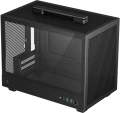 | 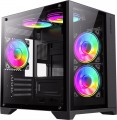 |
|---|---|---|
| Deepcool CH160 black | Gamemax Infinity Mini black | |
from $69.99 | from $48.99 | |
| TOP sellers | ||
Inside there is space for a three-slot video card up to 305 mm long, a processor cooling system up to 172 mm high, and an SFX-L or ATX power supply (up to 140 mm long). Other features of the case include a carrying handle. | ||
| Features | gaming | |
| Form factor | Desktop | Mini Tower |
| Mount | vertical | vertical |
| Motherboard support | mini-ITX | mini-ITX |
| Board placement | vertical | |
| Dual chamber body |  |  |
| PSU form factor | ATX (regular) | ATX (regular) |
Computer case | ||
| Dimensions (HxWxD) | 284x200x336 mm | 373x275x358 mm |
| PSU max lenght | 140 mm | |
| Graphics card max lenght | 230 mm | 330 mm |
| Fan max height | 172 mm | 155 mm |
| Weight | 3.3 kg | |
| Material | steel | steel |
| Sidewall thickness | 0.4 mm | |
| Rubber feet | | |
| Side panel | removable | removable |
Storage | ||
| PSU | | |
| PSU mount | top | bottom |
| 3.5" bays | 1 | 1 |
| internal 2.5" compartments | 1 | 1 |
| Expansion slots | 3 | 4 |
Cooling | ||
| Fans (back) | 1x120mm | 1x120mm |
| Fans (front) | 1x120mm | |
| Fans (side) | 2x120mm | |
| Fans (top) | 2x120mm | 2x120mm |
| Fans (bottom) | 2x120mm | |
| Fan mounts total | 4 | 7 |
| Dust filter | front, top and bottom | top and bottom |
| Liquid cooling system support | | |
Liquid cooling system | ||
| Liquid cooling (rear) | 120 mm | |
| Liquid cooling (side) | 240 mm | |
| Liquid cooling (top) | 240mm | |
| Liquid cooling (bottom) | 240mm | |
| Liquid cooling mounts | 4 | |
Connectors and functions | ||
| Placement | on the side wall | on top of the case |
| USB-A 2.0 | 2 pcs | |
| USB-A 5Gbps | 2 pcs | 1 pcs |
| USB-C 10Gbps | 1 pcs | |
| Audio (microphone/headphones) | | |
More features | ||
| Front panel | lattice | glass |
| Side panel window | tempered glass | tempered glass |
| More features | CPU cooling mount window | hidden wiring CPU cooling mount window |
| Color | ||
| Added to E-Catalog | may 2024 | november 2023 |


Compare Deepcool CH160 and Gamemax Infinity Mini
You may be interested in
My comparisons
Deepcool CH160 often compared


Gamemax Infinity Mini often compared


Glossary
Features
The direction in which the body is facing. This parameter is indicated only for models that have a certain specialization and differ markedly from general-purpose cases.
— Gaming. Cases designed for high-performance gaming computer systems. They usually have numerous openings for expansion slots and bays for drives (see the corresponding paragraphs), as well as advanced options for installing cooling systems — many “seats” for fans, the ability to use liquid cooling (see “Liquid cooling support”) and etc. In addition, they often stand out due to their design: they can be equipped with decorative lighting, transparent windows, etc.
— HTPC. Enclosures for PC multimedia orientation, the so-called Home Theater Personal Computer (HTPC). The characteristic features of such cases are compact size, the presence of additional buttons on the front panel for controlling multimedia (and sometimes a sensor for the remote control) and an advanced design.
— Gaming. Cases designed for high-performance gaming computer systems. They usually have numerous openings for expansion slots and bays for drives (see the corresponding paragraphs), as well as advanced options for installing cooling systems — many “seats” for fans, the ability to use liquid cooling (see “Liquid cooling support”) and etc. In addition, they often stand out due to their design: they can be equipped with decorative lighting, transparent windows, etc.
— HTPC. Enclosures for PC multimedia orientation, the so-called Home Theater Personal Computer (HTPC). The characteristic features of such cases are compact size, the presence of additional buttons on the front panel for controlling multimedia (and sometimes a sensor for the remote control) and an advanced design.
Form factor
The form factor determines, first of all, the internal volume of the case (as a result, the motherboard used for it, see "Type of motherboard"), as well as installation features. To date, PC cases are available in the following main form factors:
— Full Tower. The tower case is one of the largest form factors for PCs today: 15-20 cm wide, 50-60 cm high, with up to 10 externally accessible bays. Most often in this form factor running advanced high performance PCs.
— Ultra Tower. Further development and expansion of Full Tower cases (see above), offering even more space for hardware: the width of such a case is about 25 cm, the height can reach 70 cm, which allows you to install powerful configurations inside and provides enough free space for effective cooling .
— Midi Tower. A representative of the tower family (tower cases) of medium size — about 45 cm in height with a width of 15-20 cm, with the number of external bays from 2 to 4. Most popular for middle-class home PCs.
— Mini Tower. The most compact "vertical" case type, with a width of 15-20 cm, has a height of about 35 cm and (usually) less than 2 compartments with external access. It is mainly used for assembling office PCs that do not require high performance.
— Desktop. Enclosures designed for i...nstallation directly on the desktop. They often have the possibility of horizontal installation — in such a way that a monitor can be placed on top of the case — although there are also models that are installed strictly vertically. The size of such cases can be almost anything — from miniature solutions for thin mini ITX motherboards to large-sized cases for E-ATX (see "Motherboard type"). However, most "desktops" are relatively small.
— Cube Case. Cases having a cubic or close to it shape. They can have different sizes and are intended for different types of motherboards, this point in each case should be clarified separately. Anyway, such cases have a rather original appearance, different from traditional "towers" and "desktops".
— Dual Tower. Quite a rare option — cases, in size and proportions resembling two "towers", made up side by side. Dual Tower solutions are large in size and are intended mainly for powerful high-performance PCs (in particular, top gaming stations).
Note that there are models that allow both vertical and horizontal installation and can, in fact, turn from a "tower" to a "desktop" and vice versa. For such cases, the form factor is indicated by the form factor named in the manufacturer's documentation, or by the main installation method described there.
— Full Tower. The tower case is one of the largest form factors for PCs today: 15-20 cm wide, 50-60 cm high, with up to 10 externally accessible bays. Most often in this form factor running advanced high performance PCs.
— Ultra Tower. Further development and expansion of Full Tower cases (see above), offering even more space for hardware: the width of such a case is about 25 cm, the height can reach 70 cm, which allows you to install powerful configurations inside and provides enough free space for effective cooling .
— Midi Tower. A representative of the tower family (tower cases) of medium size — about 45 cm in height with a width of 15-20 cm, with the number of external bays from 2 to 4. Most popular for middle-class home PCs.
— Mini Tower. The most compact "vertical" case type, with a width of 15-20 cm, has a height of about 35 cm and (usually) less than 2 compartments with external access. It is mainly used for assembling office PCs that do not require high performance.
— Desktop. Enclosures designed for i...nstallation directly on the desktop. They often have the possibility of horizontal installation — in such a way that a monitor can be placed on top of the case — although there are also models that are installed strictly vertically. The size of such cases can be almost anything — from miniature solutions for thin mini ITX motherboards to large-sized cases for E-ATX (see "Motherboard type"). However, most "desktops" are relatively small.
— Cube Case. Cases having a cubic or close to it shape. They can have different sizes and are intended for different types of motherboards, this point in each case should be clarified separately. Anyway, such cases have a rather original appearance, different from traditional "towers" and "desktops".
— Dual Tower. Quite a rare option — cases, in size and proportions resembling two "towers", made up side by side. Dual Tower solutions are large in size and are intended mainly for powerful high-performance PCs (in particular, top gaming stations).
Note that there are models that allow both vertical and horizontal installation and can, in fact, turn from a "tower" to a "desktop" and vice versa. For such cases, the form factor is indicated by the form factor named in the manufacturer's documentation, or by the main installation method described there.
Board placement
The position of the motherboard in the case; it is assumed that the body is in its original position.
The motherboard is most conveniently placed along the case — this gives the most space for it (and "motherboards", we recall, are large in size). And since the most popular nowadays are vertical-layout cases (mainly certain types of “towers”), the boards in them are arranged vertically. The horizontal arrangement can be found much less frequently — in separate Mini-Towers and "cubes" (Cube Case), where the height is not much greater than the width, as well as desktops designed for horizontal placement.
The motherboard is most conveniently placed along the case — this gives the most space for it (and "motherboards", we recall, are large in size). And since the most popular nowadays are vertical-layout cases (mainly certain types of “towers”), the boards in them are arranged vertically. The horizontal arrangement can be found much less frequently — in separate Mini-Towers and "cubes" (Cube Case), where the height is not much greater than the width, as well as desktops designed for horizontal placement.
Dual chamber body
A PC case with the interior split into a main chamber for the motherboard and GPU, and an auxiliary one for the PSU, cables, and drives. Dual‑chamber case improves airflow to hot components, makes cable management easier, lowers noise, and gives a cleaner look; compared to single‑chamber models, it’s easier to achieve low temperatures without turbine‑level fan speeds and to get a neat showcase appearance. Common in mid/full‑tower cases and showcase builds with a tempered‑glass side panel; in practice, it’s convenient to mount AIO radiators in the main chamber, and move the PSU and SSD/HDD cages into the second chamber, resulting in a quiet, cool, and aesthetically clean build for gaming, streaming, and work.
PSU max lenght
Possible length of the PSU that can be installed in the case.
Graphics card max lenght
The maximum length of a graphics card that can be installed in this case.
Modern mid-range and top-end video cards with high performance often differ in considerable length, which is why such a card can not fit into any case. So before collecting components, it is worth evaluating the length of the proposed graphics card and choosing a case in which it is guaranteed to fit. This forethought is useful anyway, but it's especially true if you're building a system that requires a powerful graphics adapter, such as a high-end gaming PC or 3D design workstation.
Modern mid-range and top-end video cards with high performance often differ in considerable length, which is why such a card can not fit into any case. So before collecting components, it is worth evaluating the length of the proposed graphics card and choosing a case in which it is guaranteed to fit. This forethought is useful anyway, but it's especially true if you're building a system that requires a powerful graphics adapter, such as a high-end gaming PC or 3D design workstation.
Fan max height
The highest cooler height allowed for this case.
In this case, we mean a cooler used to cool the processor — such a component is found in the vast majority of modern PCs. Height is measured relative to the motherboard.
In this case, we mean a cooler used to cool the processor — such a component is found in the vast majority of modern PCs. Height is measured relative to the motherboard.
Sidewall thickness
The thickness of the side walls used in the case. When choosing a thickness, manufacturers have to compromise between several points at once. On the one hand, thin walls are inexpensive and heat dissipates faster through them, which has a positive effect on cooling efficiency. On the other hand, powerful systems inevitably require thick walls, otherwise the case may simply not withstand the weight of advanced high-performance components. Thirdly, steel is a fairly durable material even with a relatively small thickness. In light of all this, in most models this indicator does not exceed 0.7 — 0.8 mm, and more often it is about 0.5 – 0.6 mm.
Rubber feet
The presence of rubberized legs in the design of the case.
These feet absorb vibrations generated during operation of the computer (mainly due to the operation of fans and optical drives), thereby reducing noise levels and providing additional comfort. Rubberized feet are especially desirable if the computer is placed on a table (on a tabletop or in a dedicated compartment on a table) or on a hard floor.
These feet absorb vibrations generated during operation of the computer (mainly due to the operation of fans and optical drives), thereby reducing noise levels and providing additional comfort. Rubberized feet are especially desirable if the computer is placed on a table (on a tabletop or in a dedicated compartment on a table) or on a hard floor.