
Comparison ASRock B650M-H/M.2+ vs ASRock A620M-HDV/M.2+
Add to comparison | 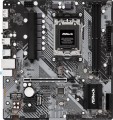 |  |
|---|---|---|
| ASRock B650M-H/M.2+ | ASRock A620M-HDV/M.2+ | |
| Compare prices 1 | Compare prices 1 | |
| User reviews | ||
| TOP sellers | ||
| Features | for home/office | for home/office |
| Socket | AM5 | AM5 |
| Form factor | micro-ATX | micro-ATX |
| Power phases | 8 | 8 |
| VRM heatsink |  | |
| Size (HxW) | 244x226 mm | 244x226 mm |
Chipset | ||
| Chipset | AMD B650 | AMD A620 |
| BIOS | Ami | Ami |
| UEFI BIOS | | |
RAM | ||
| DDR5 | 2 slot(s) | 2 slot(s) |
| Memory module | DIMM | DIMM |
| Operation mode | 2 channel | 2 channel |
| Max. clock frequency | 6400 MHz | 7200 MHz |
| Max. memory | 96 GB | 96 GB |
| XMP | | |
| EXPO support | | |
Drive interface | ||
| SATA 3 (6Gbps) | 4 | 4 |
| M.2 connector | 2 | 2 |
| M.2 | 2xPCIe 4x | 2xPCIe 4x |
| Integrated RAID controller | | |
Expansion slots | ||
| 1x PCIe slots | 2 pcs | 2 pcs |
| PCIe 16x slots | 1 pcs | 1 pcs |
| PCIe support | 4.0 | 4.0 |
| Steel PCIe connectors | | |
Internal connections | ||
| TPM connector | | |
| USB-A 2.0 | 2 pcs | 2 pcs |
| USB-A 5Gbps | 1 pcs | 1 pcs |
Video outputs | ||
| HDMI output | | |
| HDMI version | v2.1 | v2.1 |
| DisplayPort | | |
| DisplayPort version | v.1.4 | v.1.4 |
Integrated audio | ||
| Audiochip | Realtek ALC897 | Realtek ALC897 |
| Sound (channels) | 7.1 | 7.1 |
Network interfaces | ||
| LAN (RJ-45) | 1 Gbps | 1 Gbps |
| LAN ports | 1 | 1 |
| LAN controller | Realtek RTL8111H | Realtek RTL8111H |
External connections | ||
| USB-A 2.0 | 2 pcs | 2 pcs |
| USB-A 5Gbps | 3 pcs | 3 pcs |
| USB-C 5Gbps | 1 pcs | 1 pcs |
Power connectors | ||
| Main power socket | 24-pin | 24-pin |
| CPU power | 8-pin | 8-pin |
| Fan power connectors | 4 | 4 |
| CPU Fan 4-pin | 1 | 1 |
| Chassis/Water Pump Fan 4-pin | 3 | 3 |
| Added to E-Catalog | october 2023 | april 2023 |

Compare ASRock B650M-H/M.2+ and A620M-HDV/M.2+
Price comparison
You may be interested in
My comparisons
ASRock B650M-H/M.2+ often compared


Glossary
Chipset
The chipset model installed in the motherboard. AMD's current chipset models are B450, A520, B550, X570, A620, B650, B650E, X670, X670E, B840, B850, X870, X870E. For Intel, in turn, the list of chipsets looks like this: X299, H410, B460, H470, Z490, H510, B560, H570, Z590, H610, B660, H670, Z690, B760, Z790, H810, B860, Z890.
A chipset is a set of chips on the motherboard through which the individual components of the system inter...act directly: the processor, RAM, drives, audio and video adapters, network controllers, etc. Technically, such a set consists of two parts — the north and south bridges. The key element is the northbridge, it connects the processor, memory, graphics card and the southbridge (together with the devices it controls). Therefore, it is often the name of the north bridge that is indicated as the chipset model, and the south bridge model is specified separately (see below); it is this scheme that is used in traditional layout motherboards, where bridges are made in the form of separate microcircuits. There are also solutions where both bridges are combined in one chip; for them, the name of the entire chipset can be indicated.
Anyway, knowing the chipset model, you can find various additional data on it — from general reviews to special instructions. An ordinary user, usually, does not need such information, but it can be useful for various professional tasks.
A chipset is a set of chips on the motherboard through which the individual components of the system inter...act directly: the processor, RAM, drives, audio and video adapters, network controllers, etc. Technically, such a set consists of two parts — the north and south bridges. The key element is the northbridge, it connects the processor, memory, graphics card and the southbridge (together with the devices it controls). Therefore, it is often the name of the north bridge that is indicated as the chipset model, and the south bridge model is specified separately (see below); it is this scheme that is used in traditional layout motherboards, where bridges are made in the form of separate microcircuits. There are also solutions where both bridges are combined in one chip; for them, the name of the entire chipset can be indicated.
Anyway, knowing the chipset model, you can find various additional data on it — from general reviews to special instructions. An ordinary user, usually, does not need such information, but it can be useful for various professional tasks.
Max. clock frequency
The maximum RAM clock speed supported by the motherboard. The actual clock frequency of the installed RAM modules should not exceed this indicator — otherwise, malfunctions are possible, and the capabilities of the “RAM” cannot be used to the fullest.
For modern PCs, a RAM frequency of 1500 – 2000 MHz or less is considered very low, 2000 – 2500 MHz is modest, 2500 – 3000 MHz is average, 3000 – 3500 MHz is above average, and the most advanced boards can support frequencies of 3500 – 4000 MHz and even more than 4000 MHz.
For modern PCs, a RAM frequency of 1500 – 2000 MHz or less is considered very low, 2000 – 2500 MHz is modest, 2500 – 3000 MHz is average, 3000 – 3500 MHz is above average, and the most advanced boards can support frequencies of 3500 – 4000 MHz and even more than 4000 MHz.