
Comparison Cougar Combat vs MSI Vigor GK30 Combo
Add to comparison | 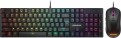 | 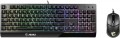 |
|---|---|---|
| Cougar Combat | MSI Vigor GK30 Combo | |
| Outdated Product | Compare prices 8 | |
| User reviews | ||
| TOP sellers | ||
| In box | keyboard and mouse | keyboard and mouse |
| Connection | wired | wired |
| Cable length | 1.8 m | 1.8 m |
| Type | for game | for game |
| Form factor | 100% (full size) | 100% (full size) |
| Layout | JIS | ANSI |
Keyboard | ||
| Key profile | high | high |
| Key type | classic type | classic type |
| Switch technology | mechanical | mechanical-membrane |
| Anti-Ghosting |  | |
| #KRO | N-KRO | 20-KRO |
| Fn key | | |
Features | ||
| Application of symbols (Latin) | laser engraving | |
| Volume control | fn | fn |
| Game mode | | |
| Lighting | RGB | RGB |
| Lighting effects | + | MSI Mystic Light Sync (MLS) |
Connection and power supply | ||
| Cable | USB-A | USB-A |
General | ||
| Skeleton keyboard | | |
| Waterproof |  | |
| Metal top panel | | |
| Size | 429x122x36 mm | 438x157x38 mm |
| Weight | 770 g | 1042 g |
Mouse | ||
| Sensor | optical | |
| Number of buttons | 5 | |
| Scroll wheels | 1 | 1 |
| Programmable buttons | | |
| DPI switch | | |
| Sensor resolution | 8000 DPI | 400 – 5000 DPI |
| Lighting | | |
| Size (LxWxH) | 120x63x39 mm | |
| Weight | 65 g | |
| Color | ||
| Added to E-Catalog | january 2024 | september 2020 |




Compare Cougar Combat and MSI Vigor GK30 Combo
Keyboards "Cougar Combat" and "MSI Vigor GK30 Combo" are gaming sets but have several key differences. "Cougar Combat" is equipped with mechanical switches of the Linear Red type and supports 100% Anti-Ghosting with N-Key Rollover technology, making it more suitable for intense gaming sessions. Meanwhile, "MSI Vigor GK30" uses mechanical-membrane switches, which may reduce the feel of the keystroke. In terms of lighting, both keyboards offer RGB backlighting, but "Cougar Combat" has more effects and color customization options for each key. As for the mouse, "Cougar Combat" offers a sensor with a resolution of up to 8000 DPI and programmable buttons, while "MSI Vigor GK30" has a lower maximum resolution of 5000 DPI and does not offer programmable buttons. Overall, "Cougar Combat" may be preferable for gamers seeking more advanced features.
Price comparison
You may be interested in
My comparisons
Glossary
Layout
The layout describes the physical geometry of the keys and their standard arrangement: the shape of Enter and Shift, the presence of additional keys, the width of the space bar, and consequently, compatibility with keycap sets and typing familiarity. The standards hardly affect productivity in software and gaming — comfort and how easy it is to find suitable keycaps/cases are more important. The following types are found:
— ANSI (American). A distinctive feature of the American layout is the single-row Enter key; it is the only popular layout where this key occupies one row, not two. Additionally, unlike the European ISO, the Shift keys on ANSI keyboards have the same width, and the Alt key has the same function. The backslash “\” is usually placed above the Enter and can be longer.
— ISO (European). One characteristic feature of the European layout is the Enter key, which occupies two rows and is slightly wider at the top. Also, the modifier keys are asymmetrical: the Shift keys differ in size (the left one is shorter than the right), and the Alts differ in function (the right Alt is marked as “Alt Gr” and is used for typing special characters of European languages). From the similar in many ways "Japanese" JIS layout, the ISO layout differs by the placement of the backslash “\” — it is standardly located near the left Shift (in some models, it is duplicated near the Enter). As a result,...the left Shift is shorter than usual; this can be inconvenient, especially for new users.
— KS (Korean). The “Korean” layout can be distinguished by the characteristic shape of the Enter key: it occupies two rows and is longer at the bottom than at the top. Another feature is the backslash “\”, which is located to the left of the Backspace, resulting in a shorter Backspace than in other layouts.
— JIS (Japanese). A layout much like the European ISO: it has the same two-row Enter with an increased length of the upper half. In many models, the right Alt is labeled “Alt Gr” and is designed for typing special symbols. The main differences lie in two aspects: the length of the left Shift (it is standard in JIS, not shortened) and the placement of the backslash “\” (it is standardly installed to the left of the lower half of the Enter, where some ISO keyboards have a second, additional backslash).
— ANSI (American). A distinctive feature of the American layout is the single-row Enter key; it is the only popular layout where this key occupies one row, not two. Additionally, unlike the European ISO, the Shift keys on ANSI keyboards have the same width, and the Alt key has the same function. The backslash “\” is usually placed above the Enter and can be longer.
— ISO (European). One characteristic feature of the European layout is the Enter key, which occupies two rows and is slightly wider at the top. Also, the modifier keys are asymmetrical: the Shift keys differ in size (the left one is shorter than the right), and the Alts differ in function (the right Alt is marked as “Alt Gr” and is used for typing special characters of European languages). From the similar in many ways "Japanese" JIS layout, the ISO layout differs by the placement of the backslash “\” — it is standardly located near the left Shift (in some models, it is duplicated near the Enter). As a result,...the left Shift is shorter than usual; this can be inconvenient, especially for new users.
— KS (Korean). The “Korean” layout can be distinguished by the characteristic shape of the Enter key: it occupies two rows and is longer at the bottom than at the top. Another feature is the backslash “\”, which is located to the left of the Backspace, resulting in a shorter Backspace than in other layouts.
— JIS (Japanese). A layout much like the European ISO: it has the same two-row Enter with an increased length of the upper half. In many models, the right Alt is labeled “Alt Gr” and is designed for typing special symbols. The main differences lie in two aspects: the length of the left Shift (it is standard in JIS, not shortened) and the placement of the backslash “\” (it is standardly installed to the left of the lower half of the Enter, where some ISO keyboards have a second, additional backslash).
Switch technology
— Membrane. The name of this type is due to the fact that the contacts under each key are made in the form of two membranes — conductive disks on a flexible film. The return of the keys to their original position after pressing is ensured by the elasticity of the membranes. This design is characterized by low cost and low noise level; in addition, such keyboards are quite resistant to liquid spills (although this is still not recommended). Of the shortcomings, it is worth noting the relatively low durability — 3-4 times lower than that of mechanical ones. In addition, as the keys of this type wear out, the force required to press decreases, they begin to “fall through” under the fingers (“fatigue effect”).
— Mechanical. In this design, springs are used to return the key to its original position after being pressed. Mechanical keyboards are considered more advanced than membrane keyboards: they are more reliable and durable, almost do not lose properties as they wear out, and give a clear tactile feedback. The overall noise level is often higher than that of membrane ones, however, many attribute a characteristic click with each press to the advantages of such models; in addition, completely silent mechanical switches are also available. But of the unequivocal disadvantages, one can name the high cost and sensitivity to spilling liquid (although a mechanical keyboard can also be made waterproof).
...
— Optical-mechanical. A variation of the mechanical keyboards described above, in which each key is equipped not with a traditional pair of contacts, but with an optical switch in the form of a sensor that receives an infrared beam; when you press the key, this beam is blocked, which serves as a signal for operation. One of the key advantages of such switches is a very high response speed (fractions of a millisecond); this moment is not critical for domestic use, but it can be fundamental for gamers-enthusiasts and e-sportsmen. In addition, the absence of electrical contacts that are prone to wear and oxidize has a positive effect on durability. And although initially the “optics” are more complicated than classic systems with contacts, however, in gaming keyboards, optical-mechanical switches are often even cheaper than pure “mechanics”. And the fact that this option is relatively rare is primarily due to the fact that optical technology appeared not so long ago and is only gaining popularity.
— Membrane + mechanical. A layout in which most of the keys have a membrane design, and some, the most "responsible" ones, are mechanical. About the features of both options, see above, and a similar combination of them is found mainly in gaming keyboards. In this case, the "mechanics" are usually used on the traditional combination of WASD plus on the surrounding keys Q, E, R and F.
— Mechanical-membrane. A hybrid design that combines elements of mechanical and membrane keyboards (see above for more on both). In this case, these features are combined in each individual key. Usually, under each button in such keyboards there is a membrane, however, inside this membrane is not just a pair of contacts, but a mechanical spring system. Thus, this design combines the advantages of both options. At the same time, mechanical-membrane systems are very expensive. Therefore, their main scope is high-end gaming keyboards, and even among such devices this option is quite rare.
— Scissor. A slightly modified version of membrane keyboards (see the relevant paragraph), in which the flexible membrane on each key is supplemented by a two-piece mechanism fastened together in the form of scissors. One of the main features of scissor keyboards is the low key travel (noticeably lower than that of membrane keyboards). Also, this design is less demanding on accuracy, it allows you to achieve a clear pressing regardless of where the finger hit — in the centre or on the edge of the key. The service life of the "scissors" is large; they are more difficult to clean, however, they become dirty much more slowly than "membranes". Among the disadvantages of this option, a slightly increased noise level during operation can be noted — due to the clicking of scissor mechanisms.
— Mechanical. In this design, springs are used to return the key to its original position after being pressed. Mechanical keyboards are considered more advanced than membrane keyboards: they are more reliable and durable, almost do not lose properties as they wear out, and give a clear tactile feedback. The overall noise level is often higher than that of membrane ones, however, many attribute a characteristic click with each press to the advantages of such models; in addition, completely silent mechanical switches are also available. But of the unequivocal disadvantages, one can name the high cost and sensitivity to spilling liquid (although a mechanical keyboard can also be made waterproof).
...
— Optical-mechanical. A variation of the mechanical keyboards described above, in which each key is equipped not with a traditional pair of contacts, but with an optical switch in the form of a sensor that receives an infrared beam; when you press the key, this beam is blocked, which serves as a signal for operation. One of the key advantages of such switches is a very high response speed (fractions of a millisecond); this moment is not critical for domestic use, but it can be fundamental for gamers-enthusiasts and e-sportsmen. In addition, the absence of electrical contacts that are prone to wear and oxidize has a positive effect on durability. And although initially the “optics” are more complicated than classic systems with contacts, however, in gaming keyboards, optical-mechanical switches are often even cheaper than pure “mechanics”. And the fact that this option is relatively rare is primarily due to the fact that optical technology appeared not so long ago and is only gaining popularity.
— Membrane + mechanical. A layout in which most of the keys have a membrane design, and some, the most "responsible" ones, are mechanical. About the features of both options, see above, and a similar combination of them is found mainly in gaming keyboards. In this case, the "mechanics" are usually used on the traditional combination of WASD plus on the surrounding keys Q, E, R and F.
— Mechanical-membrane. A hybrid design that combines elements of mechanical and membrane keyboards (see above for more on both). In this case, these features are combined in each individual key. Usually, under each button in such keyboards there is a membrane, however, inside this membrane is not just a pair of contacts, but a mechanical spring system. Thus, this design combines the advantages of both options. At the same time, mechanical-membrane systems are very expensive. Therefore, their main scope is high-end gaming keyboards, and even among such devices this option is quite rare.
— Scissor. A slightly modified version of membrane keyboards (see the relevant paragraph), in which the flexible membrane on each key is supplemented by a two-piece mechanism fastened together in the form of scissors. One of the main features of scissor keyboards is the low key travel (noticeably lower than that of membrane keyboards). Also, this design is less demanding on accuracy, it allows you to achieve a clear pressing regardless of where the finger hit — in the centre or on the edge of the key. The service life of the "scissors" is large; they are more difficult to clean, however, they become dirty much more slowly than "membranes". Among the disadvantages of this option, a slightly increased noise level during operation can be noted — due to the clicking of scissor mechanisms.
#KRO
A parameter that determines the maximum number of simultaneously pressed keys, the signal from which the keyboard is able to process and transmit to the computer. Instead of the "lattice" symbol in the abbreviation KRO, a number is indicated showing the allowable number of simultaneously pressed buttons. Most membrane keyboards come in the 2KRO and 3KRO grades, mechanical models usually start at 6KRO. The NKRO marking says that it is possible to issue a signal from an unlimited number of keys in one sitting.
Application of symbols (Latin)
Legend application indicates how the Latin characters on the keys are made and how well they will survive years of heavy typing.
— Double-shot. The keycap is molded from two different plastics: the main “body” and a separate legend insert are formed together in a single mold, so the letters don’t wear off or fade at all. This method is ideal for RGB backlighting: if the legend layer is semi-transparent, light passes through the symbols without halos. ABS double-shot is more common (bright glow, pleasantly smooth feel), while the pricier PBT double-shot is rarer and offers higher surface wear resistance. Compared to laser engraving, the lifespan is an order of magnitude higher, and it beats the dye-sub method for backlighting (dye-sub doesn’t shine through). Downsides include cost and sometimes visible seams/thick walls that can affect the click’s sound profile. In practice, these keycaps are in demand for mechanical gaming keyboards, esports arenas, developers, and frequent hotkey typing—where double-shot keeps legends readable for years.
— Sublimation. A method of applying Latin symbols to keycaps where, under heat and pressure, the dye penetrates the top layer of plastic, creating a durable, “absorbed” legend. The print won’t rub off from fingers, resists household cleaners and UV light, preserves a matte texture, and maintains high contrast on light backgrounds, but it doesn’t let RGB shine through the symbols and is limited in palette. Compared to laser...engraving, it offers higher lifespan and readability, and versus double-shot it only loses in shine-through effects. Typical use cases include mechanical keyboards for typing, developers, and office work, where durability, the tactile matte PBT feel, and stable readability over years matter.
— Laser engraving. Burning/removing the top coating layer with a beam to form highly precise symbols. Legends last for years, but over time the fill paint can wear and contrast can drop in high-contact areas. Advantages include thin typefaces, clean contours, RGB compatibility, and low cost. Compared to double-shot, engraving is cheaper and more flexible in design, but not “forever”; versus dye-sub it wins on backlighting, but loses in tactile uniformity and longevity. Typical applications are mass-market office and gaming models with backlighting.
— Double-shot. The keycap is molded from two different plastics: the main “body” and a separate legend insert are formed together in a single mold, so the letters don’t wear off or fade at all. This method is ideal for RGB backlighting: if the legend layer is semi-transparent, light passes through the symbols without halos. ABS double-shot is more common (bright glow, pleasantly smooth feel), while the pricier PBT double-shot is rarer and offers higher surface wear resistance. Compared to laser engraving, the lifespan is an order of magnitude higher, and it beats the dye-sub method for backlighting (dye-sub doesn’t shine through). Downsides include cost and sometimes visible seams/thick walls that can affect the click’s sound profile. In practice, these keycaps are in demand for mechanical gaming keyboards, esports arenas, developers, and frequent hotkey typing—where double-shot keeps legends readable for years.
— Sublimation. A method of applying Latin symbols to keycaps where, under heat and pressure, the dye penetrates the top layer of plastic, creating a durable, “absorbed” legend. The print won’t rub off from fingers, resists household cleaners and UV light, preserves a matte texture, and maintains high contrast on light backgrounds, but it doesn’t let RGB shine through the symbols and is limited in palette. Compared to laser...engraving, it offers higher lifespan and readability, and versus double-shot it only loses in shine-through effects. Typical use cases include mechanical keyboards for typing, developers, and office work, where durability, the tactile matte PBT feel, and stable readability over years matter.
— Laser engraving. Burning/removing the top coating layer with a beam to form highly precise symbols. Legends last for years, but over time the fill paint can wear and contrast can drop in high-contact areas. Advantages include thin typefaces, clean contours, RGB compatibility, and low cost. Compared to double-shot, engraving is cheaper and more flexible in design, but not “forever”; versus dye-sub it wins on backlighting, but loses in tactile uniformity and longevity. Typical applications are mass-market office and gaming models with backlighting.
Lighting effects
The presence of additional effects in the backlight provided in the keyboard (see above). For models with the backlight synchronization function, this item indicates the synchronization technology.
Additional backlight effects can be different: multi-coloured backlighting of individual keyboard zones, smooth “flowing” of one colour into another, response to system or game events, etc.; specific features should be clarified for each model separately. As for synchronization, it allows you to coordinate the backlighting of various system components — keyboards, case mice, graphics cards, etc.; this opportunity is especially appreciated by the owners of high-end gaming stations. Coordination requires that all highlighted components support the same technology; usually, each manufacturer has its own — Aura Sync for Asus, RGB Fusion for Gigabyte, etc.
Additional backlight effects can be different: multi-coloured backlighting of individual keyboard zones, smooth “flowing” of one colour into another, response to system or game events, etc.; specific features should be clarified for each model separately. As for synchronization, it allows you to coordinate the backlighting of various system components — keyboards, case mice, graphics cards, etc.; this opportunity is especially appreciated by the owners of high-end gaming stations. Coordination requires that all highlighted components support the same technology; usually, each manufacturer has its own — Aura Sync for Asus, RGB Fusion for Gigabyte, etc.
Waterproof
Protecting the keyboard from spilling liquid on it. Most waterproof keyboards do not have a full-fledged sealed case and are designed to remain operational in the event of accidental contact with a relatively small amount of liquid (up to 200 mL) — for example, in the classic case of spilling coffee on the keyboard.
Metal top panel
Metal Top Panel in a keyboard primarily affects the rigidness of the body and the typing feel: the work area flexes less, the body is less likely to start creaking, and the appearance is generally perceived as more premium. In manufacturer specifications, this part is often referred to as the aluminum top plate or top case, but in pre-built assemblies, there are instances where the metal serves as a thin decorative cover—it's better to check actual model photos and the device's weight, not just an appealing description in the product card. In practice, this option is often chosen for ready-made gaming PC kits and office setups where the keyboard is used actively every day and users want it to maintain its "integrity" for longer.
Sensor
The principle of operation of the mouse supplied with the keyboard.
— Optical. The principle of operation of optical mice is to use an LED that illuminates the surface under the mouse, and a photo sensor that “observes” the illuminated surface and tracks movements. This technology is quite reliable and inexpensive; at the same time, traditional optical mice, although they are inferior to laser and BlueTrack mice in terms of accuracy, however, they work more than satisfactorily on standard surfaces (rodent pad, tabletop). In addition, various specific technologies can be used in the design to increase accuracy and allow working on unusual surfaces.
— Laser. The development of the idea of the optical mice described above: the principle of operation is the same, however, for illumination, in accordance with the name, a more intense light source is used — a laser. Thanks to this, laser mice are more accurate and behave better in non-standard conditions — on fleecy, polished surfaces, etc. — however, they are more expensive.
— BlueTrack. Microsoft proprietary technology (however, used by other manufacturers), which provides a number of improvements for optical mice (see above): a bright blue LED (hence the name), high-quality coated lenses, a large sensor, etc. Thanks to this, such mice are significantly superior to conventional optical mice both in accuracy and in the variety of surfaces with which they are compa...tible. The disadvantage of this traditional option is the high cost.
— Optical. The principle of operation of optical mice is to use an LED that illuminates the surface under the mouse, and a photo sensor that “observes” the illuminated surface and tracks movements. This technology is quite reliable and inexpensive; at the same time, traditional optical mice, although they are inferior to laser and BlueTrack mice in terms of accuracy, however, they work more than satisfactorily on standard surfaces (rodent pad, tabletop). In addition, various specific technologies can be used in the design to increase accuracy and allow working on unusual surfaces.
— Laser. The development of the idea of the optical mice described above: the principle of operation is the same, however, for illumination, in accordance with the name, a more intense light source is used — a laser. Thanks to this, laser mice are more accurate and behave better in non-standard conditions — on fleecy, polished surfaces, etc. — however, they are more expensive.
— BlueTrack. Microsoft proprietary technology (however, used by other manufacturers), which provides a number of improvements for optical mice (see above): a bright blue LED (hence the name), high-quality coated lenses, a large sensor, etc. Thanks to this, such mice are significantly superior to conventional optical mice both in accuracy and in the variety of surfaces with which they are compa...tible. The disadvantage of this traditional option is the high cost.
Number of buttons
The number of buttons in the design of the mouse, which is included in the kit. The minimum number of such buttons to work in most modern operating systems is two, and a larger number, usually, means that the mouse has additional functions. For example, the third key can be used to change the resolution of the mouse sensor on the fly, for the function of double or triple click (the latter is used in games for shooting in short bursts); a pair of buttons on the side under the thumb is usually configured for the "back" and "forward" functions in the browser, etc. And in gaming mice, there can be more than a dozen additional buttons for the fastest access to various game functions.