
Comparison Epson EcoTank L11050 vs Epson EcoTank L18050
Add to comparison |  | 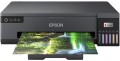 |
|---|---|---|
| Epson EcoTank L11050 | Epson EcoTank L18050 | |
| Outdated Product | Outdated Product | |
| TOP sellers | ||
| Print formats | A3 | A3 |
| Print type | inkjet | inkjet |
| Output type | colour | colour |
| Number of colors | 4 | 6 |
Print | ||
| Max. resolution | 4800x1200 dpi | 5760х1440 dpi |
| Mono print | 30 ppm | 22 ppm |
| Colour print | 20 ppm | 22 ppm |
| Photo print | 13 s/p | |
Printing supplies | ||
| Mono cartridge resource | 4500 page | 3600 page |
| Colour cartridge resource | 7500 page | 2100 page |
| Built-in CISS |  | |
| Ink type | water soluble | water soluble |
Features | ||
| Data transfer | PC connection (USB-B) Wi-Fi 4 (802.11n) Wi-Fi Direct | Wi-Fi 4 (802.11n) Wi-Fi Direct |
| Cloud print | Epson iPrint | |
| Screen | no display | no display |
Hardware | ||
| Grammage (min) | 64 g/m² | 64 g/m² |
| Grammage (max) | 300 g/m² | 300 g/m² |
General | ||
| Feed tray | 100 sheets | 100 sheets |
| Output tray | 100 sheets | |
| Noise level | 48 dB | |
| Power consumption | 16 W | 19 W |
| Dimensions (WxDxH) | 498x358x165 mm | 523x369x150 mm |
| Weight | 6.4 kg | 8 kg |
| Color | ||
| Added to E-Catalog | december 2023 | march 2023 |


Compare Epson EcoTank L11050 and L18050
What is the difference between Epson EcoTank L11050 and L18050?
EcoTank L11050 is the more economical A3 EcoTank for everyday documents, with a higher stated page yield on its ink bottles and faster headline mono printing, while EcoTank L18050 targets photo and design work with a 6‑color system and higher maximum resolution that can deliver smoother gradients and more detailed color prints.
For convenience, both are wireless, but L11050 also lists a direct USB connection, while L18050 adds Epson iPrint cloud printing for easier printing from phones when you are away from the PC.
Which is better?
Better overall for most buyers: Epson EcoTank L11050. It is the smarter pick if you print a lot and want the lowest running costs on A3 color.
L11050 uses a 4‑color ink set, while L18050 uses 6 colors, which usually helps with smoother gradients and photo tones. L18050 also has higher maximum resolution (5760×1440 vs 4800×1200 dpi), so it is the stronger choice when print quality is the top priority.
For speed, L11050 is rated higher in mono and color (30 ppm mono and 20 ppm color) versus L18050 at 22 ppm for both. For ink economy, L11050 clearly wins with higher stated yields (4500 mono and 7500 color pages) compared with L18050 (3600 mono and 2100 color). Both support A3, have built‑in CISS, use water‑soluble inks, and include Wi‑Fi and Wi‑Fi Direct with no screen.
You may be interested in
My comparisons
Epson EcoTank L11050 often compared


Epson EcoTank L18050 often compared


Glossary
Number of colors
The color palette that the printer can print. A large number of colors is required for high-quality photo printing and obtaining color prints with many shades. The standard is 4 colors.
Max. resolution
The maximum resolution of the image to be printed. It is usually indicated by two numbers denoting the number of dpi (DPI) horizontally and vertical: 600x600, 1200x600, 1200x1200, 2400x600, 2400x1200, 4800x600, 4800x1200, 4800x2400, 5760x1440, 9600x600, 9600x2400. The detail of the image depends on this parameter - the higher the resolution, the more fine details the printer is able to convey and the better their image will be. High print resolution is important, first of all, when working with graphic material; low resolution is sufficient for high-quality text display. So
Mono print
The black and white print speed provided by the printer. It should be noted that this parameter is often indicated for low quality when the device is running at maximum performance; at a higher quality (even at standard), the actual speed can be noticeably lower, so you should choose with a certain margin. Also note that high speed significantly affects the price, power consumption and noise level. Therefore, it does not always make sense to chase maximum performance — for simple applications (for example, at home or in a small office), a relatively slow and inexpensive device may be the best choice.
As for specific values, speeds up to 20 ppm are considered relatively low, 20 – 30 ppm — average, 31 – 40 ppm — decent, and the fastest models are capable of delivering more than 40 pages per minute.
As for specific values, speeds up to 20 ppm are considered relatively low, 20 – 30 ppm — average, 31 – 40 ppm — decent, and the fastest models are capable of delivering more than 40 pages per minute.
Colour print
Colour print speed provided by the printer. Usually, the specifications give speed at low quality, when performance is highest; on standard and especially high settings, the print speed can be noticeably lower, so it’s worth choosing with a certain margin. It is also worth considering that high speed significantly affects the price, power consumption and noise level. Therefore, it does not always make sense to chase maximum performance — for simple applications and small print volumes, a relatively slow and inexpensive device may be the best choice.
The "slowest" colour printers today are capable of delivering less than 10 pages per minute. A more decent value is considered 10 – 20 ppm, a speed of more than 20 ppm can already be called quite good, and in the fastest models this figure exceeds 30 ppm.
The "slowest" colour printers today are capable of delivering less than 10 pages per minute. A more decent value is considered 10 – 20 ppm, a speed of more than 20 ppm can already be called quite good, and in the fastest models this figure exceeds 30 ppm.
Photo print
Printer print speed in photographic (highest) quality. Unlike other similar parameters, in this case the speed is usually indicated for a 10x15 sheet (A6, the most popular format for photographs). In addition, photo printing speed is not expressed in pages per minute, but in seconds per page, because. printing takes a lot of time. This option is worth paying attention to if you plan to print photos frequently.
Mono cartridge resource
The maximum number of pages that the printer's ink (toner) can print. The value is rather conditional, in reality the deviations from the norm are very large (up or down). In inkjet printers, the cartridge life is relatively small and amounts to several hundred prints. In laser and LED devices, the bill is already in the thousands.
Colour cartridge resource
The maximum number of pages that the printer's ink (toner) can print. The value is rather conditional, in reality the deviations from the norm are very large (up or down). In inkjet printers, the cartridge life is relatively small and amounts to several hundred prints. In laser and LED devices, the bill is already in the thousands.
Data transfer
— Connection to PC (USB-B). Connecting to a PC via USB-B in printers means using the standard USB type B port found on the device body, which is used for data transfer from the computer. This port is usually used in wired printer models and connects to the PC with a USB-A to USB-B cable, where side A is inserted into the computer, and B into the printer. This type of connection provides stable communication, high data transfer speeds, and easy connectivity without network setup.
— Network Connection (LAN). The ability to connect to a local computer network via a standard LAN port (using an Ethernet cable). With such a connection, the printer becomes accessible to all computers on the network, which is very convenient for offices, coworking spaces, and other places where printing is used by different people from different computers. Note that the network connection can be accomplished either through one of the computers on the network or through a common router; in the latter case, the printer remains operational regardless of which computers on the network are currently on. Compared to another connection option — Wi-Fi — wired connection is less convenient due to the need to lay a cable; however, it is cheaper and the connection is maximally reliable.
— Wi-Fi. Wireless technology initially intended for working with computer networks, but nowadays also used for...direct communication between devices (Wi-Fi Direct see below). Typically, printers with Wi-Fi can work as network devices — when communication is via a local network, and all computers on the network have access to the printer; however, the ability for direct gadget connection is less common. Nevertheless, the specific functionality of Wi-Fi should be clarified separately in any case.
— Card Reader. A slot for reading memory cards, usually with a direct printing function (see above). In this case, this function is especially convenient because memory cards are widely used in modern photo and video cameras; thus, the card reader allows for quick and easy printing of captured materials — just remove the card from the camera and insert it into the printer. However, this function can also be useful for exchanging data with other devices — for instance, laptops; and on some printer models, it is even possible to work in an external card reader mode for a PC.
— USB-A. A full-size USB port that allows connecting various external peripherals to the printer. Most often used for direct printing from flash drives and other storage devices, but can also be used for other purposes — such as firmware updates, troubleshooting, etc. Do not confuse this function with connecting to a PC via USB-B, where the printer itself acts as a peripheral device.
— USB-C. A modern interface that replaces the classic USB-B port and provides a more compact, symmetrical, and reliable connection. This port allows quick document transfer from a PC or laptop, often without additional drivers, and is compatible with new devices including MacBook and ultrabooks. USB-C can also be used for connecting flash drives, phones, tablets.
— Bluetooth. A technology for direct wireless communication between various devices. In printers, it is mainly used for the traditional purpose — for receiving materials sent for printing from external devices. One of the advantages of such a connection is that it allows working not only with computers but also with portable gadgets like smartphones and tablets: built-in Bluetooth modules for such gadgets are almost mandatory, whereas wired connection methods are often not available at all. And it can even be more convenient to connect to a PC or laptop this way: Bluetooth requires no wires and confidently works at a distance of about 10 meters.
— NFC. A short-range wireless communication technology — up to 10 cm. In printers, it is usually used as an auxiliary function, to simplify Wi-Fi and Bluetooth connections: instead of manually setting up the connection, simply bring an NFC-enabled gadget close to the printer and confirm the connection. And in some models, materials can even be sent for printing immediately this way (by bringing the device to the printer); for this, usually, a branded application must be installed on the external gadget.
— Wi-Fi Direct. A feature found in models with built-in Wi-Fi modules (see above). Direct support allows other Wi-Fi devices (laptops, smartphones, cameras, etc.) to connect directly to such a printer without using a router and local network. This is especially convenient in the absence of network equipment, or if additional setup is required. The functionality of Wi-Fi Direct connection is generally similar to Bluetooth (see above); the main difference is that Wi-Fi provides faster and more reliable communication with greater range. This is particularly relevant for transferring large volumes of data — for example, sending large-format documents for printing. Additionally, this connection is better suited for direct printing from cameras — in such equipment, Wi-Fi is traditionally used for wireless connection.
— AirPrint. A similar feature to the one described above (Wi-Fi Direct). Allows connection to the device without involving a router. However, in this case, it refers to connecting Apple devices — iPhones, iPads, Mac laptops.
— Network Connection (LAN). The ability to connect to a local computer network via a standard LAN port (using an Ethernet cable). With such a connection, the printer becomes accessible to all computers on the network, which is very convenient for offices, coworking spaces, and other places where printing is used by different people from different computers. Note that the network connection can be accomplished either through one of the computers on the network or through a common router; in the latter case, the printer remains operational regardless of which computers on the network are currently on. Compared to another connection option — Wi-Fi — wired connection is less convenient due to the need to lay a cable; however, it is cheaper and the connection is maximally reliable.
— Wi-Fi. Wireless technology initially intended for working with computer networks, but nowadays also used for...direct communication between devices (Wi-Fi Direct see below). Typically, printers with Wi-Fi can work as network devices — when communication is via a local network, and all computers on the network have access to the printer; however, the ability for direct gadget connection is less common. Nevertheless, the specific functionality of Wi-Fi should be clarified separately in any case.
— Card Reader. A slot for reading memory cards, usually with a direct printing function (see above). In this case, this function is especially convenient because memory cards are widely used in modern photo and video cameras; thus, the card reader allows for quick and easy printing of captured materials — just remove the card from the camera and insert it into the printer. However, this function can also be useful for exchanging data with other devices — for instance, laptops; and on some printer models, it is even possible to work in an external card reader mode for a PC.
— USB-A. A full-size USB port that allows connecting various external peripherals to the printer. Most often used for direct printing from flash drives and other storage devices, but can also be used for other purposes — such as firmware updates, troubleshooting, etc. Do not confuse this function with connecting to a PC via USB-B, where the printer itself acts as a peripheral device.
— USB-C. A modern interface that replaces the classic USB-B port and provides a more compact, symmetrical, and reliable connection. This port allows quick document transfer from a PC or laptop, often without additional drivers, and is compatible with new devices including MacBook and ultrabooks. USB-C can also be used for connecting flash drives, phones, tablets.
— Bluetooth. A technology for direct wireless communication between various devices. In printers, it is mainly used for the traditional purpose — for receiving materials sent for printing from external devices. One of the advantages of such a connection is that it allows working not only with computers but also with portable gadgets like smartphones and tablets: built-in Bluetooth modules for such gadgets are almost mandatory, whereas wired connection methods are often not available at all. And it can even be more convenient to connect to a PC or laptop this way: Bluetooth requires no wires and confidently works at a distance of about 10 meters.
— NFC. A short-range wireless communication technology — up to 10 cm. In printers, it is usually used as an auxiliary function, to simplify Wi-Fi and Bluetooth connections: instead of manually setting up the connection, simply bring an NFC-enabled gadget close to the printer and confirm the connection. And in some models, materials can even be sent for printing immediately this way (by bringing the device to the printer); for this, usually, a branded application must be installed on the external gadget.
— Wi-Fi Direct. A feature found in models with built-in Wi-Fi modules (see above). Direct support allows other Wi-Fi devices (laptops, smartphones, cameras, etc.) to connect directly to such a printer without using a router and local network. This is especially convenient in the absence of network equipment, or if additional setup is required. The functionality of Wi-Fi Direct connection is generally similar to Bluetooth (see above); the main difference is that Wi-Fi provides faster and more reliable communication with greater range. This is particularly relevant for transferring large volumes of data — for example, sending large-format documents for printing. Additionally, this connection is better suited for direct printing from cameras — in such equipment, Wi-Fi is traditionally used for wireless connection.
— AirPrint. A similar feature to the one described above (Wi-Fi Direct). Allows connection to the device without involving a router. However, in this case, it refers to connecting Apple devices — iPhones, iPads, Mac laptops.
Cloud print
Cloud print service supported by the printer. Specified only if the device is capable of working with cloud services directly without connecting to a PC.
The general principle of such printing is that documents sent for printing are stored on a server on the Internet. Thus, the availability of the printer is not limited to the local network — you can send documents for printing from anywhere in the world where there is access to the World Wide Web. In addition, cloud-based printers make it easy to share with others.
The general principle of such printing is that documents sent for printing are stored on a server on the Internet. Thus, the availability of the printer is not limited to the local network — you can send documents for printing from anywhere in the world where there is access to the World Wide Web. In addition, cloud-based printers make it easy to share with others.