
Comparison Roborock Q5 Pro vs Roborock Q7 Max
Add to comparison | 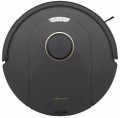 | 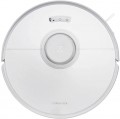 |
|---|---|---|
| Roborock Q5 Pro | Roborock Q7 Max | |
from $209.99 | Compare prices 1 | |
| User reviews | ||
| TOP sellers | ||
Save multiple room maps. Management with a voice assistant. It differs from S7 in the absence of a vibration system for wiping floors and auto-raising microfiber. | ||
| Type | robot vacuum cleaner | robot vacuum cleaner |
| Cleaning | dry and wet side brush turbo brush wiping with a cloth | dry and wet side brush turbo brush wiping with a cloth |
| Water supply adjustment |  |  |
Robot vacuum cleaner | ||
| Suction power | 5500 Pa | 4200 Pa |
| Dust container capacity | 770 ml | 470 ml |
| Water tank capacity | 180 ml | 300 ml |
| Power auto-adjustment | | |
| Fine filter | HEPA | |
| Building a room map | rangefinder (laser) | rangefinder (laser) |
| Cleaning area limitation | via the app | via the app |
Features | ||
| Control via smartphone | | |
| Voice assistant | Google Assistant, Amazon Alexa, Apple Siri | Google Assistant, Amazon Alexa, Apple Siri |
| Scheduled cleaning | | |
| Memory of several maps (floors) | | |
Battery | ||
| Battery capacity | 5.2 Ah | 5.2 Ah |
| Operating time | 240 min | 180 min |
| Charging time | 4 h | |
General | ||
| Cleaning area | 350 m² | 240 m² |
| Threshold clearance | 20 mm | |
| Noise level | 68 dB | 67 dB |
| Dimensions (HxWxD) | 9.6x35x35 cm | 9.7x35x35 cm |
| Color | ||
| Added to E-Catalog | november 2023 | may 2022 |



Compare Roborock Q5 Pro and Q7 Max
Roborock Q5 Pro and Q7 Max robot vacuums offer similar features but have some key differences. The Q5 Pro stands out with a high suction power of 5500 Pa and a large dustbin capacity (0.77 L), making it more efficient for cleaning large areas (up to 350 m²) and longer operations (240 min). At the same time, the Q7 Max has lower suction power (4200 Pa) and a smaller dustbin capacity (0.47 L), as well as being limited to a cleaning area of 240 m² and an operating time of 180 min. However, the Q7 Max offers an automatic power adjustment feature and a larger water tank (0.3 L), which can be useful for mopping. Both devices support app control and voice assistants, but the Q7 Max does not have a vibration wiping system, which should be considered when making a choice.
Price comparison
You may be interested in
My comparisons
Roborock Q5 Pro often compared


Roborock Q7 Max often compared


Glossary
Water supply adjustment
A function that allows you to adjust the amount of liquid supplied to the robot vacuum cleaner’s pad, mops, or cleaning roller. A low level is suitable for laminate and parquet flooring, while a more intensive level is ideal for tiles and areas with noticeable dirt. Water flow adjustment helps prevent excessive floor wetting while improving wet cleaning efficiency.
Suction power
Measured in Pa, this indicator describes the robot vacuum cleaner's suction pressure: the higher it is, the easier it is for the device to pick up heavy debris and clean carpet pile. Values around 2,000–4,000 Pa are usually sufficient for regular cleaning of smooth floors, while 6,000–10,000 Pa and above are better suited for collecting hair, sand, and dirt from carpets or floor joints.
Dust container capacity
The dustbin capacity indicates how much dry debris fits in the robot vacuum’s built-in container before it needs to be emptied. Models with a 200–300 ml capacity are suitable for a small apartment and frequent cleaning cycles, while a 400–600 ml capacity is more convenient for larger areas, pets, or lots of hair. For robots with a self-emptying station, the size of the internal container is less important, as debris is automatically transferred to the docking station’s collection bin.
Water tank capacity
The tank capacity determines the water supply for moistening the pad, rotating mops, or cleaning roller. Compact tanks of around 200 ml are suitable for regular wiping of small areas, while 300–500 ml tanks allow fewer interruptions for refilling during cleaning.
Power auto-adjustment
A function that automatically adjusts suction power based on the type of surface or the amount of detected debris. On carpets or heavily soiled areas, the robot increases power, while on smooth floors it reduces it to save battery life and reduce noise. Automatic power adjustment helps maintain cleaning quality without constantly selecting the mode manually.
Fine filter
Fine filter captures fine dust, pollen, and other particles that have passed through the main dust container, preventing them from returning to the room air. The higher the class, the more effective the filtration.
— EPA 10. Retains at least 85% of particles of the most penetrating size and provides basic fine filtration of the outgoing air.
— EPA 11. Captures at least 95% of fine particles, making it better suited for regular cleaning of dusty rooms.
— EPA 12. Provides efficiency from 99.5% and noticeably reduces the amount of fine dust returned to the room.
— HEPA 13. Captures at least 99.95% of the most difficult-to-retain particles and is especially useful in homes with allergy sufferers, children, or pets.
— HEPA 14. Retains from 99.995% of such particles and provides the highest level of filtration among the listed classes.
— EPA 10. Retains at least 85% of particles of the most penetrating size and provides basic fine filtration of the outgoing air.
— EPA 11. Captures at least 95% of fine particles, making it better suited for regular cleaning of dusty rooms.
— EPA 12. Provides efficiency from 99.5% and noticeably reduces the amount of fine dust returned to the room.
— HEPA 13. Captures at least 99.95% of the most difficult-to-retain particles and is especially useful in homes with allergy sufferers, children, or pets.
— HEPA 14. Retains from 99.995% of such particles and provides the highest level of filtration among the listed classes.
Operating time
Battery life determines how much area the robot vacuum can clean before returning to the docking station. Actual performance depends on the selected mode, suction power, floor type, operation of the mops or roller, and layout complexity. Therefore, the stated maximum time is usually achieved in a gentle mode and will be noticeably shorter during intensive cleaning.
Charging time
Full charging cycle of the robot vacuum to restore the battery from the minimum level to 100%. The process usually takes several hours and depends on the battery capacity and charging system power. However, with regular returns to the base, this parameter rarely affects cleaning convenience.
Cleaning area
The cleaning area refers to the approximate room size the robot can cover on a single battery charge. In Eco mode, the device will cover more space than at maximum suction power or during intensive floor mopping. The value stated by the manufacturer is usually calculated for a relatively uncluttered room and may be lower in real conditions.