
Comparison BLUETTI AC500 vs EcoFlow DELTA Pro
Add to comparison | 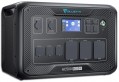 | 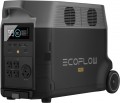 |
|---|---|---|
| BLUETTI AC500 | EcoFlow DELTA Pro | |
from $1,199.00 | Compare prices 26 | |
| User reviews | ||
| TOP sellers | ||
Can connect 6 B300S battery packs or 4 B300 packs The AC500 model is supplied without a battery module. | 2 USB A ports, 2 USB A Fast Charge ports, 2 USB-C ports. Transport wheels. Bluetooth support. Anderson port, car cigarette lighter port, DC5521 port, Infiniti port. LFP - lithium iron phosphate battery. Capacity 3600 Wh | |
| In box | charging station | charging station |
| Rated power | 5000 W | 3600 W |
| Peak power | 10000 W | 7200 W |
| Output waveform | sinusoid (PSW) | sinusoid (PSW) |
| UPS function |  | |
| Switchover time to battery | 30 ms | |
Outputs | ||
| Sockets (230 V) | 6 | 4 |
| USB-A | 2 pcs 5В/3A 15 W | 2 pcs 5В/2.4А 12 W |
| USB-A (quick charge) | 2 3.6-12В/3A 18 W | 2 5В/2.4A, 9В/2A, 12В/1.5A 18 W |
| USB-C | 2 pcs 3 A, 5 A 100 W | 2 pcs 5 A 100 W |
| Wireless charging | 2 zones 15 W | |
| Car cigarette lighter | | |
| Add. ports | DC1/DC2 Port | USB B |
Inputs (station charging) | ||
| From solar panels | | |
| Input port XT60 |  | |
| Anderson port | 12.6 / 30 A | |
| Add. ports | Infiniti | |
Battery and charging time | ||
| Connecting an additional battery | | |
| Battery type | LiFePO4 | |
| Battery capacity | 3600 Wh | |
| Charging cycles | 3500 | |
| Charging time (socket) ≈ | 114 min | |
| Charging time (solar panel) ≈ | 135 min | |
| Charging power (socket) | 1800 W | |
| Charging power (solar panel) | 1600 W | |
General | ||
| Smartphone synchronization | Bluetooth and WiFi | Bluetooth and WiFi |
| PSU | built into the body | |
| Display | | |
| Wheels for transportation | | |
| Carrying handle | | |
| Operating temperature | -20 °C ~ +40 °C | -20 °C ~ +45 °C |
| Dimensions (LxWxH) | 520x325x358 mm | 285x635x416 mm |
| Weight | 30 kg | 45 kg |
| Warranty | 3 years | |
| Added to E-Catalog | april 2026 | september 2022 |





Compare BLUETTI AC500 and EcoFlow DELTA Pro
The BLUETTI AC500 and EcoFlow DELTA Pro charging stations have their unique features that may influence a user's choice. The AC500 offers a nominal power of 5000 W and a peak power of 10000 W, making it suitable for more powerful devices. It also supports the connection of up to 6 battery packs, increasing its autonomy. Meanwhile, the DELTA Pro has a lower nominal power of 3600 W and a peak of 7200 W but stands out with a high battery capacity and the ability to connect up to 2 additional batteries. Users note that the DELTA Pro charges faster and is lighter in weight (45 kg versus 30 kg for the AC500), making it more mobile. Both devices support smartphone synchronization and have convenient carrying handles, but the DELTA Pro is additionally equipped with wheels for transportation. The choice between them depends on your power and mobility needs.
Price comparison
You may be interested in
My comparisons
BLUETTI AC500 often compared


EcoFlow DELTA Pro often compared


Glossary
Rated power
Power that a device can consistently produce for an indefinitely long time without any unpleasant consequences. For normal operation of the charging station, the rated power must be at least 15 - 20% higher than the total power of all devices simultaneously connected to it.
Peak power
Some electrical appliances (in particular, units with electric motors - refrigerators, air conditioners, etc.) consume significantly more energy at startup than after reaching the operating mode. For such a load, the peak power of the charging station must be taken into account - its indicator must be higher than the starting power of the load.
Switchover time to battery
The delay (usually in milliseconds) between the power going out from the outlet and the moment when the station starts feeding connected devices from its battery, maintaining "pass-through" power. The shorter this time, the higher the chance that devices won't notice the drop at all: for routers, cameras, NAS, and PCs, this is critical because a long pause can cause a reboot, loss of connection, or even filesystem errors. Essentially, this is the same parameter as in a classic UPS, but for charging stations, it greatly depends on implementation: models with a more "UPS-like" switching scheme switch considerably faster, while some stations formally have a UPS mode but actually create a noticeable break or activate the output only after "realizing" the network's loss. In practice, this point helps distinguish a charging station that is truly suitable as a UPS for sensitive electronics from an option "for lights and charging": for example, for home internet and video surveillance, minimal switching time is important, while for lamps, charging phones, or a heater, a brief pause is typically not critical.
Sockets (230 V)
Total number of outlets with output voltage. This is, in fact, the number of devices that can be simultaneously connected to the charging station without the use of splitters, extension cords and carriers. Accordingly, weaker charging stations have one or two sockets in their submission. Powerful charging stations already have three or more sockets “on board”.
USB-A
Full-size USB-A connectors are popular in computer technology, commonly used in charging adapters for 230 V household networks and 12 V car sockets. These outputs have become widespread in charging stations for charging gadgets.
— The total number of such ports can be quite varied (1 USB, 2 connectors, 3 ports, and even 4), as they allow for charging and, in some cases, powering various low-power devices — smartphones, tablets, power banks, lamps, and more.
— Current Strength. The maximum current delivered through the USB-A connector to the charging device. Note that different ports of the charging station may output different currents (for example, 1.5 A and 2.1 A). In such cases, the highest current strength is usually specified.
— Power. The maximum output power in watts (W) that the charging station is capable of delivering through the USB-A connector to a single charging gadget.
— The total number of such ports can be quite varied (1 USB, 2 connectors, 3 ports, and even 4), as they allow for charging and, in some cases, powering various low-power devices — smartphones, tablets, power banks, lamps, and more.
— Current Strength. The maximum current delivered through the USB-A connector to the charging device. Note that different ports of the charging station may output different currents (for example, 1.5 A and 2.1 A). In such cases, the highest current strength is usually specified.
— Power. The maximum output power in watts (W) that the charging station is capable of delivering through the USB-A connector to a single charging gadget.
USB-A (quick charge)
Full-sized USB-A ports with fast charging support. This feature allows you to charge your smartphone, tablet, or other connected devices much more quickly. The charging process occurs at increased power, with current and voltage regulated at each stage to stay within optimal values. However, keep in mind that there are many fast-charging technologies today, and not all of them are compatible with each other.
— Current strength. The current parameters delivered through USB-A fast charging ports. Note that different ports of the charging station may output different voltage and current parameters. This section specifies the current strength values at a certain voltage (for example, 5V / 3A, 9V / 2A, 12V / 1.5A).
— Power. The maximum power in watts (W) that the charging station can deliver through the USB-A fast charging port to a single charging gadget. High output power allows for faster charging. However, the charging device must support the corresponding power; otherwise, the speed will be limited by the gadget's characteristics.
— Current strength. The current parameters delivered through USB-A fast charging ports. Note that different ports of the charging station may output different voltage and current parameters. This section specifies the current strength values at a certain voltage (for example, 5V / 3A, 9V / 2A, 12V / 1.5A).
— Power. The maximum power in watts (W) that the charging station can deliver through the USB-A fast charging port to a single charging gadget. High output power allows for faster charging. However, the charging device must support the corresponding power; otherwise, the speed will be limited by the gadget's characteristics.
USB-C
USB type C ports are smaller compared to classic USB ports and have a convenient reversible design that allows connecting the plug either way. USB type C was initially created to implement various advanced features: increased power, fast charging technologies, etc.
Since the port is relatively new and quite powerful (you can find USB type C with 60W, even 100W and 140W), the total number of such connectors is often limited to one port, or sometimes two).
— Current. The maximum current delivered through the USB type C port to the device being charged. Note that different ports of a charging station may deliver different currents (for example, 1.5A and 2.1A). In such cases, the highest current is usually specified.
— Power. The maximum power in watts (W) that the charging station can deliver to one charging gadget. The high output power of the USB type C port allows for faster charging. However, the device being charged must support the corresponding power; otherwise, the speed of the process will be limited by the gadget's specifications.
Since the port is relatively new and quite powerful (you can find USB type C with 60W, even 100W and 140W), the total number of such connectors is often limited to one port, or sometimes two).
— Current. The maximum current delivered through the USB type C port to the device being charged. Note that different ports of a charging station may deliver different currents (for example, 1.5A and 2.1A). In such cases, the highest current is usually specified.
— Power. The maximum power in watts (W) that the charging station can deliver to one charging gadget. The high output power of the USB type C port allows for faster charging. However, the device being charged must support the corresponding power; otherwise, the speed of the process will be limited by the gadget's specifications.
Wireless charging
In wireless charging mode, energy is transferred to the gadget being charged through an inductive surface, which is usually built into the upper plane of the charging station case. There can be one slot for wireless charging or several of them are provided. The range of this technology does not exceed a few centimeters. However, this method of charging eliminates the fuss with wires and reduces wear on the connectors. One of the key disadvantages of this format is considered to be low power and, accordingly, slow charging speed.
Add. ports
Additional output connectors provided in the design of the charging station in addition to those described above.