
Comparison Garmin Forerunner 265S vs Garmin Forerunner 265
Add to comparison | 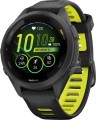 | 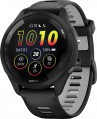 |
|---|---|---|
| Garmin Forerunner 265S | Garmin Forerunner 265 | |
| Compare prices 15 | Compare prices 24 | |
| TOP sellers | ||
SATIQ technology to manage satellite connections to save energy. Tips for intersections on the route. Measure cadence, stride length, ground contact time, and more. The main differences from the Forerunner 255 are: a touchscreen display (AMOLED with Always-on) is installed and the resolution is significantly increased, there is no Solar version, advanced running features have been added. Music is available in any modification, 2 times more memory (8 GB). | SATIQ technology to manage satellite connections to save energy. Tips for intersections on the route. Measure cadence, stride length, ground contact time, and more. The main differences from the Forerunner 255 are: a touchscreen display (AMOLED with Always-on) is installed and the resolution is significantly increased, there is no Solar version, advanced running features have been added. Music is available in any modification, 2 times more memory (8 GB). | |
| Type | smartwatch | smartwatch |
| Interface | Bluetooth v5.0 | Bluetooth v5.0 |
| ANT+ |  | |
Telephony | ||
| Calls and alerts | notifications vibration | notifications vibration |
Sports and tourism | ||
| Possible measurements | heart rate monitor blood oxygen level ambient temperature number of steps distance traveled movement speed calories burned activity time sleep tracking stress level women's calendar | heart rate monitor blood oxygen level ambient temperature number of steps distance traveled movement speed calories burned activity time sleep tracking stress level women's calendar |
| Swimming mode | | |
| Navigation | GPS module GLONASS Galileo GPS track guidance compass altimeter (altitude) barometer (pressure) | GPS module GLONASS Galileo GPS track guidance compass altimeter (altitude) barometer (pressure) |
Display | ||
| Touch screen | | |
| Type | colour | colour |
| Display type | AMOLED | AMOLED |
| Size | 1.1 " | 1.3 " |
| Screen resolution | 360x360 px | 416x416 px |
| PPI | 463 ppi | 453 ppi |
| Light sensor | | |
| Watch face protection | Gorilla Glass 3 | Gorilla Glass 3 |
Hardware | ||
| Memory storage | 8 GB | 8 GB |
| Extra features | built-in player Wi-Fi NFC Garmin Pay contactless payment accelerometer gyroscope | built-in player Wi-Fi NFC Garmin Pay contactless payment accelerometer gyroscope |
Power source | ||
| Device charging | proprietary connector | proprietary connector |
| Source of power | Li-Pol | Li-Pol |
| Operating time (normal mode) | 15 days | 13 days |
| Battery life (GPS) | 24 h | 20 h |
Case and strap | ||
| Material | plastic | plastic |
| Strap | quick release | quick release |
| Strap Options | rubber/silicone | rubber/silicone |
| Clasp options | classic buckle | classic buckle |
| Band Width | 18 mm | 22 mm |
| Wrist strap | 115 – 178 mm | 135 – 205 mm |
General | ||
| Protection rating | 50 WR (5 ATM) | 50 WR (5 ATM) |
| Dimensions (without strap) | 41.7x41.7x12.9 mm | 46.1x46.1x12.9 mm |
| Weight | 39 g | 47 g |
| Color | ||
| Added to E-Catalog | march 2023 | march 2023 |





Compare Garmin Forerunner 265S and Forerunner 265
Comparing the Garmin Forerunner 265S and Garmin Forerunner 265, it can be noted that both devices have a touchscreen AMOLED display, but the display size of the 265S is 1.1 inches, while the 265 has 1.3 inches. Both have 8 GB of built-in memory and support GPS navigation. The operating time in normal mode for the 265S is 15 days, and for the 265 is 13 days. The 265S case is lighter (39 g compared to 47 g for the 265), which may be important for users who prefer lighter devices. Both devices are suitable for swimming and have a protection rating of 50 WR (5 ATM).
Price comparison
You may be interested in
My comparisons
Garmin Forerunner 265 often compared


Glossary
Size
The size of the display installed in the gadget; for round screens, respectively, the diameter is indicated.
A larger screen, on the one hand, is more convenient to use, on the other hand, it significantly affects the dimensions of the entire device, which is especially critical for wearable gadgets. Therefore, manufacturers choose the display size in accordance with the purpose and functionality of each specific model — so that there is enough space on the screen and the device itself is not too bulky.
It is also worth mentioning that screens with a similar size may have different aspect ratios. For example, traditional smartwatches are usually equipped with square or round panels, while in fitness trackers, screens are often made elongated in height.
A larger screen, on the one hand, is more convenient to use, on the other hand, it significantly affects the dimensions of the entire device, which is especially critical for wearable gadgets. Therefore, manufacturers choose the display size in accordance with the purpose and functionality of each specific model — so that there is enough space on the screen and the device itself is not too bulky.
It is also worth mentioning that screens with a similar size may have different aspect ratios. For example, traditional smartwatches are usually equipped with square or round panels, while in fitness trackers, screens are often made elongated in height.
Screen resolution
Screen size in dots (pixels) horizontally and vertically. In general, this is one of the indicators that determine the image quality: the higher the resolution, the clearer and smoother the picture on the screen (with the same size), the less noticeable are the individual dots. On the other hand, an increase in the number of pixels affects the cost of displays, their power consumption and requirements for a hardware platform (more powerful hardware is required, which itself will cost more). In addition, the specifics of using smartwatches is such that there is simply no need to install high-resolution screens in them. Therefore, modern wrist accessories use displays with a relatively low resolution: for example, 320x320 with a size of about 1.6" is considered quite sufficient even for premium watches.
PPI
The density of dots on the screen of the gadget, namely, the number of pixels that are on each inch of the panel vertically or horizontally.
The higher the PPI, the higher the detail of the screen, the clearer and smoother the image is. On the other hand, this indicator affects the price accordingly. Therefore, the higher the density of points, the more advanced, usually, this gadget is in terms of general capabilities. However, when choosing a screen, manufacturers take into account the general purpose and functionality of the device; so that even a small number of PPIs usually does not interfere with comfortable use.
The higher the PPI, the higher the detail of the screen, the clearer and smoother the image is. On the other hand, this indicator affects the price accordingly. Therefore, the higher the density of points, the more advanced, usually, this gadget is in terms of general capabilities. However, when choosing a screen, manufacturers take into account the general purpose and functionality of the device; so that even a small number of PPIs usually does not interfere with comfortable use.
Operating time (normal mode)
The time that the gadget can work on one battery charge (or the supplied battery) in normal use.
Normal mode, as a rule, means working with a relatively low load. At this time, the display can display some data, and basic functions can also work (counting steps, periodically checking heart rate, etc.), but in any case, power consumption is low. Therefore, the operating time in normal mode can be quite impressive, up to several weeks, or even months. However, when choosing, it doesn’t hurt to also pay attention to the stated time in active mode (see below) — especially if a long operating time is critical, or you plan to use the gadget intensively. The actual autonomy of the device will most likely be somewhere in between these two values, depending on the actual load. If only the time in normal mode is indicated for the gadget, you should choose with a certain reserve.
Normal mode, as a rule, means working with a relatively low load. At this time, the display can display some data, and basic functions can also work (counting steps, periodically checking heart rate, etc.), but in any case, power consumption is low. Therefore, the operating time in normal mode can be quite impressive, up to several weeks, or even months. However, when choosing, it doesn’t hurt to also pay attention to the stated time in active mode (see below) — especially if a long operating time is critical, or you plan to use the gadget intensively. The actual autonomy of the device will most likely be somewhere in between these two values, depending on the actual load. If only the time in normal mode is indicated for the gadget, you should choose with a certain reserve.
Battery life (GPS)
The time that the gadget is able to work on one charge of the battery (or supplied battery) when using a GPS sensor.
This parameter is specified mainly for high-end tourist watches designed for experienced travelers, military, rescuers, divers, pilots, etc. Such devices use advanced GPS receivers, which themselves can consume quite a significant amount of energy; in addition, the operation of the receiver is inevitably accompanied by the use of other features — transferring navigation data to another device (usually via Bluetooth), working with its own built-in maps, etc. Therefore, the battery life while using GPS turns out to be rather modest — it can be significantly less time in active and even less in normal mode (for both, see above).
We also remind that the battery life mentioned in specs is approximate — in fact it may differ (in one direction or another, depending on the use scenario). Nevertheless, it is quite possible to evaluate the actual capabilities of the watch and compare them with each other: the difference in the claimed battery life usually proportionally corresponds to the difference in practical battery life.
This parameter is specified mainly for high-end tourist watches designed for experienced travelers, military, rescuers, divers, pilots, etc. Such devices use advanced GPS receivers, which themselves can consume quite a significant amount of energy; in addition, the operation of the receiver is inevitably accompanied by the use of other features — transferring navigation data to another device (usually via Bluetooth), working with its own built-in maps, etc. Therefore, the battery life while using GPS turns out to be rather modest — it can be significantly less time in active and even less in normal mode (for both, see above).
We also remind that the battery life mentioned in specs is approximate — in fact it may differ (in one direction or another, depending on the use scenario). Nevertheless, it is quite possible to evaluate the actual capabilities of the watch and compare them with each other: the difference in the claimed battery life usually proportionally corresponds to the difference in practical battery life.
Band Width
The width of the stock watch strap or bracelet is implied. Usually, in each specific model taken, this value is limited by the size of the standard lugs. A wider strap than the lugs allow cannot be installed. But the strap of a smaller width is quite possible to use. Of course, you need to take into account that an overly thin strap with a large diameter watch will not look quite harmonious. Most often, the width of the strap is directly related to the diameter of the dial. As a standard, the width is calculated using the formula: ½ x D, where D is the diameter of the dial. That is, if the dial diameter is 40 mm, then the perfect strap width in this case is 20 mm.
Wrist strap
Wrist coverage suitable for the included watch strap. Usually, the length of the strap can be adjusted, so this paragraph usually indicates not one number, but a range — for example, "130 – 200" (millimetres). If there are several straps in the kit, then several ranges are indicated in the specs, if necessary, with a clarification like “fabric: 115 – 185, metal: 130 – 220” (if the straps are made of different materials).
We emphasize that in this case we are talking not just about the length of the strap, but about the girth of the wrist, for which it is designed. Thus, by measuring your hand in an appropriate way, you can accurately determine whether a particular strap is suitable for a particular person or not. This possibility is especially important if the watch is bought for a user with a non-standard hand size — miniature or, conversely, very large.
We emphasize that in this case we are talking not just about the length of the strap, but about the girth of the wrist, for which it is designed. Thus, by measuring your hand in an appropriate way, you can accurately determine whether a particular strap is suitable for a particular person or not. This possibility is especially important if the watch is bought for a user with a non-standard hand size — miniature or, conversely, very large.
Weight
In most cases, the weight of the watch body itself is indicated as the weight of the model, since the strap is removable and can be replaced with another one. However, there are also models when the weight is presented with an included strap. Anyway, if the manufacturer indicates a specific method of measuring weight (with or without a strap), we add this information.