
Comparison SteelSeries Prime Mini vs SteelSeries Prime+
Add to comparison | 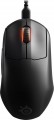 | 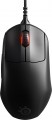 |
|---|---|---|
| SteelSeries Prime Mini | SteelSeries Prime+ | |
| Compare prices 3 | Compare prices 4 | |
| User reviews | ||
| TOP sellers | ||
| Product type | mouse | mouse |
| Connection | wired | wired |
| Sensor | optical | optical |
| Type | for game | for game |
Sensor and control | ||
| Sensor | TrueMove Pro | TrueMove Pro+ |
| Sensor resolution | 100 – 18000 DPI | 100 – 18000 DPI |
| Max. acceleration | 50 G | 50 G |
| Max. speed | 450 ips | 450 ips |
| Number of buttons | 4 | 4 |
| Side buttons |  | |
| DPI-button | | |
| Scroll wheels | 1 | 1 |
Additional features | ||
| Suitable for left-handers | | |
| Optimal grip | palmar, digital, claw | palmar, digital, claw |
| Programmable buttons | | |
| Built-in memory | | |
| Lighting | RGB | RGB |
| Lighting effects | + | + |
Connection and power supply | ||
| Cable | USB-A removable braided | USB-A removable braided |
| Cable length | 2 m | 2 m |
| Port on the device | USB-C | microUSB |
General | ||
| Size (LxWxH) | 120x66x41 mm | 125x68x42 mm |
| Weight | 61 g | 71 g |
| Color | ||
| Added to E-Catalog | december 2021 | june 2021 |





Compare SteelSeries Prime Mini and Prime+
SteelSeries Prime Mini and SteelSeries Prime+ have similar features, such as wired connectivity, optical sensor with up to 18000 DPI resolution, and RGB lighting. However, the Prime+ is slightly larger and heavier (125x68x42 mm, 71 g compared to 120x66x41 mm, 61 g for the Prime Mini), which may affect comfort during use. Both devices offer the same number of buttons and features, such as programmable buttons and onboard memory. Nevertheless, users note that the Prime+ can provide slightly more stable performance thanks to the enhanced TrueMove Pro+ sensor. The choice between them may depend on preferences for mouse size and weight.
Price comparison
You may be interested in
My comparisons
SteelSeries Prime+ often compared


Glossary
Sensor
The model of the sensor installed in the mouse. This information is indicated mainly for models equipped with high-end sensors, which are significantly superior in their capabilities to simpler solutions. Such characteristics are important primarily for gaming mice, so most of the devices for which the sensor model is specified belong to this category.
Knowing the name, you can find detailed data on the sensor and evaluate its capabilities. Note that one of the most popular brands nowadays, under which advanced sensors are produced, is PixArt ; on the market are often found, in particular, sensors PixArt 3212, PixArt 3325, PixArt 3327, PixArt 3335, PixArt 3360, PixArt 3389, PixArt 3395, PixArt 3950.
Knowing the name, you can find detailed data on the sensor and evaluate its capabilities. Note that one of the most popular brands nowadays, under which advanced sensors are produced, is PixArt ; on the market are often found, in particular, sensors PixArt 3212, PixArt 3325, PixArt 3327, PixArt 3335, PixArt 3360, PixArt 3389, PixArt 3395, PixArt 3950.
Port on the device
Connector on the mouse body for detachable cable connection; it is found in both wired models and wireless ones with a battery, where through this port the mouse charges and, if necessary, operates "wired" without delays.
— microUSB. One of the miniature versions of the USB connector, still popular in gadgets despite the emergence of the more advanced USB-C. It has comparatively modest capabilities (specifically, it falls short of USB-C in terms of maximum possible charging power), however, this is rarely critical. Meanwhile, there are a plethora of cables and chargers for microUSB.
— USB-C. The latest (as of the end of 2025) type of USB connector. It is symmetrical, allowing the cable to be inserted either way, eliminating the possibility of incorrect connection. USB-C is more reliable, has an extended lifespan, and supports higher data transfer and charging speed. Additionally, it is compatible with modern devices and is gradually becoming a universal standard, making mice with such a connector more convenient and relevant for users.
— microUSB. One of the miniature versions of the USB connector, still popular in gadgets despite the emergence of the more advanced USB-C. It has comparatively modest capabilities (specifically, it falls short of USB-C in terms of maximum possible charging power), however, this is rarely critical. Meanwhile, there are a plethora of cables and chargers for microUSB.
— USB-C. The latest (as of the end of 2025) type of USB connector. It is symmetrical, allowing the cable to be inserted either way, eliminating the possibility of incorrect connection. USB-C is more reliable, has an extended lifespan, and supports higher data transfer and charging speed. Additionally, it is compatible with modern devices and is gradually becoming a universal standard, making mice with such a connector more convenient and relevant for users.
Weight
The total weight of the mouse. For models with a wired connection, usually, it is indicated without cable, and for devices with weight adjustment (see above) — without weights.
This parameter is important primarily for professional gaming applications, although it is often relevant for ordinary users. Theoretically, less weight promotes speed and reduces fatigue. At the same time, in fact, much depends on the personal habits and preferences of the user: a mouse that is too light may “not be felt in the hands” and not give familiar feedback. Therefore, although most mice have a lower weight limit of 60 – 80 g, however, even among professional gaming models there are much more massive devices — 120 – 140 g or more. The lightest variety of "rodents" is laptop (see "In the direction"), among them devices come across and less than 60 g.
Also note that the weight to some extent depends on the size and “tricked out” of the device, but there is no unambiguous dependence here: models similar in size and functionality can differ markedly in weight.
This parameter is important primarily for professional gaming applications, although it is often relevant for ordinary users. Theoretically, less weight promotes speed and reduces fatigue. At the same time, in fact, much depends on the personal habits and preferences of the user: a mouse that is too light may “not be felt in the hands” and not give familiar feedback. Therefore, although most mice have a lower weight limit of 60 – 80 g, however, even among professional gaming models there are much more massive devices — 120 – 140 g or more. The lightest variety of "rodents" is laptop (see "In the direction"), among them devices come across and less than 60 g.
Also note that the weight to some extent depends on the size and “tricked out” of the device, but there is no unambiguous dependence here: models similar in size and functionality can differ markedly in weight.