
Comparison WD Red Plus WD40EFPX 4 TB 256/5400 vs WD NasWare Red WD40EFAX 4 TB SMR
Add to comparison | 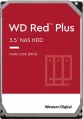 | 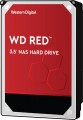 |
|---|---|---|
| WD Red Plus WD40EFPX 4 TB 256/5400 | WD NasWare Red WD40EFAX 4 TB SMR | |
| Compare prices 5 | Compare prices 1 | |
| User reviews | ||
| TOP sellers | ||
| Placement | built-in | built-in |
| Type | HDD | HDD |
| Features | server | server |
| Volume | 4 TB | 4 TB |
| Form factor | 3.5 " | 3.5 " |
| Connection | SATA3 | SATA3 |
| Manufacturer's warranty | 3 years | 5 years |
Technical specs | ||
| Cache memory | 256 MB | 256 MB |
| Record technology | CMR | SMR |
| RPM | 5400 rpm | 5400 rpm |
| Data transfer rate | 185 MB/s | 180 MB/s |
| Operation power consumption | 4.7 W | |
| Standby power consumption | 3.1 W | |
| Reading noise level | 27 dB | |
| Standby mode noise level | 23 dB | |
| MTBF | 1 M h | |
| MTBF (on/off) | 600 K | |
Features | ||
| Features | for video surveillance | for video surveillance |
General | ||
| Size | 147x102x26 mm | 147x102x26 mm |
| Weight | 570 g | |
| Added to E-Catalog | december 2022 | march 2020 |




Compare WD Red Plus WD40EFPX and NasWare Red WD40EFAX
Hard drives WD Red Plus WD40EFPX and WD NasWare Red WD40EFAX have the same capacity of 4 TB and a form factor of 3.5", but differ in the recording method: the first uses CMR, and the second - SMR. Both drives operate at 5400 RPM and have a cache size of 256 MB. However, WD NasWare Red offers a longer warranty of 5 years compared to 3 years for the WD Red Plus. The data transfer speeds of both models are similar: 185 MB/s for the first and 180 MB/s for the second. The choice between them may depend on preferences for the recording method and warranty period.
You may be interested in
My comparisons
WD Red Plus often compared


WD NasWare Red often compared


Glossary
Manufacturer's warranty
Manufacturer's warranty provided for this model.
In fact, this is the minimum service life promised by the manufacturer, subject to the rules of operation. Most often, the actual service life of the device is much longer than the guaranteed one.
In fact, this is the minimum service life promised by the manufacturer, subject to the rules of operation. Most often, the actual service life of the device is much longer than the guaranteed one.
Record technology
— CMR(Conventional Magnetic Recording) is a classic method of magnetic recording, characterized by high data access speed. CMR hard drives are used in systems where it is important to provide high (as far as possible) data read/write speed. These are user computers, security video surveillance systems, etc. The main disadvantage of CMR hard drives is the high complexity of creating volume drives, which is reflected in their price. Additionally, HDDs with CMR technology are quite “gluttonous” in terms of power supply.
— SMR(Shingled Magnetic Recording) — a promising technology for magnetic recording, which is called "tiled". SMR allows to achieve high data density, which in turn increases the capacity of memory drives and lowers their market value. SMR hard drives have slow rewriting speed, which makes such memory drives poorly suited for use in client computer systems. But they have proven themselves well when working as part of data processing centers, archives and similar systems for which low write / rewrite speed is not critical. However, some companies still produce SMR solutions for personal and even mobile systems. These HDDs use an optimized write/rewrite technology called Drive-Managed SMR (DM-SMR).
Data transfer rate
The speed of data transfer between the disk and client devices is determined by the type of drive, spindle speed, memory buffer size and connection connectors. The last parameter is the most important, since it is impossible to exceed the bandwidth of a particular interface.
Operation power consumption
The amount of power consumed by the disk when reading and writing information. In fact, this is the peak power consumption, it is in these modes that the drive consumes the most energy.
HDD power consumption data is needed primarily to calculate the overall system power consumption and power supply requirements for the system. In addition, for laptops that are planned to be used often "in isolation from outlets", it is advisable to choose more economical drives.
HDD power consumption data is needed primarily to calculate the overall system power consumption and power supply requirements for the system. In addition, for laptops that are planned to be used often "in isolation from outlets", it is advisable to choose more economical drives.
Standby power consumption
The amount of power consumed by the disk "idle". In the on state, the disk platters rotate regardless of whether information is being written or read or not — maintaining this rotation takes the energy consumed while waiting.
The lower the power consumption while waiting, the more economical the disk is, the less energy it consumes. At the same time, we note that in fact this parameter is relevant mainly when choosing a drive for a laptop, when energy efficiency is crucial. For stationary PCs, “idle” power consumption does not play a special role, and when calculating the requirements for a power supply, it is necessary to take into account not this indicator, but the power consumption during operation (see above).
The lower the power consumption while waiting, the more economical the disk is, the less energy it consumes. At the same time, we note that in fact this parameter is relevant mainly when choosing a drive for a laptop, when energy efficiency is crucial. For stationary PCs, “idle” power consumption does not play a special role, and when calculating the requirements for a power supply, it is necessary to take into account not this indicator, but the power consumption during operation (see above).
Reading noise level
The level of noise produced by the disk when reading and/or writing information. The source of sound in this case is the moving plates of the disk, as well as the mechanics that control the reading heads. The lower the noise level, the more comfortable the use of the device. The maximum noise produced by modern hard drives during operation is about 50 dB — this is comparable to the sound background in an average office.
Standby mode noise level
The amount of noise produced by a disk "idle", when no read and/or write operations are performed. The sound source in this case is the plates — they rotate all the time while the disk is on; since no other mechanics are involved, idle noise is generally lower than read/write noise. The lower the noise level, the more comfortable the use of the device. The maximum noise level of modern hard drives in standby mode is about 40 dB — this is comparable to quiet human speech.
MTBF
Guaranteed (minimum) hard drive uptime. The longer the time between failures, the more durable and reliable the device. At the same time, we note that after this time, the drive will not necessarily fail immediately — most models remain operational even after the claimed resource has been exhausted, but the manufacturer does not give any guarantees here.
MTBF (on/off)
Guaranteed (minimum) number of hard drive on-off cycles after which it will remain operational. The higher this number, the more reliable the drive.