
Comparison WD Blue WD40EZAZ 4 TB SMR/256 vs WD NasWare Red WD40EFAX 4 TB SMR
Add to comparison | 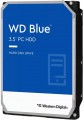 | 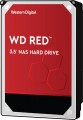 |
|---|---|---|
| WD Blue WD40EZAZ 4 TB SMR/256 | WD NasWare Red WD40EFAX 4 TB SMR | |
| Compare prices 3 | Compare prices 1 | |
| User reviews | ||
| TOP sellers | ||
| Placement | built-in | built-in |
| Type | HDD | HDD |
| Features | for PC | server |
| Volume | 4 TB | 4 TB |
| Form factor | 3.5 " | 3.5 " |
| Connection | SATA3 | SATA3 |
| Manufacturer's warranty | 2 years | 5 years |
Technical specs | ||
| Cache memory | 256 MB | 256 MB |
| Record technology | SMR | SMR |
| RPM | 5400 rpm | 5400 rpm |
| Data transfer rate | 180 MB/s | 180 MB/s |
| Operation power consumption | 5.3 W | |
| Standby power consumption | 3.4 W | |
| Shockproof | 65 G | |
| Reading noise level | 28 dB | |
| Standby mode noise level | 25 dB | |
| MTBF (on/off) | 300 K | |
Features | ||
| Features | for video surveillance | |
General | ||
| Size | 147x102x26 mm | 147x102x26 mm |
| Weight | 680 g | |
| Added to E-Catalog | may 2021 | march 2020 |



Compare WD Blue WD40EZAZ and NasWare Red WD40EFAX
Price comparison
You may be interested in
My comparisons
WD Blue often compared


WD NasWare Red often compared


Glossary
Features
The general purpose of a hard drive is the type of devices for which it was originally intended.
— For PC. Hard drives designed for use with conventional consumer computers and laptops. At the same time, the possibility of installing an internal HDD (see "Performance") directly depends on the form factor (see the relevant paragraph), while external models are not subject to such restrictions — it is enough for them to have the appropriate connection connector. Also note that almost all external hard drives are designed specifically for PCs; making server models external is not technically justified.
— For the server. Hard drives designed for servers have increased speed and reliability, because they constantly have to receive and give large amounts of information. To ensure speed, they may provide an increased rotation speed (up to 15,000 rpm). Such drives are made only internal (see "Performance"), and, in addition to SATA, they can use other, more specific connection methods — for example, SAS(see "Connection interfaces").
— For game console. Specialized hard drives designed for use with game consoles. They are made only external (see "Performance"), they are intended mainly for storing games — including saves and user settings profiles. The main difference between such devices and classic external HDDs is...precisely the optimization for working with game consoles, including the availability of special software tools for improved integration. Many of these drives are originally designed for a specific model or family of set-top boxes.
— For PC. Hard drives designed for use with conventional consumer computers and laptops. At the same time, the possibility of installing an internal HDD (see "Performance") directly depends on the form factor (see the relevant paragraph), while external models are not subject to such restrictions — it is enough for them to have the appropriate connection connector. Also note that almost all external hard drives are designed specifically for PCs; making server models external is not technically justified.
— For the server. Hard drives designed for servers have increased speed and reliability, because they constantly have to receive and give large amounts of information. To ensure speed, they may provide an increased rotation speed (up to 15,000 rpm). Such drives are made only internal (see "Performance"), and, in addition to SATA, they can use other, more specific connection methods — for example, SAS(see "Connection interfaces").
— For game console. Specialized hard drives designed for use with game consoles. They are made only external (see "Performance"), they are intended mainly for storing games — including saves and user settings profiles. The main difference between such devices and classic external HDDs is...precisely the optimization for working with game consoles, including the availability of special software tools for improved integration. Many of these drives are originally designed for a specific model or family of set-top boxes.
Manufacturer's warranty
Manufacturer's warranty provided for this model.
In fact, this is the minimum service life promised by the manufacturer, subject to the rules of operation. Most often, the actual service life of the device is much longer than the guaranteed one.
In fact, this is the minimum service life promised by the manufacturer, subject to the rules of operation. Most often, the actual service life of the device is much longer than the guaranteed one.
Operation power consumption
The amount of power consumed by the disk when reading and writing information. In fact, this is the peak power consumption, it is in these modes that the drive consumes the most energy.
HDD power consumption data is needed primarily to calculate the overall system power consumption and power supply requirements for the system. In addition, for laptops that are planned to be used often "in isolation from outlets", it is advisable to choose more economical drives.
HDD power consumption data is needed primarily to calculate the overall system power consumption and power supply requirements for the system. In addition, for laptops that are planned to be used often "in isolation from outlets", it is advisable to choose more economical drives.
Standby power consumption
The amount of power consumed by the disk "idle". In the on state, the disk platters rotate regardless of whether information is being written or read or not — maintaining this rotation takes the energy consumed while waiting.
The lower the power consumption while waiting, the more economical the disk is, the less energy it consumes. At the same time, we note that in fact this parameter is relevant mainly when choosing a drive for a laptop, when energy efficiency is crucial. For stationary PCs, “idle” power consumption does not play a special role, and when calculating the requirements for a power supply, it is necessary to take into account not this indicator, but the power consumption during operation (see above).
The lower the power consumption while waiting, the more economical the disk is, the less energy it consumes. At the same time, we note that in fact this parameter is relevant mainly when choosing a drive for a laptop, when energy efficiency is crucial. For stationary PCs, “idle” power consumption does not play a special role, and when calculating the requirements for a power supply, it is necessary to take into account not this indicator, but the power consumption during operation (see above).
Shockproof
A parameter that determines the resistance of the hard drive to drops and shocks during operation (that is, in the on state). Shock resistance is measured in G — units of overload, 1 G corresponds to the usual force of gravity. The higher the G number, the more resistant the disc is to various kinds of concussions and the less likely it is to be damaged, say, in the event of a fall. This setting is especially important for external drives and drives used in laptops.
Reading noise level
The level of noise produced by the disk when reading and/or writing information. The source of sound in this case is the moving plates of the disk, as well as the mechanics that control the reading heads. The lower the noise level, the more comfortable the use of the device. The maximum noise produced by modern hard drives during operation is about 50 dB — this is comparable to the sound background in an average office.
Standby mode noise level
The amount of noise produced by a disk "idle", when no read and/or write operations are performed. The sound source in this case is the plates — they rotate all the time while the disk is on; since no other mechanics are involved, idle noise is generally lower than read/write noise. The lower the noise level, the more comfortable the use of the device. The maximum noise level of modern hard drives in standby mode is about 40 dB — this is comparable to quiet human speech.
MTBF (on/off)
Guaranteed (minimum) number of hard drive on-off cycles after which it will remain operational. The higher this number, the more reliable the drive.
Features
— Wi-Fi module. The hard drive has its own Wi-Fi module. The Wi-Fi standard was originally created for building wireless computer networks, but can also be used for direct connection to various devices. Disks with this function can be used as network drives — data storages that can be accessed by every network user. They are also useful for smartphones and tablets: the built-in memory of such devices rarely exceeds a couple of tens of gigabytes, and external storage can come in handy. Many Wi-Fi drives are initially optimized for use with portable electronics (and some are even designed for specific popular models), but anyway, you should make sure that the drive and gadget are compatible in advance.
— Shock-resistant body. A housing that protects the hardware of the hard drive from shock and shock. It is undesirable to specifically drop such media, but anyway, they endure falls better than unprotected counterparts. The specific degree of impact protection should be specified separately; the traditional indicator is resistance to falls from a height of 1 – 1.5 m.
— Data encryption. Ensures the security of storing information on the disk: access to encrypted information can only be obtained by someone who knows the password. The encryption module is an integral part of the drive and does not depend on the computer to which it is connected. The ability to encrypt data is critical if you pl...an to write confidential information to discs; this feature is especially useful for portable drives and laptop drives, which are more at risk of theft than fixed systems and their components.
— Built-in USB connector. USB plug provided in the design of the drive itself. Thus, no additional cables, adapters, etc. are required to connect such a disk to the computer's USB port.
— Backup button. A separate button for starting the file backup procedure, located on the case of an external hard drive. When pressed, the important information for the user contained on the disc is automatically copied to a predefined folder. It is worth considering that the backup settings must be manually configured beforehand.
— Energy saving mode. Drives with power save mode, other things being equal, consume less electricity than conventional drives — both during operation and in standby mode. They usually have a low rotational speed (see Spindle speed (rpm)). Reduced power consumption is especially important for laptop drives, as it allows longer battery life.
— Shock-resistant body. A housing that protects the hardware of the hard drive from shock and shock. It is undesirable to specifically drop such media, but anyway, they endure falls better than unprotected counterparts. The specific degree of impact protection should be specified separately; the traditional indicator is resistance to falls from a height of 1 – 1.5 m.
— Data encryption. Ensures the security of storing information on the disk: access to encrypted information can only be obtained by someone who knows the password. The encryption module is an integral part of the drive and does not depend on the computer to which it is connected. The ability to encrypt data is critical if you pl...an to write confidential information to discs; this feature is especially useful for portable drives and laptop drives, which are more at risk of theft than fixed systems and their components.
— Built-in USB connector. USB plug provided in the design of the drive itself. Thus, no additional cables, adapters, etc. are required to connect such a disk to the computer's USB port.
— Backup button. A separate button for starting the file backup procedure, located on the case of an external hard drive. When pressed, the important information for the user contained on the disc is automatically copied to a predefined folder. It is worth considering that the backup settings must be manually configured beforehand.
— Energy saving mode. Drives with power save mode, other things being equal, consume less electricity than conventional drives — both during operation and in standby mode. They usually have a low rotational speed (see Spindle speed (rpm)). Reduced power consumption is especially important for laptop drives, as it allows longer battery life.