
Comparison Transcend StoreJet 25M3C 2.5" TS2TSJ25M3C 2 TB vs Transcend StoreJet 25H3 2.5" TS2TSJ25H3P 2 TB
Add to comparison | 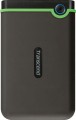 |  |
|---|---|---|
| Transcend StoreJet 25M3C 2.5" TS2TSJ25M3C 2 TB | Transcend StoreJet 25H3 2.5" TS2TSJ25H3P 2 TB | |
from $144.49 | Compare prices 2 | |
| User reviews | ||
| TOP sellers | ||
| Placement | external | external |
| Type | HDD | HDD |
| Features | for PC | for PC |
| Volume | 2 TB | 2 TB |
| Form factor | 2.5 " | 2.5 " |
| Connection | USB-C 5Gbps | USB-A 5Gbps |
| Manufacturer's warranty | 3 years | 3 years |
Technical specs | ||
| Cache memory | 8 MB | |
| RPM | 5400 rpm | 5400 rpm |
Features | ||
| Features | shockproof data encryption backup button | shockproof data encryption backup button |
General | ||
| MIL-STD-810 |  | |
| Power source (external) | USB port | USB port |
| Material | rubberized | rubberized |
| Size | 129.5x80.8x16.1 mm | 132x81x25 mm |
| Weight | 189 g | 258 g |
| Color | ||
| Added to E-Catalog | january 2021 | february 2014 |



Compare Transcend StoreJet 25M3C 2.5" TS2TSJ25M3C and StoreJet 25H3 2.5" TS2TSJ25H3P
You may be interested in
My comparisons
Transcend StoreJet 25M3C 2.5" often compared


Transcend StoreJet 25H3 2.5" often compared


Glossary
Connection
— SATA. Nowadays, it is the most popular interface for connecting internal hard drives. The first version of SATA provides a data transfer rate of about 1.2 Gbps, SATA 2 has a practical data transfer rate of about 2.4 Gbps (300 MB/s), and the most advanced generation SATA 3 offers a speed of 4.8 Gbps (600 MB/s).
— eSATA. A modification of the SATA interface designed for connecting external hard drives; it is not compatible with internal SATA. The practical data transfer rate is similar to SATA 2 and amounts to about 2.4 Gbps (300 MB/s).
— SAS. A modification of the SCSI interface, provides data transfer speeds up to 6 Gbps (750 MB/s). It is predominantly used in servers, and is practically not used in desktop PCs and laptops.
— USB-A 2.0. The earliest of the USB standards found in modern hard drives, exclusively external ones (see "Design"). It involves connecting to a traditional full-sized USB-A port, allows data transfer speeds up to 480 Mbps, and has fairly low power supply, which often requires additional power for drives with this type of connection. In light of all this and the emergence of more advanced standards like USB 5Gbps / 10 Gbps, USB 2.0 is considered outdated today and is found very rarely, mainly in inexpensive and early models of drives. However, a drive with this interface can also be connected...to a newer USB-A port—provided the connectors match.
— USB-A 5Gbps (previously known as USB 3.2 gen1 and USB 3.0). The standard for connecting external HDDs, which replaced the aforementioned USB 2.0. It uses the traditional full-sized USB-A connector, provides data transfer speeds up to 4.8 Gbps (600 MB/s), and has higher power supply, which makes it easier for such drives to manage without external power. However, for the same reason, attention is needed when connecting USB 5Gbps drives to older USB 2.0 connectors—as such a connector may not have enough power to supply the newer drive.
— USB-A 10Gbps. A further development of the USB 5Gbps standard (formerly known as USB 3.2 gen2 and USB 3.1). In this version, the maximum data transfer speed has been increased to 10 Gbps, and the power supply can reach up to 100W (with USB Power Delivery support). Meanwhile, drives with this type of connection can work with older versions of full-sized USB-A connectors—provided there is enough power supply.
— USB-C 5Gbps (previously known as USB-C 3.2 gen1 and USB-C 3.0). Connection through a USB-C type connector, corresponding to the capabilities of USB 5Gbps. The possibilities are described above, and the difference from USB-A 5Gbps in this case lies only in the type of connector: it is a relatively small (slightly larger than microUSB) socket with a reversible design. Due to its compact size, USB-C is found in both full-sized PCs and laptops, as well as compact gadgets such as smartphones and tablets; some drives with this connection initially allow "mobile" use.
— USB-C 10Gbps (previously known as USB-C 3.2 gen2 and USB-C 3.1). An update and improvement of the above-mentioned USB-C 5Gbps—the same USB-C connector and an increased data transfer speed up to 10 Gbps (as in "regular" USB-A 10Gbps).
— Thunderbolt. A high-speed interface for connecting external peripherals. It is primarily used in Apple computers and laptops, although it is also found in technologies from other manufacturers. Note that in modern HDDs, two versions of Thunderbolt are mainly encountered, differing in not only speed but also connector: Thunderbolt v2 (up to 20 Gbps) uses a miniDisplayPort type plug, and Thunderbolt v3 (up to 40 Gbps) uses a USB-C type plug (see above). In light of this, in some hard drives, USB-C and Thunderbolt connections are implemented through a single hardware connector that automatically determines which computer input the device is connected to.
— eSATA. A modification of the SATA interface designed for connecting external hard drives; it is not compatible with internal SATA. The practical data transfer rate is similar to SATA 2 and amounts to about 2.4 Gbps (300 MB/s).
— SAS. A modification of the SCSI interface, provides data transfer speeds up to 6 Gbps (750 MB/s). It is predominantly used in servers, and is practically not used in desktop PCs and laptops.
— USB-A 2.0. The earliest of the USB standards found in modern hard drives, exclusively external ones (see "Design"). It involves connecting to a traditional full-sized USB-A port, allows data transfer speeds up to 480 Mbps, and has fairly low power supply, which often requires additional power for drives with this type of connection. In light of all this and the emergence of more advanced standards like USB 5Gbps / 10 Gbps, USB 2.0 is considered outdated today and is found very rarely, mainly in inexpensive and early models of drives. However, a drive with this interface can also be connected...to a newer USB-A port—provided the connectors match.
— USB-A 5Gbps (previously known as USB 3.2 gen1 and USB 3.0). The standard for connecting external HDDs, which replaced the aforementioned USB 2.0. It uses the traditional full-sized USB-A connector, provides data transfer speeds up to 4.8 Gbps (600 MB/s), and has higher power supply, which makes it easier for such drives to manage without external power. However, for the same reason, attention is needed when connecting USB 5Gbps drives to older USB 2.0 connectors—as such a connector may not have enough power to supply the newer drive.
— USB-A 10Gbps. A further development of the USB 5Gbps standard (formerly known as USB 3.2 gen2 and USB 3.1). In this version, the maximum data transfer speed has been increased to 10 Gbps, and the power supply can reach up to 100W (with USB Power Delivery support). Meanwhile, drives with this type of connection can work with older versions of full-sized USB-A connectors—provided there is enough power supply.
— USB-C 5Gbps (previously known as USB-C 3.2 gen1 and USB-C 3.0). Connection through a USB-C type connector, corresponding to the capabilities of USB 5Gbps. The possibilities are described above, and the difference from USB-A 5Gbps in this case lies only in the type of connector: it is a relatively small (slightly larger than microUSB) socket with a reversible design. Due to its compact size, USB-C is found in both full-sized PCs and laptops, as well as compact gadgets such as smartphones and tablets; some drives with this connection initially allow "mobile" use.
— USB-C 10Gbps (previously known as USB-C 3.2 gen2 and USB-C 3.1). An update and improvement of the above-mentioned USB-C 5Gbps—the same USB-C connector and an increased data transfer speed up to 10 Gbps (as in "regular" USB-A 10Gbps).
— Thunderbolt. A high-speed interface for connecting external peripherals. It is primarily used in Apple computers and laptops, although it is also found in technologies from other manufacturers. Note that in modern HDDs, two versions of Thunderbolt are mainly encountered, differing in not only speed but also connector: Thunderbolt v2 (up to 20 Gbps) uses a miniDisplayPort type plug, and Thunderbolt v3 (up to 40 Gbps) uses a USB-C type plug (see above). In light of this, in some hard drives, USB-C and Thunderbolt connections are implemented through a single hardware connector that automatically determines which computer input the device is connected to.
Cache memory
The amount of internal hard drive memory. This memory is an intermediate link between the high-speed computer RAM and the relatively slow mechanics responsible for reading and writing information on disk platters. In particular, the buffer is used to store the most frequently requested data from the disk — thus, the access time to them is reduced.
Technically, the size of the buffer affects the speed of the hard drive — the larger the buffer, the faster the drive. However, this influence is rather insignificant, and at the level of human perception, a significant difference in performance is noticeable only when the buffer size of the two drives differs many times — for example, 8 MB and 64 MB.
Technically, the size of the buffer affects the speed of the hard drive — the larger the buffer, the faster the drive. However, this influence is rather insignificant, and at the level of human perception, a significant difference in performance is noticeable only when the buffer size of the two drives differs many times — for example, 8 MB and 64 MB.