
Comparison WD Black 3.5" Gaming Hard Drive WD4005FZBX 4 TB V1 vs WD Red Pro WD4003FFBX 4 TB 256/7200
Add to comparison | 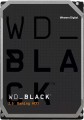 | 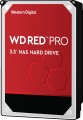 |
|---|---|---|
| WD Black 3.5" Gaming Hard Drive WD4005FZBX 4 TB V1 | WD Red Pro WD4003FFBX 4 TB 256/7200 | |
| Compare prices 5 | Compare prices 2 | |
| User reviews | ||
| TOP sellers | ||
| Placement | built-in | built-in |
| Type | HDD | HDD |
| Features | for PC | server |
| Volume | 4 TB | 4 TB |
| Form factor | 3.5 " | 3.5 " |
| Connection | SATA3 | SATA3 |
| Manufacturer's warranty | 5 years | 5 years |
Technical specs | ||
| Cache memory | 256 MB | 256 MB |
| Record technology | CMR | CMR |
| RPM | 7200 rpm | 7200 rpm |
| Data transfer rate | 202 MB/s | 217 MB/s |
| Operation power consumption | 9.1 W | 9.1 W |
| Standby power consumption | 5.8 W | 5.8 W |
| Shockproof | 30 G | |
| Reading noise level | 36 dB | 36 dB |
| Standby mode noise level | 29 dB | 29 dB |
| MTBF | 1 M h | |
| MTBF (on/off) | 300 K | 600 K |
Features | ||
| Features | for video surveillance | |
General | ||
| Size | 147x102x26 mm | 147x102x26 mm |
| Weight | 720 g | 720 g |
| Added to E-Catalog | july 2018 | july 2018 |



Compare WD Black 3.5" Gaming Hard Drive WD4005FZBX and Red Pro WD4003FFBX
You may be interested in
My comparisons
WD Black 3.5" Gaming Hard Drive often compared


WD Red Pro often compared


Glossary
Features
The general purpose of a hard drive is the type of devices for which it was originally intended.
— For PC. Hard drives designed for use with conventional consumer computers and laptops. At the same time, the possibility of installing an internal HDD (see "Performance") directly depends on the form factor (see the relevant paragraph), while external models are not subject to such restrictions — it is enough for them to have the appropriate connection connector. Also note that almost all external hard drives are designed specifically for PCs; making server models external is not technically justified.
— For the server. Hard drives designed for servers have increased speed and reliability, because they constantly have to receive and give large amounts of information. To ensure speed, they may provide an increased rotation speed (up to 15,000 rpm). Such drives are made only internal (see "Performance"), and, in addition to SATA, they can use other, more specific connection methods — for example, SAS(see "Connection interfaces").
— For game console. Specialized hard drives designed for use with game consoles. They are made only external (see "Performance"), they are intended mainly for storing games — including saves and user settings profiles. The main difference between such devices and classic external HDDs is...precisely the optimization for working with game consoles, including the availability of special software tools for improved integration. Many of these drives are originally designed for a specific model or family of set-top boxes.
— For PC. Hard drives designed for use with conventional consumer computers and laptops. At the same time, the possibility of installing an internal HDD (see "Performance") directly depends on the form factor (see the relevant paragraph), while external models are not subject to such restrictions — it is enough for them to have the appropriate connection connector. Also note that almost all external hard drives are designed specifically for PCs; making server models external is not technically justified.
— For the server. Hard drives designed for servers have increased speed and reliability, because they constantly have to receive and give large amounts of information. To ensure speed, they may provide an increased rotation speed (up to 15,000 rpm). Such drives are made only internal (see "Performance"), and, in addition to SATA, they can use other, more specific connection methods — for example, SAS(see "Connection interfaces").
— For game console. Specialized hard drives designed for use with game consoles. They are made only external (see "Performance"), they are intended mainly for storing games — including saves and user settings profiles. The main difference between such devices and classic external HDDs is...precisely the optimization for working with game consoles, including the availability of special software tools for improved integration. Many of these drives are originally designed for a specific model or family of set-top boxes.
Data transfer rate
The speed of data transfer between the disk and client devices is determined by the type of drive, spindle speed, memory buffer size and connection connectors. The last parameter is the most important, since it is impossible to exceed the bandwidth of a particular interface.
Shockproof
A parameter that determines the resistance of the hard drive to drops and shocks during operation (that is, in the on state). Shock resistance is measured in G — units of overload, 1 G corresponds to the usual force of gravity. The higher the G number, the more resistant the disc is to various kinds of concussions and the less likely it is to be damaged, say, in the event of a fall. This setting is especially important for external drives and drives used in laptops.
MTBF
Guaranteed (minimum) hard drive uptime. The longer the time between failures, the more durable and reliable the device. At the same time, we note that after this time, the drive will not necessarily fail immediately — most models remain operational even after the claimed resource has been exhausted, but the manufacturer does not give any guarantees here.
MTBF (on/off)
Guaranteed (minimum) number of hard drive on-off cycles after which it will remain operational. The higher this number, the more reliable the drive.
Features
— Wi-Fi module. The hard drive has its own Wi-Fi module. The Wi-Fi standard was originally created for building wireless computer networks, but can also be used for direct connection to various devices. Disks with this function can be used as network drives — data storages that can be accessed by every network user. They are also useful for smartphones and tablets: the built-in memory of such devices rarely exceeds a couple of tens of gigabytes, and external storage can come in handy. Many Wi-Fi drives are initially optimized for use with portable electronics (and some are even designed for specific popular models), but anyway, you should make sure that the drive and gadget are compatible in advance.
— Shock-resistant body. A housing that protects the hardware of the hard drive from shock and shock. It is undesirable to specifically drop such media, but anyway, they endure falls better than unprotected counterparts. The specific degree of impact protection should be specified separately; the traditional indicator is resistance to falls from a height of 1 – 1.5 m.
— Data encryption. Ensures the security of storing information on the disk: access to encrypted information can only be obtained by someone who knows the password. The encryption module is an integral part of the drive and does not depend on the computer to which it is connected. The ability to encrypt data is critical if you pl...an to write confidential information to discs; this feature is especially useful for portable drives and laptop drives, which are more at risk of theft than fixed systems and their components.
— Built-in USB connector. USB plug provided in the design of the drive itself. Thus, no additional cables, adapters, etc. are required to connect such a disk to the computer's USB port.
— Backup button. A separate button for starting the file backup procedure, located on the case of an external hard drive. When pressed, the important information for the user contained on the disc is automatically copied to a predefined folder. It is worth considering that the backup settings must be manually configured beforehand.
— Energy saving mode. Drives with power save mode, other things being equal, consume less electricity than conventional drives — both during operation and in standby mode. They usually have a low rotational speed (see Spindle speed (rpm)). Reduced power consumption is especially important for laptop drives, as it allows longer battery life.
— Shock-resistant body. A housing that protects the hardware of the hard drive from shock and shock. It is undesirable to specifically drop such media, but anyway, they endure falls better than unprotected counterparts. The specific degree of impact protection should be specified separately; the traditional indicator is resistance to falls from a height of 1 – 1.5 m.
— Data encryption. Ensures the security of storing information on the disk: access to encrypted information can only be obtained by someone who knows the password. The encryption module is an integral part of the drive and does not depend on the computer to which it is connected. The ability to encrypt data is critical if you pl...an to write confidential information to discs; this feature is especially useful for portable drives and laptop drives, which are more at risk of theft than fixed systems and their components.
— Built-in USB connector. USB plug provided in the design of the drive itself. Thus, no additional cables, adapters, etc. are required to connect such a disk to the computer's USB port.
— Backup button. A separate button for starting the file backup procedure, located on the case of an external hard drive. When pressed, the important information for the user contained on the disc is automatically copied to a predefined folder. It is worth considering that the backup settings must be manually configured beforehand.
— Energy saving mode. Drives with power save mode, other things being equal, consume less electricity than conventional drives — both during operation and in standby mode. They usually have a low rotational speed (see Spindle speed (rpm)). Reduced power consumption is especially important for laptop drives, as it allows longer battery life.