
Comparison Aula F2088 Pro vs Aula S2022
Add to comparison | 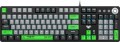 | 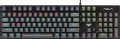 |
|---|---|---|
| Aula F2088 Pro | Aula S2022 | |
| Compare prices 1 | Compare prices 1 | |
| User reviews | ||
| TOP sellers | ||
| Connection | wired | wired |
| Cable length | 1.65 m | 1.6 m |
| Type | for game | for game |
| Form factor | 100% (full size) | 100% (full size) |
| Layout | ANSI | JIS |
Keyboard | ||
| Key profile | high | high |
| Key type | classic type | classic type |
| Switch technology | mechanical | mechanical |
| Switches | KRGD Blue (Clicky) | KRGD Blue (Clicky) |
| Switch resource | 60 million clicks | |
| Additional keys | 3 | |
| Anti-Ghosting |  | |
| #KRO | N-KRO | N-KRO |
| Fn key | | |
Features | ||
| Application of symbols (Latin) | double-shot | laser engraving |
| Application of symbols (Cyrillic) | laser engraving | |
| Volume control | wheel | fn |
| Game mode | | |
| Lighting | blue | multicolor |
| Lighting effects | + | + |
Connection and power supply | ||
| Cable | USB-A | USB-A |
General | ||
| Skeleton keyboard | | |
| Replacement keys included | |  |
| Size | 444x135x35 mm | 435x125x40 mm |
| Weight | 878 g | 664 g |
| Color | ||
| Added to E-Catalog | december 2023 | august 2023 |


Compare Aula F2088 Pro and S2022
Keyboards Aula F2088 Pro and Aula S2022 have similar features, but there are key differences. Both devices are wired gaming keyboards with mechanical KRGD Blue Switch (Clicky) and high key travel. However, the F2088 Pro offers blue backlighting, while the S2022 features multicolor backlighting. Additionally, the F2088 Pro is equipped with a volume control wheel, whereas the S2022 uses an Fn key combination for this function. The size and weight of the keyboards also differ: the F2088 Pro is larger and heavier (444x135x35 mm, 878 g) compared to the S2022 (435x125x40 mm, 664 g). Overall, the choice between them depends on your lighting preferences and convenience in adjusting volume.
Price comparison
You may be interested in
My comparisons
Aula F2088 Pro often compared

Aula S2022 often compared


Glossary
Cable length
The length of the cable that the keyboard is equipped with for wired connection (see "Connection type").
When choosing this parameter, you should first of all take into account the distance from the device to the connection port: a cable that is too short may simply not reach the connector, and a cable that is too long may get confused at hand and create inconvenience. As for specific values, the reference length is 1.8 m. However, there are cables both shorter and longer.
When choosing this parameter, you should first of all take into account the distance from the device to the connection port: a cable that is too short may simply not reach the connector, and a cable that is too long may get confused at hand and create inconvenience. As for specific values, the reference length is 1.8 m. However, there are cables both shorter and longer.
Layout
The layout describes the physical geometry of the keys and their standard arrangement: the shape of Enter and Shift, the presence of additional keys, the width of the space bar, and consequently, compatibility with keycap sets and typing familiarity. The standards hardly affect productivity in software and gaming — comfort and how easy it is to find suitable keycaps/cases are more important. The following types are found:
— ANSI (American). A distinctive feature of the American layout is the single-row Enter key; it is the only popular layout where this key occupies one row, not two. Additionally, unlike the European ISO, the Shift keys on ANSI keyboards have the same width, and the Alt key has the same function. The backslash “\” is usually placed above the Enter and can be longer.
— ISO (European). One characteristic feature of the European layout is the Enter key, which occupies two rows and is slightly wider at the top. Also, the modifier keys are asymmetrical: the Shift keys differ in size (the left one is shorter than the right), and the Alts differ in function (the right Alt is marked as “Alt Gr” and is used for typing special characters of European languages). From the similar in many ways "Japanese" JIS layout, the ISO layout differs by the placement of the backslash “\” — it is standardly located near the left Shift (in some models, it is duplicated near the Enter). As a result,...the left Shift is shorter than usual; this can be inconvenient, especially for new users.
— KS (Korean). The “Korean” layout can be distinguished by the characteristic shape of the Enter key: it occupies two rows and is longer at the bottom than at the top. Another feature is the backslash “\”, which is located to the left of the Backspace, resulting in a shorter Backspace than in other layouts.
— JIS (Japanese). A layout much like the European ISO: it has the same two-row Enter with an increased length of the upper half. In many models, the right Alt is labeled “Alt Gr” and is designed for typing special symbols. The main differences lie in two aspects: the length of the left Shift (it is standard in JIS, not shortened) and the placement of the backslash “\” (it is standardly installed to the left of the lower half of the Enter, where some ISO keyboards have a second, additional backslash).
— ANSI (American). A distinctive feature of the American layout is the single-row Enter key; it is the only popular layout where this key occupies one row, not two. Additionally, unlike the European ISO, the Shift keys on ANSI keyboards have the same width, and the Alt key has the same function. The backslash “\” is usually placed above the Enter and can be longer.
— ISO (European). One characteristic feature of the European layout is the Enter key, which occupies two rows and is slightly wider at the top. Also, the modifier keys are asymmetrical: the Shift keys differ in size (the left one is shorter than the right), and the Alts differ in function (the right Alt is marked as “Alt Gr” and is used for typing special characters of European languages). From the similar in many ways "Japanese" JIS layout, the ISO layout differs by the placement of the backslash “\” — it is standardly located near the left Shift (in some models, it is duplicated near the Enter). As a result,...the left Shift is shorter than usual; this can be inconvenient, especially for new users.
— KS (Korean). The “Korean” layout can be distinguished by the characteristic shape of the Enter key: it occupies two rows and is longer at the bottom than at the top. Another feature is the backslash “\”, which is located to the left of the Backspace, resulting in a shorter Backspace than in other layouts.
— JIS (Japanese). A layout much like the European ISO: it has the same two-row Enter with an increased length of the upper half. In many models, the right Alt is labeled “Alt Gr” and is designed for typing special symbols. The main differences lie in two aspects: the length of the left Shift (it is standard in JIS, not shortened) and the placement of the backslash “\” (it is standardly installed to the left of the lower half of the Enter, where some ISO keyboards have a second, additional backslash).
Switch resource
Keyboard switch durability is measured by the number of presses the keys can withstand before they begin to show signs of wear or malfunction. Switches can have a lifespan of several million to tens of millions of clicks. In laboratory conditions, this parameter is checked using special testing machines, which diligently press the keys the required number of times, on the basis of which a verdict is made regarding the approximate service life of the switches.
Additional keys
The number of additional keys provided in the design of the keyboard.
Such keys do not belong to the standard layout and are intended for quick access to specific functions or individual applications — for example, to control the media player or open mail with one click. This function is convenient because commands from additional keys are usually recognized by the system regardless of what is on the screen — thanks to this, for example, you do not have to close the text editor to switch tracks in the player.
Note that in this case we are talking about individual keys that have a strictly defined purpose and corresponding markings. Programmable buttons, the Fn key (see below) and the functions of the main keys implemented through Fn are not taken into account in this paragraph.
Such keys do not belong to the standard layout and are intended for quick access to specific functions or individual applications — for example, to control the media player or open mail with one click. This function is convenient because commands from additional keys are usually recognized by the system regardless of what is on the screen — thanks to this, for example, you do not have to close the text editor to switch tracks in the player.
Note that in this case we are talking about individual keys that have a strictly defined purpose and corresponding markings. Programmable buttons, the Fn key (see below) and the functions of the main keys implemented through Fn are not taken into account in this paragraph.
Application of symbols (Latin)
Legend application indicates how the Latin characters on the keys are made and how well they will survive years of heavy typing.
— Double-shot. The keycap is molded from two different plastics: the main “body” and a separate legend insert are formed together in a single mold, so the letters don’t wear off or fade at all. This method is ideal for RGB backlighting: if the legend layer is semi-transparent, light passes through the symbols without halos. ABS double-shot is more common (bright glow, pleasantly smooth feel), while the pricier PBT double-shot is rarer and offers higher surface wear resistance. Compared to laser engraving, the lifespan is an order of magnitude higher, and it beats the dye-sub method for backlighting (dye-sub doesn’t shine through). Downsides include cost and sometimes visible seams/thick walls that can affect the click’s sound profile. In practice, these keycaps are in demand for mechanical gaming keyboards, esports arenas, developers, and frequent hotkey typing—where double-shot keeps legends readable for years.
— Sublimation. A method of applying Latin symbols to keycaps where, under heat and pressure, the dye penetrates the top layer of plastic, creating a durable, “absorbed” legend. The print won’t rub off from fingers, resists household cleaners and UV light, preserves a matte texture, and maintains high contrast on light backgrounds, but it doesn’t let RGB shine through the symbols and is limited in palette. Compared to laser...engraving, it offers higher lifespan and readability, and versus double-shot it only loses in shine-through effects. Typical use cases include mechanical keyboards for typing, developers, and office work, where durability, the tactile matte PBT feel, and stable readability over years matter.
— Laser engraving. Burning/removing the top coating layer with a beam to form highly precise symbols. Legends last for years, but over time the fill paint can wear and contrast can drop in high-contact areas. Advantages include thin typefaces, clean contours, RGB compatibility, and low cost. Compared to double-shot, engraving is cheaper and more flexible in design, but not “forever”; versus dye-sub it wins on backlighting, but loses in tactile uniformity and longevity. Typical applications are mass-market office and gaming models with backlighting.
— Double-shot. The keycap is molded from two different plastics: the main “body” and a separate legend insert are formed together in a single mold, so the letters don’t wear off or fade at all. This method is ideal for RGB backlighting: if the legend layer is semi-transparent, light passes through the symbols without halos. ABS double-shot is more common (bright glow, pleasantly smooth feel), while the pricier PBT double-shot is rarer and offers higher surface wear resistance. Compared to laser engraving, the lifespan is an order of magnitude higher, and it beats the dye-sub method for backlighting (dye-sub doesn’t shine through). Downsides include cost and sometimes visible seams/thick walls that can affect the click’s sound profile. In practice, these keycaps are in demand for mechanical gaming keyboards, esports arenas, developers, and frequent hotkey typing—where double-shot keeps legends readable for years.
— Sublimation. A method of applying Latin symbols to keycaps where, under heat and pressure, the dye penetrates the top layer of plastic, creating a durable, “absorbed” legend. The print won’t rub off from fingers, resists household cleaners and UV light, preserves a matte texture, and maintains high contrast on light backgrounds, but it doesn’t let RGB shine through the symbols and is limited in palette. Compared to laser...engraving, it offers higher lifespan and readability, and versus double-shot it only loses in shine-through effects. Typical use cases include mechanical keyboards for typing, developers, and office work, where durability, the tactile matte PBT feel, and stable readability over years matter.
— Laser engraving. Burning/removing the top coating layer with a beam to form highly precise symbols. Legends last for years, but over time the fill paint can wear and contrast can drop in high-contact areas. Advantages include thin typefaces, clean contours, RGB compatibility, and low cost. Compared to double-shot, engraving is cheaper and more flexible in design, but not “forever”; versus dye-sub it wins on backlighting, but loses in tactile uniformity and longevity. Typical applications are mass-market office and gaming models with backlighting.
Application of symbols (Cyrillic)
Legend application indicates how the Latin letters are made on the keys and how well they will survive years of heavy typing.
— Double-shot. The keycap is molded from two different plastics: the main “body” and a separate insert with the legend are formed in the mold as a single piece, so the letters don’t wear off or fade at all. This method is ideal for RGB backlighting: if the legend layer is semi‑transparent, light passes through the symbols without halos. ABS double-shot is more common (bright glow, pleasantly smooth feel), while the more expensive PBT double-shot is rarer and offers higher surface durability. Compared to laser engraving, the lifespan is an order of magnitude higher, and it beats the sublimation method in backlighting (dye-sub doesn’t shine through). Downsides include the price and sometimes visible seams/thick walls that can affect key sound. In practice, these keycaps are in demand for mechanical gaming keyboards, esports arenas, developers, and frequent hotkey typing—situations where double-shot preserves legibility for years.
— Dye-sublimation. A method of applying Latin symbols to keycaps where dye penetrates the top layer of plastic under heat and pressure, creating a durable “soaked-in” legend. The print doesn’t rub off from fingers, isn’t afraid of household chemicals or UV light, keeps a matte texture, and offers high contrast on light backgrounds, but it doesn’t let RGB backlighting shine through the symbols and has palette li...mitations. Compared to laser engraving, durability and legibility are higher, and versus double-shot it only loses in shine-through effects. Typical use cases include mechanical keyboards for typing, developers, and office work, where long life, tactile matte PBT, and stable legibility over years are important.
— Laser engraving. Burning/removing the top coating layer with a beam to form a highly precise symbol. The symbols last for years, but over time the paint fill can wear off and contrast can drop in high-contact areas. Advantages include thin fonts, clean contours, RGB compatibility, and affordable cost. Compared to double-shot, engraving is cheaper and more flexible in design, but not “forever”; against dye-sub it wins with backlighting, but loses in tactile uniformity and longevity. Typical applications include mass-market office and gaming models with backlighting, as well as bilingual layouts where the Latin legends are made with a more durable technology and Cyrillic is added by laser.
— Double-shot. The keycap is molded from two different plastics: the main “body” and a separate insert with the legend are formed in the mold as a single piece, so the letters don’t wear off or fade at all. This method is ideal for RGB backlighting: if the legend layer is semi‑transparent, light passes through the symbols without halos. ABS double-shot is more common (bright glow, pleasantly smooth feel), while the more expensive PBT double-shot is rarer and offers higher surface durability. Compared to laser engraving, the lifespan is an order of magnitude higher, and it beats the sublimation method in backlighting (dye-sub doesn’t shine through). Downsides include the price and sometimes visible seams/thick walls that can affect key sound. In practice, these keycaps are in demand for mechanical gaming keyboards, esports arenas, developers, and frequent hotkey typing—situations where double-shot preserves legibility for years.
— Dye-sublimation. A method of applying Latin symbols to keycaps where dye penetrates the top layer of plastic under heat and pressure, creating a durable “soaked-in” legend. The print doesn’t rub off from fingers, isn’t afraid of household chemicals or UV light, keeps a matte texture, and offers high contrast on light backgrounds, but it doesn’t let RGB backlighting shine through the symbols and has palette li...mitations. Compared to laser engraving, durability and legibility are higher, and versus double-shot it only loses in shine-through effects. Typical use cases include mechanical keyboards for typing, developers, and office work, where long life, tactile matte PBT, and stable legibility over years are important.
— Laser engraving. Burning/removing the top coating layer with a beam to form a highly precise symbol. The symbols last for years, but over time the paint fill can wear off and contrast can drop in high-contact areas. Advantages include thin fonts, clean contours, RGB compatibility, and affordable cost. Compared to double-shot, engraving is cheaper and more flexible in design, but not “forever”; against dye-sub it wins with backlighting, but loses in tactile uniformity and longevity. Typical applications include mass-market office and gaming models with backlighting, as well as bilingual layouts where the Latin legends are made with a more durable technology and Cyrillic is added by laser.
Volume control
Volume control methodprovided in the keyboard (if such a possibility is provided at all).
— Through Fn. Adjustment using the Fn key (see above): increasing and decreasing the volume is carried out by simultaneously pressing Fn and one of the main keys of the keyboard (usually from the F1 — F12 row), The main advantage of this control is that it allows you not to overload the keyboard with additional controls — this, in turn, has a positive effect on the dimensions and cost. The disadvantage is the need to simultaneously press two keys, which is not always convenient.
— Additional keys. Control with additional keys specially designed for working with volume. A very convenient and practical option: additional keys are usually clearly labeled, while they take up less space and are cheaper than a wheel or a touch slider (see below).
— Wheel. Control by means of a mechanical wheel, the rotation of which up and down or left and right provides a change in volume. A fairly user-friendly option — visual, intuitive and accessible even blindly. At the same time, the wheel can take up quite a lot of space, and it significantly affects the cost of the keyboard.
— Touch slider. Management using a touch surface, the movement of a finger in one direction or another. The sensor takes up minimal space, looks neat...and generally fits well with the overall design of the keyboard, but it is not cheap. Therefore, this option is extremely rare, mainly in high-end gaming or multimedia keyboards.
— Through Fn. Adjustment using the Fn key (see above): increasing and decreasing the volume is carried out by simultaneously pressing Fn and one of the main keys of the keyboard (usually from the F1 — F12 row), The main advantage of this control is that it allows you not to overload the keyboard with additional controls — this, in turn, has a positive effect on the dimensions and cost. The disadvantage is the need to simultaneously press two keys, which is not always convenient.
— Additional keys. Control with additional keys specially designed for working with volume. A very convenient and practical option: additional keys are usually clearly labeled, while they take up less space and are cheaper than a wheel or a touch slider (see below).
— Wheel. Control by means of a mechanical wheel, the rotation of which up and down or left and right provides a change in volume. A fairly user-friendly option — visual, intuitive and accessible even blindly. At the same time, the wheel can take up quite a lot of space, and it significantly affects the cost of the keyboard.
— Touch slider. Management using a touch surface, the movement of a finger in one direction or another. The sensor takes up minimal space, looks neat...and generally fits well with the overall design of the keyboard, but it is not cheap. Therefore, this option is extremely rare, mainly in high-end gaming or multimedia keyboards.
Lighting
The colour of the backlight provided in the design of the keyboard.
In general, the backlight performs two functions: practical (makes the keys more visible in low light) and aesthetic (gives the keyboard a beautiful appearance). However, it cannot be said that non-backlit keyboards will be unusable in the dark, the light from the monitor will still illuminate the buttons. The simplest version of the backlight is one-colour. In this case, specific colours can be different: for example, white is well suited for general-purpose keyboards (work or home), but other shades can be found in gaming or design models, for example, red, green, blue, purple or orange. If two or three colours are indicated for the keyboard, this may mean either the ability to switch between these colours, or that this model comes in several versions that differ in the shade of the backlight; these nuances should be clarified separately.
The most advanced options are multi-colour and RGB backlighting. Multi-colour systems are called systems in which more than three colour options are provided, sometimes with intermediate shades. And RGB-backlight all...ows you to choose almost any shade at the request of the user; in addition, the possibility of synchronization (see "Illumination with effects") is found mainly in such systems, although single-colour keyboards can also be equipped with other effects.
In general, the backlight performs two functions: practical (makes the keys more visible in low light) and aesthetic (gives the keyboard a beautiful appearance). However, it cannot be said that non-backlit keyboards will be unusable in the dark, the light from the monitor will still illuminate the buttons. The simplest version of the backlight is one-colour. In this case, specific colours can be different: for example, white is well suited for general-purpose keyboards (work or home), but other shades can be found in gaming or design models, for example, red, green, blue, purple or orange. If two or three colours are indicated for the keyboard, this may mean either the ability to switch between these colours, or that this model comes in several versions that differ in the shade of the backlight; these nuances should be clarified separately.
The most advanced options are multi-colour and RGB backlighting. Multi-colour systems are called systems in which more than three colour options are provided, sometimes with intermediate shades. And RGB-backlight all...ows you to choose almost any shade at the request of the user; in addition, the possibility of synchronization (see "Illumination with effects") is found mainly in such systems, although single-colour keyboards can also be equipped with other effects.
Replacement keys included
The presence of interchangeable keys — more precisely, caps for keys ("keycaps") — is included in the package of the keyboard.
This feature is found mainly in gaming keyboards(see "By Direction"). Replaceable in them are usually made only individual keys, the most significant in games — in particular, WASD and arrows. For such keys, two sets of keycaps are provided — ordinary ones, in tune with the rest of the buttons, and gaming ones that stand out from the general background. Thanks to this, you can adjust the keyboard to the current format of use: for example, in games, the keys that stand out by colour are very convenient, and when typing, they can be confusing.
This feature is found mainly in gaming keyboards(see "By Direction"). Replaceable in them are usually made only individual keys, the most significant in games — in particular, WASD and arrows. For such keys, two sets of keycaps are provided — ordinary ones, in tune with the rest of the buttons, and gaming ones that stand out from the general background. Thanks to this, you can adjust the keyboard to the current format of use: for example, in games, the keys that stand out by colour are very convenient, and when typing, they can be confusing.