
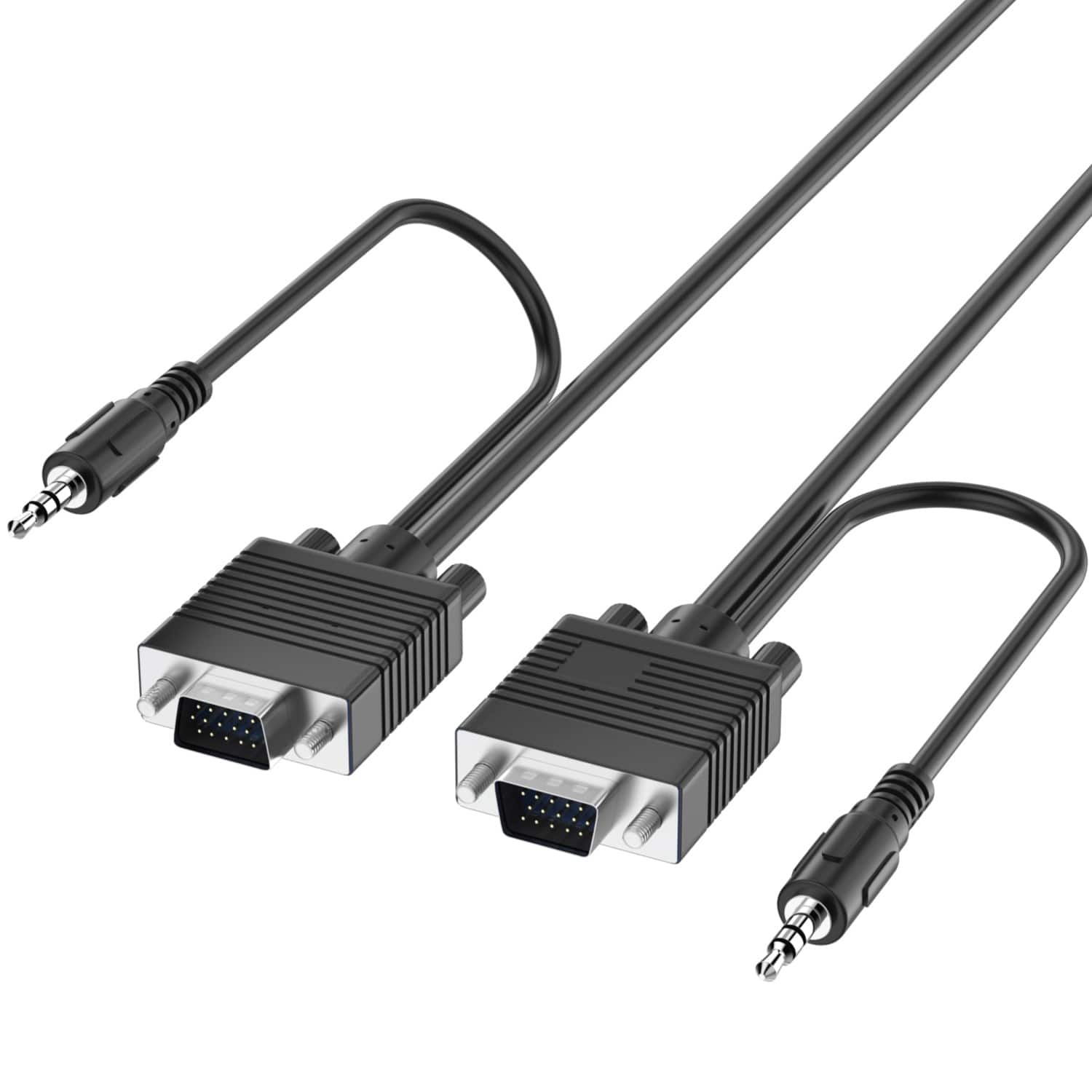
Fosmon (25 FT) VGA/SVGA/UXGA Monitor Cable with 3.5mm Audio Jack - Support High Video Resolution - Black HD (Male to Male)
 | When you make a purchase through links on our site, we may receive a affiliate commission. Buy! Fosmon - (25 FT) VGA/SVGA/UXGA Monitor Cable with 3.5mm Audio Jack (Male to Male) - Support High Video Resolution - Black HDBestBuy.comDelivery: in USA Report |
Buy Fosmon (25 FT) VGA/SVGA/UXGA Monitor Cable with 3.5mm Audio Jack - Support High Video Resolution - Black HD (Male to Male)
When you make a purchase through links on our site, we may receive a affiliate commission.
Fosmon - (25 FT) VGA/SVGA/UXGA Monitor Cable with 3.5mm Audio Jack (Male to Male) - Support High Video Resolution - Black HD | $13.99 | | |||
Connectivity. Fosmon's High Resolution VGA (Video Graphics Array) Monitor Cable uses the standard 15-pin D-sub VGA connector that connects desktop and laptop computers to a display, such as a TV, monitor, or projector. High Resolution Support. Resolutions up to WUXGA (1920x1200) are supported, higher than Full HD resolutions of 1920x1080. Other lower resolutions such as UXGA (1600x900), WXGA+ (1440x900), WXGA (1366x768), WXGA (1280x1024), WXGA (1280x800), and others are also supported. 3.5mm TRS Audio Cable Attached. VGA cables are only capable of transmitting video signals. This is remedied by the attached 3.5mm TRS audio cable. Connect the audio cable to the proper ports on the source computer and display (if supported) to provide audio through the TV, monitor, or projector's speakers. Plug-And-Play. Simply plug the High Resolution VGA Monitor Cable into the source device and display to get it working. Audio is supported with the 3.5mm TRS audio cable. No downloads, drivers, or installations are required. Each end of the VGA cable has two thumbscrews to secure the plugs into the devices. NOTE. VGA connectors and VGA technology do not have audio support. Only video will be transmitted from the source to the display. For audio, connect the attached 3.5mm TRS audio cable to the correct audio ports.
The product description is generated based on data from online stores. Before purchasing be sure to verify all information directly with the seller.
New USB Labels: How to Avoid Confusion in Speeds, Cables, and ConnectorsThe USB-IF organization has finally updated the USB port labels. Let's figure out what has changed.
How to Choose the Right Cable for Your Smartphone, Tablet, and LaptopConnectors, power, bandwidth and other criteria for choosing a cable for gadgets
How to place an order?How to add store?
Remember that the online store is responsible for the accuracy of information regarding price, warranty, and delivery!
You may be interested in