
Apple Plugable - USB C to HDMI Adapter, Dual Monitor 4K 60Hz for Mac M1/M2/M3, DisplayLink for Thunderbolt Macbook or iMac
 | When you make a purchase through links on our site, we may receive a affiliate commission. Buy! Plugable - USB C to HDMI Adapter, Dual Monitor 4K 60Hz for Apple Mac M1/M2/M3, DisplayLink for Thunderbolt Macbook or iMac -BestBuy.comDelivery: in USA Report |
Buy Apple Plugable - USB C to HDMI Adapter, Dual Monitor 4K 60Hz for Mac M1/M2/M3, DisplayLink for Thunderbolt Macbook or iMac
When you make a purchase through links on our site, we may receive a affiliate commission.
Plugable - USB C to HDMI Adapter, Dual Monitor 4K 60Hz for Apple Mac M1/M2/M3, DisplayLink for Thunderbolt Macbook or iMac - | $119.99 | | |||
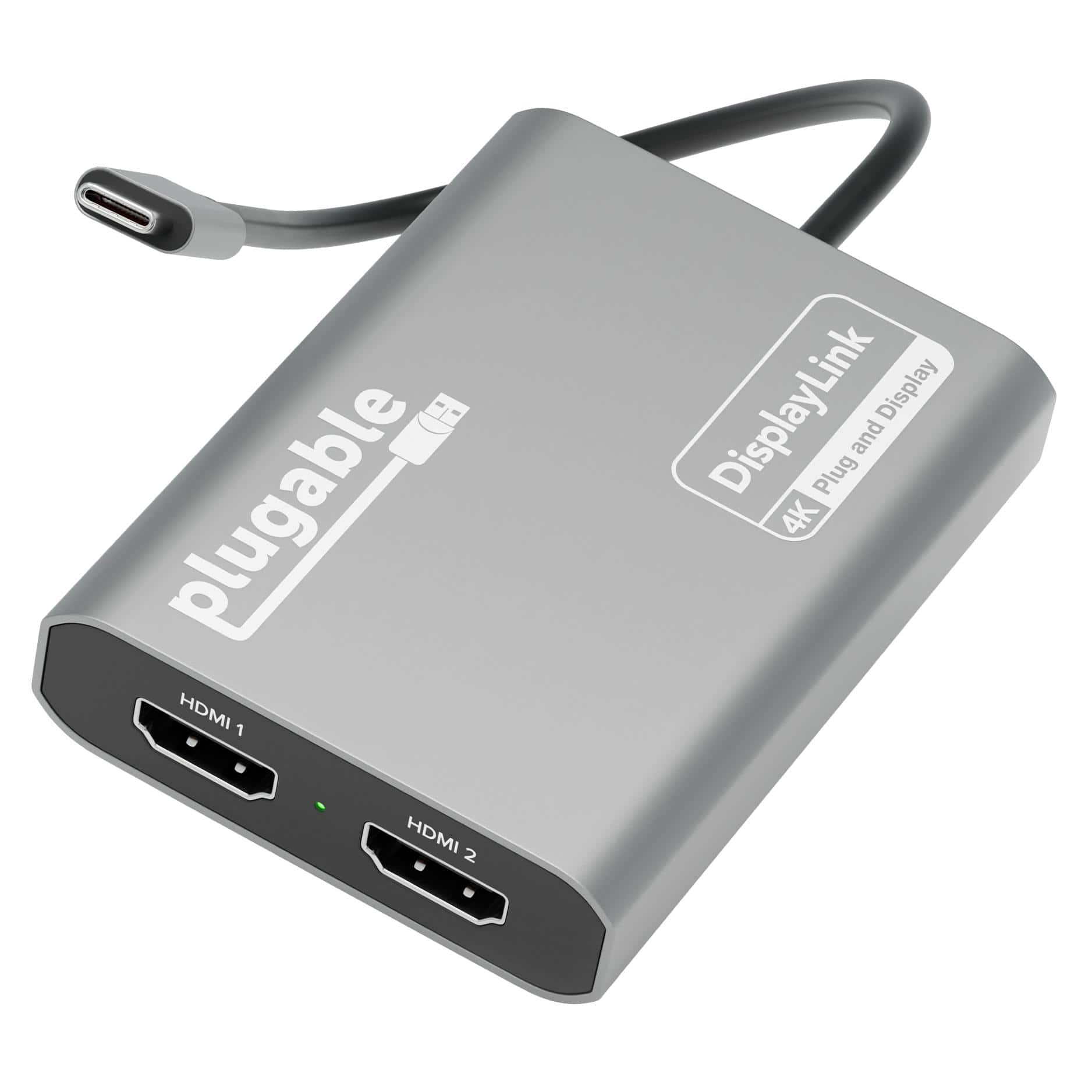
Add two 4K 60Hz HDMI displays to your MacBook M1 through M5, Windows laptop, or ChromeOS device from a single USB-C port. The Plugable USBC-6950M uses DisplayLink technology to extend your workspace beyond native display limits, making it a practical solution for multitasking, hybrid work, creative projects, and productivity-focused desk setups. Powered by the proven DL-6950 DisplayLink chip, this MacBook dual monitor adapter compresses and transmits video over USB-C to support dual external HDMI displays. On Macs, DisplayLink helps bypass Apple’s native single external display limitation on many base-model M-series systems, enabling expanded screen real estate for more flexible workflows. Setup is simple. On Mac, download DisplayLink Manager, connect the adapter, approve the required macOS display-access permission, and your displays will appear. Windows 10 and newer and ChromeOS 100+ systems are plug-and-play with no driver installation needed. The USBC-6950M is compatible with macOS 11 and newer, Windows 10 and newer, and ChromeOS 100 and newer systems with Thunderbolt, USB4, or USB-C. For best results on MacBook Air and MacBook Pro systems with M1 through M5 base chips, connect directly to the MacBook’s USB-C port rather than through a hub or dock. Please note that DisplayLink based adapters are not designed for HDCP-protected streaming apps such as Netflix, Disney+, Hulu, or Prime Video. These services may show a black screen on connected displays. For entertainment or gaming use, a standard display adapter is recommended instead. During extended use, the adapter may run warm. This is normal for DisplayLink technology. Use with clear airflow on all sides or elevate the adapter for long sessions. The aluminum body helps dissipate heat during operation. Backed by Plugable lifetime North American support and a 2-year limited warranty, the USBC-6950M is designed for dependable everyday productivity, with real help from real humans for as long as you own it
The product description is generated based on data from online stores. Before purchasing be sure to verify all information directly with the seller.
New USB Labels: How to Avoid Confusion in Speeds, Cables, and ConnectorsThe USB-IF organization has finally updated the USB port labels. Let's figure out what has changed.
How to Choose the Right Cable for Your Smartphone, Tablet, and LaptopConnectors, power, bandwidth and other criteria for choosing a cable for gadgets
How to place an order?How to add store?
Remember that the online store is responsible for the accuracy of information regarding price, warranty, and delivery!
You may be interested in