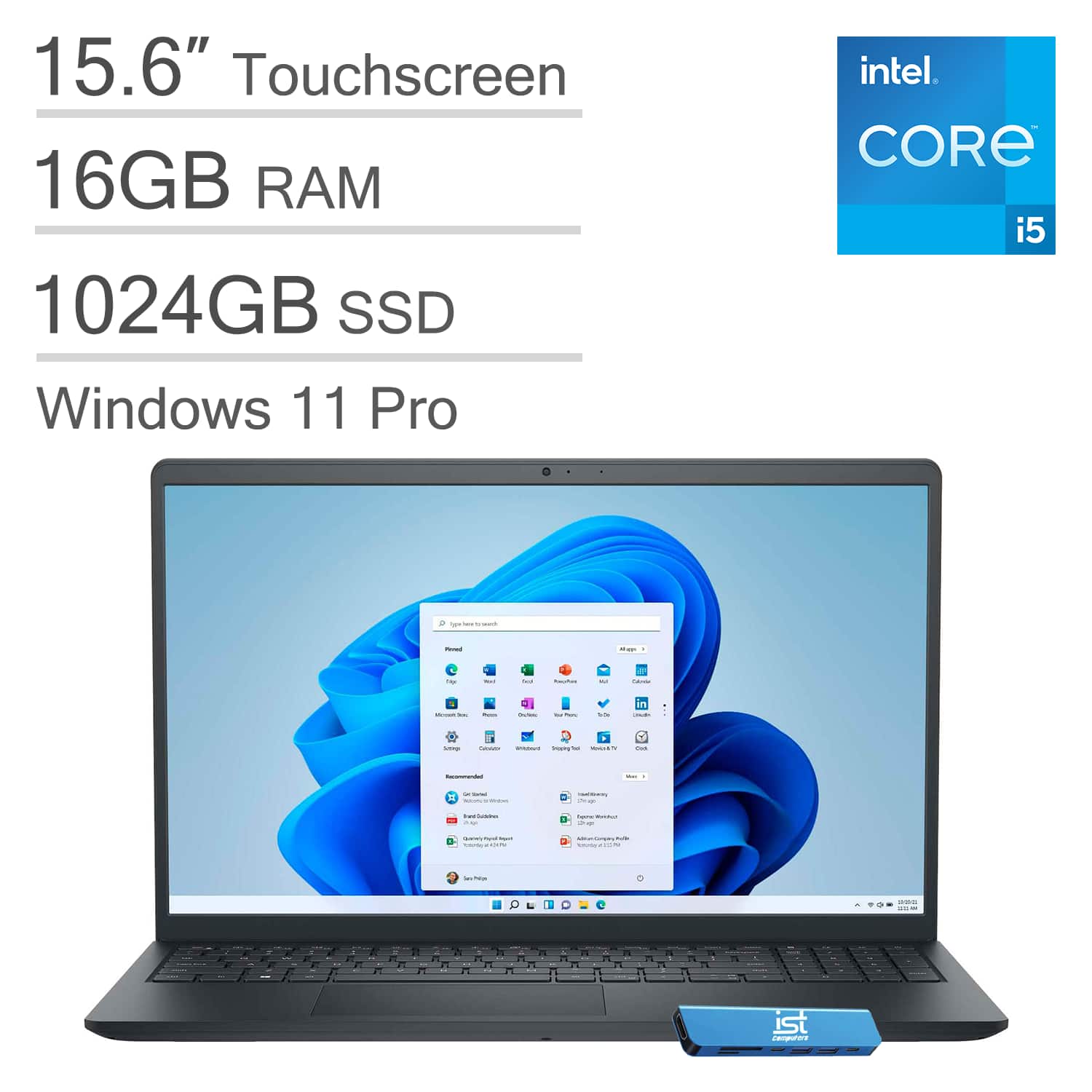
Buy IST Dell - Upgraded - Inspiron - 15.6" FHD Touchscreen Laptop - Intel Core i5 1334U - 16GB RAM - 1TB Storage - HUB - Wi 2023
When you make a purchase through links on our site, we may receive a affiliate commission.
|
| Dell - Upgraded - Inspiron - 15.6" FHD Touchscreen Laptop - Intel Core i5 1334U 2023 - 16GB RAM - 1TB Storage - IST HUB - WiAt IST Computers, we offer computers with professionally customized and upgraded configurations designed to maximize performance. To complete these enhancements, our certified technicians carefully open the manufacturer’s sealed packaging for inspection, testing, and precise installation according to the advertised specifications. All systems and c... moreomponents are brand new. Warranty service is handled directly by IST Computers, not the manufacturer. The new Inspiron 15 is a versatile laptop crafted with a user-friendly layout, packing all essential features to keep you productive and connected throughout the day—it includes a convenient numeric keypad, perfect for tasks requiring frequent number input like data entry or accounting, and comes with ExpressCharge that recharges the battery up to 80% in 60 minutes, minimizing time spent plugged into an outlet. Delivering premium performance, it is powered by an Intel Core i5-1334U Processor (10 Cores, 12 Threads, up to 4.6 GHz) and Intel UHD Graphics for exceptional multitasking capabilities, while 16GB RAM and a 1TB PCIe NVMe M.2 SSD combine speed and endurance, making it ideal for professionals on the go. For an excellent visual experience, it features a 15.6-inch FHD (1920 x 1080) 60Hz anti-glare LED touchscreen display that delivers sharp visuals and comfortable viewing to reduce eye strain, supports workspace expansion via an HDMI port, and is equipped with a 720p webcam for crisp video calls with enhanced clarity. Offering rich connectivity, the device is fitted with USB-A 3.0, USB-A 2.0, USB-C 3.0, an HDMI 1.4 port, and a headphone/micro BestBuy.comDelivery: in USA Report | $799.99 |  | |
|
| Dell - Upgraded - Inspiron - 15.6" FHD Touchscreen Laptop - Intel Core i5 1334U 2023 - 16GB RAM - 512GB Storage - IST HUB - At IST Computers, we offer computers with professionally customized and upgraded configurations designed to maximize performance. To complete these enhancements, our certified technicians carefully open the manufacturer’s sealed packaging for inspection, testing, and precise installation according to the advertised specifications. All systems and c... moreomponents are brand new. Warranty service is handled directly by IST Computers, not the manufacturer. The new Inspiron 15 is a versatile laptop crafted with a user-friendly layout, packing all essential features to keep you productive and connected throughout the day—it includes a convenient numeric keypad, perfect for tasks requiring frequent number input like data entry or accounting, and comes with ExpressCharge that recharges the battery up to 80% in 60 minutes, minimizing time spent plugged into an outlet. Delivering premium performance, it is powered by an Intel Core i5-1334U Processor (10 Cores, 12 Threads, up to 4.6 GHz) and Intel UHD Graphics for exceptional multitasking capabilities, while 16GB RAM and a 512GB PCIe NVMe M.2 SSD combine speed and endurance, making it ideal for professionals on the go. For an excellent visual experience, it features a 15.6-inch FHD (1920 x 1080) 60Hz anti-glare LED touchscreen display that delivers sharp visuals and comfortable viewing to reduce eye strain, supports workspace expansion via an HDMI port, and is equipped with a 720p webcam for crisp video calls with enhanced clarity. Offering rich connectivity, the device is fitted with USB-A 3.0, USB-A 2.0, USB-C 3.0, an HDMI 1.4 port, and a headphone/micro BestBuy.comDelivery: in USA Report | $609.99 |  | |
At IST Computers, we offer computers with professionally customized and upgraded configurations designed to maximize performance. To complete these enhancements, our certified technicians carefully open the manufacturer’s sealed packaging for inspection, testing, and precise installation according to the advertised specifications. All systems and components are brand new. Warranty service is handled directly by IST Computers, not the manufacturer. The new Inspiron 15 is a versatile laptop crafted with a user-friendly layout, packing all essential features to keep you productive and connected throughout the day—it includes a convenient numeric keypad, perfect for tasks requiring frequent number input like data entry or accounting, and comes with ExpressCharge that recharges the battery up to 80% in 60 minutes, minimizing time spent plugged into an outlet. Delivering premium performance, it is powered by an Intel Core i5-1334U Processor (10 Cores, 12 Threads, up to 4.6 GHz) and Intel UHD Graphics for exceptional multitasking capabilities, while 16GB RAM and a 1TB PCIe NVMe M.2 SSD combine speed and endurance, making it ideal for professionals on the go. For an excellent visual experience, it features a 15.6-inch FHD (1920 x 1080) 60Hz anti-glare LED touchscreen display that delivers sharp visuals and comfortable viewing to reduce eye strain, supports workspace expansion via an HDMI port, and is equipped with a 720p webcam for crisp video calls with enhanced clarity. Offering rich connectivity, the device is fitted with USB-A 3.0, USB-A 2.0, USB-C 3.0, an HDMI 1.4 port, and a headphone/microphone combo jack, plus Intel Wi-Fi 6 for blazing-fast wireless speeds and Bluetooth 5 for seamless device pairing. Running on Windows 11 Pro in S Mode—designed for security and performance, with the option to switch out of S Mode to Windows 11 Pro by opening Windows Settings > System > Activation—it is well-suited for a wide range of uses, including family entertainment, school education, daily productivity, casual gaming, streaming, online classes, remote learning, Zoom meetings, and video conferences. Brand New Computer has been resealed to upgrade the Memory/SSD.
The product description is generated based on data from online stores. Before purchasing be sure to verify all information directly with the seller.
How to place an order?How to add store?Remember that the online store is responsible for the accuracy of information regarding price, warranty, and delivery!