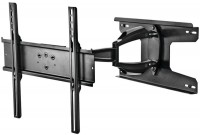
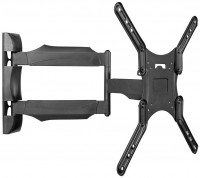
ADA Compliant Full Motion TV Wall Mount with Ultra-Slim Profile
 | Compare prices 3 → When you make a purchase through links on our site, we may receive a affiliate commission.
|
Buy ADA Compliant Full Motion TV Wall Mount with Ultra-Slim Profile
When you make a purchase through links on our site, we may receive a affiliate commission.
ADA Compliant Full Motion TV Wall Mount with Ultra-Slim Profile | $179.99 |  | |||
Mount-It! - Ultra-Slim ADA-Compliant Full Motion TV Wall Mount 43–90", 132 lb Capacity, Swivel/Tilt, 1.1" Profile - Black MI | $179.99 |  | |||
Mount-It! - Ultra-Slim ADA-Compliant Full Motion TV Wall Mount 43–90", 132 lb Capacity, Swivel/Tilt, 1.1" Profile - Black | $179.99 |  | |||
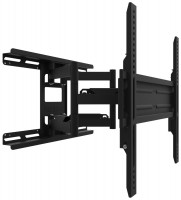
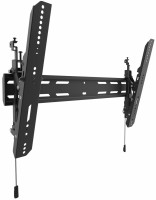
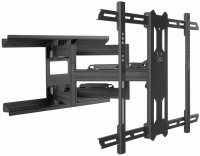
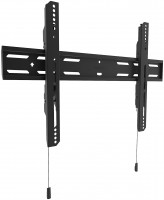
The Mount-It! Full Motion TV Wall Mount with Ultra-Slim Profile (MI-309) is the only full-motion mount in its class that meets ADA compliance standards — combining a gallery-style 1.1" retracted profile with the full swivel, tilt, and extension of an articulating arm. When fully retracted, the TV sits just 1.1 inches from the wall for a floating, art-like appearance. When extended, the friction hinge arm reaches 16.5 inches, swivels 60 degrees left and right, and tilts 3 degrees upward and 12 degrees downward, with ±3° screen leveling for precise alignment. Designed for 43–90" flat panel TVs up to 132 lbs, with VESA compatibility from 100x200 to 900x400 mm across 13 standard patterns. The 20" x 11.8" wall plate supports dual stud installation at 16" on-center spacing. Key Specifications Compatible TV Sizes: 43" – 90" flat panel TVs Weight Capacity: Up to 132 lbs VESA Compatibility: 100x200 mm to 900x400 mm (13 standard patterns) Profile Depth (Retracted): 1.1" from wall (ultra-slim) Maximum Extension: 16.5" Swivel: 60° left / 60° right (120° total) Tilt: 3° upward / 12° downward Screen Leveling: ±3° Mechanism: Friction hinge Compliance: ADA compliant Wall Plate: 20" x 11.8" Stud Type: Dual stud Stud Spacing: 16" on-center Corner Installation: Not supported Material: Heavy-duty metal Compatible Installation Surfaces Wood studs (drywall over studs) Metal studs (drywall over metal studs) Solid wood wall (planks, beams, timber) Plywood backing wall Brick (solid brick) Brick veneer Concrete block (CMU / cinder block) Concrete (poured concrete) Tile over studs (tile on backer board over studs) Tile over masonry (tile on concrete or block) Ideal For Living rooms and home theaters where a flush, art-like TV appearance is the priority The 1.1" wall profile clears ADA Standards for Accessible Design Section 307, which limits protruding objects to 4" or less in accessible circulation paths. This makes the mount suitable for installation in schools, hospitals, transit facilities, government buildings, and other ADA-regulated public spaces. Digital signage requiring a low-profile, full-motion mount that meets accessibility standards Bedrooms and offices where the TV needs to retract flat but extend for viewing Any installation requiring both a minimalist aesthetic and full articulation TV Brand Compatibility Compatible with VESA-standard flat panel TVs from Samsung, LG, Sony, TCL, Vizio, Hisense, and other major brands within the supported size (43–90"), weight (up to 132 lbs), and VESA pattern (100x200–900x400) range. What's in the Box Full motion ultra-slim TV wall mount Mounting hardware Bubble level User manual Installation Estimated install time: ~45 minutes Stud type: Dual stud Stud spacing: 16" on-center Tools required: Stud finder, power drill, drill bits (wood bits for studs or masonry bits for concrete), level, measuring tape, screwdrivers or socket wrench
The product description is generated based on data from online stores. Before purchasing be sure to verify all information directly with the seller.
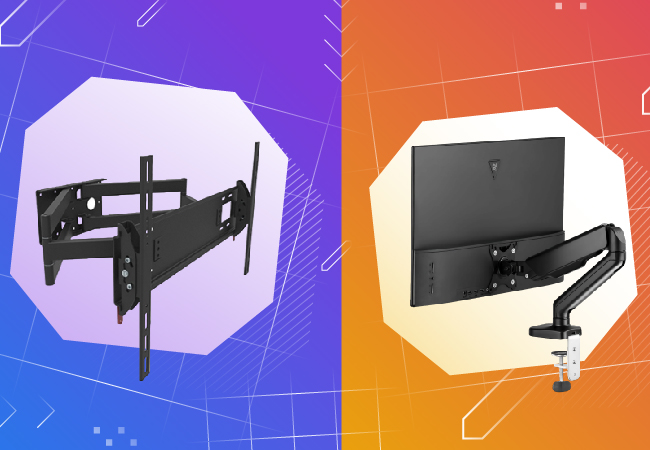
How to choose a bracket for TV and monitorCriteria for choosing a functional and reliable bracket for TVs and monitors with a certain screen diagonal
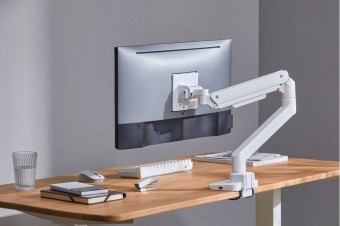
Best Desk Mounts for Monitors with Hidden Cable ManagementFunctionality and aesthetics of the workspace thanks to desk brackets with cable niches.
How to place an order?How to add store?
Remember that the online store is responsible for the accuracy of information regarding price, warranty, and delivery!
We recommendCompare using chart →
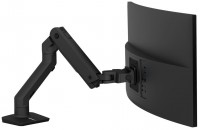
desktop, diagonal: up to 49 ", load: up to 19 kg, rotation, cable management, portrait orientation