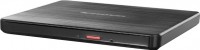
Burner AGPtek - External CD/DVD Drive for Laptop, PC, MacBook, Windows, Linux, USB 3.0 Slim DVD with Ethernet Adapter - Blac
 | When you make a purchase through links on our site, we may receive a affiliate commission. Buy! AGPtek - External CD/DVD Drive for Laptop, PC, MacBook, Windows, Linux, USB 3.0 Slim DVD Burner with Ethernet Adapter - BlacBestBuy.comDelivery: to Redlands Report |
Buy Burner AGPtek - External CD/DVD Drive for Laptop, PC, MacBook, Windows, Linux, USB 3.0 Slim DVD with Ethernet Adapter - Blac
When you make a purchase through links on our site, we may receive a affiliate commission.
AGPtek - External CD/DVD Drive for Laptop, PC, MacBook, Windows, Linux, USB 3.0 Slim DVD Burner with Ethernet Adapter - Blac | $32.99 | | |||
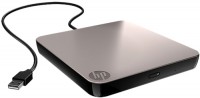
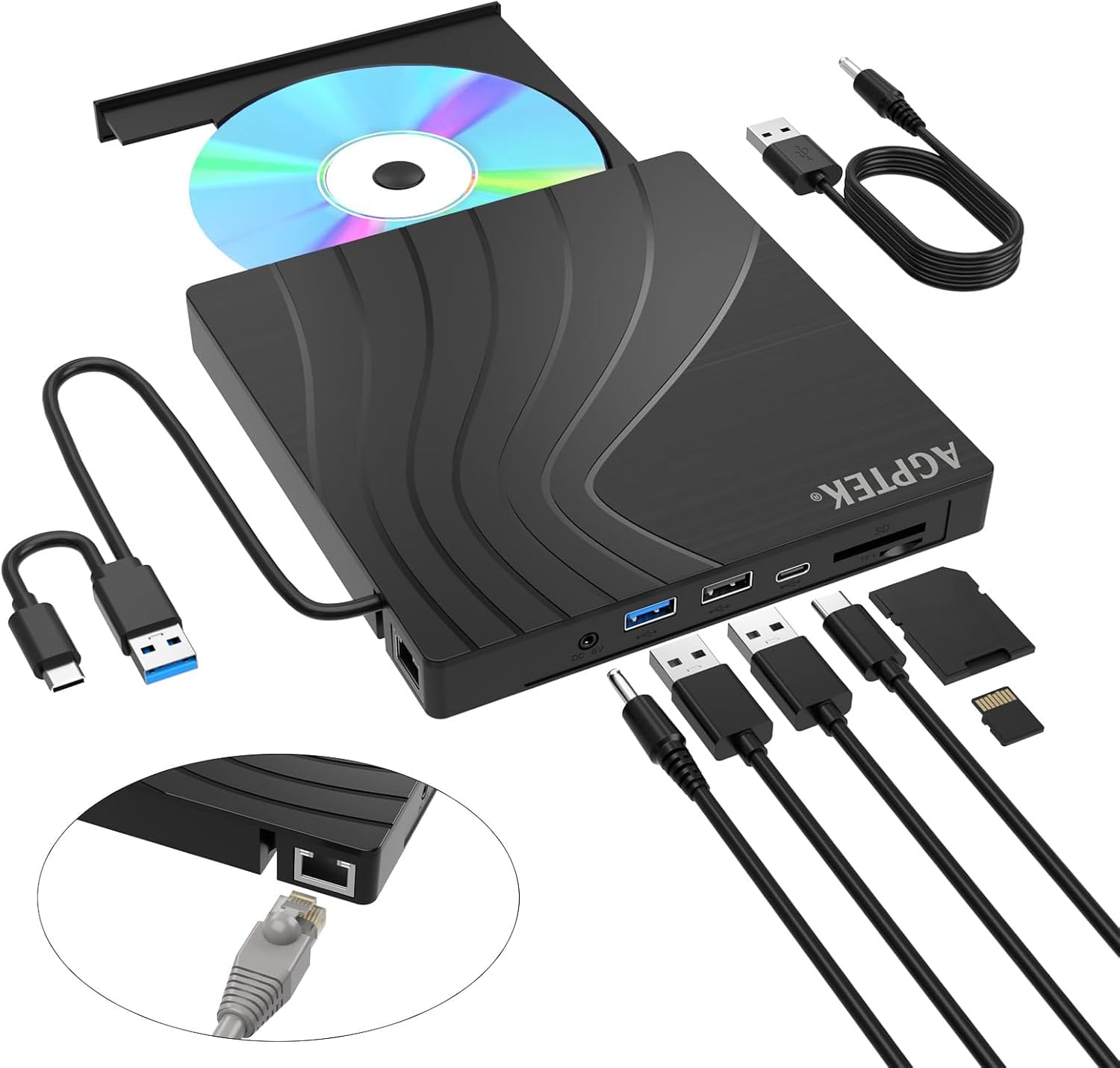
AGPTEK External CD/DVD Drive for Laptop, USB 3.0 Slim DVD Burner with Ethernet Adapter, USB Ports and TF/SD Card Slots, CD/DVD Player Reader/Writer for Laptop, PC, MacBook, Windows, Linux, Mac OS. Ensure the drive is recognized: Insert the external optical drive into the computer. After the Windows system recognizes the optical drive, the "DVD RW Drive" icon will be displayed. The Mac OS computer will not display the device icon until the disc is placed in the optical drive and the disc is read successfully. If the computer fails to recognize the optical drive, it may be that the computer's driver is missing or the output current is insufficient. About data cable & power cord: 1.The USB data cable is built into the bottom of the drive. (Note: The total length of the data cable is only about 10.24 inches / 26 cm.) 2.The charging cord is a separate USB cord that comes with the package. The charging cord cannot be used as a data cable alone, it must be used together with the USB data cable built into the back of the drive. 3.It's better to use the 5V charger/power bank to increase the power if your computer don't have enough power to support the external drive.(Note: For the Apple computers, you need to connect the external CD/DVD drive to the mac/macbook/imac through the USB A/C data cable first, and then connect the 5V charger/power bank to the external CD/DVD drive through the charging cord, otherwise the Apple computer will not recognize the external CD/DVD drive.). WINDOWS 11 Requirements: WINDOWS 11 needs a media player (such as VLC ) and a network connection. Reading and writing speed: 1.This CD/DVD drive supports USB 3.0 and can provide data transfer speeds of up to 5Gbps. Although it has up to 8x DVD read/write speed and 24x CD read/write speed, the drive reads and writes CD/DVD discs at speeds that increase from the inner circle to the outer circle, and the starting speed is usually lower, reaching the maximum speed when reaching the outermost circle. 2.Recommended speeds (CD: Reading Speed: 24x or lower/Writing Speed: 8x to 16x; DVD: Reading Speed: 8x or lower/Writing Speed: 4x to 8x). For DVDs, slower writing speeds like 4x or 8x are often ideal to ensure data integrity, particularly for high-capacity or dual-layer discs. These speeds allow for more precise data encoding, reducing the risk of read errors in the future. Important Note Before Purchase: This external dvd drive for pc only works when connected to a laptop or desktop computer. It is not compatible with cars, TVs, projectors, tablets, iPads, smartphones, PS4/PS5, Xbox, Nintendo Switch, Chromebooks, or Blu-ray players. To eject a disc on a Mac computer, you need to right-click the desktop icon and select "Eject", or select "File" > "Eject" from the menu. Because due to the limitation of mac OS, the eject button on the dvd drive will not work. If your computer does not recognize the CD/DVD drive, check the computer's drivers and provide additional power to the optical drive.
The product description is generated based on data from online stores. Before purchasing be sure to verify all information directly with the seller.

PC Build for Halo: Campaign EvolvedThree PCs of varying performance levels that will let you feel 100% like you’re in Master Chief’s shoes.

Wi-Fi 8: Exploring the Capabilities of the New Wireless StandardInstead of the usual race for speed, Wi‑Fi 8 marked a shift toward the concept of enhanced reliability.
How to place an order?How to add store?
Remember that the online store is responsible for the accuracy of information regarding price, warranty, and delivery!
We recommendCompare using chart →