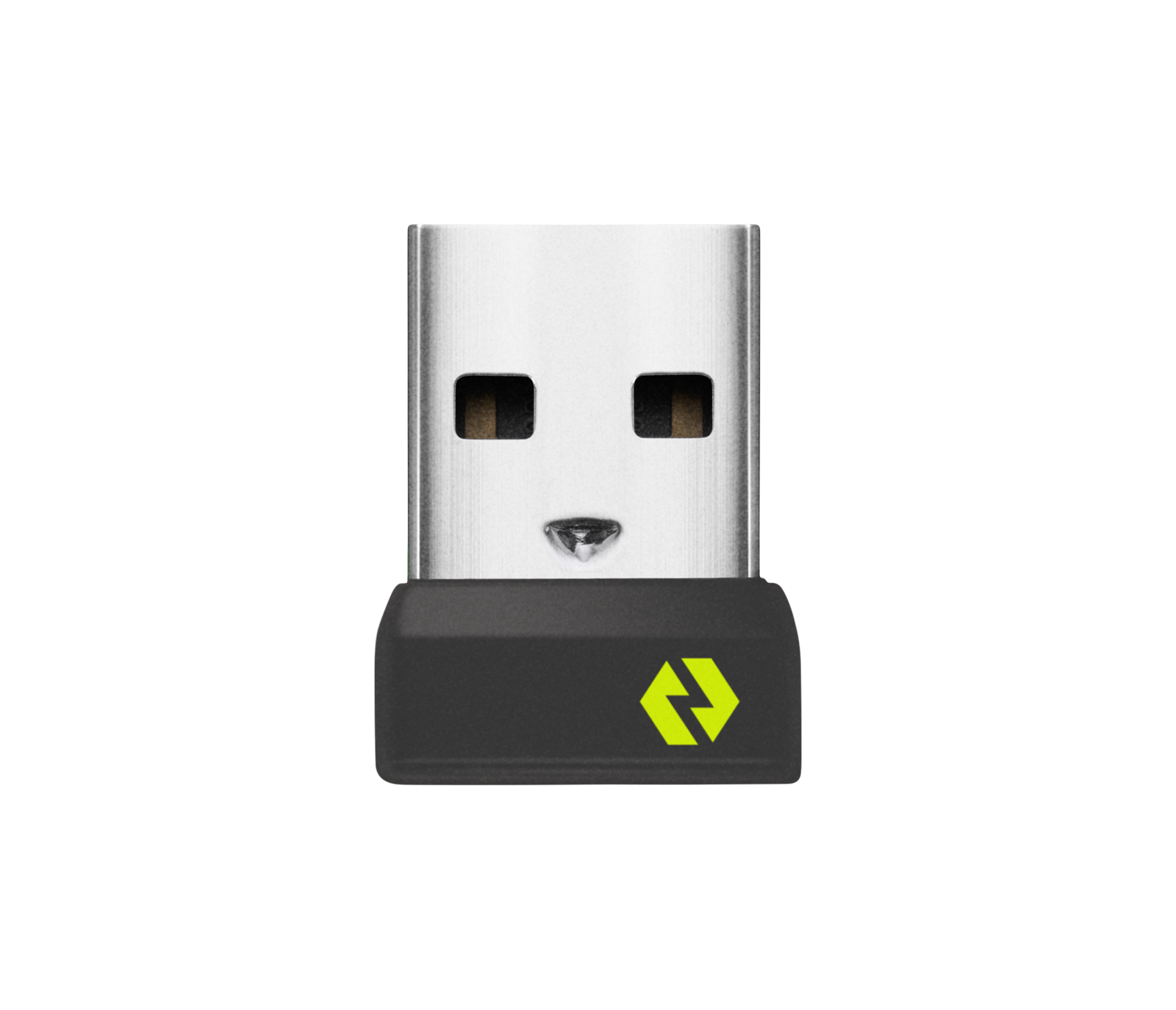
Logitech Logi Bolt Wi-Fi Adapter for Desktop Computer/Notebook/Mouse/Keyboard - USB Type A - External 956-000007
![]() | Compare prices 2 → When you make a purchase through links on our site, we may receive a affiliate commission.
|
Buy Logitech Logi Bolt Wi-Fi Adapter for Desktop Computer/Notebook/Mouse/Keyboard - USB Type A - External 956-000007
When you make a purchase through links on our site, we may receive a affiliate commission.
| $13.89 | |||||
Logitech Logi Bolt Wi-Fi Adapter for Desktop Computer/Notebook/Mouse/Keyboard - USB Type A - External 956-000007 | $17.99 | ||||

LOGI BOLT USB RECEIVER
Use this Logi Bolt USB receiver to make a secure, high performance wireless connection between your Logi Bolt wireless mouse, keyboard or combo and your computer.
KEY FEATURES FOR BACKUP OR MULTI-COMPUTER USE
Have it handy in case you need to replace the receiver that came with your Logi Bolt wireless device. Connect to two different computers with a strong, secure Logi Bolt wireless connection on both devices. Use it with your Flow-enabled Logi Bolt mouse for your multi-computer workflows. These are just a few reasons to buy a Logi Bolt receiver.
RELIABLE, SECURE WIRELESS
Designed for security and high performance, Logi Bolt delivers a strong and secure, no drop-off connection for up to 10 meters (33 feet) Wireless range may vary depending on operating environment and computer setup., even in congested wireless environments. Compatible with: Windows�, macOS�, Linux� Logi Bolt wireless devices' basic functions will be supported without additional drivers in Chrome OS and most popular Linux distributions, Chrome OS� Logi Bolt wireless devices' basic functions will be supported without additional drivers in Chrome OS and most popular Linux distributions. DISCRETE AND CONVENIENT
One port is all it takes. Once the receiver is plugged in, you can keep it installed. Take your laptop and connected Logi Bolt devices with you to different workspaces and keep working.
Use this Logi Bolt USB receiver to make a secure, high performance wireless connection between your Logi Bolt wireless mouse, keyboard or combo and your computer.
KEY FEATURES FOR BACKUP OR MULTI-COMPUTER USE
Have it handy in case you need to replace the receiver that came with your Logi Bolt wireless device. Connect to two different computers with a strong, secure Logi Bolt wireless connection on both devices. Use it with your Flow-enabled Logi Bolt mouse for your multi-computer workflows. These are just a few reasons to buy a Logi Bolt receiver.
RELIABLE, SECURE WIRELESS
Designed for security and high performance, Logi Bolt delivers a strong and secure, no drop-off connection for up to 10 meters (33 feet) Wireless range may vary depending on operating environment and computer setup., even in congested wireless environments. Compatible with: Windows�, macOS�, Linux� Logi Bolt wireless devices' basic functions will be supported without additional drivers in Chrome OS and most popular Linux distributions, Chrome OS� Logi Bolt wireless devices' basic functions will be supported without additional drivers in Chrome OS and most popular Linux distributions. DISCRETE AND CONVENIENT
One port is all it takes. Once the receiver is plugged in, you can keep it installed. Take your laptop and connected Logi Bolt devices with you to different workspaces and keep working.
The product description is generated based on data from online stores. Before purchasing be sure to verify all information directly with the seller.

Smartphone Case Myths: Fact or Fiction?Debunking 10 popular stereotypes about mobile phone cases

Collaborations of well-known smartphone manufacturers and photo industry giantsIn partnership with venerable manufacturers of photographic equipment, many smart camera phones have been released
How to place an order?How to add store?
Remember that the online store is responsible for the accuracy of information regarding price, warranty, and delivery!
We recommendCompare using chart →