
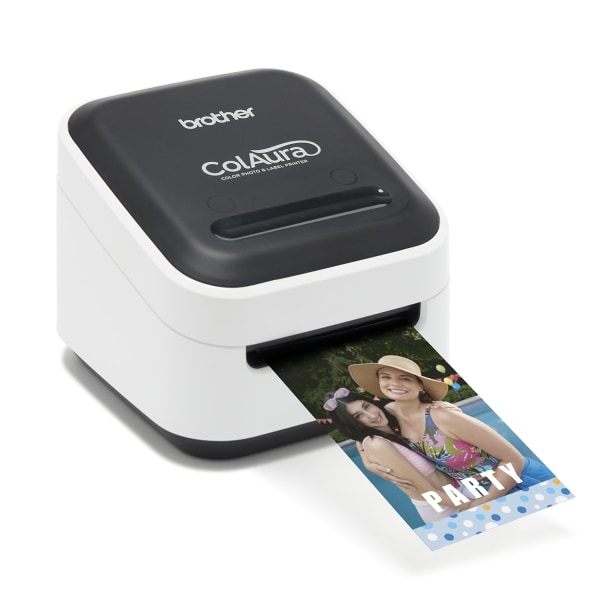
Brother � VC-500W Wireless Label And Photo Color Printer VC-500W
 |
Buy Brother � VC-500W Wireless Label And Photo Color Printer VC-500W
When you make a purchase through links on our site, we may receive a affiliate commission.
Brother� VC-500W Wireless Label And Photo Color Printer VC-500W | $184.59 |  | |||
Brother - VC-500W Wireless Label Printer - White VC-500W | $240.25 |  | |||
| $266.99 |  | ||||
Brother VC500W Wireless Compact Color Label & Photo Printer | $227.32 |  | |||
Brother VC-500W Brother Colaura VC500W Label Printer Color Direct Thermal New VC-500W | $452.31 |  | |||
Brother VC-500W | Colaura VC500W Label Printer Color Direct Thermal New VC-500W | $460.98 |  | |||
Dream it, create it, and print it with ColAura, the versatile, compact color photo and label printer. Perfect for photo enthusiasts, crafty crafters, creative makers, small businesses, and offices, ColAura can print full-color labels, photos, stickers, and more. Explore the FREE Color Label Editor 2 App that includes thousands of features such as fonts, symbols, and ready-made designs for your mobile device. Wi-Fi� enabled so you can Download the FREE P-touch Editor software1 to create and print a wide variety of professional-looking labels from your Windows or Mac� computer. With ColAura, the possibilities are endless. Perfect for photo enthusiasts, crafty crafters & creative makers. Create and print everything from full-color handmade gifts, greeting cards, invitations, and tags, to photo projects, scrapbooking, home d�cor items, kids� stickers, family fun items, and more. Ideal for small businesses and home offices. ColAura can help you tackle items such as name badges, filing systems, address labels, kitchenette & desk organization, and more. Design on-the-go Mobile App. The FREE Color Label Editor 2 App has customizable features such as frames, fonts, symbols, art, backgrounds, and ready-made designs, all for your mobile device. FREE Downloadable Software. Use the P-touch Editor software to design and print a wide variety of professional-looking labels from a Windows or Mac� computer. No need for ink cartridges, ribbons, or toners. ColAura uses ZINK� Zero Ink� Technology, choose from 5 different label roll width options and print up to 17" in a single pass from your photo gallery. Technologically Advanced ZINK Paper�. Water, tear, and smudge resistant and has a secure adhesive backing that adheres to most surfaces; printed images on ZINK Paper� are extremely durable, won�t bleed color, and can be used as stickers. Wi-Fi� Enabled. ColAura is Wi-Fi enabled so you can print directly from your iOS� and Android� smart devices any time from virtually anywhere when connected to a wireless network. Photobooth feature. Make carnival styled keepsakes with the Photobooth feature on the FREE Color Label Editor 2 App. Browse the multitude of frames, fonts, symbols, art, backgrounds, and ready-made designs in full-color. Lightweight and Portable. Take the wireless-ready ColAura color photo and label printer with you for your next holiday gathering, celebration, or work outing and print full-color from wherever you are. Variety of Widths. Choose from 5 different widths (3/8 inch, � inch, ¾ inch, 1 inch and ~2-inch (50mm)). Design and print full-color labels, photos, tags, stickers and more using Brother CZ and CK rolls. Compatibility may vary by device and operating system. Requires connection to a wireless network. All referenced trademarks and registered trademarks are the property of their respective companies. AirPrint and Mac is a registered trademark of Apple Inc. IOS is a trademark or registered
The product description is generated based on data from online stores. Before purchasing be sure to verify all information directly with the seller.

Back-to-School Shopping Guide: What Really Matters and What’s Just a Nice BonusA desk, a backpack with an orthopedic back, a tablet and other essential items for a schoolchild.
How to choose a multifunction printerGuide to choosing an MFP for home, office and commercial projects with minimal costs
How to place an order?How to add store?
Remember that the online store is responsible for the accuracy of information regarding price, warranty, and delivery!
We recommendCompare using chart →

printing: labels, resolution: 300 dpi, speed: 110 mm/s, width печати: 102 mm, USB, 170x222x151 mm, 1.72 kg
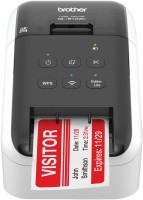
printing: labels, resolution: 300 dpi, speed: 176 mm/s, width печати: 61 mm, USB, Wi-Fi

printing: labels, resolution: 360 dpi, speed: 60 mm/s, width печати: 32 mm, USB, Wi-Fi, 338x188x173 mm, 3.4 kg
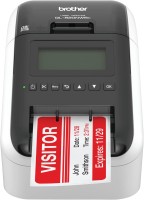
printing: labels, resolution: 300 dpi, speed: 176 mm/s, width печати: 61 mm, USB, Wi-Fi, Bluetooth, 125x234x145 mm, 1.16 kg

printing: labels, resolution: 300 dpi, speed: 176 mm/s, width печати: 58 mm, USB, Wi-Fi, 125.3x234x145 mm, 1.12 kg

printing: labels, resolution: 180 dpi, speed: 30 mm/s, USB, Wi-Fi, NFC, 152x142x79 mm, 0.8 kg
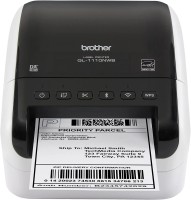
printing: labels, resolution: 300 dpi, speed: 110 mm/s, width печати: 102 mm, USB, RS-232, LAN, Wi-Fi, Bluetooth, 170x150x221 mm, 1.8 kg

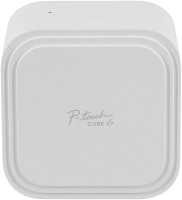


printing: labels, resolution: 203 dpi, speed: 254 mm/s, width печати: 104 mm, USB, RS-232, LAN, Bluetooth, NFC, 432x241x279 mm, 7.7 kg