
Comparison Mercusys MS108G vs TP-LINK LS108G
Add to comparison | 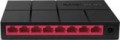 | 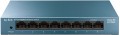 |
|---|---|---|
| Mercusys MS108G | TP-LINK LS108G | |
from $32.25 | Compare prices 2 | |
| User reviews | ||
| TOP sellers | ||
The body of the switch is made of metal. | ||
| Type | unmanaged | unmanaged |
| Mount | desktop | desktop |
| Bandwidth | 16 Gbps | 16 Gbps |
| MAC address table size | 4K | |
Ports | ||
| Gigabit Ethernet | 8 | 8 |
General | ||
| PSU | external | external |
| Supply voltage | 5 В | 9 В |
| Dimensions (WxDxH) | 127x60x22 mm | 158x99x25 mm |
| Added to E-Catalog | december 2019 | october 2019 |



Compare Mercusys MS108G and TP-LINK LS108G
Price comparison
You may be interested in
My comparisons
Mercusys MS108G often compared


TP-LINK LS108G often compared


Glossary
MAC address table size
The maximum number of MAC addresses that can be stored in the Switch's memory at the same time. Specified in thousands, for example, 8K — 8K.
Recall that the MAC address is the unique address of each individual network device used in physical routing (at layer 2 of the OSI network model). Switches of all types work with such addresses. And it is worth choosing a switch according to the size of the table, taking into account the maximum number of devices that are supposed to be used with it (including based on the possible expansion of the network). If the table is not enough, the switch will overwrite new addresses over the old ones, which can noticeably slow down the work.
Recall that the MAC address is the unique address of each individual network device used in physical routing (at layer 2 of the OSI network model). Switches of all types work with such addresses. And it is worth choosing a switch according to the size of the table, taking into account the maximum number of devices that are supposed to be used with it (including based on the possible expansion of the network). If the table is not enough, the switch will overwrite new addresses over the old ones, which can noticeably slow down the work.
Supply voltage
The amount of voltage required by the switch for uninterrupted operation. The power supply voltage of network equipment can vary from 5 V to 230 V, which allows you to power compatible devices from either a low-voltage USB socket on your computer or a standard household outlet. Values in the middle assume that the switch is powered by the appropriate power supply.