
Comparison TP-LINK LS105G vs TP-LINK TL-SG105
Add to comparison | 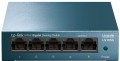 | 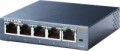 |
|---|---|---|
| TP-LINK LS105G | TP-LINK TL-SG105 | |
| Compare prices 1 | Compare prices 8 | |
| User reviews | ||
| TOP sellers | ||
| Type | unmanaged | unmanaged |
| Mount | desktop | desktop |
| Bandwidth | 10 Gbps | |
| MAC address table size | 2K | |
Ports | ||
| Gigabit Ethernet | 5 | 5 |
General | ||
| PSU | external | external |
| Supply voltage | 9 В | 5 В |
| Dimensions (WxDxH) | 100x98x25 mm | 100x98x25 mm |
| Added to E-Catalog | november 2019 | september 2014 |




Compare TP-LINK LS105G and TL-SG105
Switches TP-LINK LS105G and TP-LINK TL-SG105 are unmanaged desktop devices with 5 Gigabit Ethernet ports. The main difference between them lies in the power supply voltage: the LS105G requires 9 V, while the TL-SG105 operates at 5 V. The dimensions of both devices are identical — 100x98x25 mm, and both have an external power supply. Users note similar performance and reliability, making the choice between them mainly a matter of voltage preference.
Price comparison
You may be interested in
My comparisons
TP-LINK LS105G often compared


TP-LINK TL-SG105 often compared


Glossary
Bandwidth
The bandwidth of a switch is the maximum amount of traffic that it can handle. Specified in gigabits per second.
This parameter directly depends on the number of network ports in the device (excluding Uplink). Actually, even if the bandwidth is not given in the specifications, it can still be calculated using the following formula: the number of ports multiplied by the bandwidth of an individual port and multiplied by two (since both incoming and outgoing traffic are taken into account). For example, a model with 8 Gigabit Ethernet connectors and 2 SFP ports will have a bandwidth of (8*1 + 2*1)*2 = 20 Gbps.
The choice for this indicator is quite obvious: you need to evaluate the expected traffic volumes in the serviced network segment and make sure that the switch's bandwidth will cover it with a margin of at least 10-15% (this will give an additional guarantee in case of emergency situations). At the same time, if you plan to often work at high, close to maximum, loads, it will not hurt to clarify such a characteristic as the internal bandwidth of the switch. It is usually given in a detailed technical description, and if this value is less than the total throughput, serious problems may arise under significant loads.
This parameter directly depends on the number of network ports in the device (excluding Uplink). Actually, even if the bandwidth is not given in the specifications, it can still be calculated using the following formula: the number of ports multiplied by the bandwidth of an individual port and multiplied by two (since both incoming and outgoing traffic are taken into account). For example, a model with 8 Gigabit Ethernet connectors and 2 SFP ports will have a bandwidth of (8*1 + 2*1)*2 = 20 Gbps.
The choice for this indicator is quite obvious: you need to evaluate the expected traffic volumes in the serviced network segment and make sure that the switch's bandwidth will cover it with a margin of at least 10-15% (this will give an additional guarantee in case of emergency situations). At the same time, if you plan to often work at high, close to maximum, loads, it will not hurt to clarify such a characteristic as the internal bandwidth of the switch. It is usually given in a detailed technical description, and if this value is less than the total throughput, serious problems may arise under significant loads.
MAC address table size
The maximum number of MAC addresses that can be stored in the Switch's memory at the same time. Specified in thousands, for example, 8K — 8K.
Recall that the MAC address is the unique address of each individual network device used in physical routing (at layer 2 of the OSI network model). Switches of all types work with such addresses. And it is worth choosing a switch according to the size of the table, taking into account the maximum number of devices that are supposed to be used with it (including based on the possible expansion of the network). If the table is not enough, the switch will overwrite new addresses over the old ones, which can noticeably slow down the work.
Recall that the MAC address is the unique address of each individual network device used in physical routing (at layer 2 of the OSI network model). Switches of all types work with such addresses. And it is worth choosing a switch according to the size of the table, taking into account the maximum number of devices that are supposed to be used with it (including based on the possible expansion of the network). If the table is not enough, the switch will overwrite new addresses over the old ones, which can noticeably slow down the work.
Supply voltage
The amount of voltage required by the switch for uninterrupted operation. The power supply voltage of network equipment can vary from 5 V to 230 V, which allows you to power compatible devices from either a low-voltage USB socket on your computer or a standard household outlet. Values in the middle assume that the switch is powered by the appropriate power supply.