
Comparison Logan FC-3 vs Canyon CNS-WCS303
Add to comparison | 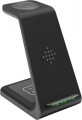 | 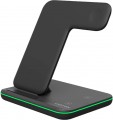 |
|---|---|---|
| Logan FC-3 | Canyon CNS-WCS303 | |
| Outdated Product | from $89.43 | |
| TOP sellers | ||
3 charging zones (for a smartphone, a case with headphones and a smart watch. Two induction coils in a platform for a smartphone. Multi-colored backlight. | ||
| Type | wireless charger | wireless charger |
| Charging areas | 3 | 3 |
| Smartwatch charging area |  | |
| Wireless charging | Qi2.0 | |
| Wireless charging power | 10 W | 15 W |
| Power (for all ports) | 18 W | |
| Features | work indicator | work indicator detachable charger power cable |
| Charger connection port | USB-C | USB-C |
| Cable included | + | + |
| Cable length | 1.2 m | |
| Power adapter | |  |
| Material | plastic | |
| Dimensions | 136x136x101 mm | |
| Weight | 227 g | |
| Color | ||
| Added to E-Catalog | september 2021 | january 2021 |


Compare Logan FC-3 and Canyon CNS-WCS303
You may be interested in
My comparisons
Logan FC-3 often compared

Canyon CNS-WCS303 often compared

Glossary
Wireless charging
The presence of wireless charging in a charger means it can charge a compatible smartphone without a cable, while versions like MagSafe and Qi2 also offer magnetic alignment for more precise and convenient attachment. This is particularly handy at home, in the office, or by the bed when the phone can simply be placed on the pad or stand without searching for the port.
MagSafe is mainly aimed at the Apple ecosystem, while Qi2.0 develops the same idea of magnetic positioning as an open standard, with the newer Qi2.2 revision additionally offering increased power up to 25W. Compared to regular wireless charging without magnets, this option seems more practical because the smartphone aligns better with the charging area and is less dependent on how accurately it is placed on the device.
MagSafe is mainly aimed at the Apple ecosystem, while Qi2.0 develops the same idea of magnetic positioning as an open standard, with the newer Qi2.2 revision additionally offering increased power up to 25W. Compared to regular wireless charging without magnets, this option seems more practical because the smartphone aligns better with the charging area and is less dependent on how accurately it is placed on the device.
Wireless charging power
The key indicator that determines the speed of wireless energy transmission to the device's battery. The higher this value, the faster the gadget will recharge: for example, a 15W charger will complete the task significantly faster than basic 5W models.
Unlike the wired method, a portion of the energy is inevitably lost as heat, making the wireless method generally less efficient than a cable. It is also important for proper operation that the charger's power matches the smartphone's technical specifications; otherwise, the speed will be limited to the minimum value.
Unlike the wired method, a portion of the energy is inevitably lost as heat, making the wireless method generally less efficient than a cable. It is also important for proper operation that the charger's power matches the smartphone's technical specifications; otherwise, the speed will be limited to the minimum value.
Power (for all ports)
The total power provided by the device while simultaneously charging the maximum possible number of gadgets. This parameter is indicated only for models that can work with several gadgets; for a 1-socket charger or a wireless platform, the operating power is given in the “Power per 1 device” paragraph.
When evaluating this parameter, two points should be taken into account. First, when the charger is fully loaded, the power of each individual port and/or wireless platform may be lower than the maximum possible value. For example, some models with 2 USB ports for 2 A and 1 A (10 W and 5 W), with simultaneous operation of both ports, can output only 5 W each, that is, only 10 W in total (this is the number and indicated in this paragraph). Secondly, the distribution of power over individual connectors can be different — depending on the current on each port and supported fast charging technologies; these nuances are best specified in the official documentation.
When evaluating this parameter, two points should be taken into account. First, when the charger is fully loaded, the power of each individual port and/or wireless platform may be lower than the maximum possible value. For example, some models with 2 USB ports for 2 A and 1 A (10 W and 5 W), with simultaneous operation of both ports, can output only 5 W each, that is, only 10 W in total (this is the number and indicated in this paragraph). Secondly, the distribution of power over individual connectors can be different — depending on the current on each port and supported fast charging technologies; these nuances are best specified in the official documentation.
Features
— Operation indicator. In some models it also provides additional information about operating modes, malfunctions, etc. Most often, such a light indicator is in the form of a separate light or a clearly visible backlight system. And additional information can be provided by changing the colour of the backlight, by blinking, etc. However, even without these features, the operation indicator provides additional convenience in use. In particular, it allows you to determine whether the charger is receiving power and working normally — this can be useful when diagnosing various problems. It is also possible to use non-standard backlighting — for example, as a night light that makes it easier to navigate in an unlit room (especially since gadgets are often put on charge just at night).
— Display. Own display on the charger case. This is usually the simplest screen with a few characters, but it is enough to display various additional information that makes life easier for the user: current voltage and current values, fast charging status, error codes, etc. On the other hand, this complicates the design, but in fact such information is required less often; Therefore, very few chargers with displays are produced.
— Detachable charger power cable. Cable for connecting the charger to the power source, which has a removable design. By itself, connecting to a power outlet using a separate wire (both re...movable and non-removable) is rarely used in charger devices — mainly in devices for which the “plug on the case” type design is not suitable (this is primarily wireless models, as well as wired charger devices with an abundance of connectors and corresponding dimensions). Specifically, the removable design is convenient in two ways: firstly, the wire can be removed and compactly folded for storage and transportation, and secondly, if the cable is damaged, it can simply be replaced, no need to bother with repairs. The disadvantages include an increased probability of losing the cable, as well as a slightly lower reliability than with a non-removable design (the latter, however, becomes noticeable only with frequent connections/disconnections that wear out the connector).
— Non-detachable charger power cable. Cable for connecting the charger to the power source, rigidly fixed to the device and not intended to be disconnected. It occurs much less frequently than the removable one described above, since it is less convenient if necessary to compactly fold the device; and if the wire is damaged, most likely, you will have to carry the charger to a service centre. On the other hand, you can lose such a wire only together with the charger itself.
— Display. Own display on the charger case. This is usually the simplest screen with a few characters, but it is enough to display various additional information that makes life easier for the user: current voltage and current values, fast charging status, error codes, etc. On the other hand, this complicates the design, but in fact such information is required less often; Therefore, very few chargers with displays are produced.
— Detachable charger power cable. Cable for connecting the charger to the power source, which has a removable design. By itself, connecting to a power outlet using a separate wire (both re...movable and non-removable) is rarely used in charger devices — mainly in devices for which the “plug on the case” type design is not suitable (this is primarily wireless models, as well as wired charger devices with an abundance of connectors and corresponding dimensions). Specifically, the removable design is convenient in two ways: firstly, the wire can be removed and compactly folded for storage and transportation, and secondly, if the cable is damaged, it can simply be replaced, no need to bother with repairs. The disadvantages include an increased probability of losing the cable, as well as a slightly lower reliability than with a non-removable design (the latter, however, becomes noticeable only with frequent connections/disconnections that wear out the connector).
— Non-detachable charger power cable. Cable for connecting the charger to the power source, rigidly fixed to the device and not intended to be disconnected. It occurs much less frequently than the removable one described above, since it is less convenient if necessary to compactly fold the device; and if the wire is damaged, most likely, you will have to carry the charger to a service centre. On the other hand, you can lose such a wire only together with the charger itself.
Cable length
The length of the cable supplied with or included with the charger. For wireless models, the length of the power cable of the charger itself is indicated here, for wired models, the length of the cord for charging gadgets
Anyway, a longer cable gives more freedom of movement, but it creates inconvenience for short distances. Also note that charging is supposed to be used in the immediate vicinity of sockets, so wires longer than 2 m are practically not found among such devices. A length of more than 1.5 m is considered significant, from 1 to 1.5 m — medium, from 0.5 to 1 m — small, and in some models there are wires shorter than 0.5 m.
Anyway, a longer cable gives more freedom of movement, but it creates inconvenience for short distances. Also note that charging is supposed to be used in the immediate vicinity of sockets, so wires longer than 2 m are practically not found among such devices. A length of more than 1.5 m is considered significant, from 1 to 1.5 m — medium, from 0.5 to 1 m — small, and in some models there are wires shorter than 0.5 m.
Power adapter
Whether or not a power adapter is included with the charger.
This feature is relevant primarily for wireless models, including the ones for cars(see "Type"). Such devices usually consist of three parts: the charger itself with a platform/stand/latch, a charger power cable and an adapter for connecting the wire to a power outlet or cigarette lighter. If the presence of an adapter is initially indicated in the specifications, then the charger is supplied in a complete set; it is these models that you should pay attention to if you want to use the device right out of the box, without the hassle of finding additional accessories.
Also, this feature can be indicated for individual car chargers of the traditional, wired type. This usually means that the device is similar in layout to wireless models: main unit, power cord and cigarette lighter adapter. This design allows you to use the charger at some distance from the dashboard of the car — for example, take it to the back seat, giving passengers the opportunity to charge their phones. In this case, the adapter can have its own charging outputs (usually USB) and can be used separately from the main unit.
This feature is relevant primarily for wireless models, including the ones for cars(see "Type"). Such devices usually consist of three parts: the charger itself with a platform/stand/latch, a charger power cable and an adapter for connecting the wire to a power outlet or cigarette lighter. If the presence of an adapter is initially indicated in the specifications, then the charger is supplied in a complete set; it is these models that you should pay attention to if you want to use the device right out of the box, without the hassle of finding additional accessories.
Also, this feature can be indicated for individual car chargers of the traditional, wired type. This usually means that the device is similar in layout to wireless models: main unit, power cord and cigarette lighter adapter. This design allows you to use the charger at some distance from the dashboard of the car — for example, take it to the back seat, giving passengers the opportunity to charge their phones. In this case, the adapter can have its own charging outputs (usually USB) and can be used separately from the main unit.