
Comparison FeiYu Tech AK4500 vs FeiYu Tech AK4000
Add to comparison | 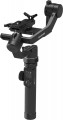 | 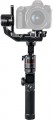 |
|---|---|---|
| FeiYu Tech AK4500 | FeiYu Tech AK4000 | |
from $151.50 | from $93.50 | |
| TOP sellers | ||
Wi-Fi and Bluetooth modules. Touchscreen display for quick access to settings. 1/4 inch holes on the bottom and front of the steadicam for additional accessories or a tripod. Selfie mode. Additional control knob included. Charging time is 5 hours. | Wi-Fi and Bluetooth modules. Touchscreen display for quick access to settings. Multifunctional adjusting ring on the right side of the device. 1/4 inch holes on the bottom and front of the steadicam for additional accessories or a tripod. The difference between the AK2000 and AK4000 models is the different maximum load: 2.8 kg for the AK2000 and 4 kg for the AK4000. Also due to the possibility of mounting larger devices on the AK4000, the tilt angle is 230° and AK2000 - 360° | |
| Type | for camera | for camera |
| Display |  | |
| In box | phone mount (like a screen) focus control quick release plate tripod stand | quick release plate tripod stand |
Gimbal specifications | ||
| Max. load | 4.6 kg | 4 kg |
| Rotation angle | 360° | 360° |
| Tilt angle | -55° +175° | -55° +175° |
| Bank angle | 360° | 360° |
| Max. controlled speed | 150 °/sec | 150 °/sec |
Battery | ||
| Battery model | 4x18650 | 4x18650 |
| Capacity | 8800 mAh | 8800 mAh |
| Battery life | 12 h | 12 h |
| Removable battery | | |
Shooting features | ||
| Camera control | joystick | joystick |
| Functions | camera position fixing axis lock control wheel | camera position fixing axis lock control wheel |
| Shooting modes | Time lapse selfie mode sports mode autopanorama tracking mode inversion mode | Time lapse sports mode autopanorama tracking mode inversion mode |
General | ||
| Connection | Wi-Fi Bluetooth | Wi-Fi Bluetooth |
| Mechanical axis lock | |  |
| Dimensions (folded) | 429x240x175 mm | |
| Weight | 1656 g | 1436 g |
| Added to E-Catalog | july 2019 | october 2018 |


Compare FeiYu Tech AK4500 and AK4000
You may be interested in
My comparisons
FeiYu Tech AK4500 often compared


FeiYu Tech AK4000 often compared

Glossary
In box
— Phone mount(like a screen). The ability to use your smartphone as your stabiliser screen. The device's camera is not used in this case: filming is carried out either on the built-in camera of the stabiliser or on the action camera attached to it. Note that the smartphone can be used not only as a viewfinder but also to control the camera; specific features depend on the stabiliser model.
— Focus control mechanism. A device that allows the stabiliser controls to focus the lens on the installed camera. It simplifies the use of manual focus lenses greatly.
— Two-handed handle. The two-handed handle increases agility, stability and precision.
— Quick release plate. This element makes it possible to quickly install and remove the camera from the stabiliser without using third-party tools.
— Tripod. The presence of a small tripod in the stabiliser kit — a tripod, which allows you to use the device in a stationary position, setting it on a flat hard surface. Usually the tripod is detachable.
— Remote control. The presence in the kit of a small remote control. It is convenient when the device is installed at a remote distance, for example, in a car.
— Bag / Case. The pre...sence of a bag or case in the standard package of the stabilizer. Bags often come with handles or a strap for convenient carrying, while cases are somewhat simpler — they don't have handles and are designed to be carried in a travel bag, backpack, etc. A bag or case protects the device from dust and other contaminants and to some extent shields the contents from damage in case of bumps or falls. Additionally, bags or cases can often be used to store extra accessories.
— Focus control mechanism. A device that allows the stabiliser controls to focus the lens on the installed camera. It simplifies the use of manual focus lenses greatly.
— Two-handed handle. The two-handed handle increases agility, stability and precision.
— Quick release plate. This element makes it possible to quickly install and remove the camera from the stabiliser without using third-party tools.
— Tripod. The presence of a small tripod in the stabiliser kit — a tripod, which allows you to use the device in a stationary position, setting it on a flat hard surface. Usually the tripod is detachable.
— Remote control. The presence in the kit of a small remote control. It is convenient when the device is installed at a remote distance, for example, in a car.
— Bag / Case. The pre...sence of a bag or case in the standard package of the stabilizer. Bags often come with handles or a strap for convenient carrying, while cases are somewhat simpler — they don't have handles and are designed to be carried in a travel bag, backpack, etc. A bag or case protects the device from dust and other contaminants and to some extent shields the contents from damage in case of bumps or falls. Additionally, bags or cases can often be used to store extra accessories.
Max. load
The maximum weight that the stabiliser is designed to carry.
This is the maximum weight of the camera with all accessories allowed for this model.
This is the maximum weight of the camera with all accessories allowed for this model.
Shooting modes
— Time lapse. Shooting video in time lapse mode involves a very low frame rate (one frame every few seconds, or even minutes). In the completed video, the effect of fast movement is achieved (for example, the day from sunrise to sunset fits in just a few minutes). However, this is the general principle of time lapse; but the specific ways of its implementation may be different depending on the specific model of the stabiliser.
- Selfie mode. A separate mode for shooting selfies. This function can be implemented in different ways, depending on the purpose of the device. It is aimed at filming himself and the immediate environment of the operator.
- Sports mode. The mode is designed for high-quality shooting of dynamic scenes in motion. In sports mode, the stabiliser automatically compensates for frame deviations from the reference location, while the motor runs at the highest possible speed.
- Panorama. In this shooting mode, the camera attached to the device automatically rotates around its axis, taking a series of shots, from which the panoramic image is then “glued together”. Most often, this function involves the creation of horizontal panoramas. However, camera movement in the vertical plane can also be provided.
— Tracking mode. Automatic tracking of a...certain object by pointing the camera so that the shooting target is constantly in the centre of the image, or at least in the frame. The subject for tracking is set by the stabiliser operator.
— Inversion mode. This mode allows you to turn the device upside down, retaining all its functions and camera position. It will come in handy when shooting from atypical angles (for example, from the ground).
- Selfie mode. A separate mode for shooting selfies. This function can be implemented in different ways, depending on the purpose of the device. It is aimed at filming himself and the immediate environment of the operator.
- Sports mode. The mode is designed for high-quality shooting of dynamic scenes in motion. In sports mode, the stabiliser automatically compensates for frame deviations from the reference location, while the motor runs at the highest possible speed.
- Panorama. In this shooting mode, the camera attached to the device automatically rotates around its axis, taking a series of shots, from which the panoramic image is then “glued together”. Most often, this function involves the creation of horizontal panoramas. However, camera movement in the vertical plane can also be provided.
— Tracking mode. Automatic tracking of a...certain object by pointing the camera so that the shooting target is constantly in the centre of the image, or at least in the frame. The subject for tracking is set by the stabiliser operator.
— Inversion mode. This mode allows you to turn the device upside down, retaining all its functions and camera position. It will come in handy when shooting from atypical angles (for example, from the ground).
Mechanical axis lock
The ability to mechanically lock each axis of the stabiliser using clamps, and latches. Mechanical locking of the axes allows you to better balance the devices for specific tasks and is also useful for transportation.