
Comparison LSI 9240-8i vs HP 726907-B21
Add to comparison | 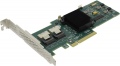 | 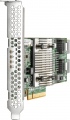 |
|---|---|---|
| LSI 9240-8i | HP 726907-B21 | |
| Compare prices 15 | Compare prices 1 | |
| TOP sellers | ||
| RAID array | 1 5 10 50 | 1 5 10 |
Connection | ||
| Mini-SAS | 2xSFF-8087 (internal) | 2xSFF-8087 (internal) |
General | ||
| Length of the board | 167 mm | |
| Added to E-Catalog | march 2018 | march 2018 |


Compare LSI 9240-8i and HP 726907-B21
Price comparison
You may be interested in
My comparisons
Glossary
RAID array
RAID array — a combination of multiple drives into a single logical storage system to enhance speed, reliability, or achieve a balance between them. The controller distributes data among the disks according to the chosen RAID scheme: some modes speed up operations, others protect against drive failure, and complex arrays combine both approaches. For example, RAID is used in servers, NAS, video editing workstations, surveillance systems, and corporate storage. The following modes exist:
— RAID 0. A disk array without reservation and duplication. Information saved in such an array is divided into fixed-length fragments, which are sequentially written to each disk. The advantage of RAID 0 arrays is the increased speed of access to large volumes of data: the operation speed increases by the number of disks combined in the array. On the other hand, such a combination reduces reliability: if one disk fails, the entire volume of data becomes inaccessible.
— RAID 1. A disk array with mirroring of information: data being written is copied to another disk. In other words, each individual drive in such an array is an exact copy of another drive, intended to enhance fault tolerance. However, the working capacity of the array is reduced by half.
— RAID 1E. Similar to RAID 1 mirroring, but not strictly between two disks, with copies distributed across multiple drives. Simply put, data is...duplicated "in a circle" among the disks, making this option convenient when a mirror is needed, but there are more than two disks or an odd number of them.
— RAID 5. An array where data is distributed across multiple disks, with part of the space used for information recovery in case one drive fails. Thus, if one disk fails, the array can recover its data using the service information pre-recorded on the remaining disks.
— RAID 6. A more protected version of RAID 5, as it can withstand the failure of two disks. The array stores more service information, making it safer for large storages, but leaves less useful space.
— RAID 10. A mode where disks are first combined into mirror pairs, and then these pairs work together for speed. Simply put, data is simultaneously duplicated for reliability and distributed among pairs of disks for faster operation. In this option, the failure of one disk is not critical, as its data is stored in the mirror copy. Until the mirrored drive that duplicates the failed one also fails, which is unlikely.
— RAID 50. Several RAID 5 arrays combined into one large fast array. That is, disks are first divided into protected groups, and then these groups work together to gain more speed and volume.
— RAID 60. Several RAID 6 arrays combined into one large array. It is similar to RAID 50, but more reliable because each group can withstand the failure of two disks.
— JBOD. This option is not about data protection, but about the ability to utilize the entire available capacity of the disks. JBOD allows combining disks with different volumes and speeds, it fully utilizes the capacity of all disks, and is more fault-tolerant than the similarly functioning RAID 0: if one of the JBOD disks fails, only the information on that disk is lost, the rest of the data remains available.
— Hybrid RAID. An automated storage management system that allows combining disks of different capacities into one array without losing extra space, which is impossible in classic RAID 1/5. The technology provides data protection in case one or two drives fail, simplifies system scaling "on the fly" and is optimally suited for users planning to gradually purchase more capacious hard drives.
— Hyper Duo. A technology that combines a fast SSD and a capacious HDD into a single hybrid array to improve system performance while maintaining large memory capacity. It works on the principle of automatic tiering: the system automatically identifies the most frequently used ("hot") data and moves it to the SSD for instant access, while the bulk of the files are stored on a cheaper HDD.
— RAID 0. A disk array without reservation and duplication. Information saved in such an array is divided into fixed-length fragments, which are sequentially written to each disk. The advantage of RAID 0 arrays is the increased speed of access to large volumes of data: the operation speed increases by the number of disks combined in the array. On the other hand, such a combination reduces reliability: if one disk fails, the entire volume of data becomes inaccessible.
— RAID 1. A disk array with mirroring of information: data being written is copied to another disk. In other words, each individual drive in such an array is an exact copy of another drive, intended to enhance fault tolerance. However, the working capacity of the array is reduced by half.
— RAID 1E. Similar to RAID 1 mirroring, but not strictly between two disks, with copies distributed across multiple drives. Simply put, data is...duplicated "in a circle" among the disks, making this option convenient when a mirror is needed, but there are more than two disks or an odd number of them.
— RAID 5. An array where data is distributed across multiple disks, with part of the space used for information recovery in case one drive fails. Thus, if one disk fails, the array can recover its data using the service information pre-recorded on the remaining disks.
— RAID 6. A more protected version of RAID 5, as it can withstand the failure of two disks. The array stores more service information, making it safer for large storages, but leaves less useful space.
— RAID 10. A mode where disks are first combined into mirror pairs, and then these pairs work together for speed. Simply put, data is simultaneously duplicated for reliability and distributed among pairs of disks for faster operation. In this option, the failure of one disk is not critical, as its data is stored in the mirror copy. Until the mirrored drive that duplicates the failed one also fails, which is unlikely.
— RAID 50. Several RAID 5 arrays combined into one large fast array. That is, disks are first divided into protected groups, and then these groups work together to gain more speed and volume.
— RAID 60. Several RAID 6 arrays combined into one large array. It is similar to RAID 50, but more reliable because each group can withstand the failure of two disks.
— JBOD. This option is not about data protection, but about the ability to utilize the entire available capacity of the disks. JBOD allows combining disks with different volumes and speeds, it fully utilizes the capacity of all disks, and is more fault-tolerant than the similarly functioning RAID 0: if one of the JBOD disks fails, only the information on that disk is lost, the rest of the data remains available.
— Hybrid RAID. An automated storage management system that allows combining disks of different capacities into one array without losing extra space, which is impossible in classic RAID 1/5. The technology provides data protection in case one or two drives fail, simplifies system scaling "on the fly" and is optimally suited for users planning to gradually purchase more capacious hard drives.
— Hyper Duo. A technology that combines a fast SSD and a capacious HDD into a single hybrid array to improve system performance while maintaining large memory capacity. It works on the principle of automatic tiering: the system automatically identifies the most frequently used ("hot") data and moves it to the SSD for instant access, while the bulk of the files are stored on a cheaper HDD.
Length of the board
The board length indicates how much space the RAID controller occupies inside the case and whether it will fit in the selected server, NAS, or workstation. This parameter is especially important to consider for compact cases and densely configured servers, where a long board may interfere with the drive bay, fans, or other components.