
Comparison Chieftec Force CPS-500S vs Chieftec Task TPS-450S
Add to comparison | 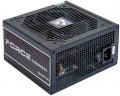 | 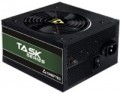 |
|---|---|---|
| Chieftec Force CPS-500S | Chieftec Task TPS-450S | |
from $41.43 up to $47.48 | Outdated Product | |
| User reviews | ||
| TOP sellers | ||
| Power | 500 W | 450 W |
| Form factor | ATX | ATX |
Specs | ||
| PFC | active | active |
| Efficiency | 85 % | 85 % |
| Cooling system | active | active |
| Fan size | 120 mm | 120 mm |
| Certification | without 80+ | 80+ Bronze |
| ATX12V version | 2.3 | 2.3 |
| EPS12V version | 2.92 | |
Power connectors | ||
| MB/CPU power supply | 24+8 (4+4) pin | 24+4 pin |
| SATA | 4 | 4 |
| MOLEX | 2 | 3 |
| PCIe 8pin (6+2) | 2 | 1 |
| Floppy |  |  |
| Cable system | non-modular | non-modular |
Max. power | ||
| +3.3V | 21 А | |
| +5V | 20 А | |
| +12V1 | 37.5 А | |
| -12V | 0.3 А | |
| +5Vsb | 2.5 А | |
| +3.3V +5V | 103 W | |
| -12V | 3.6 W | |
| +5Vsb | 12.5 W | |
General | ||
| Over voltage protection (OVP) | | |
| Over power protection (OPP) | | |
| Short circuit protection (SCP) | | |
| Protection | OTP, SIP, UVP | |
| Manufacturer's warranty | 2 years | 2 years |
| Dimensions (HxWxD) | 86x140x150 mm | |
| Added to E-Catalog | november 2015 | october 2013 |


Compare Chieftec Force and Task
You may be interested in
My comparisons
Chieftec Force often compared


Chieftec Task often compared

Glossary
Power
The output power of the power supply, in other words, is the maximum power that it is capable of delivering to the system. For the computer to operate efficiently, the power supply must be greater than the total power consumption of the system at maximum load. The latter can be calculated by summing the power of individual components, however, in general, for office configurations , about 400 W — 450 W is considered sufficient, for medium gaming — about 600 W( 500 W, 550 W, 650 W, 700 W, 750 W), and for the top ones — power of 800 W and above ( 850 W, 1000 W and even more than 1 kW).
Certification
The presence or absence of an 80+ certificate for the power supply. This certificate indicates high energy efficiency: to obtain it, the efficiency (see above) must be at least 80%, and in different modes (20%, 50% and 100% of the maximum load). There are several degrees of 80+:
— 80+. The original version of the certificate, assuming an efficiency of at least 82% (at least 85% for 50% load).
— 80+ White. The second name of the original 80+ certificate (see above).
— 80+ Bronze — efficiency not less than 85% (for half load — 88%).
— 80+ Silver — respectively 87% (90% for half load).
— 80+ Gold — 89% (92% for half load)
— 80+ Platinum — 90% (94% for half load).
— 80+ Titanium — 94% (96% for half load).
The power factor (see "PFC Type") must be at least 0.9 for the lower levels and at least 0.95 for the Platinum level. Also note that for redundant power used in server systems, the efficiency requirements are somewhat lower.
— 80+. The original version of the certificate, assuming an efficiency of at least 82% (at least 85% for 50% load).
— 80+ White. The second name of the original 80+ certificate (see above).
— 80+ Bronze — efficiency not less than 85% (for half load — 88%).
— 80+ Silver — respectively 87% (90% for half load).
— 80+ Gold — 89% (92% for half load)
— 80+ Platinum — 90% (94% for half load).
— 80+ Titanium — 94% (96% for half load).
The power factor (see "PFC Type") must be at least 0.9 for the lower levels and at least 0.95 for the Platinum level. Also note that for redundant power used in server systems, the efficiency requirements are somewhat lower.
EPS12V version
The version of the EPS12V standard that the power supply complies with. The EPS12V standard was created primarily for high consumption PCs (with a power of more than 700 W, see "Power") and entry-level servers. Such power supplies have a 24-pin plug for the motherboard and an 8-pin processor power connector (sometimes more than one, see “MB / CPU Power” for more details). They are also more reliable than ATX12V. They are compatible with most ATX standard motherboards, however, in older motherboards, there may be problems with matching connectors, so this issue should be clarified separately (however, to solve this problem, in some power supplies, parts of the plugs are made removable, which allows them to be reduced if necessary to the dimensions of the connectors on the motherboard).
MB/CPU power supply
The number and type of connectors provided in the PSU to power the motherboard or processor.
This parameter is written as the sum of several numbers, for example, "24+4". The first number in such an entry means the number of contacts in the connector for powering the motherboard; in the vast majority of cases, this is just 24, since modern motherboards use a 24-pin connector as standard. The second number describes the socket for powering the processor; most entry-level and mid-range CPUs use 4-pin power, but powerful chips may require 8-pin power. There can be several 4- or 8-pin connectors — based on powerful high consumption processors.
A separate case is the blocks of the "24 (20 + 4)" format. They have two separate plugs — 20 pin and 4 pin, which allows you to power both 24-pin motherboards and older 20-pin motherboards from such power supplies. At the same time, such models do not provide a separate power supply for CPU — it is powered only through the socket, and the 4-pin plug cannot be connected to any other components except the motherboard.
Now on the market there are PSUs with such power supply for the motherboard: 24 pin (20+4), 24+4 pin, 24+8(4+4) pin, 24+8+8(4+4) pin.
This parameter is written as the sum of several numbers, for example, "24+4". The first number in such an entry means the number of contacts in the connector for powering the motherboard; in the vast majority of cases, this is just 24, since modern motherboards use a 24-pin connector as standard. The second number describes the socket for powering the processor; most entry-level and mid-range CPUs use 4-pin power, but powerful chips may require 8-pin power. There can be several 4- or 8-pin connectors — based on powerful high consumption processors.
A separate case is the blocks of the "24 (20 + 4)" format. They have two separate plugs — 20 pin and 4 pin, which allows you to power both 24-pin motherboards and older 20-pin motherboards from such power supplies. At the same time, such models do not provide a separate power supply for CPU — it is powered only through the socket, and the 4-pin plug cannot be connected to any other components except the motherboard.
Now on the market there are PSUs with such power supply for the motherboard: 24 pin (20+4), 24+4 pin, 24+8(4+4) pin, 24+8+8(4+4) pin.
MOLEX
The number of Molex (IDE) connectors provided in the design of the power supply.
Initially, such a connector was intended to power peripherals for the IDE interface, primarily hard drives. And although the IDE itself is completely obsolete today and is not used in new components, however, the Molex power connector continues to be installed in power supplies, and almost without fail. Almost any modern PSU has at least 1 – 2 of these connectors, and in high-end models this number can be 7 or more. This situation is due to the fact that Molex IDE is a fairly universal standard, and with the help of the simplest adapters, components with a different power interface can be powered from it. For example, there are Molex - SATA adapters for drives, Molex - 6 pin for video cards, etc.
Initially, such a connector was intended to power peripherals for the IDE interface, primarily hard drives. And although the IDE itself is completely obsolete today and is not used in new components, however, the Molex power connector continues to be installed in power supplies, and almost without fail. Almost any modern PSU has at least 1 – 2 of these connectors, and in high-end models this number can be 7 or more. This situation is due to the fact that Molex IDE is a fairly universal standard, and with the help of the simplest adapters, components with a different power interface can be powered from it. For example, there are Molex - SATA adapters for drives, Molex - 6 pin for video cards, etc.
PCIe 8pin (6+2)
Number of 8-pin PCIe power connectors (6+2) provided in the PSU design.
Additional PCIe power connectors (of all formats) are used for additional power to types of internal peripherals that require more than the 75W supplied directly through the PCIe slot on the motherboard (a typical example is graphics cards). In PC components, there are two types of such connectors — 6-pin, providing up to 75W of additional power, and 8-pin, giving up to 150W. The 8-pin (6+2) connectors used in power supplies are universal: they can work with both 6-pin and 8-pin connectors on the expansion board. Therefore, this type of connector is the most popular in modern PSUs.
As for the quantity, there are models on sale with 1 PCIe 8-pin (6+2) connector, 2 such connectors, 3 connectors, 4 connectors, and in some cases — 6 or more. Several of these connectors can be useful, for example, when connecting multiple graphics cards — or for a powerful high-performance video adapter equipped with multiple additional PCIe power connectors.
Additional PCIe power connectors (of all formats) are used for additional power to types of internal peripherals that require more than the 75W supplied directly through the PCIe slot on the motherboard (a typical example is graphics cards). In PC components, there are two types of such connectors — 6-pin, providing up to 75W of additional power, and 8-pin, giving up to 150W. The 8-pin (6+2) connectors used in power supplies are universal: they can work with both 6-pin and 8-pin connectors on the expansion board. Therefore, this type of connector is the most popular in modern PSUs.
As for the quantity, there are models on sale with 1 PCIe 8-pin (6+2) connector, 2 such connectors, 3 connectors, 4 connectors, and in some cases — 6 or more. Several of these connectors can be useful, for example, when connecting multiple graphics cards — or for a powerful high-performance video adapter equipped with multiple additional PCIe power connectors.
Floppy
The presence of at least one Floppy power connector in the PSU.
Initially, this connector was intended to power floppy disk drives, hence the name. It is also known under the designation "mini-Molex". Anyway, this standard is generally considered obsolete, but it is still used by some specific types of components, and therefore continues to be used in power supplies.
Initially, this connector was intended to power floppy disk drives, hence the name. It is also known under the designation "mini-Molex". Anyway, this standard is generally considered obsolete, but it is still used by some specific types of components, and therefore continues to be used in power supplies.
+3.3V
The maximum values of current and power that the PSU can provide on individual power lines.
The power line can be simply described as a pair of contacts for connecting a particular load; one of these contacts is “ground” (with zero voltage), and the second has a certain voltage with a plus or minus sign, this voltage corresponds to the voltage of the power line. In this paragraph, it is + 3.3V (such power is present in 20- and 24-pin connectors for motherboards, in SATA power connectors and some other types of connectors).
In general, power and currents are rather specific parameters that the average user rarely needs — mainly when connecting high-power components such as video cards, as well as when starting a PSU without a computer to power other electronics (for example, amateur radio stations). It is also worth mentioning that the sum of the maximum powers on all lines can be higher than the total output power of the PSU — this means that all lines cannot operate at full power at the same time. Accordingly, when the PSU is fully loaded, some of them will produce less power than the maximum possible.
The power line can be simply described as a pair of contacts for connecting a particular load; one of these contacts is “ground” (with zero voltage), and the second has a certain voltage with a plus or minus sign, this voltage corresponds to the voltage of the power line. In this paragraph, it is + 3.3V (such power is present in 20- and 24-pin connectors for motherboards, in SATA power connectors and some other types of connectors).
In general, power and currents are rather specific parameters that the average user rarely needs — mainly when connecting high-power components such as video cards, as well as when starting a PSU without a computer to power other electronics (for example, amateur radio stations). It is also worth mentioning that the sum of the maximum powers on all lines can be higher than the total output power of the PSU — this means that all lines cannot operate at full power at the same time. Accordingly, when the PSU is fully loaded, some of them will produce less power than the maximum possible.
+5V
The maximum current that the PSU is capable of issuing + 5V to the power line. For more information about power lines in general, see "+3.3V". Also note here that + 5V power, in addition to connectors for motherboards (for 20 and 24 pins), is also found in Molex and SATA plugs, as well as some other specific types of connectors.