
Comparison be quiet! Pure Power 11 CM BN298 vs Corsair TX-M Series TX550M
Add to comparison | 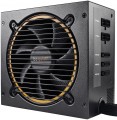 | 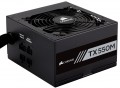 |
|---|---|---|
| be quiet! Pure Power 11 CM BN298 | Corsair TX-M Series TX550M | |
from $277.00 | Compare prices 4 | |
| User reviews | ||
| TOP sellers | ||
Quiet operation of the cooling system. High power and efficiency (certificate 80+ Gold). voltage stability under load. Minimum ripple under load. | ||
| Power | 600 W | 550 W |
| Form factor | ATX | ATX |
Specs | ||
| PFC | active | active |
| Efficiency | 92 % | 91 % |
| Cooling system | active | active |
| Fan size | 120 mm | 120 mm |
| Fan bearing | sliding | rolling |
| Certification | 80+ Gold | 80+ Gold |
| ATX12V version | 2.4 | 2.4 |
| EPS12V version | 2.92 | 2.92 |
Power connectors | ||
| MB/CPU power supply | 24+8 (4+4) pin | 24+8 (4+4) pin |
| SATA | 6 | 5 |
| MOLEX | 3 | 4 |
| PCIe 8pin (6+2) | 4 | 2 |
| Floppy |  | |
| Cable system | semi-modular | semi-modular |
| Braided wires | | |
Cable length | ||
| MB | 550 mm | 610 mm |
| CPU | 600 mm | 650 mm |
| SATA | 950 mm | 700 mm |
| MOLEX | 750 mm | |
| PCIe | 500 mm | 750 mm |
Max. power | ||
| +3.3V | 25 А | 25 А |
| +5V | 18 А | 20 А |
| +12V1 | 32 А | 43 А |
| +12V2 | 28 А | |
| -12V | 0.3 А | 0.3 А |
| +5Vsb | 3 А | 3 А |
| +12V | 576 W | 516 W |
| +3.3V +5V | 140 W | 120 W |
| -12V | 9.6 W | |
| +5Vsb | 15 W | |
General | ||
| Over voltage protection (OVP) | | |
| Over power protection (OPP) | | |
| Short circuit protection (SCP) | | |
| Protection | OCP, UVP, OTP | |
| Noise level | 20 dB | 20 dB |
| Manufacturer's warranty | 5 years | 7 years |
| Dimensions (HxWxD) | 86x150x160 mm | 86x150x140 mm |
| Weight | 2.08 kg | 1.7 kg |
| Added to E-Catalog | april 2019 | september 2017 |



Compare be quiet! Pure Power 11 CM and Corsair TX-M Series be quiet! BN298 и Corsair TX550M?
Price comparison
You may be interested in
My comparisons
be quiet! Pure Power 11 CM often compared


Glossary
Power
The output power of the power supply, in other words, is the maximum power that it is capable of delivering to the system. For the computer to operate efficiently, the power supply must be greater than the total power consumption of the system at maximum load. The latter can be calculated by summing the power of individual components, however, in general, for office configurations , about 400 W — 450 W is considered sufficient, for medium gaming — about 600 W( 500 W, 550 W, 650 W, 700 W, 750 W), and for the top ones — power of 800 W and above ( 850 W, 1000 W and even more than 1 kW).
Efficiency
Efficiency, in this case — the ratio of the power of the power supply (see "Power") to its power consumption. The higher the efficiency, the more efficient the power supply, the less energy it consumes from the network at the same output power, and the cheaper it is to operate. Efficiency may differ depending on the load; the characteristics can indicate both the minimum efficiency and its value at an average load (50%).
It should be noted that compliance with one or another level of 80PLUS efficiency directly depends on this indicator (for more details, see "Certificate").
It should be noted that compliance with one or another level of 80PLUS efficiency directly depends on this indicator (for more details, see "Certificate").
Fan bearing
The bearing is the piece between the rotating axle of the fan and the fixed base that supports the axle and reduces friction. The following types of bearings are found in modern fans:
— Sliding. The action of these bearings is based on direct contact between two solid surfaces, carefully polished to reduce friction. Such devices are simple, reliable and durable, but their efficiency is quite low — rolling, and even more so the hydrodynamic and magnetic principle of operation, provide much less friction.
— Rolling. They are also called "ball bearings", since the "mediators" between the axis of rotation and the fixed base are balls (less often — cylindrical rollers) fixed in a special ring. When the axis rotates, such balls roll between it and the base, due to which the friction force is very low — noticeably lower than in plain bearings. On the other hand, the design turns out to be more expensive and complex, and in terms of reliability it is somewhat inferior to both the same plain bearings and more advanced hydrodynamic devices. Therefore, although rolling bearings are quite widespread nowadays, however, in general, they are much less common than the mentioned varieties.
— Hydrodynamic. Bearings of this type are filled with a special liquid; when rotated, it creates a layer on which the moving part of the bearing slides. In this way, direct contact between hard surfaces is avoided and friction is significantly reduced compared to previous...types. Also, these bearings are quiet and very reliable. Of their shortcomings, a relatively high cost can be noted, but in fact this moment often turns out to be invisible against the background of the price of the entire system. Therefore, this option is extremely popular nowadays, it can be found in cooling systems of all levels — from low-cost to advanced.
— Magnetic centering. Bearings based on the principle of magnetic levitation: the rotating axis is "suspended" in a magnetic field. Thus, it is possible (as in hydrodynamic ones) to avoid contact between solid surfaces and further reduce friction. Considered the most advanced type of bearings, they are reliable and quiet, but expensive.
— Sliding. The action of these bearings is based on direct contact between two solid surfaces, carefully polished to reduce friction. Such devices are simple, reliable and durable, but their efficiency is quite low — rolling, and even more so the hydrodynamic and magnetic principle of operation, provide much less friction.
— Rolling. They are also called "ball bearings", since the "mediators" between the axis of rotation and the fixed base are balls (less often — cylindrical rollers) fixed in a special ring. When the axis rotates, such balls roll between it and the base, due to which the friction force is very low — noticeably lower than in plain bearings. On the other hand, the design turns out to be more expensive and complex, and in terms of reliability it is somewhat inferior to both the same plain bearings and more advanced hydrodynamic devices. Therefore, although rolling bearings are quite widespread nowadays, however, in general, they are much less common than the mentioned varieties.
— Hydrodynamic. Bearings of this type are filled with a special liquid; when rotated, it creates a layer on which the moving part of the bearing slides. In this way, direct contact between hard surfaces is avoided and friction is significantly reduced compared to previous...types. Also, these bearings are quiet and very reliable. Of their shortcomings, a relatively high cost can be noted, but in fact this moment often turns out to be invisible against the background of the price of the entire system. Therefore, this option is extremely popular nowadays, it can be found in cooling systems of all levels — from low-cost to advanced.
— Magnetic centering. Bearings based on the principle of magnetic levitation: the rotating axis is "suspended" in a magnetic field. Thus, it is possible (as in hydrodynamic ones) to avoid contact between solid surfaces and further reduce friction. Considered the most advanced type of bearings, they are reliable and quiet, but expensive.
SATA
The number of SATA power connectors provided in the PSU.
Nowadays, SATA is the standard interface for connecting internal hard drives, and it is also found in other types of drives (SSD, SSHD, etc.). Such an interface consists of a data connector connected to the motherboard, and a power connector connected to the PSU. Accordingly, in this paragraph we are talking about the number of SATA power plugs provided in the PSU. This number corresponds to the number of SATA drives that can be simultaneously powered from this model.
Nowadays, SATA is the standard interface for connecting internal hard drives, and it is also found in other types of drives (SSD, SSHD, etc.). Such an interface consists of a data connector connected to the motherboard, and a power connector connected to the PSU. Accordingly, in this paragraph we are talking about the number of SATA power plugs provided in the PSU. This number corresponds to the number of SATA drives that can be simultaneously powered from this model.
MOLEX
The number of Molex (IDE) connectors provided in the design of the power supply.
Initially, such a connector was intended to power peripherals for the IDE interface, primarily hard drives. And although the IDE itself is completely obsolete today and is not used in new components, however, the Molex power connector continues to be installed in power supplies, and almost without fail. Almost any modern PSU has at least 1 – 2 of these connectors, and in high-end models this number can be 7 or more. This situation is due to the fact that Molex IDE is a fairly universal standard, and with the help of the simplest adapters, components with a different power interface can be powered from it. For example, there are Molex - SATA adapters for drives, Molex - 6 pin for video cards, etc.
Initially, such a connector was intended to power peripherals for the IDE interface, primarily hard drives. And although the IDE itself is completely obsolete today and is not used in new components, however, the Molex power connector continues to be installed in power supplies, and almost without fail. Almost any modern PSU has at least 1 – 2 of these connectors, and in high-end models this number can be 7 or more. This situation is due to the fact that Molex IDE is a fairly universal standard, and with the help of the simplest adapters, components with a different power interface can be powered from it. For example, there are Molex - SATA adapters for drives, Molex - 6 pin for video cards, etc.
PCIe 8pin (6+2)
Number of 8-pin PCIe power connectors (6+2) provided in the PSU design.
Additional PCIe power connectors (of all formats) are used for additional power to types of internal peripherals that require more than the 75W supplied directly through the PCIe slot on the motherboard (a typical example is graphics cards). In PC components, there are two types of such connectors — 6-pin, providing up to 75W of additional power, and 8-pin, giving up to 150W. The 8-pin (6+2) connectors used in power supplies are universal: they can work with both 6-pin and 8-pin connectors on the expansion board. Therefore, this type of connector is the most popular in modern PSUs.
As for the quantity, there are models on sale with 1 PCIe 8-pin (6+2) connector, 2 such connectors, 3 connectors, 4 connectors, and in some cases — 6 or more. Several of these connectors can be useful, for example, when connecting multiple graphics cards — or for a powerful high-performance video adapter equipped with multiple additional PCIe power connectors.
Additional PCIe power connectors (of all formats) are used for additional power to types of internal peripherals that require more than the 75W supplied directly through the PCIe slot on the motherboard (a typical example is graphics cards). In PC components, there are two types of such connectors — 6-pin, providing up to 75W of additional power, and 8-pin, giving up to 150W. The 8-pin (6+2) connectors used in power supplies are universal: they can work with both 6-pin and 8-pin connectors on the expansion board. Therefore, this type of connector is the most popular in modern PSUs.
As for the quantity, there are models on sale with 1 PCIe 8-pin (6+2) connector, 2 such connectors, 3 connectors, 4 connectors, and in some cases — 6 or more. Several of these connectors can be useful, for example, when connecting multiple graphics cards — or for a powerful high-performance video adapter equipped with multiple additional PCIe power connectors.
+5V
The maximum current that the PSU is capable of issuing + 5V to the power line. For more information about power lines in general, see "+3.3V". Also note here that + 5V power, in addition to connectors for motherboards (for 20 and 24 pins), is also found in Molex and SATA plugs, as well as some other specific types of connectors.
+12V1
The maximum current the PSU can deliver on the first +12V power line.
For more information on power lines in general, see the "+3.3V" section. Here, it is worth mentioning that 12V is the most popular voltage among computer power connectors. It is used in almost all such connectors (with few exceptions), and some plugs (for example, additional PCI-E power with 6 or 8 connectors) use only 12-volt lines — specifically in the +12V format. The division of +12V power into several separate lines is done for safety reasons — to reduce the current going through each individual wire and thus prevent excessive load and overheating of the wiring. However, some manufacturers do not specify the maximum current for individual +12V lines and provide only the overall value in the specifications; in such cases, this number is indicated in this section.
For more information on power lines in general, see the "+3.3V" section. Here, it is worth mentioning that 12V is the most popular voltage among computer power connectors. It is used in almost all such connectors (with few exceptions), and some plugs (for example, additional PCI-E power with 6 or 8 connectors) use only 12-volt lines — specifically in the +12V format. The division of +12V power into several separate lines is done for safety reasons — to reduce the current going through each individual wire and thus prevent excessive load and overheating of the wiring. However, some manufacturers do not specify the maximum current for individual +12V lines and provide only the overall value in the specifications; in such cases, this number is indicated in this section.
+12V2
The maximum current that the PSU can deliver on the second +12V power rail.
For more information on power rails in general, see the section "+3.3V". Here, it is worth mentioning that 12V is the most popular voltage among computer power connectors. It is used in almost all such connectors (with a few exceptions), and some plugs (such as the additional PCI-E power with 6 or 8 connectors) use only 12-volt rails — specifically in the +12V format. The division of +12V power into several separate rails is used for safety reasons — to reduce the current flowing through each individual wire and thus prevent excessive load and overheating of the wiring. However, some manufacturers do not specify the maximum current for separate +12V rails and only provide the overall value in the specifications; in such cases, this number is indicated in the "+12V1" section.
For more information on power rails in general, see the section "+3.3V". Here, it is worth mentioning that 12V is the most popular voltage among computer power connectors. It is used in almost all such connectors (with a few exceptions), and some plugs (such as the additional PCI-E power with 6 or 8 connectors) use only 12-volt rails — specifically in the +12V format. The division of +12V power into several separate rails is used for safety reasons — to reduce the current flowing through each individual wire and thus prevent excessive load and overheating of the wiring. However, some manufacturers do not specify the maximum current for separate +12V rails and only provide the overall value in the specifications; in such cases, this number is indicated in the "+12V1" section.