
Comparison Apple MacBook Pro 13 2019 [MUHN2] vs Apple MacBook Pro 13 2018 [MR9Q2]
Add to comparison | 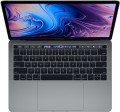 | 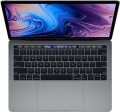 |
|---|---|---|
| Apple MacBook Pro 13 2019 [MUHN2] | Apple MacBook Pro 13 2018 [MR9Q2] | |
from $394.99 | from $327.99 | |
| User reviews | ||
| TOP sellers | ||
| Type | ultrabook | ultrabook |
Screen | ||
| Screen size | 13.3 " | 13.3 " |
| Screen type | IPS | IPS |
| Surface treatment | glossy | glossy |
| Screen resolution | 2560x1600 (16:10) | 2560x1600 (16:10) |
| Refresh rate | 60 Hz | 60 Hz |
| Brightness | 500 nt | 520 nt |
| Contrast | 1570 :1 | |
| Light sensor |  | |
CPU | ||
| Series | Core i5 | Core i5 |
| Model | 8257U | 8259U |
| Processor cores | 4 | 4 |
| Total threads | 8 | 8 |
| CPU speed | 1.4 GHz | 2.3 GHz |
| TurboBoost / TurboCore frequency | 3.9 GHz | 3.8 GHz |
| Test Passmark CPU Mark | 10703 points | |
RAM | ||
| RAM | 8 GB | 8 GB |
| RAM type | DDR3 | DDR3 |
| RAM memory frequency | 2133 MHz | 2133 MHz |
| Amount of RAM slots | built-in | built-in |
Graphics card | ||
| Graphics card type | integrated | integrated |
| Graphics card series | Intel Iris Graphics | Intel Iris Graphics |
| Graphics card model | Iris Plus Graphics 645 | Iris Plus Graphics 655 |
Storage | ||
| Drive type | SSD | SSD |
| Drive capacity | 128 GB | 256 GB |
Connections | ||
| Card reader |  | |
| USB-C 10Gbps | 2 pcs | 4 pcs |
| Thunderbolt interface | x2 v3 | x4 v3 |
| Alternate Mode | | |
| Wi-Fi | Wi-Fi 5 (802.11ac) | Wi-Fi 5 (802.11ac) |
Multimedia | ||
| Webcam | 1280x720 (HD) | 1280x720 (HD) |
| Camera shutter | | |
| Speakers | 2 pcs | 2 pcs |
| Security | fingerprint scanner | fingerprint scanner |
Keyboard | ||
| Backlight | white | white |
| Key design | island type | island type |
| Num block | | |
| Input device | touchpad | touchpad |
| Touch Bar | | |
Battery | ||
| Battery capacity | 58 W*h | 58 W*h |
| Operating time | 10 h | 10 h |
| Power Delivery via USB-C | | |
| Fast charge | | |
General | ||
| Preinstalled OS | MacOS | MacOS |
| Material | aluminum | aluminum |
| Dimensions (WxDxT) | 304x212x15 mm | 304.1x212.4x14.9 mm |
| Weight | 1.37 kg | 1.37 kg |
| Color | ||
| Added to E-Catalog | july 2019 | august 2018 |


Compare Apple MacBook Pro 13 (2019) and MacBook Pro 13 (2018)
When comparing the Apple MacBook Pro 13 (2019) and the Apple MacBook Pro 13 (2018), it should be noted that both devices have a 13.3-inch IPS screen with a resolution of 2560x1600 and a glossy finish. However, in 2019, the processor was upgraded to a Core i5 8257U with a clock speed of 1.4 GHz, while in 2018, a Core i5 8259U with a higher base frequency of 2.3 GHz was used. The RAM size for both models is 8 GB, but the SSD drive in 2018 is 256 GB, whereas in 2019 it is only 128 GB. The battery life for both models is up to 10 hours, and the weight is the same — 1.37 kg.
You may be interested in
Apple MacBook Pro 13 (2019) often compared


Apple MacBook Pro 13 (2018) often compared


Glossary
Brightness
The maximum brightness that a laptop screen can provide.
The brighter the ambient light, the brighter the laptop screen should be, otherwise the image on it may be difficult to read. And vice versa: in dim ambient light, high brightness is unnecessary — it greatly burdens the eyes (however, in this case, modern laptops provide brightness control). Thus, the higher this indicator, the more versatile the screen is, the wider the range of conditions in which it can be effectively used. The downside of these benefits is an increase in price and energy consumption.
As for specific values, many modern laptops have a brightness of 250 – 300 nt and even lower. This is quite enough for working under artificial lighting of medium intensity, but in bright natural light, visibility may already be a problem. For use in sunny weather (especially outdoors), it is desirable to have a brightness margin of at least 300 – 350 nt. And in the most advanced models, this parameter can be 350 – 400 nt and even more.
The brighter the ambient light, the brighter the laptop screen should be, otherwise the image on it may be difficult to read. And vice versa: in dim ambient light, high brightness is unnecessary — it greatly burdens the eyes (however, in this case, modern laptops provide brightness control). Thus, the higher this indicator, the more versatile the screen is, the wider the range of conditions in which it can be effectively used. The downside of these benefits is an increase in price and energy consumption.
As for specific values, many modern laptops have a brightness of 250 – 300 nt and even lower. This is quite enough for working under artificial lighting of medium intensity, but in bright natural light, visibility may already be a problem. For use in sunny weather (especially outdoors), it is desirable to have a brightness margin of at least 300 – 350 nt. And in the most advanced models, this parameter can be 350 – 400 nt and even more.
Contrast
The contrast of the screen installed in the laptop.
Contrast is the largest difference in brightness between the lightest white and darkest black that can be achieved on a single screen. It is written as a fraction, for example, 560:1; while the larger the first number, the higher the contrast, the more advanced the screen is and the better the image quality can be achieved on it. This is especially noticeable with large differences in brightness within a single frame: with low contrast, individual details located in the darkest or brightest parts of the picture may be lost, increasing the contrast allows you to eliminate this phenomenon to a certain extent. The flip side of these benefits is an increase in cost.
Separately, we emphasize that in this case only static contrast is indicated — the difference provided within one frame in normal operation, at constant brightness and without the use of special technologies. For advertising purposes, some manufacturers may also provide data on the so-called dynamic contrast — it can be measured in very impressive numbers (seven-digit or more). However, you should focus primarily on static contrast — this is the basic characteristic of any display.
As for specific values, even in the most advanced screens, this indicator does not exceed 2000: 1. But in general, modern laptops have a rather low contrast ratio — it is assumed that for tasks that require more advanced image characteristics, it is more...reasonable to use an external screen (monitor or TV).
Contrast is the largest difference in brightness between the lightest white and darkest black that can be achieved on a single screen. It is written as a fraction, for example, 560:1; while the larger the first number, the higher the contrast, the more advanced the screen is and the better the image quality can be achieved on it. This is especially noticeable with large differences in brightness within a single frame: with low contrast, individual details located in the darkest or brightest parts of the picture may be lost, increasing the contrast allows you to eliminate this phenomenon to a certain extent. The flip side of these benefits is an increase in cost.
Separately, we emphasize that in this case only static contrast is indicated — the difference provided within one frame in normal operation, at constant brightness and without the use of special technologies. For advertising purposes, some manufacturers may also provide data on the so-called dynamic contrast — it can be measured in very impressive numbers (seven-digit or more). However, you should focus primarily on static contrast — this is the basic characteristic of any display.
As for specific values, even in the most advanced screens, this indicator does not exceed 2000: 1. But in general, modern laptops have a rather low contrast ratio — it is assumed that for tasks that require more advanced image characteristics, it is more...reasonable to use an external screen (monitor or TV).
Model
The specific model of the processor installed in the laptop, or rather, the processor index within its series (see above). Knowing the full name of the processor (series and model), you can find detailed information on it (up to practical reviews) and clarify its capabilities.
CPU speed
The clock speed of the processor installed in the laptop (for multi-core processors, the frequency of each individual core).
Theoretically, a higher clock speed has a positive effect on performance, as it allows the processor to perform more operations per unit of time. However, in fact, the capabilities of the CPU depend on a number of other characteristics — primarily on the series to which it belongs (see above). It even happens that of the two chips, the more performant in the overall result is the slower one. With this in mind, it makes sense to compare by clock frequency only processors of the same series, and ideally, also of the same generation; and the laptop as a whole should be judged by the complex characteristics of the system, as well as by the results of tests (see below).
Theoretically, a higher clock speed has a positive effect on performance, as it allows the processor to perform more operations per unit of time. However, in fact, the capabilities of the CPU depend on a number of other characteristics — primarily on the series to which it belongs (see above). It even happens that of the two chips, the more performant in the overall result is the slower one. With this in mind, it makes sense to compare by clock frequency only processors of the same series, and ideally, also of the same generation; and the laptop as a whole should be judged by the complex characteristics of the system, as well as by the results of tests (see below).
TurboBoost / TurboCore frequency
Processor clock speed achieved in TurboBoost or TurboCore "overclocking" mode.
Turbo Boost and Turbo Core technologies are used by different manufacturers (Intel and AMD, respectively), but they have the same principle of operation: load distribution from more loaded processor cores to less loaded ones to improve performance. The "overclocking" mode is characterized by an increased clock frequency, and it is indicated in this case.
For more information about clock speed in general, see the relevant paragraph above.
Turbo Boost and Turbo Core technologies are used by different manufacturers (Intel and AMD, respectively), but they have the same principle of operation: load distribution from more loaded processor cores to less loaded ones to improve performance. The "overclocking" mode is characterized by an increased clock frequency, and it is indicated in this case.
For more information about clock speed in general, see the relevant paragraph above.
Test Passmark CPU Mark
The result shown by the laptop processor in the Passmark CPU Mark test.
Passmark CPU Mark is a comprehensive test that is more detailed and reliable than the popular 3DMark06 (see above). It checks not only the gaming capabilities of the CPU, but also its performance in other modes, based on which it displays the overall score; this score can be used to fairly reliably evaluate the processor as a whole (the more points, the higher the performance).
Passmark CPU Mark is a comprehensive test that is more detailed and reliable than the popular 3DMark06 (see above). It checks not only the gaming capabilities of the CPU, but also its performance in other modes, based on which it displays the overall score; this score can be used to fairly reliably evaluate the processor as a whole (the more points, the higher the performance).
Graphics card model
GeForce graphics cards from NVIDIA: RTX including RTX 2060, RTX 2060 Max-Q, RTX 2070, RTX 2070 Max-Q, RTX 2070 Super, RTX 2070 Super Max-Q, RTX 2080, RTX 2080 Max-Q, RTX 2080 Super, RTX 2080 Super Max-Q, RTX 3050, RTX 3050 Ti, RTX 3060, RTX 3060 Max-Q, RTX 3070, RTX 3070 Max-Q, RTX 3070 Ti, RTX 3080, RTX 3080 Ti, RTX 4050, RTX 4060, RTX 4070, RTX 4080, RTX 4090, RTX 5050, RTX 5060, RTX 5070, RTX 5070 Ti, RTX 5080, RTX 5090; MX1xx...including MX110, MX130, and MX150, MX2xx (MX230 and MX250), MX3xx (MX330 and MX350), MX450, GTX which includes GTX 1050, GTX 1060, GTX 1060 Max-Q, GTX 1070, GTX 1070 Max-Q, GTX 1080, GTX 1080 Max-Q, GTX 1650, GTX 1650 Max-Q, GTX 1650 Ti, GTX 1660 Ti, GTX 1660 Ti Max-Q and more. AMD offers graphics cards Radeon 520, Radeon 530 (535), Radeon 540X, Radeon 610 (625, 630), Radeon RX 550 (550X, 560), Radeon RX 640, Radeon RX 5500M, Radeon RX 6800M and Radeon Pro.
It should be noted that all the models mentioned above are discrete. Indeed, for a configuration with discrete graphics, the specific model of the separate video adapter is indicated; if it is supplemented by an integrated module, the name of this module can be clarified by the official processor specifications.
It is also worth mentioning that this section provides not the full name of the model, but only its name within the series (with the series itself mentioned separately—see above). Nevertheless, knowing the series and model, one can easily find detailed information about the graphics card.
It should be noted that all the models mentioned above are discrete. Indeed, for a configuration with discrete graphics, the specific model of the separate video adapter is indicated; if it is supplemented by an integrated module, the name of this module can be clarified by the official processor specifications.
It is also worth mentioning that this section provides not the full name of the model, but only its name within the series (with the series itself mentioned separately—see above). Nevertheless, knowing the series and model, one can easily find detailed information about the graphics card.
Drive capacity
The total amount of built-in storage is typically shown as the cumulative capacity when multiple drives are installed. For example, 512 GB + 1 TB is considered 1.5 TB, even though they are physically two separate drives. When total storage capacity reaches 2 TB and above, laptops are often chosen not just to "have enough space," but for specific scenarios involving heavy data: large game libraries, RAW photos, video editing projects, local backups, virtual machines. Moreover, "2 TB on one drive" and "2 TB total" can feel different: one large SSD is easier to manage and transfer projects, while a total of 2 TB might be more convenient if it comprises two drives with different roles, like a fast SSD for the system and work files plus a second drive for archiving. The speed and comfort depend on the exact type of drives. For example, for a videographer, 2–4 TB total offers the ability to keep active projects locally while on the go, and for a gamer, it allows installing many games without constant deletions, especially if part of the capacity is allocated to a separate drive.
USB-C 10Gbps
The number of USB-C 3.2 gen2 ports provided in the laptop (previously, these ports were marked as USB-C 3.1 gen2 and USB-C 3.1).
USB-C is a universal connector that was developed relatively recently and is designed for use in both desktop and portable computers. It is slightly larger than microUSB, has a convenient reversible design (it doesn't matter which way the plug is inserted), and allows for increased power delivery and a range of special functions. Moreover, this connector is used natively in the Thunderbolt version v3 interface and can technically be used for other interfaces; therefore, in some laptops, USB-C has a combined purpose — for more details see "Alternate Mode." In some laptops (mainly the most compact ones), USB-C may also be used for charging the device's own battery.
Specifically, the USB-C 3.2 gen2 version allows for connection speeds up to 10 Gbps. As for the number of such ports, it is usually small — typically 1 to 2. This is because there is noticeably less peripheral equipment released under USB-C compared to full-sized USB. However, in some configurations, the number of these types of connectors can reach 4.
USB-C is a universal connector that was developed relatively recently and is designed for use in both desktop and portable computers. It is slightly larger than microUSB, has a convenient reversible design (it doesn't matter which way the plug is inserted), and allows for increased power delivery and a range of special functions. Moreover, this connector is used natively in the Thunderbolt version v3 interface and can technically be used for other interfaces; therefore, in some laptops, USB-C has a combined purpose — for more details see "Alternate Mode." In some laptops (mainly the most compact ones), USB-C may also be used for charging the device's own battery.
Specifically, the USB-C 3.2 gen2 version allows for connection speeds up to 10 Gbps. As for the number of such ports, it is usually small — typically 1 to 2. This is because there is noticeably less peripheral equipment released under USB-C compared to full-sized USB. However, in some configurations, the number of these types of connectors can reach 4.