
Comparison BCASH 8500T vs BCASH 6500T
Add to comparison | 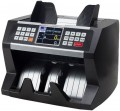 | 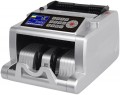 |
|---|---|---|
| BCASH 8500T | BCASH 6500T | |
| Outdated Product | Outdated Product | |
| User reviews | ||
| TOP sellers | ||
| Product Type | bill counter | bill counter |
Specs | ||
| Max. counting speed | 1500 bills/min | 1000 bills/min |
Features | ||
| Authenticity Check | by size optical density magnetic marks ultraviolet (UV) infrared (IR) | by size optical density magnetic marks ultraviolet (UV) infrared (IR) |
| Features | auto start value counting | auto start value counting |
General | ||
| Remote display |  |  |
| Power source | power through mount | power through mount |
| Added to E-Catalog | january 2018 | september 2017 |


Compare BCASH 8500T and 6500T
You may be interested in
My comparisons
BCASH 8500T often compared

BCASH 6500T often compared

Glossary
Max. counting speed
The highest speed that device is able to count bills (coins in the relevant models, see "Product Type"). Higher speed saves time, but it also affects the price and sometimes the size of the device respectively. Its useful to note that using additional functions (for example, sorting by face), as well as in some other cases (such as dilapidated bills), the actual counting speed may slightly decrease compared to the claimed one.
As for specific figures, speeds up to 1000 bills per minute are considered relatively low, but they are often quite enough in cases where large amounts are recalculated sporadically and high speed rate is not needed. In most counters (of all types), this indicator lies in the range from 1000 to 2000 bills per minute, and higher values found only in certain models of coin counters.
As for specific figures, speeds up to 1000 bills per minute are considered relatively low, but they are often quite enough in cases where large amounts are recalculated sporadically and high speed rate is not needed. In most counters (of all types), this indicator lies in the range from 1000 to 2000 bills per minute, and higher values found only in certain models of coin counters.
Remote display
Availability of the remote display bill counter package.
Such a display, usually, duplicates the readings of the main screen installed on the body. The most common way to use this feature is to install a screen in front of the customer, for example, near the checkout window; this allows the client to control the data received by the cashier when counting bills. However, the remote display can also be useful to the operator — for example, if the counter had to be installed in an uncomfortable place where the device's own screen is barely visible.
Such a display, usually, duplicates the readings of the main screen installed on the body. The most common way to use this feature is to install a screen in front of the customer, for example, near the checkout window; this allows the client to control the data received by the cashier when counting bills. However, the remote display can also be useful to the operator — for example, if the counter had to be installed in an uncomfortable place where the device's own screen is barely visible.