
Comparison Asus RT-AX56U vs Asus RT-AX88U
Add to comparison | 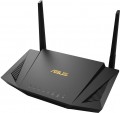 | 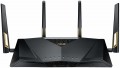 |
|---|---|---|
| Asus RT-AX56U | Asus RT-AX88U | |
from $149.99 | Compare prices 1 | |
| User reviews | ||
| TOP sellers | ||
Responsible for performance quad-core processor with a frequency of 1.5 GHz. gigabit port. Pair of USB ports. Link to Asus cloud services. Support for Mesh networks from ASUS, MU-MIMO and Beamforming. | The router with the Wi-Fi 802.11ax standard provides speeds of 1148 and 4804 Mbps in the 2.4 and 5 GHz bands, respectively. Gamers Private Network technology speeds up the delivery of online game packages. AiMesh technology allows you to connect other AiMesh-enabled routers to a single wireless network and thereby expand its coverage. | |
| Product type | router | gaming router |
| Data input (WAN-port) | Ethernet (RJ45) Wi-Fi 3G modem (USB) 4G (LTE) modem (USB) | Ethernet (RJ45) Wi-Fi 3G modem (USB) 4G (LTE) modem (USB) |
Wireless Wi-Fi connection | ||
| Wi-Fi standards | Wi-Fi 3 (802.11g) Wi-Fi 4 (802.11n) Wi-Fi 5 (802.11ac) Wi-Fi 6 (802.11ax) | Wi-Fi 3 (802.11g) Wi-Fi 4 (802.11n) Wi-Fi 5 (802.11ac) Wi-Fi 6 (802.11ax) |
| Frequency band | 2.4GHz 5 GHz | 2.4GHz 5 GHz |
| Operating ranges | dual-band (2.4 GHz and 5 GHz) | dual-band (2.4 GHz and 5 GHz) |
| Wireless speed 2.4 GHz | 574 Mbps | 1148 Mbps |
| Wireless speed 5 GHz | 1201 Mbps | 4804 Mbps |
| Bandwidth | 160 MHz | |
Connection and LAN | ||
| WAN | 1 port 1 Gbps | 1 port 1 Gbps |
| LAN | 4 ports 1 Gbps | 8 ports 1 Gbps |
| USB-A 2.0 | 1 pcs | |
| USB-A 5Gbps | 1 pcs | 2 pcs |
Antenna and transmitter | ||
| Number of antennas | 2 | 4 |
| Antenna type | external | external |
| MU-MIMO |  | |
| Detachable antenna |  | |
| Gain | 4 dBi | |
| 2.4 / 5 GHz antennas | 2 | 4 |
| Transmitter power | 23 dBm | 25 dBm |
| Signal strength 2.4 GHz | 20 dBm | |
| Signal strength 5 GHz | 23 dBm | |
Hardware | ||
| CPU cores | 4 | 4 |
| Clock Speed | 1.5 GHz | 1.8 GHz |
| RAM | 512 MB | 1 GB |
| Flash memory | 256 MB | 256 MB |
Functions | ||
| Features | load balancing (Dual WAN) channel reservation NAT MESH mode Beamforming firewall | load balancing (Dual WAN) channel reservation Link Aggregation Amazon Alexa NAT bridge mode repeater MESH mode Beamforming firewall CLI (Telnet) |
| More features | DHCP server FTP server file server media server (DLNA) torrent client VPN DDNS DMZ | DHCP server FTP server file server media server (DLNA) print server torrent client VPN DDNS DMZ |
Security | ||
| Safety standards | WPA WEP WPA2 WPA3 802.1x | WPA WEP WPA2 802.1x |
General | ||
| Operating temperature | 0 °C ~ +40 °C | |
| Dimensions | 224x129x48 mm | 300x188x60 mm |
| Weight | 456 g | 1010 g |
| Color | ||
| Added to E-Catalog | february 2020 | june 2019 |


Compare Asus RT-AX56U and RT-AX88U
Price comparison
You may be interested in
My comparisons
Asus RT-AX56U often compared

Asus RT-AX88U often compared


Glossary
Product type
General device type. Nowadays, in addition to the routers familiar to many (both regular and gaming), you can find access points(including directional ones), MESH systems, Wi-Fi adapters, Wi-Fi amplifiers on the market. Here is a detailed description of these types of equipment:
— Router. Devices known to many as the most popular means of wireless Internet access. However, the use of such electronics is not limited to this — it can also be used to create local networks and for some other, more specific purposes. On the technical side, a router is an access point to a wireless network that supports NAT mode; for more details about this mode, see "Functions and Capabilities", here we note that it is thanks to NAT that it is possible to access the Internet from several computers / gadgets at once, working through one provider account.
— Gaming router. A variation of the routers described above, optimized for use in online games. The features of such devices are support for the latest communication standards, high connection speed with a minimum of lags, as well as the availability of special tools and functions (game traffic priority, connection accelerators, integration with gaming services or even certain online games, et...c.). The specific functionality of a gaming router may be different, but if you strive for maximum speed and comfort in online games, it makes sense to choose a device from this category.
— Access point. Devices intended mainly for use as a kind of "adapter" between wired networks and wireless devices, as well as for connecting individual network segments to each other via a wireless channel. The fundamental difference between such devices and routers (see above) is the absence of the NAT function (see "Functions and Capabilities") — thus, each wireless device connected to the access point transmits its own IP address to the network. A typical example of a network based on such equipment is a common router for connecting to the Internet, plus several access points located in key locations and connected to the router by wire.
— Directed access point. A variation of the access points described above, in which the coverage area has a clear direction. Simply put, the signal from such a device does not diverge uniformly in all directions, but in a certain direction, in the form of a beam or sector. Such equipment has two main areas of application. The first is situations when the access point needs to be installed not in the centre, but on the edge of the overlapped zone — for example, in the corner of the room. In this case, the directional design allows you to concentrate almost all the transmitter power in the working area, without wasting it on "unnecessary" directions. The second use case is wireless communication over long distances, for example, between networks in different buildings in bridge mode (see "Features"); in some directional access points, the communication range reaches 10 km. Of course, for such communication, the device on the other side of the wireless channel must also have the appropriate range, so the easiest way in such cases is to use two access points with the same characteristics.
— MESH system. Equipment for building wireless networks in MESH format. The idea of this format is to use numerous compact and relatively low-power wireless transceivers that can interact with each other in a coordinated manner. In this way, you can block a significant area (up to a small city), providing a reliable connection at any point in the coverage area. This happens as follows: a laptop, smartphone or other Wi-Fi gadget interacts with the nearest node of the MESH network, then the data is transmitted to the main router or access point wirelessly, along the chain between the nodes. In this case, the so-called dynamic routing is used: the network itself determines the optimal data transfer path and automatically changes this path when the user moves between individual nodes.
Actually, dynamic routing is the key difference between MESH devices and more traditional Wi-Fi amplifiers. At the same time, the work is carried out in a “seamless” format: when switching from one node to another, the connection is not lost and network functions that require a stable connection (downloads, watching videos, online games, authorization sessions) are not interrupted. In other words, the user does not notice switching between individual nodes at all. In addition, this format of operation allows you to maintain a stable connection speed (whereas the use of traditional amplifiers, especially in the form of chains, significantly reduces the speed). Thus, a MESH network can be an excellent solution for situations where a set of several Wi-Fi amplifiers is needed — from a private house on 2-3 floors to office and industrial complexes, and even urban areas. At the same time, equipment for such networks can be sold in sets of several units (up to 8); see "Included" for details.
— Wi-Fi adapter. Adapters for connecting to Wi-Fi networks designed for desktop PCs and other equipment that does not initially have built-in Wi-Fi modules. Such equipment can be both external and internal — see "Interfaces (for adapters)" for details. Also note here that buying a Wi-Fi adapter can be a good alternative to a wired connection — especially if the router is located far away and it would be inconvenient to pull the wire.
— Wi-Fi booster. Devices designed to amplify the Wi-Fi signal from an existing router or access point. They allow you to expand the coverage area, get rid of "dead zones", as well as improve the overall quality of communication and make the signal more stable. This type of device differs from MESH equipment (see above), which has a similar purpose, in the absence of dynamic routing (Wi-Fi amplifiers are designed to work directly with the router, in extreme cases, via a fixed chain), as well as the impossibility of seamless operation (the amplifier is visible as separate network — see "Features — Repeater Mode" for details). In addition, connecting through such a device can significantly reduce the speed. On the other hand, Wi-Fi amplifiers are much cheaper than nodes in MESH systems. So this particular type of equipment may be the best option for simple domestic use, when you only need to slightly expand the existing coverage and there is no need to build an extensive network with many equivalent connection points.
— Router. Devices known to many as the most popular means of wireless Internet access. However, the use of such electronics is not limited to this — it can also be used to create local networks and for some other, more specific purposes. On the technical side, a router is an access point to a wireless network that supports NAT mode; for more details about this mode, see "Functions and Capabilities", here we note that it is thanks to NAT that it is possible to access the Internet from several computers / gadgets at once, working through one provider account.
— Gaming router. A variation of the routers described above, optimized for use in online games. The features of such devices are support for the latest communication standards, high connection speed with a minimum of lags, as well as the availability of special tools and functions (game traffic priority, connection accelerators, integration with gaming services or even certain online games, et...c.). The specific functionality of a gaming router may be different, but if you strive for maximum speed and comfort in online games, it makes sense to choose a device from this category.
— Access point. Devices intended mainly for use as a kind of "adapter" between wired networks and wireless devices, as well as for connecting individual network segments to each other via a wireless channel. The fundamental difference between such devices and routers (see above) is the absence of the NAT function (see "Functions and Capabilities") — thus, each wireless device connected to the access point transmits its own IP address to the network. A typical example of a network based on such equipment is a common router for connecting to the Internet, plus several access points located in key locations and connected to the router by wire.
— Directed access point. A variation of the access points described above, in which the coverage area has a clear direction. Simply put, the signal from such a device does not diverge uniformly in all directions, but in a certain direction, in the form of a beam or sector. Such equipment has two main areas of application. The first is situations when the access point needs to be installed not in the centre, but on the edge of the overlapped zone — for example, in the corner of the room. In this case, the directional design allows you to concentrate almost all the transmitter power in the working area, without wasting it on "unnecessary" directions. The second use case is wireless communication over long distances, for example, between networks in different buildings in bridge mode (see "Features"); in some directional access points, the communication range reaches 10 km. Of course, for such communication, the device on the other side of the wireless channel must also have the appropriate range, so the easiest way in such cases is to use two access points with the same characteristics.
— MESH system. Equipment for building wireless networks in MESH format. The idea of this format is to use numerous compact and relatively low-power wireless transceivers that can interact with each other in a coordinated manner. In this way, you can block a significant area (up to a small city), providing a reliable connection at any point in the coverage area. This happens as follows: a laptop, smartphone or other Wi-Fi gadget interacts with the nearest node of the MESH network, then the data is transmitted to the main router or access point wirelessly, along the chain between the nodes. In this case, the so-called dynamic routing is used: the network itself determines the optimal data transfer path and automatically changes this path when the user moves between individual nodes.
Actually, dynamic routing is the key difference between MESH devices and more traditional Wi-Fi amplifiers. At the same time, the work is carried out in a “seamless” format: when switching from one node to another, the connection is not lost and network functions that require a stable connection (downloads, watching videos, online games, authorization sessions) are not interrupted. In other words, the user does not notice switching between individual nodes at all. In addition, this format of operation allows you to maintain a stable connection speed (whereas the use of traditional amplifiers, especially in the form of chains, significantly reduces the speed). Thus, a MESH network can be an excellent solution for situations where a set of several Wi-Fi amplifiers is needed — from a private house on 2-3 floors to office and industrial complexes, and even urban areas. At the same time, equipment for such networks can be sold in sets of several units (up to 8); see "Included" for details.
— Wi-Fi adapter. Adapters for connecting to Wi-Fi networks designed for desktop PCs and other equipment that does not initially have built-in Wi-Fi modules. Such equipment can be both external and internal — see "Interfaces (for adapters)" for details. Also note here that buying a Wi-Fi adapter can be a good alternative to a wired connection — especially if the router is located far away and it would be inconvenient to pull the wire.
— Wi-Fi booster. Devices designed to amplify the Wi-Fi signal from an existing router or access point. They allow you to expand the coverage area, get rid of "dead zones", as well as improve the overall quality of communication and make the signal more stable. This type of device differs from MESH equipment (see above), which has a similar purpose, in the absence of dynamic routing (Wi-Fi amplifiers are designed to work directly with the router, in extreme cases, via a fixed chain), as well as the impossibility of seamless operation (the amplifier is visible as separate network — see "Features — Repeater Mode" for details). In addition, connecting through such a device can significantly reduce the speed. On the other hand, Wi-Fi amplifiers are much cheaper than nodes in MESH systems. So this particular type of equipment may be the best option for simple domestic use, when you only need to slightly expand the existing coverage and there is no need to build an extensive network with many equivalent connection points.
Wireless speed 2.4 GHz
The maximum speed provided by the device when communicating wirelessly in the 2.4 GHz band.
This range is used in most modern Wi-Fi standards (see above) - as one of the available or even the only one. The theoretical maximum for it is 600 Mbit. In reality, Wi-Fi at a frequency of 2.4 GHz is used by a large number of client devices, from which congestion of data transmission channels emerges. Also, the number of antennas affects the speed performance of the equipment. It is possible to achieve the speed declared in the specification only in an ideal situation. In practice, it can be noticeably smaller (often by several times), especially with an abundance of wireless technology simultaneously connected to the equipment. The maximum speed at 2.4 GHz is specified in the characteristics of specific models to understand the real capabilities of Wi-Fi equipment. As for the numbers, according to the capabilities in the 2.4 GHz band, modern equipment is conditionally divided into models with speeds up to 500 Mbit inclusive and over 500 Mbit.
This range is used in most modern Wi-Fi standards (see above) - as one of the available or even the only one. The theoretical maximum for it is 600 Mbit. In reality, Wi-Fi at a frequency of 2.4 GHz is used by a large number of client devices, from which congestion of data transmission channels emerges. Also, the number of antennas affects the speed performance of the equipment. It is possible to achieve the speed declared in the specification only in an ideal situation. In practice, it can be noticeably smaller (often by several times), especially with an abundance of wireless technology simultaneously connected to the equipment. The maximum speed at 2.4 GHz is specified in the characteristics of specific models to understand the real capabilities of Wi-Fi equipment. As for the numbers, according to the capabilities in the 2.4 GHz band, modern equipment is conditionally divided into models with speeds up to 500 Mbit inclusive and over 500 Mbit.
Wireless speed 5 GHz
The maximum speed supported by the device when communicating wirelessly in the 5 GHz band.
This range is used in Wi-Fi 4, Wi-Fi 6 and Wi-Fi 6E as one of the available bands, in Wi-Fi 5 as the only one (see "Wi-Fi Standards"). The maximum speed is specified in the specifications in order to indicate the real capabilities of specific equipment - they can be noticeably more modest than the general capabilities of the standard. Also, in fact, it all depends on the generation of Wi-Fi. For example, devices with Wi-Fi 5 support can theoretically deliver up to 6928 Mbit (using eight antennas), with Wi-Fi 6 support up to 9607 Mbit (using the same eight spatial streams). The maximum possible communication speed is achieved under certain conditions, and not every model of Wi-Fi equipment fully satisfies them. Specific figures are conditionally divided into several groups: the value up to 500 Mbit is rather modest, many devices support speeds in the range of 500 - 1000 Mbit, indicators of 1 - 2 Gbps can be attributed to the average, and the most advanced models in class provide a data exchange rate of over 2 Gbps.
This range is used in Wi-Fi 4, Wi-Fi 6 and Wi-Fi 6E as one of the available bands, in Wi-Fi 5 as the only one (see "Wi-Fi Standards"). The maximum speed is specified in the specifications in order to indicate the real capabilities of specific equipment - they can be noticeably more modest than the general capabilities of the standard. Also, in fact, it all depends on the generation of Wi-Fi. For example, devices with Wi-Fi 5 support can theoretically deliver up to 6928 Mbit (using eight antennas), with Wi-Fi 6 support up to 9607 Mbit (using the same eight spatial streams). The maximum possible communication speed is achieved under certain conditions, and not every model of Wi-Fi equipment fully satisfies them. Specific figures are conditionally divided into several groups: the value up to 500 Mbit is rather modest, many devices support speeds in the range of 500 - 1000 Mbit, indicators of 1 - 2 Gbps can be attributed to the average, and the most advanced models in class provide a data exchange rate of over 2 Gbps.
Bandwidth
- 160 MHz. The presence of a bandwidth of 160 MHz increases the throughput for data transmission and allows it to approach the maximum theoretical speed.
- 320 MHz. The bandwidth of 320 MHz was introduced in the Wi-Fi 7 standard (see the corresponding paragraph). It provides a significant increase in the speed of data exchange - twice as much compared to the width of the wireless channel of 160 MHz.
- 320 MHz. The bandwidth of 320 MHz was introduced in the Wi-Fi 7 standard (see the corresponding paragraph). It provides a significant increase in the speed of data exchange - twice as much compared to the width of the wireless channel of 160 MHz.
LAN
In this case, LAN means standard network connectors (known as RJ-45) designed for wired connection of LAN devices — PCs, servers, additional access points, etc. The number of ports corresponds to the number of devices that can be directly connected to wired equipment. way.
In terms of speed, 100 Mbps (Fast Ethernet) and 1 Gbps (Gigabit Ethernet) are the most popular options today. At the same time, thanks to the development of technology, more and more gigabit devices are being produced, although in fact this speed is critical only when transferring large amounts of information. At the same time, some models, in addition to the standard speed of the main LAN ports, may have a 2.5 Gbps, 5 Gbps and even 10 Gbps LAN port with increased bandwidth.
In terms of speed, 100 Mbps (Fast Ethernet) and 1 Gbps (Gigabit Ethernet) are the most popular options today. At the same time, thanks to the development of technology, more and more gigabit devices are being produced, although in fact this speed is critical only when transferring large amounts of information. At the same time, some models, in addition to the standard speed of the main LAN ports, may have a 2.5 Gbps, 5 Gbps and even 10 Gbps LAN port with increased bandwidth.
USB-A 2.0
The number of USB 2.0 ports provided in the device design.
In this case, USB serves as a universal interface for connecting peripheral devices to the router. The specific supported USB devices and their use cases can vary. Examples include working with a flash drive used as storage for FTP mode or file server operation (see "Features/Capabilities"), connection to a printer in print server mode (see there), connection of a 3G modem (see "Data Input (WAN-port)"), and so on.
Specifically, USB 2.0 allows data transfer speeds of up to 480 Mbps. This is noticeably less than more advanced standards (starting with USB 3.2 gen1 described below), and the power supply of such connectors is low. However, even such specifications are often quite sufficient, considering the specifics of Wi-Fi device applications. Additionally, a USB 2.0 port can also connect peripherals with newer versions — as long as the power supply is adequate. Therefore, although this standard is considered outdated, it is still widely used in modern wireless equipment. There are even models that provide for 2 or even more USB 2.0 ports, allowing multiple external devices to be used simultaneously — for example, a 3G modem and a flash drive.
In this case, USB serves as a universal interface for connecting peripheral devices to the router. The specific supported USB devices and their use cases can vary. Examples include working with a flash drive used as storage for FTP mode or file server operation (see "Features/Capabilities"), connection to a printer in print server mode (see there), connection of a 3G modem (see "Data Input (WAN-port)"), and so on.
Specifically, USB 2.0 allows data transfer speeds of up to 480 Mbps. This is noticeably less than more advanced standards (starting with USB 3.2 gen1 described below), and the power supply of such connectors is low. However, even such specifications are often quite sufficient, considering the specifics of Wi-Fi device applications. Additionally, a USB 2.0 port can also connect peripherals with newer versions — as long as the power supply is adequate. Therefore, although this standard is considered outdated, it is still widely used in modern wireless equipment. There are even models that provide for 2 or even more USB 2.0 ports, allowing multiple external devices to be used simultaneously — for example, a 3G modem and a flash drive.
USB-A 5Gbps
The number of USB 3.2 gen1 ports provided in the device design.
USB in this case serves as a universal interface for connecting peripheral devices to the router. The specific USB devices supported and their applications can vary. Examples include working with a USB flash drive as a storage device for FTP or file server mode (see "Features/Capabilities"), connecting to a printer in print server mode (see same section), connecting a 3G modem (see "Data Input (WAN-port)"), etc.
Specifically, the USB 3.2 gen1 version (formerly known as USB 3.0 and USB 3.1 gen1) is the direct successor to USB 2.0, notably offering a tenfold increase (up to 4.8 Gbps) in maximum data transfer speed and increased power supply. However, despite its general popularity, this standard is still relatively rare in Wi-Fi devices—USB 2.0 is sufficient for many tasks. Nevertheless, the situation is gradually changing; among advanced equipment such as gaming routers, solutions with 2 or more ports USB 3.2 gen1 can be found.
USB in this case serves as a universal interface for connecting peripheral devices to the router. The specific USB devices supported and their applications can vary. Examples include working with a USB flash drive as a storage device for FTP or file server mode (see "Features/Capabilities"), connecting to a printer in print server mode (see same section), connecting a 3G modem (see "Data Input (WAN-port)"), etc.
Specifically, the USB 3.2 gen1 version (formerly known as USB 3.0 and USB 3.1 gen1) is the direct successor to USB 2.0, notably offering a tenfold increase (up to 4.8 Gbps) in maximum data transfer speed and increased power supply. However, despite its general popularity, this standard is still relatively rare in Wi-Fi devices—USB 2.0 is sufficient for many tasks. Nevertheless, the situation is gradually changing; among advanced equipment such as gaming routers, solutions with 2 or more ports USB 3.2 gen1 can be found.
Number of antennas
The total number of antennas (of all types — see below) provided in the design of the device.
In modern Wi-Fi equipment, this indicator can be different: in addition to the simplest devices with 1 antenna, there are models where this number is 2, 3, 4 and even more. The point of using multiple antennas is twofold. Firstly, if there are several external devices per antenna, they have to share the bandwidth among themselves, and the actual communication speed for each subscriber drops accordingly. Secondly, such a design may also be required when communicating with one external device — to work with MU-MIMO technology (see below), which allows you to fully realize the capabilities of modern Wi-Fi standards.
Anyway, more antennas, usually, means a more advanced and functional device. On the other hand, this parameter significantly affects the cost; so specifically looking for equipment with numerous antennas makes sense mainly when the speed and stability of communication are critical.
Note that antennas intended for mobile communications may also be considered in this clause. So when choosing a model with support for mobile networks, it's ok to clarify this point.
In modern Wi-Fi equipment, this indicator can be different: in addition to the simplest devices with 1 antenna, there are models where this number is 2, 3, 4 and even more. The point of using multiple antennas is twofold. Firstly, if there are several external devices per antenna, they have to share the bandwidth among themselves, and the actual communication speed for each subscriber drops accordingly. Secondly, such a design may also be required when communicating with one external device — to work with MU-MIMO technology (see below), which allows you to fully realize the capabilities of modern Wi-Fi standards.
Anyway, more antennas, usually, means a more advanced and functional device. On the other hand, this parameter significantly affects the cost; so specifically looking for equipment with numerous antennas makes sense mainly when the speed and stability of communication are critical.
Note that antennas intended for mobile communications may also be considered in this clause. So when choosing a model with support for mobile networks, it's ok to clarify this point.
Detachable antenna
The presence of a removable antenna(or several antennas) in the design of the device.
Only external antennas can be made removable (see "Type of antennas"). This design is especially convenient for storage and transportation: it allows you to remove external equipment, making the device less bulky. In addition, many devices with this feature allow replacement of standard antennas with others (for example, more powerful ones or with a more optimal radiation pattern). Some of these models are even initially sold without antennas — in the expectation that the user will choose them himself, at his discretion; such equipment is not needed for domestic use, but it can be very convenient when selecting high-quality professional equipment. On the other hand, the detachable design reduces the reliability of the antenna mounting, increases the possibility of failures at the connection point, and increases the cost of the device. Therefore, most modern Wi-Fi equipment is still equipped with fixed antennas.
Only external antennas can be made removable (see "Type of antennas"). This design is especially convenient for storage and transportation: it allows you to remove external equipment, making the device less bulky. In addition, many devices with this feature allow replacement of standard antennas with others (for example, more powerful ones or with a more optimal radiation pattern). Some of these models are even initially sold without antennas — in the expectation that the user will choose them himself, at his discretion; such equipment is not needed for domestic use, but it can be very convenient when selecting high-quality professional equipment. On the other hand, the detachable design reduces the reliability of the antenna mounting, increases the possibility of failures at the connection point, and increases the cost of the device. Therefore, most modern Wi-Fi equipment is still equipped with fixed antennas.