
Comparison Defender Quadro Swift vs Lapara LA-SLED4
Add to comparison | 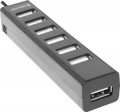 | 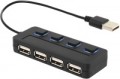 |
|---|---|---|
| Defender Quadro Swift | Lapara LA-SLED4 | |
| Outdated Product | from $5.16 up to $6.00 | |
| TOP sellers | ||
| Product type | USB hub | USB hub |
| Placement | external | external |
| PC connectivity | USB-A 2.0 | USB-A 2.0 |
HUB connectors | ||
| USB-A | 7 pcs 2.0 | 4 pcs 2.0 |
More features | ||
| Switch | per port | |
| External power supply |  |  |
| Cable length | 60 cm | 15 cm |
| Activity indicator | | |
| Material | plastic | plastic |
| Size | 102x19x22 mm | |
| Color | ||
| Added to E-Catalog | february 2018 | october 2014 |


Compare Defender Quadro Swift and Lapara LA-SLED4
You may be interested in
My comparisons
Defender Quadro Swift often compared


Lapara LA-SLED4 often compared

Glossary
USB-A
The number of USB ports located on the body of the card reader or hub (see "Type"). This parameter determines the number of USB ports you will have at your disposal after connecting the device. "Pure" card readers and combined models generally have 1, 2, and even 3 USB ports, while hubs typically feature 4 or more ports.
And the USB connection interface affects the speed. It is worth noting that the speed of the input port does not necessarily indicate overall throughput, as simultaneous connection of USB drives, phones, and memory cards can slow down data transmission, which is in any case limited by the connection interface of the device itself to the PC or laptop (refer to "Connection Interface").
— USB-A 2.0. The outdated version 2.0 provides a data transfer speed of up to 480 Mbps.
— USB-A 5Gbps. Previously known as the standards USB 3.2 gen1 and USB 3.0 (they sure know how to confuse). This version provides a maximum speed 10 times greater (4.8 Gbps) and higher power supply, allowing for energy-demanding devices and extensive splitters to be connected.
— USB-A 10Gbps. Further enhancement of the USB-A 5Gbps standard (and as expected, with multiple previous names like USB 3.2 gen2 and simply USB 3.1), achieving a maximum speed of 10 Gbps and...an even higher power supply for external devices.
And the USB connection interface affects the speed. It is worth noting that the speed of the input port does not necessarily indicate overall throughput, as simultaneous connection of USB drives, phones, and memory cards can slow down data transmission, which is in any case limited by the connection interface of the device itself to the PC or laptop (refer to "Connection Interface").
— USB-A 2.0. The outdated version 2.0 provides a data transfer speed of up to 480 Mbps.
— USB-A 5Gbps. Previously known as the standards USB 3.2 gen1 and USB 3.0 (they sure know how to confuse). This version provides a maximum speed 10 times greater (4.8 Gbps) and higher power supply, allowing for energy-demanding devices and extensive splitters to be connected.
— USB-A 10Gbps. Further enhancement of the USB-A 5Gbps standard (and as expected, with multiple previous names like USB 3.2 gen2 and simply USB 3.1), achieving a maximum speed of 10 Gbps and...an even higher power supply for external devices.
Switch
The presence of a switch that allows you to turn off the power supply to the USB ports. This function can be implemented either by one common switch for all ports at once, or by personal buttons for each port.
External power supply
External USB devices require power to work, which is supplied to them through the same USB port. However, the power of such power supply is relatively low (especially in version 2.0 ports, see "Connection"), and if several external devices are connected to one port of the computer through a hub, a situation may arise when the power is not enough for their operation. Connecting an external power supply to the hub allows you to avoid such situations: the hub receives additional power from the network and supplies power of the appropriate power to each of its inputs.
Another option for using devices with this function is charging portable equipment via USB: some models can work as stand-alone chargers that do not require connection to a computer.
Another option for using devices with this function is charging portable equipment via USB: some models can work as stand-alone chargers that do not require connection to a computer.
Cable length
The length of the cable supplied with the device. Mostly relevant for models with a non-removable cable that cannot be replaced.
Activity indicator
Light indicator, indicating that data is currently being exchanged between the memory card and the computer to which the card reader is connected. This allows you to avoid disconnecting the card reader during operation, which is fraught not only with data loss, but even damage to the device.