
Comparison Optoma X343e vs Optoma X342e
Add to comparison | 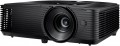 | 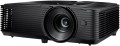 |
|---|---|---|
| Optoma X343e | Optoma X342e | |
| Outdated Product | Outdated Product | |
| TOP sellers | ||
| Main function | universal | universal |
Lamp and image | ||
| Service life | 6000 h | 6000 h |
| Service life (energy-saving) | 10000 h | 10000 h |
| Lamp power | 203 W | 203 W |
| Brightness | 3800 lm | 3700 lm |
| Dynamic contrast | 22 000:1 | 22 000:1 |
| Horizontal frequency | 15 – 91 kHz | 15 – 91 kHz |
| Frame rate | 50 – 85 Hz | 50 – 120 Hz |
Projection system | ||
| Technology | DLP | DLP |
| Real resolution | 1280x768 px | 1024x768 px |
| Image format support | 4:3, 16:9 | 4:3, 16:9 |
Projecting | ||
| Rear projection |  | |
| Throw distance, min | 1 m | 1 m |
| Throw distance, max | 12 m | 12 m |
| Image size | 28 – 304.5 " | 28 – 304.5 " |
| Throw ratio | 1.94:1 – 2.16:1 | 1.94:1 – 2.16:1 |
| Optical zoom | 1.1 x | 1.1 x |
| Zoom and focus | manual | manual |
| Keystone correction (vert), ± | 40 ° | 40 ° |
Features | ||
| Features | 3D support | 3D support |
Hardware | ||
| USB-A 2.0 | 1 pcs | 1 pcs |
| Number of speakers | 1 | 1 |
| Sound power | 10 W | 10 W |
| Video connectors | VGA composite AV-input | VGA composite AV-input |
| HDMI inputs | 1 | 1 |
| HDMI version | v 1.4 | v 1.4 |
| Audio connectors | 3.5 mm input (mini-Jack) 3.5 mm output (mini-Jack) | 3.5 mm input (mini-Jack) 3.5 mm output (mini-Jack) |
| Service connectors | COM port (RS-232) | COM port (RS-232) |
General | ||
| Noise level (nominal) | 29 dB | 29 dB |
| Noise level (energy-saving / quiet) | 27 dB | 27 dB |
| Power source | mains | mains |
| Power consumption | 225 W | 225 W |
| Size (HxWxD) | 108x316x244 mm | 108x316x244 mm |
| Weight | 3 kg | 3 kg |
| Color | ||
| Added to E-Catalog | december 2018 | november 2018 |


Compare Optoma X343e and X342e
Optoma projectors X343e and X342e have similar characteristics, but there are a few key differences. The X343e offers a brightness of 3800 lm, which is slightly higher compared to 3700 lm of the X342e, and this might be noticeable in bright lighting conditions. Both projectors have the same dynamic contrast ratio of 22,000:1 and a lamp life of 6000 hours (up to 10,000 hours in eco mode). The X343e features a matrix resolution of 1280x768 pixels, whereas the X342e has a resolution of 1024x768 pixels, making the X343e more preferable for detailed images. Both devices support 3D and have similar dimensions and weight, making them convenient to carry. Overall, the X343e might be a better choice for users looking for higher brightness and resolution.
You may be interested in
Optoma X343e often compared


Glossary
Brightness
The brightness of the image produced by the projector at maximum backlight brightness. Usually, the average brightness of the screen, derived from a special formula, is indicated. The higher it is, the less the image depends on ambient light: a bright projector can provide a clearly visible image even in daylight, but a dim one will require dimming. On the other hand, increasing brightness reduces contrast and accuracy of colour reproduction.
Accordingly, when choosing this parameter, you need to consider the conditions in which you plan to use the projector. So, for office or school/university use, a brightness of at least 3000 lm is desirable — this allows you to get normal visibility without obscuring the room. In turn, among the top models a very low brightness can be found, because. such projectors are usually installed in rooms specially designed for them with good darkness level. And in ultra-compact devices it is impossible to achieve high brightness for technical reasons.
Detailed recommendations on the optimal brightness for certain conditions can be found in special sources. Here we note that anyway, it is worth choosing according to this indicator with some margin. As mentioned above, as brightness increases, contrast and colour quality decrease, and you may need to use the projector at a reduced brightness to achieve the desired picture quality.
Accordingly, when choosing this parameter, you need to consider the conditions in which you plan to use the projector. So, for office or school/university use, a brightness of at least 3000 lm is desirable — this allows you to get normal visibility without obscuring the room. In turn, among the top models a very low brightness can be found, because. such projectors are usually installed in rooms specially designed for them with good darkness level. And in ultra-compact devices it is impossible to achieve high brightness for technical reasons.
Detailed recommendations on the optimal brightness for certain conditions can be found in special sources. Here we note that anyway, it is worth choosing according to this indicator with some margin. As mentioned above, as brightness increases, contrast and colour quality decrease, and you may need to use the projector at a reduced brightness to achieve the desired picture quality.
Frame rate
Frame rate, simply put, is the frame rate supported by the projector.
For normal playback, it is highly desirable that the frame rate of the projector match the original frame rate of the video signal. However, most modern models do not support a specific frame rate, but a whole range of frequencies, and quite an extensive one at that.
Note that for viewing most video materials, the range from 24 to 60 fps is quite enough. The exception is 3D content, which may require double the frame rate, up to 120Hz (see " 3D Support " for details).
For normal playback, it is highly desirable that the frame rate of the projector match the original frame rate of the video signal. However, most modern models do not support a specific frame rate, but a whole range of frequencies, and quite an extensive one at that.
Note that for viewing most video materials, the range from 24 to 60 fps is quite enough. The exception is 3D content, which may require double the frame rate, up to 120Hz (see " 3D Support " for details).
Real resolution
The native resolution of the image produced by the projector matrix.
The minimum for modern projectors is actually the VGA standard, which assumes a resolution of 800x600 or close to it. The most limited of modern high-definition standards is HD (720); the classic size of such a frame is 1280x720, but projectors also have other options (up to 1920x720). A more advanced HD format is Full HD (1080), which also has several variations (the most popular is 1920x1080). And among high-end projectors there are models of Quad HD, Ultra HD (4K) and even Ultra HD (8K) standards.
In general, the higher the resolution, the clearer and more detailed image the projector can produce. On the other hand, this indicator directly affects the cost, and all the benefits of high resolution can only be appreciated if the reproduced content also corresponds to it. Note that modern projectors can work with higher resolutions than the “native” ones – for more details, see “Maximum video resolution”.
The minimum for modern projectors is actually the VGA standard, which assumes a resolution of 800x600 or close to it. The most limited of modern high-definition standards is HD (720); the classic size of such a frame is 1280x720, but projectors also have other options (up to 1920x720). A more advanced HD format is Full HD (1080), which also has several variations (the most popular is 1920x1080). And among high-end projectors there are models of Quad HD, Ultra HD (4K) and even Ultra HD (8K) standards.
In general, the higher the resolution, the clearer and more detailed image the projector can produce. On the other hand, this indicator directly affects the cost, and all the benefits of high resolution can only be appreciated if the reproduced content also corresponds to it. Note that modern projectors can work with higher resolutions than the “native” ones – for more details, see “Maximum video resolution”.