
Comparison Acer H6519ABD vs Acer H6517ABD
Add to comparison | 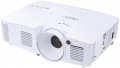 | 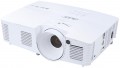 |
|---|---|---|
| Acer H6519ABD | Acer H6517ABD | |
| Outdated Product | from $738.00 up to $899.84 | |
| TOP sellers | ||
| Main function | home | home |
Lamp and image | ||
| Lamp type | P-VIP | P-VIP |
| Lamp model | MC.JN811.001 | MC.JN811.001 |
| Service life | 5000 h | 5000 h |
| Service life (energy-saving) | 10000 h | 10000 h |
| Lamp power | 195 W | 195 W |
| Brightness ANSI Lumens | 3400 lm | 3200 lm |
| Dynamic contrast | 20 000:1 | 20 000:1 |
| Colour rendering | 1.07 billion colours | 1.07 billion colours |
| Horizontal frequency | 15 – 100 kHz | 15 – 100 kHz |
| Frame rate | 24 – 120 Hz | 24 – 120 Hz |
Projection system | ||
| Technology | DLP | DLP |
| Size | 0.65" | 0.65" |
| Real resolution | 1920x1080 px | 1920x1080 px |
| Max. video resolution | 1920x1200 px | 1920x1200 px |
| Image format support | 4:3, 16:9 | 4:3, 16:9 |
| Colour enhancement |  | |
Projecting | ||
| Rear projection | | |
| Throw distance, min | 1.5 m | 1.5 m |
| Throw distance, max | 9.8 m | 9.8 m |
| Image size | 39.5 – 300 " | 42 – 300 " |
| Throw ratio | 1.48:1 – 1.62:1 | 1.48:1 – 1.62:1 |
| Optical zoom | 1.1 x | 1.1 x |
| Digital zoom | 2 x | 2 x |
| Zoom and focus | manual | manual |
| Keystone correction (vert), ± | 40 ° | 40 ° |
Features | ||
| Features | 3D support | 3D support |
Hardware | ||
| Number of speakers | 1 | 1 |
| Sound power | 3 W | 3 W |
| Video connectors | VGA | VGA |
| HDMI inputs | 1 | 1 |
| HDMI version | v 1.4 | v 1.4 |
| Audio connectors | 3.5 mm input (mini-Jack) | 3.5 mm input (mini-Jack) |
| Service connectors | USB (slave) | USB (slave) |
General | ||
| Noise level (nominal) | 34 dB | 34 dB |
| Noise level (energy-saving / quiet) | 31 dB | 31 dB |
| Power source | mains | mains |
| Power consumption | 235 W | 235 W |
| Size (HxWxD) | 93x314x223 mm | 93x314x223 mm |
| Weight | 2.5 kg | 2.5 kg |
| Added to E-Catalog | september 2018 | september 2016 |


Compare Acer H6519ABD and H6517ABD
Acer H6519ABD and H6517ABD projectors are designed for home theater and have similar characteristics, however, there are some differences. The H6519ABD offers a brightness of 3400 ANSI lumens, making it more suitable for bright rooms, while the H6517ABD has a brightness of 3200 ANSI lumens. Both projectors support 3D and have the same dynamic contrast ratio of 20,000:1 and a lamp life of 5,000 hours (up to 10,000 in eco mode). The dimensions and weight of both projectors are identical, making them convenient for installation. Users note good image quality and ease of setup in both models, however, the H6519ABD may be preferable for those looking for a brighter image.
You may be interested in
My comparisons
Acer H6519ABD often compared

Acer H6517ABD often compared


Glossary
Brightness ANSI Lumens
This parameter largely determines the ability of the projector to work in a well-lit room. For a dark room, 1000 lumens is enough to make the projection picture bright, rich, clear and understandable. But when working in a lit room, the projector will need at least 3500-4000 lumens. Do not confuse ANSI lumens with Peak lumens. These are two different brightness standards. To convert one type of brightness to another, you need to multiply Peak lumens by 10-12. The result will be an approximate value of ANSI Lumens.
However, experts do not recommend chasing high ANSI lumen brightness values. There are many professional projectors with brightness up to 3500 lm. The lower the brightness, the lower the power consumption, and at the same time, the life of the illuminator increases. Of course, if the projector will be installed in a work office or classroom where good lighting is required, it is recommended to purchase a model with ANSI Lumens brightness of 4000 lumens and more.
Image size
Size of the image projected by the projector. Usually, it is indicated as a range — from the smallest, at the minimum throw distance, to the largest, at the maximum. About throw distances, see above; here it is worth saying that the choice of diagonal size depends both on the distance between the screen and the audience, and on the format of the projector. For example, to watch a video, the best option is the situation when the distance from the viewer to the image corresponds to 3-4 diagonals, and a relatively large picture can be useful for working with presentations. More detailed recommendations for different situations can be found in special sources; here we only recall that the image must fit on the screen used with the projector.