
Comparison Epson EB-X41 vs Epson EB-W41
Add to comparison | 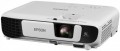 | 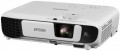 |
|---|---|---|
| Epson EB-X41 | Epson EB-W41 | |
| Outdated Product | Outdated Product | |
| TOP sellers | ||
| Main function | universal | universal |
Lamp and image | ||
| Lamp type | UHE | UHE |
| Service life | 6000 h | 6000 h |
| Service life (energy-saving) | 10000 h | 10000 h |
| Lamp power | 210 W | 210 W |
| Brightness | 3600 lm | 3600 lm |
| Dynamic contrast | 15 000:1 | 15 000:1 |
| Colour rendering | 1.07 billion colours | 1.07 billion colours |
| Horizontal frequency | 15 – 92 kHz | 15 – 92 kHz |
| Frame rate | 50 – 85 Hz | 50 – 85 Hz |
Projection system | ||
| Technology | 3LCD | 3LCD |
| Size | 0.55" | 0.59" |
| Real resolution | 1024x768 px | 1280x800 px |
| Max. video resolution | 1920x1080 px | |
| Image format support | 4:3, 16:9, 16:10 | 4:3, 16:9, 16:10 |
Projecting | ||
| Rear projection |  | |
| Image size | 30 – 300 " | 33 – 320 " |
| Throw ratio | 1.48:1 – 1.77:1 | 1.3:1 – 1.56:1 |
| Zoom and focus | manual | manual |
| Keystone correction (vert), ± | 30 ° | 30 ° |
| Keystone correction (horizontal), ± | 30 ° | 30 ° |
Features | ||
| Wi-Fi | Wi-Fi ready | Wi-Fi ready |
Hardware | ||
| USB-A 2.0 | 1 pcs | 1 pcs |
| Number of speakers | 1 | 1 |
| Sound power | 2 W | 2 W |
| Video connectors | VGA composite AV-input | VGA composite AV-input |
| HDMI inputs | 1 | 1 |
| HDMI version | v 1.4 | v 1.4 |
| Audio connectors | RCA (audio) | RCA (audio) |
| Service connectors | USB (slave) | USB (slave) |
General | ||
| Noise level (nominal) | 28 dB | 28 dB |
| Power source | mains | mains |
| Size (HxWxD) | 82x302x237 mm | 82x302x237 mm |
| Weight | 2.5 kg | 2.5 kg |
| Color | ||
| Added to E-Catalog | october 2017 | october 2017 |


Compare Epson EB-X41 and W41
Epson projectors EB-X41 and EB-W41 have similar characteristics but differ in resolution and supported image formats. The EB-X41 offers a native resolution of 1024x768 pixels and supports 4:3, 16:9, and 16:10 formats, while the EB-W41 has a higher resolution of 1280x800 pixels and supports 16:10, 4:3, and 16:9 formats. Both projectors feature a brightness of 3600 lm, a lamp life of 6000 hours (up to 10000 hours in economic mode), and a dynamic contrast ratio of 15,000:1. Users note the good image quality and ease of setup in both models, however, the EB-W41 may be preferable for those seeking higher resolution for multimedia applications.
You may be interested in
My comparisons
Epson EB-X41 often compared


Epson EB-W41 often compared


Glossary
Size
The size of the panel/chip affects the depth and final quality of the image. The larger the panel/chip, the more light it is able to process, which means the picture will be clearer and more structured. The average projector has a sensor of 0.5-0.7″, advanced projectors use sensors of 1.2-1.5″ and more.
Real resolution
The native resolution of the image produced by the projector matrix.
The minimum for modern projectors is actually the VGA standard, which assumes a resolution of 800x600 or close to it. The most limited of modern high-definition standards is HD (720); the classic size of such a frame is 1280x720, but projectors also have other options (up to 1920x720). A more advanced HD format is Full HD (1080), which also has several variations (the most popular is 1920x1080). And among high-end projectors there are models of Quad HD, Ultra HD (4K) and even Ultra HD (8K) standards.
In general, the higher the resolution, the clearer and more detailed image the projector can produce. On the other hand, this indicator directly affects the cost, and all the benefits of high resolution can only be appreciated if the reproduced content also corresponds to it. Note that modern projectors can work with higher resolutions than the “native” ones – for more details, see “Maximum video resolution”.
The minimum for modern projectors is actually the VGA standard, which assumes a resolution of 800x600 or close to it. The most limited of modern high-definition standards is HD (720); the classic size of such a frame is 1280x720, but projectors also have other options (up to 1920x720). A more advanced HD format is Full HD (1080), which also has several variations (the most popular is 1920x1080). And among high-end projectors there are models of Quad HD, Ultra HD (4K) and even Ultra HD (8K) standards.
In general, the higher the resolution, the clearer and more detailed image the projector can produce. On the other hand, this indicator directly affects the cost, and all the benefits of high resolution can only be appreciated if the reproduced content also corresponds to it. Note that modern projectors can work with higher resolutions than the “native” ones – for more details, see “Maximum video resolution”.
Max. video resolution
The actual maximum frame resolution that the projector is capable of processing and displaying.
Many models allow project images at a higher resolution than the actual resolution of the projector matrix (see above). For example, a 1920x1080 video can be displayed on a device with a frame size of 1024x768. However, the quality of such an image will be noticeably lower than on a projector, which initially has a resolution of 1920x1080.
The maximum resolution is closely related to both the overall picture quality and the size of the projection screen. The higher the resolution, the sharper the image details become. Of course, the screen size itself should be taken into account. The fact is that on a 40-50″ projection surface there will not be much difference between the Quad HD and 4K formats. A high-resolution picture will be able to show itself on a truly large screen.
Many models allow project images at a higher resolution than the actual resolution of the projector matrix (see above). For example, a 1920x1080 video can be displayed on a device with a frame size of 1024x768. However, the quality of such an image will be noticeably lower than on a projector, which initially has a resolution of 1920x1080.
The maximum resolution is closely related to both the overall picture quality and the size of the projection screen. The higher the resolution, the sharper the image details become. Of course, the screen size itself should be taken into account. The fact is that on a 40-50″ projection surface there will not be much difference between the Quad HD and 4K formats. A high-resolution picture will be able to show itself on a truly large screen.
Image size
Size of the image projected by the projector. Usually, it is indicated as a range — from the smallest, at the minimum throw distance, to the largest, at the maximum. About throw distances, see above; here it is worth saying that the choice of diagonal size depends both on the distance between the screen and the audience, and on the format of the projector. For example, to watch a video, the best option is the situation when the distance from the viewer to the image corresponds to 3-4 diagonals, and a relatively large picture can be useful for working with presentations. More detailed recommendations for different situations can be found in special sources; here we only recall that the image must fit on the screen used with the projector.
Throw ratio
The projector's throw distance is vital in determining what size projection screen to use and how far away it should be from the projector. Most projectors have a variable throw ratio. In the extreme positions, these are wide-angle mode (smallest value) and telephoto lens mode (largest value). Knowing these values, you will be able to determine the range of throw distances within which the projector must be placed in order for the projected image to match the specified dimensions of the projection screen.
According to these values, you need to check or set the optical zoom. We divide the larger value by the smaller value, and we get a figure, for example 1.33-2.16: 1.
If we want to calculate whether this projector is suitable for a certain image size, we do this: 1.33*3 (image width)=the distance at which the projector should hang.
According to these values, you need to check or set the optical zoom. We divide the larger value by the smaller value, and we get a figure, for example 1.33-2.16: 1.
If we want to calculate whether this projector is suitable for a certain image size, we do this: 1.33*3 (image width)=the distance at which the projector should hang.