
Comparison Esperanza Gladiator vs Esperanza Trooper
Add to comparison | 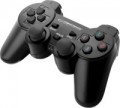 | 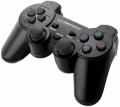 |
|---|---|---|
| Esperanza Gladiator | Esperanza Trooper | |
| Outdated Product | Outdated Product | |
| User reviews | ||
| TOP sellers | ||
| Product type | gamepad | gamepad |
Connection | ||
| Platform | PC (Windows) PlayStation 3 | PC (Windows) PlayStation 3 |
| Interface | radio | wired |
| Wired interface | USB-A | |
| Receiver (Dongle) | USB A | |
Control | ||
| Number of buttons | 11 pcs | 11 pcs |
| Feedback | vibration | vibration |
| D-pad | 4 position | 4 position |
| Sticks | 2 both from below | 2 both from below |
| Bumpers (shifts) | 2 pcs | 4 pcs |
| Triggers | 2 pcs | |
Power supply | ||
| Power source | USB port | |
General | ||
| Material | plastic | plastic |
| Color | ||
| Added to E-Catalog | september 2018 | december 2017 |


Compare Esperanza Gladiator and Trooper
You may be interested in
Esperanza Gladiator often compared


Esperanza Trooper often compared


Glossary
Interface
The way to connect the manipulator to the gaming device.
In general, such methods are divided into wired(in a conventional or serial format), wireless(radio, Bluetooth, or even both at once) or combined(a combination of wired and wireless formats in one model). Here is a more detailed description of the different options:
— Wired. The classic wired connection is a very popular option, especially among PC/Mac controllers and desktop consoles (see "Platform Compatibility"). But for portable gadgets, it is practically not used (and for AppleTV it is not used in principle). A wired connection is usually carried out via a USB connector, but other options are possible (again, depending on the supported platforms). The main disadvantage of controllers of this format is the limited freedom of movement; this is especially true when playing on a large screen, when you need a considerable distance from such a screen for comfortable viewing. On the other hand, wired accessories are noticeably lighter and cheaper than wireless ones, and the vast majority of such models receive energy from a USB port or a network (see "Power"), so the operating time is unlimited (although there are some exceptions). And the length of the cable is not so often critical: for example, a steering wheel or joystick mounted on a table right in front of the computer usually does not need a lon...g cable, and accessories for desktop consoles usually make the cable quite long.
— Wired serial. A variation of the wired connection described above, in which the controllers are connected in a “chain” through one port: one manipulator is connected to the gaming device, and the second to the first manipulator. In general, this is a rather rare option, used only in some paired sets of gamepads (see "Device type"). However, in some cases, such a connection turns out to be more convenient than the traditional one: it allows you to reduce the number of wires stretching to the set-top box.
— Wireless. The main advantage of all types of wireless connection is obvious: the absence of a cable, which limits mobility and can create inconvenience. And for motion controllers (see "Device type"), this option is, in fact, the only possible one at all (otherwise it would be at least problematic to use such a manipulator). In addition, it is wireless communication (for a number of reasons) that is most convenient for working with portable gadgets — smartphones and tablets. At the same time, the range of such a connection is usually sufficient to work at least within a large living room, and more often at greater distances. On the other hand, wireless controllers are noticeably more expensive than their wired counterparts. In addition, most of them use autonomous power (batteries or accumulator), which limits the time of continuous operation. And although this time can be quite significant, and batteries (and some batteries) can be quickly changed, you still cannot do without interruptions in work, and the charge may end at the most inopportune moment. The exception is some models with mains power, but they have a wire, in turn, “binds” the device to the outlet. As for specific methods of wireless communication, nowadays there are such options:
In general, such methods are divided into wired(in a conventional or serial format), wireless(radio, Bluetooth, or even both at once) or combined(a combination of wired and wireless formats in one model). Here is a more detailed description of the different options:
— Wired. The classic wired connection is a very popular option, especially among PC/Mac controllers and desktop consoles (see "Platform Compatibility"). But for portable gadgets, it is practically not used (and for AppleTV it is not used in principle). A wired connection is usually carried out via a USB connector, but other options are possible (again, depending on the supported platforms). The main disadvantage of controllers of this format is the limited freedom of movement; this is especially true when playing on a large screen, when you need a considerable distance from such a screen for comfortable viewing. On the other hand, wired accessories are noticeably lighter and cheaper than wireless ones, and the vast majority of such models receive energy from a USB port or a network (see "Power"), so the operating time is unlimited (although there are some exceptions). And the length of the cable is not so often critical: for example, a steering wheel or joystick mounted on a table right in front of the computer usually does not need a lon...g cable, and accessories for desktop consoles usually make the cable quite long.
— Wired serial. A variation of the wired connection described above, in which the controllers are connected in a “chain” through one port: one manipulator is connected to the gaming device, and the second to the first manipulator. In general, this is a rather rare option, used only in some paired sets of gamepads (see "Device type"). However, in some cases, such a connection turns out to be more convenient than the traditional one: it allows you to reduce the number of wires stretching to the set-top box.
— Wireless. The main advantage of all types of wireless connection is obvious: the absence of a cable, which limits mobility and can create inconvenience. And for motion controllers (see "Device type"), this option is, in fact, the only possible one at all (otherwise it would be at least problematic to use such a manipulator). In addition, it is wireless communication (for a number of reasons) that is most convenient for working with portable gadgets — smartphones and tablets. At the same time, the range of such a connection is usually sufficient to work at least within a large living room, and more often at greater distances. On the other hand, wireless controllers are noticeably more expensive than their wired counterparts. In addition, most of them use autonomous power (batteries or accumulator), which limits the time of continuous operation. And although this time can be quite significant, and batteries (and some batteries) can be quickly changed, you still cannot do without interruptions in work, and the charge may end at the most inopportune moment. The exception is some models with mains power, but they have a wire, in turn, “binds” the device to the outlet. As for specific methods of wireless communication, nowadays there are such options:
- bluetooth. Connecting via Bluetooth is convenient primarily because many modern gaming devices initially have built-in modules for such a connection. The list of such devices includes, in particular, almost all desktop consoles, smartphones, tablets and laptops, as well as many advanced PCs (including all Mac computers). Thus, the controller can be made compatible with numerous different devices, and most often no additional adapters are needed for the connection itself. However, if necessary — for example, for a desktop computer without Bluetooth — such an adapter can be purchased separately. With all this, the connection is carried out in the radio range and does not require direct visibility, and its range in open space is standardly at least 10 m (and often much more).
- Radio. Non-Bluetooth radio connection (see above). The specific features of such a connection largely depend on compatibility with gaming platforms (see above). For example, native radio standards are used by many desktop consoles, and connections to such devices are often made directly, without additional equipment. In turn, controllers with the ability to work on a PC (Mac) are equipped with special adapters, usually connected via USB (in this case, such models can also support a direct connection to the game console). But for mobile gadgets, this method of communication is not used — in this case, the Bluetooth described above is more justified.
- Bluetooth / radio. Ability to work in any of the options described above. All such controllers are made immediately for several platforms — consoles (of a particular series), mobile devices and computers; the specific combination of these options can be any, but there is always more than one. However such versatility significantly affects the cost, so in general there are very few models with such a connection. However, if we take not variety, but the total number, then this method is not as rare as one might think — for example, it is provided in the “native” gamepad for Xbox Series S / X consoles of the 2020 model.
Wired interface
— USB-A. A classic interface for connecting to a full-size USB port, which is still very common on PCs, consoles, TVs, and docking stations. This interface is particularly convenient for stationary use, when a gamepad or other controller connects directly without adapters or additional settings. Compared to USB-C, it is less modern in format but often wins in compatibility with older and universal devices.
— USB-C. A modern wired interface that is better suited for newer laptops, tablets, smartphones, and compact PCs. Its main advantage is that this port is more convenient for current technology and is more often used in mobile gaming accessories and new controllers. Compared to USB-A, it looks more modern and fits better into devices where full-size ports are few or nonexistent.
— MicroUSB. A compact wired interface that was more commonly found on older mobile devices, and in gaming controllers is mainly characteristic of controllers from previous generations.
— Lightning. A connection primarily designed for older Apple devices with the proprietary Lightning port. This option is especially useful for mobile controllers for the iPhone, when a direct connection to the smartphone is needed without switching to USB-C. Compared to USB-C, this interface is significantly narrower in application range, but it fits better for compatibility with older iPhones and some iPads.
— Proprietary. A brand-specific connection for a pa...rticular manufacturer. This option is usually designed for a specific device model or its own ecosystem of accessories, making it less universal compared to USB-A and USB-C. Its advantage is that the manufacturer can better tailor the shape, mounting, or power for their device, but the downside is less compatibility and more challenging cable replacement.
— USB-C. A modern wired interface that is better suited for newer laptops, tablets, smartphones, and compact PCs. Its main advantage is that this port is more convenient for current technology and is more often used in mobile gaming accessories and new controllers. Compared to USB-A, it looks more modern and fits better into devices where full-size ports are few or nonexistent.
— MicroUSB. A compact wired interface that was more commonly found on older mobile devices, and in gaming controllers is mainly characteristic of controllers from previous generations.
— Lightning. A connection primarily designed for older Apple devices with the proprietary Lightning port. This option is especially useful for mobile controllers for the iPhone, when a direct connection to the smartphone is needed without switching to USB-C. Compared to USB-C, this interface is significantly narrower in application range, but it fits better for compatibility with older iPhones and some iPads.
— Proprietary. A brand-specific connection for a pa...rticular manufacturer. This option is usually designed for a specific device model or its own ecosystem of accessories, making it less universal compared to USB-A and USB-C. Its advantage is that the manufacturer can better tailor the shape, mounting, or power for their device, but the downside is less compatibility and more challenging cable replacement.
Receiver (Dongle)
A small USB "flash drive" for connecting a gamepad to a device: you insert it into the port, and the controller works through a proprietary radio channel (usually more stable and with less latency than Bluetooth), so in shooters and racing games, the response feels more "wired." The dongle is convenient because it usually doesn't require manually searching for the device in settings — you plug it into a PC or TV and start playing, and the connection holds better over distance and through interference. It is important to consider the port type: the most common dongle is USB-A, which easily fits most PCs and TVs, but if a laptop only has USB-C, a USB-C to USB-A adapter will be necessary; a less common option is a USB-C dongle, which directly fits into modern laptops, the Steam Deck/similar consoles, and even smartphones with OTG.
Bumpers (shifts)
Bumpers or Shifts are buttons located on the top of gaming controllers. They are intended for assigning various actions in games, and are also used for user interaction with menu interfaces and applications on gaming consoles or computers.
Such control elements are characteristic of gamepads (see "Type") and are rarely found in other types of gaming controllers. Shifts are usually pressed with the index fingers while holding the gamepad. Often, bumper buttons can perform different functions depending on the game (for example, switching weapons, running mode, etc.), and they are also used for navigating between sections of the user interface. In any case, bumpers provide additional control options for the player.
Such control elements are characteristic of gamepads (see "Type") and are rarely found in other types of gaming controllers. Shifts are usually pressed with the index fingers while holding the gamepad. Often, bumper buttons can perform different functions depending on the game (for example, switching weapons, running mode, etc.), and they are also used for navigating between sections of the user interface. In any case, bumpers provide additional control options for the player.
Triggers
Auxiliary controls located on the top of the gamepad at the back of the body. The triggers are pressed by the player's index or middle fingers.
In classic gamepads and joysticks, triggers are used to control various actions in games (for example, accelerating a car in racing games, shooting in shooters, etc.). Some models allow the trigger to be pressed halfway for aiming in the game or fully for firing at enemies. Such buttons may also feature a vibration feedback function. In the vast majority of cases, triggers are based on potentiometers (variable resistors), less frequently on Hall sensors, which track changes in the magnetic field fluctuations and lack frictional parts in their construction (though they are more expensive).
Triggers are arranged somewhat differently in clip-on gamepads for smartphones (see "Type"). Often these controls are equipped with lever-type mechanisms and sensitive contacts to the touchscreen layer, which touch a specific area of the display when the levers are pressed. Depending on the game layout, various control functions (shooting, aiming, crouching, or jumping, etc.) are typically assigned to the triggers.
In classic gamepads and joysticks, triggers are used to control various actions in games (for example, accelerating a car in racing games, shooting in shooters, etc.). Some models allow the trigger to be pressed halfway for aiming in the game or fully for firing at enemies. Such buttons may also feature a vibration feedback function. In the vast majority of cases, triggers are based on potentiometers (variable resistors), less frequently on Hall sensors, which track changes in the magnetic field fluctuations and lack frictional parts in their construction (though they are more expensive).
Triggers are arranged somewhat differently in clip-on gamepads for smartphones (see "Type"). Often these controls are equipped with lever-type mechanisms and sensitive contacts to the touchscreen layer, which touch a specific area of the display when the levers are pressed. Depending on the game layout, various control functions (shooting, aiming, crouching, or jumping, etc.) are typically assigned to the triggers.
Power source
The power source used by the gamepad.
This parameter directly depends on the type of connection (see "Connection"). So, power from a USB port or network (power supply) is provided mainly in wired models, and devices with wireless connectivity (both purely wireless and combined) are almost guaranteed to use a battery or batteries. Here is a more detailed description of each of these options:
— USB port. Powered by a USB port — usually the same one through which the controller directly interacts with the console, PC or other gaming device. This method of connection allows you to do without unnecessary wires. On the other hand, USB power is relatively low, which makes this option poorly suited for controllers with powerful feedback systems (in particular, advanced steering wheels) — you have to use separate PSUs with such accessories (see below).
Also note that this power supply method is also found in separate wireless models — usually controllers for mobile devices that interact with the gadget via Bluetooth, and are powered from the USB port of the same gadget. This format of operation allows you to do without batteries in the controller itself, however, it additionally consumes the charge of the main device.
— Network. Powered from a conventional outlet using a separate power supply unit (PSU). Mainly used...in high-end wired wheels (see Device Type) that require high power for feedback systems to work effectively. Theoretically, this option is not very convenient, as it requires the search for an additional outlet; however, in fact, this usually does not cause any particular difficulties (in extreme cases, you can use an extension cord).
— Accumulator. Powered by a built-in battery that does not belong to standard sizes (unlike batteries), and often also non-removable. This is the most popular way of powering wireless manipulators nowadays. Its main advantage over batteries is that this option does not require extra money and effort: the battery is initially included in the package, you do not need to buy it separately, and when the charge is exhausted, it is enough to charge the controller. However this procedure requires a certain time; however, the time for a full charge rarely exceeds a couple of hours, while the operating time can be measured for days (although there are also more modest figures). In addition, many controllers can be used without unplugging the charger; this somewhat limits mobility, but this moment is usually not critical.
— Batteries (AA, AAA). Powered by replaceable cells of a standard size — usually "finger" AA or "little" AAA. The number of elements used can be different; however, the general features of such a power supply are the same in all controllers. On the one hand, the batteries allow quick replacement, which allows you to play with a minimum of interruptions: when the charge is exhausted, it is enough to simply install fresh batteries instead of dead ones. At the same time, the user has a choice: either regularly buy disposable batteries, or invest in rechargeable batteries with an external charger. And if you purchase two sets of such batteries, you can keep one set on charge while the second is in use. On the other hand, the use of batteries is inevitably associated with additional costs: batteries are usually not included in the kit, and they must be purchased separately before the first use. As a result, this type of power is used much less frequently than batteries, although it can also be found in fairly advanced and well-known devices — in particular, regular gamepads for Xbox 360, Xbox One and even Xbox Series X|S.
This parameter directly depends on the type of connection (see "Connection"). So, power from a USB port or network (power supply) is provided mainly in wired models, and devices with wireless connectivity (both purely wireless and combined) are almost guaranteed to use a battery or batteries. Here is a more detailed description of each of these options:
— USB port. Powered by a USB port — usually the same one through which the controller directly interacts with the console, PC or other gaming device. This method of connection allows you to do without unnecessary wires. On the other hand, USB power is relatively low, which makes this option poorly suited for controllers with powerful feedback systems (in particular, advanced steering wheels) — you have to use separate PSUs with such accessories (see below).
Also note that this power supply method is also found in separate wireless models — usually controllers for mobile devices that interact with the gadget via Bluetooth, and are powered from the USB port of the same gadget. This format of operation allows you to do without batteries in the controller itself, however, it additionally consumes the charge of the main device.
— Network. Powered from a conventional outlet using a separate power supply unit (PSU). Mainly used...in high-end wired wheels (see Device Type) that require high power for feedback systems to work effectively. Theoretically, this option is not very convenient, as it requires the search for an additional outlet; however, in fact, this usually does not cause any particular difficulties (in extreme cases, you can use an extension cord).
— Accumulator. Powered by a built-in battery that does not belong to standard sizes (unlike batteries), and often also non-removable. This is the most popular way of powering wireless manipulators nowadays. Its main advantage over batteries is that this option does not require extra money and effort: the battery is initially included in the package, you do not need to buy it separately, and when the charge is exhausted, it is enough to charge the controller. However this procedure requires a certain time; however, the time for a full charge rarely exceeds a couple of hours, while the operating time can be measured for days (although there are also more modest figures). In addition, many controllers can be used without unplugging the charger; this somewhat limits mobility, but this moment is usually not critical.
— Batteries (AA, AAA). Powered by replaceable cells of a standard size — usually "finger" AA or "little" AAA. The number of elements used can be different; however, the general features of such a power supply are the same in all controllers. On the one hand, the batteries allow quick replacement, which allows you to play with a minimum of interruptions: when the charge is exhausted, it is enough to simply install fresh batteries instead of dead ones. At the same time, the user has a choice: either regularly buy disposable batteries, or invest in rechargeable batteries with an external charger. And if you purchase two sets of such batteries, you can keep one set on charge while the second is in use. On the other hand, the use of batteries is inevitably associated with additional costs: batteries are usually not included in the kit, and they must be purchased separately before the first use. As a result, this type of power is used much less frequently than batteries, although it can also be found in fairly advanced and well-known devices — in particular, regular gamepads for Xbox 360, Xbox One and even Xbox Series X|S.