
Comparison Gamemax G536 black vs Gamemax G506 black
Add to comparison | 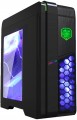 | 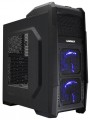 |
|---|---|---|
| Gamemax G536 black | Gamemax G506 black | |
from $42.15 | from $38.00 | |
| User reviews | ||
| TOP sellers | ||
| Features | gaming | gaming |
| Form factor | Midi Tower | Midi Tower |
| Mount | vertical | vertical |
| Motherboard support | ATX | ATX |
| PSU form factor | ATX (regular) | ATX (regular) |
Computer case | ||
| Dimensions (HxWxD) | 410x185x412 mm | 410x185x412 mm |
| Graphics card max lenght | 380 mm | 380 mm |
| Fan max height | 158 mm | 158 mm |
| Weight | 5 kg | |
| Material | steel | steel |
| Sidewall thickness | 0.5 mm | 0.5 mm |
| Rubber feet |  |  |
| Lighting type | backlit fan | backlit fan |
| Lighting colour | blue | |
| Side panel | removable | removable |
Storage | ||
| PSU | | |
| PSU mount | bottom | bottom |
| 5.25" bays | 2 | 2 |
| 3.5" external bays | 1 | |
| 3.5" bays | 4 | 4 |
| internal 2.5" compartments | 1 | 1 |
| Expansion slots | 7 | 7 |
| Screwless | | |
Cooling | ||
| Installed fans | 3 шт | 3 шт |
| Fans (back) | 1x120mm | 1x120mm |
| Fans (front) | 2x120mm | 2x120mm |
| Fans (top) | 2x120mm | |
| Fan mounts total | 5 | 3 |
| Liquid cooling system support | | |
Connectors and functions | ||
| Placement | on top of the case | on top of the case |
| Fan controler | | |
| USB-A 2.0 | 2 pcs | 3 pcs |
| USB-A 5Gbps | 1 pcs | 1 pcs |
| Audio (microphone/headphones) | | |
| Card reader | | |
More features | ||
| Front panel | lattice | lattice |
| Side panel window | + | |
| More features | hidden wiring CPU cooling mount window | hidden wiring CPU cooling mount window |
| Color | ||
| Added to E-Catalog | july 2016 | july 2016 |


Compare Gamemax G536 and G506
You may be interested in
Gamemax G536 often compared


Glossary
Rubber feet
The presence of rubberized legs in the design of the case.
These feet absorb vibrations generated during operation of the computer (mainly due to the operation of fans and optical drives), thereby reducing noise levels and providing additional comfort. Rubberized feet are especially desirable if the computer is placed on a table (on a tabletop or in a dedicated compartment on a table) or on a hard floor.
These feet absorb vibrations generated during operation of the computer (mainly due to the operation of fans and optical drives), thereby reducing noise levels and providing additional comfort. Rubberized feet are especially desirable if the computer is placed on a table (on a tabletop or in a dedicated compartment on a table) or on a hard floor.
Lighting colour
For more on decorative lighting in general, see Light Type above. Here we note that it can have different shades, and sometimes several options are indicated in the characteristics at once. If these options are listed through "and" (for example, "red, blue and green") — this means that this model contains all the specified colours, and the user can switch between them at his discretion. If the shades are listed through “or” (for example, “red, blue or green”), this means that this model is available in several versions that differ in the colour of the backlight.
Special mention is the "RGB" option. This is the name of the most advanced backlight, the shade of which can be chosen at your discretion. However the original RGB backlighting is capable of simultaneously displaying only one of several basic colours (white, yellow, green, red, blue or purple); nevertheless, even these possibilities are enough to customize the appearance of the case and apply various effects (such as backlight synchronization — see below).
And relatively recently, an even more advanced type of adjustable systems has appeared — ARGB backlight. The key difference between ARGB and classic RGB is the possibility of simultaneous operation of diodes of different colours. In other words, classic RGB lighting can display only one colour at a time, while ARGB can display several colours, which provides additional effects. Also, ARGB lighting is connecte...d using a 3pin 5v connector, while regular RGB uses a 4pin 12v connection. It can be represented by various types of illumination. So, ARGB is often integrated into the cooling system, the front panel and magnetic LED strips, which the user can mount at his discretion. To control the backlight, a special controller is usually provided, and buttons or controls for switching the illumination operation modes are placed on the interface panel. In some cases, the backlight is controlled by the motherboard, through a special connector. Many ARGB systems support the ability to fine-tune through specialized software.
Special mention is the "RGB" option. This is the name of the most advanced backlight, the shade of which can be chosen at your discretion. However the original RGB backlighting is capable of simultaneously displaying only one of several basic colours (white, yellow, green, red, blue or purple); nevertheless, even these possibilities are enough to customize the appearance of the case and apply various effects (such as backlight synchronization — see below).
And relatively recently, an even more advanced type of adjustable systems has appeared — ARGB backlight. The key difference between ARGB and classic RGB is the possibility of simultaneous operation of diodes of different colours. In other words, classic RGB lighting can display only one colour at a time, while ARGB can display several colours, which provides additional effects. Also, ARGB lighting is connecte...d using a 3pin 5v connector, while regular RGB uses a 4pin 12v connection. It can be represented by various types of illumination. So, ARGB is often integrated into the cooling system, the front panel and magnetic LED strips, which the user can mount at his discretion. To control the backlight, a special controller is usually provided, and buttons or controls for switching the illumination operation modes are placed on the interface panel. In some cases, the backlight is controlled by the motherboard, through a special connector. Many ARGB systems support the ability to fine-tune through specialized software.
3.5" external bays
The number of external 3.5" component bays provided in the case. The name "external" means that the bay has an exit to the outside (usually to the front panel), and can be reached without opening the case. One of the most popular options the use of such slots — the installation of card readers; in addition, they can be used for other components — in particular, USB hubs.
The number of bays corresponds to the number of external components that can be simultaneously installed in the case. However, this form factor is not particularly popular in the outer periphery, so cases with more than 2 such compartments are rare.
The number of bays corresponds to the number of external components that can be simultaneously installed in the case. However, this form factor is not particularly popular in the outer periphery, so cases with more than 2 such compartments are rare.
Fans (top)
The number of fan slots on the top side of the case, and the size of the fans these slots are designed for. The presence of the fans themselves in the kit should be specified separately.
The larger the fan, the more advanced it is considered: a large diameter allows you to work efficiently at relatively low speeds, which reduces the noise level and energy consumption. Case fans are available in several standard diameters, and the seats under them can be designed for both one and several sizes — for example, 120 / 140 mm. At the same time, in some models, the available number of seats also depends on the chosen size: for example, there are gaming cases where you can install either one 180 mm fan or four 120 mm fans at once.
The larger the fan, the more advanced it is considered: a large diameter allows you to work efficiently at relatively low speeds, which reduces the noise level and energy consumption. Case fans are available in several standard diameters, and the seats under them can be designed for both one and several sizes — for example, 120 / 140 mm. At the same time, in some models, the available number of seats also depends on the chosen size: for example, there are gaming cases where you can install either one 180 mm fan or four 120 mm fans at once.
Fan mounts total
The total number of places for installing fans provided in the chassis design.
The more performant the system, the more components it includes — the more powerful cooling it will need; therefore, the number of places for fans, usually, is directly related to the size and purpose of the case. It is also worth considering that with the same number, the installation location of individual fans may be different — behind, on the side, on top, etc.
The more performant the system, the more components it includes — the more powerful cooling it will need; therefore, the number of places for fans, usually, is directly related to the size and purpose of the case. It is also worth considering that with the same number, the installation location of individual fans may be different — behind, on the side, on top, etc.
USB-A 2.0
The number of built-in USB-A 2.0 ports provided in the case.
These ports are usually located on the front side. They are most convenient for peripherals that need to be frequently connected and disconnected, such as "flash drives" (for permanently connected devices, it's more convenient to use the motherboard ports located on the rear panel). Specifically, USB 2.0 is considered outdated these days: it provides a data transfer speed of only 480 Mbps and comparatively low power. Nevertheless, in many cases, this is quite sufficient, and USB-A 2.0 ports continue to be used, even in fairly advanced cases.
These ports are usually located on the front side. They are most convenient for peripherals that need to be frequently connected and disconnected, such as "flash drives" (for permanently connected devices, it's more convenient to use the motherboard ports located on the rear panel). Specifically, USB 2.0 is considered outdated these days: it provides a data transfer speed of only 480 Mbps and comparatively low power. Nevertheless, in many cases, this is quite sufficient, and USB-A 2.0 ports continue to be used, even in fairly advanced cases.
Card reader
The presence in the case of its own built-in card reader, which saves the user from having to buy it separately. Such a case is worth buying if you plan to work a lot with memory cards, which are widely used in modern portable electronics — laptops, tablets, mobile phones, cameras, etc. Note that today a fairly large number of different formats of memory cards are used in electronics, and not all of them are mutually compatible. Therefore, before buying, you should separately clarify the list of formats supported by the card reader.
Side panel window
The presence of a viewing window on the side panel of the case, allowing you to see the “filling” without opening the case. It gives the case a stylish appearance; in addition, it allows you to install a lighting system inside, which is appreciated by gamers compared to case models without a window.
The materials for manufacturing the windows on the side panel are:
- Acrylic. Acrylic or plexiglass is an inexpensive material of relatively light weight, which, however, actively collects scratches and can be deformed when exposed to high temperatures.
- Strained glass. Tempered glass panels have excellent transparency, are resistant to scratches and are easy to clean from dirt. At the same time, they weigh a lot and can break to pieces if not handled carefully.
- Metal grid. Wire mesh is a simple type of window material used on the side panel of a cabinet. It allows air to pass through and provides additional heat removal from the internal components of the system unit; dust can leak through the mesh overnight.
The materials for manufacturing the windows on the side panel are:
- Acrylic. Acrylic or plexiglass is an inexpensive material of relatively light weight, which, however, actively collects scratches and can be deformed when exposed to high temperatures.
- Strained glass. Tempered glass panels have excellent transparency, are resistant to scratches and are easy to clean from dirt. At the same time, they weigh a lot and can break to pieces if not handled carefully.
- Metal grid. Wire mesh is a simple type of window material used on the side panel of a cabinet. It allows air to pass through and provides additional heat removal from the internal components of the system unit; dust can leak through the mesh overnight.