
Comparison NZXT H710i white vs NZXT H710 black
Add to comparison | 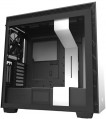 | 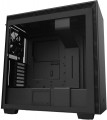 |
|---|---|---|
| NZXT H710i white | NZXT H710 black | |
from $359.99 | from $99.95 | |
| TOP sellers | ||
| Features | gaming | gaming |
| Form factor | Midi Tower | Midi Tower |
| Mount | vertical | vertical |
| Motherboard support | E-ATX | E-ATX |
| PSU form factor | ATX (regular) | ATX (regular) |
Computer case | ||
| Dimensions (HxWxD) | 516x230x494 mm | 516x230x494 mm |
| Graphics card max lenght | 413 mm | 413 mm |
| Fan max height | 185 mm | 185 mm |
| Weight | 12.3 kg | 12.3 kg |
| Material | steel | steel |
| Rubber feet |  | |
| Side panel | removable | removable |
Storage | ||
| PSU |  | |
| PSU mount | bottom | bottom |
| 3.5" bays | 2 | 2 |
| internal 2.5" compartments | 7 | 7 |
| Expansion slots | 9 | 7 |
| Graphics card vertical mount | | |
Cooling | ||
| Installed fans | 4 шт depending on configuration | 4 шт depending on configuration |
| Fans (back) | 1x140mm | 1x140mm |
| Fans (front) | 2x140mm | 2x140mm |
| Fans (top) | 2x140mm | 2x140mm |
| Fan mounts total | 7 | 7 |
| Dust filter | + | + |
| Liquid cooling system support | | |
Liquid cooling system | ||
| Liquid cooling (rear) | 120 mm | 120 mm |
| Liquid cooling (front) | 360 mm | 360 mm |
| Liquid cooling (top) | 360mm | 360mm |
| Liquid cooling mounts | 3 | 3 |
Connectors and functions | ||
| Placement | on top of the case | on top of the case |
| USB-A 5Gbps | 2 pcs | 2 pcs |
| USB-C 10Gbps | 1 pcs | 1 pcs |
| Audio (microphone/headphones) | | |
More features | ||
| Front panel | solid | |
| Side panel window | + | + |
| More features | CPU cooling mount window | CPU cooling mount window |
| Color | ||
| Added to E-Catalog | september 2019 | june 2019 |


Compare NZXT H710i and H710
You may be interested in
My comparisons
NZXT H710i often compared


NZXT H710 often compared
Glossary
Expansion slots
The number of slots for expansion cards located on the rear panel of the case.
The expansion card itself (graphics card, sound card, TV tuner, etc.) is installed in a slot on the motherboard, and an external panel of such a card with inputs and outputs is attached to the hole on the back of the case. The more holes are provided in the case, the more expansion cards can be installed in it. Note that some boards can occupy two or even three holes at once; this is especially common in powerful video cards. On the other hand, you have to pay attention to the number of holes mainly if you are building a powerful high-performance system. For an ordinary household PC, in most cases, one opening is enough for a graphics card; and in many configurations, the openings on the rear panel are not used at all.
The expansion card itself (graphics card, sound card, TV tuner, etc.) is installed in a slot on the motherboard, and an external panel of such a card with inputs and outputs is attached to the hole on the back of the case. The more holes are provided in the case, the more expansion cards can be installed in it. Note that some boards can occupy two or even three holes at once; this is especially common in powerful video cards. On the other hand, you have to pay attention to the number of holes mainly if you are building a powerful high-performance system. For an ordinary household PC, in most cases, one opening is enough for a graphics card; and in many configurations, the openings on the rear panel are not used at all.
Graphics card vertical mount
The ability to install a graphics card in the case vertically, facing the side panel. To do this, the design provides for an appropriate bracket, and the graphics card is connected to the motherboard with a special extension cable — a riser. This feature is found in open cases and models with a viewing window (see relevant paragraphs), its purpose is primarily aesthetic: a vertically placed graphics card is clearly visible from the outside, which gives the case an original appearance, designed for fans of external modding. But vertical installation does not provide any fundamental practical advantages.
Front panel
- Lattice. The grille on the front panel of the case often looks good and allows you to better supply the cooling system fans with more outside air. Decorative lighting is often placed behind the perforated panel, which improves the appearance of the case.
- Blank. The competitive advantages of cases with a blank front panel are improved noise insulation and effective protection of the internal space of the computer from dust.
- Glass. The veil of mystery of what is happening inside the computer system unit is lifted by cases with a glass front panel. Tempered glass as a “facade” material is used both in the form of a solid window and in the form of a glass grille with RGB backlighting. And in combination with the glass side window, it turns the body into an “aquarium”.
- Blank. The competitive advantages of cases with a blank front panel are improved noise insulation and effective protection of the internal space of the computer from dust.
- Glass. The veil of mystery of what is happening inside the computer system unit is lifted by cases with a glass front panel. Tempered glass as a “facade” material is used both in the form of a solid window and in the form of a glass grille with RGB backlighting. And in combination with the glass side window, it turns the body into an “aquarium”.