
Comparison Canon PIXMA TS8340 vs Epson EcoTank L366
Add to comparison | 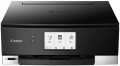 | 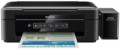 |
|---|---|---|
| Canon PIXMA TS8340 | Epson EcoTank L366 | |
| Outdated Product | from $161.04 up to $230.68 | |
| TOP sellers | ||
Printing stickers for nails. Replacement for Canon PIXMA TS8240. | ||
| Paper size | A4 | A4 |
| Print Type | inkjet | inkjet |
| Output Type | colour | colour |
| Number of colors | 6 | |
Printing and copying | ||
| Max resolution | 4800x1200 dpi | 5760x1440 dpi |
| B/W printing | 15 ppm | 33 ppm |
| Colour printing | 10 ppm | 15 ppm |
| Photo printing | 17 sec/page | 69 sec/page |
| Double-side printing |  |  |
Printing Supplies | ||
| Black Ink Page Yield | 200 pages | 4000 pages |
| Colour Ink Page Yield | 250 pages | 5700 pages |
| Built-in CISS | | |
| Ink Type | pigmented / water soluble | |
| Number of cartridges | 6 | |
| Cartridge model | PGI-480PGBK, CLI-481BK, CLI-481C, CLI-481M, CLI-481Y, CLI-481PB | |
Features | ||
| Data transfer | PC connection (USB) Wi-Fi 5 (802.11aс) card reader Bluetooth Wi-Fi Direct AirPrint | PC connection (USB) Wi-Fi 4 (802.11n) |
| Cloud printing | Epson iPrint | |
| Display | touch color | no display |
| Diagonal | 4.3 " | |
| More Features | Amazon Alexa disc label printing | |
Hardware | ||
| Grammage (min) | 64 g/m² | 64 g/m² |
| Grammage (max) | 300 g/m² | 255 g/m² |
| Scan resolution | 2400x4800 dpi | 1200х2400 dpi |
| Scanner Colour Depth | 16 bit | |
General | ||
| Feed tray | 100 sheets | 100 sheets |
| Noise level | 45 dB | 38 dB |
| Power consumption | 16 W | 10 W |
| Dimensions (WxDxH) | 373x319x141 mm | 482x300x145 mm |
| Weight | 6.6 kg | 4.5 kg |
| Color | ||
| Added to E-Catalog | november 2019 | july 2015 |


Compare Canon PIXMA TS8340 and Epson EcoTank L366
You may be interested in
Canon PIXMA TS8340 often compared


Epson EcoTank L366 often compared


Glossary
Number of colors
The color palette that a printer or MFP can print. A large number of colors is required for high-quality photo printing and obtaining color prints with many shades. As a standard, for a color MFP, 4 colors are provided.
Max resolution
The maximum resolution of the image to be printed. It is usually indicated by two numbers indicating the number of dots per inch (dpi) horizontally and vertically, for example 1200x600. The detail of the image depends on this parameter – the higher the resolution, the more fine details the printer is able to convey and the better their image will be. High print resolution is important, foremost, operating with graphic material; low resolution is sufficient for high-quality text display. So there are the following options: 600x600, 1200x600, 1200x1200, 1800x600, 2400x600, 2400x1200, 2400x2400, 4800x600, 4800x1200, 4800x2400, 5760, and higher print resolutions.
B/W printing
The number of pages the printer can produce per minute in black and white mode. Typically indicated for low print quality, higher print quality takes longer. This setting is important if you need to frequently print text documents.
Colour printing
The number of pages the printer can proceed per minute in colour mode. As like b/w printing, the print speed is usually indicated in the worst quality (at maximum speed), in higher quality the print speed is lower. This setting is worth paying attention to if you need to print colour graphic materials frequently.
Photo printing
Printer's print rate in photographic (highest) quality. Unlike other similar parameters, in this case the speed is usually indicated for a 10x15 sheet (A6 as the most popular format for photos). In addition, photo printing speed is not expressed in pages per minute, but in seconds per page, because such printing takes a lot of time. This option is worth paying attention to if you plan to print photos frequently.
Double-side printing
Feature of a double-sided printing function. This mode implies that after printing on one side, a special gear turns over a sheet of paper and feeds it for printing on the other side. This not only saves the user from manual paper turn-overs, but also exclude the risk of printing the second side upside down.
Black Ink Page Yield
Approximate number of pages that the MFP can print in black and white mode without replacing the cartridge. In fact, this greatly depends on the specs of the images to print, so the actual resource may greatly differ from the claimed one in one way or another. Nevertheless, according to this indicator, it is quite possible to evaluate the capabilities of the MFP and compare it with other models.
Colour Ink Page Yield
Approximate number of pages that the MFP can print in colour mode without replacing the cartridge. In fact, this greatly depends on the specs of the images to print, so the actual resource may greatly differ from the claimed one in one way or another. Nevertheless, according to this indicator, it is quite possible to evaluate the capabilities of the MFP and compare it with other models.
Built-in CISS
The device has a built-in CISS — a continuous ink supply system. Instead of cartridges, such MFPs use external tanks with ink being pumped to the print heads. This allows you to reduce the cost of consumables: one refill of CISS is much cheaper than several replacement cartridges for the same printing page volumes. And refilling such systems is cheaper than changing the cartridge.
The availability of CISS is especially important if you intend to print often and in large volumes. Note that such devices are available in the form of external attachments; however, the integrated system is more convenient and safer — you do not need to mess with its installation, and the risk of incompatibilities and failures is minimal.
The availability of CISS is especially important if you intend to print often and in large volumes. Note that such devices are available in the form of external attachments; however, the integrated system is more convenient and safer — you do not need to mess with its installation, and the risk of incompatibilities and failures is minimal.